
如何在Azure数据库中创建Metastore?
如何在Azure数据库中创建Metastore?
提问于 2022-07-13 10:10:42
所以我跟踪了一个医生:Azure数据库统一目录
我遵循每一步,直到使用托管标识来访问由文档中标题的Unity转移管理的存储。
当我转到中给出的的链接,使用托管标识来访问由一个统一目录转移部分管理的存储时,我没有看到在侧导航栏上的任何数据部分,我按照步骤1使用托管标识来访问由文档中的统一目录转移管理的存储
如果我从Azure门户转到控制台,我有数据部分,但是在单击它之后,我看不到任何创建亚稳态的选项。
那我该怎么解决呢?
回答 1
Stack Overflow用户
回答已采纳
发布于 2022-07-13 12:21:16
确保您满足以下要求:
·你必须是Azure Databricks帐户管理员。
·您的Azure数据库帐户必须在高级计划中。
·在Azure租户中,必须获得许可才能创建:
1. A storage account to use with Azure Data Lake Storage Gen2. See Create a storage account to use with Azure Data Lake Storage Gen2.

2. A new resource to hold a system-assigned managed identity. This requires that you be a Contributor or Owner of a resource group in any subscription in the tenant.
也请注意
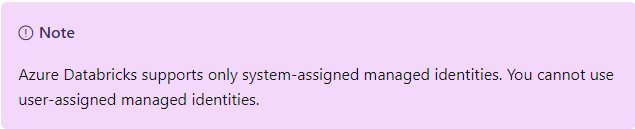
参考- https://learn.microsoft.com/en-us/azure/databricks/data-governance/unity-catalog/create-metastore
页面原文内容由Stack Overflow提供。腾讯云小微IT领域专用引擎提供翻译支持
原文链接:
https://stackoverflow.com/questions/72964512
复制相关文章
相似问题
腾讯云开发者

Copyright © 2013 - 2026 Tencent Cloud. All Rights Reserved. 腾讯云 版权所有
深圳市腾讯计算机系统有限公司 ICP备案/许可证号:粤B2-20090059  粤公网安备44030502008569号
腾讯云计算(北京)有限责任公司 京ICP证150476号 | 京ICP备11018762号