
什么是角14的Firebase身份验证导入?
我正在尝试使用new firebase.authGoogleAuthProvider(),但我不能导入firebase。我安装了:
 "dependencies": {
    "@angular/common": "^14.0.0",
    "@angular/core": "^14.0.0",
    "@angular/fire": "^7.4.1",
    "@angular/forms": "^14.0.0",
    "@angular/platform-browser": "^14.0.0",
    "@angular/platform-browser-dynamic": "^14.0.0",
    "@angular/router": "^14.0.0",
    "@ionic-native/google-plus": "^5.36.0",
    "@ionic-native/sign-in-with-apple": "^5.36.0",
    "@ionic/angular": "^6.1.9",
    "@jest/globals": "^28.1.1",
    "@microsoft/applicationinsights-web": "^2.8.5",
    "angularfire2": "^5.4.2",
    "cordova-plugin-googleplus": "^8.5.2",
    "cordova-plugin-sign-in-with-apple": "^0.1.2",
    "firebase": "^7.9.0",
    "rxjs": "~6.6.0",
    "tslib": "^2.2.0",
    "zone.js": "~0.11.4"
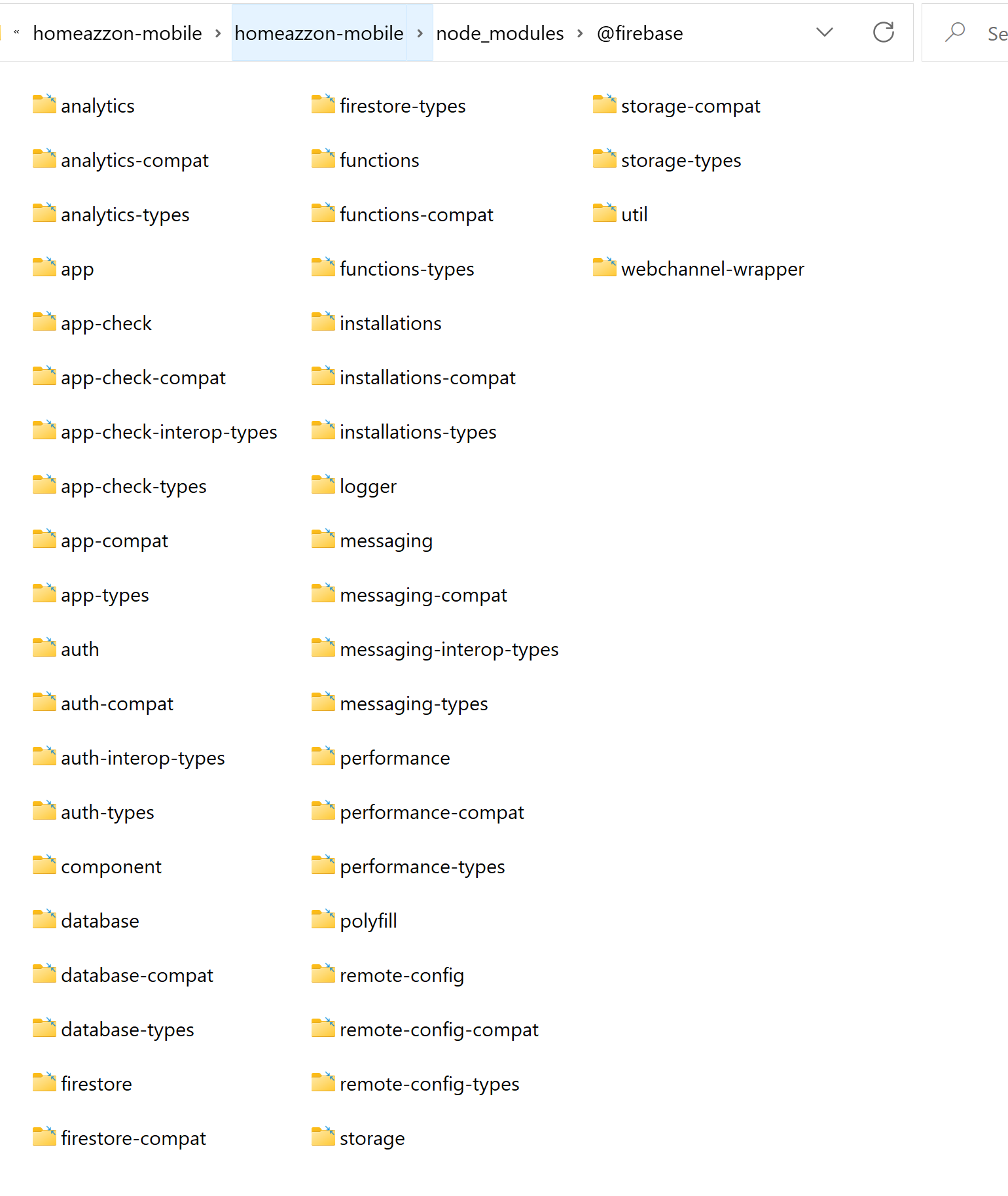
},这是node_modules/@firebase的截图
这是其中一个node_modules/firebase
在某个地方,我发现我应该使用这个import,但是正如您所看到的,这个路径并不存在。有什么建议吗?
import firebase from 'firebase/compat/app';
回答 1
Stack Overflow用户
发布于 2022-07-09 22:14:07
firebase/compat只出现在firebase v9中,我看到您在您的包json中使用"firebase": "^7.9.0",所以npm将在v8之前安装最新版本。
要检查已安装的firebase版本,请参阅node_node/firebase目录中的package.json文件。
要按照指南使用import firebase from 'firebase/compat/app'; -更新package.json文件中的firebase版本并重新运行npm安装。最新版本是9.9.0,所以它将是"firebase": "~9.9.0"或"firebase": "^9.9.0"
https://stackoverflow.com/questions/72924893
复制相似问题
腾讯云开发者

Copyright © 2013 - 2026 Tencent Cloud. All Rights Reserved. 腾讯云 版权所有
深圳市腾讯计算机系统有限公司 ICP备案/许可证号:粤B2-20090059  粤公网安备44030502008569号
腾讯云计算(北京)有限责任公司 京ICP证150476号 | 京ICP备11018762号