
即使在设置更新之后,VS代码仍然对字符串使用单引号。
即使在设置更新之后,VS代码仍然对字符串使用单引号。
提问于 2022-07-07 13:09:50
如何配置VS代码,使其在格式化文档时将所有单引号更改为双引号?我在设置中搜索quotes关键字,并在可能的地方选择双引号:
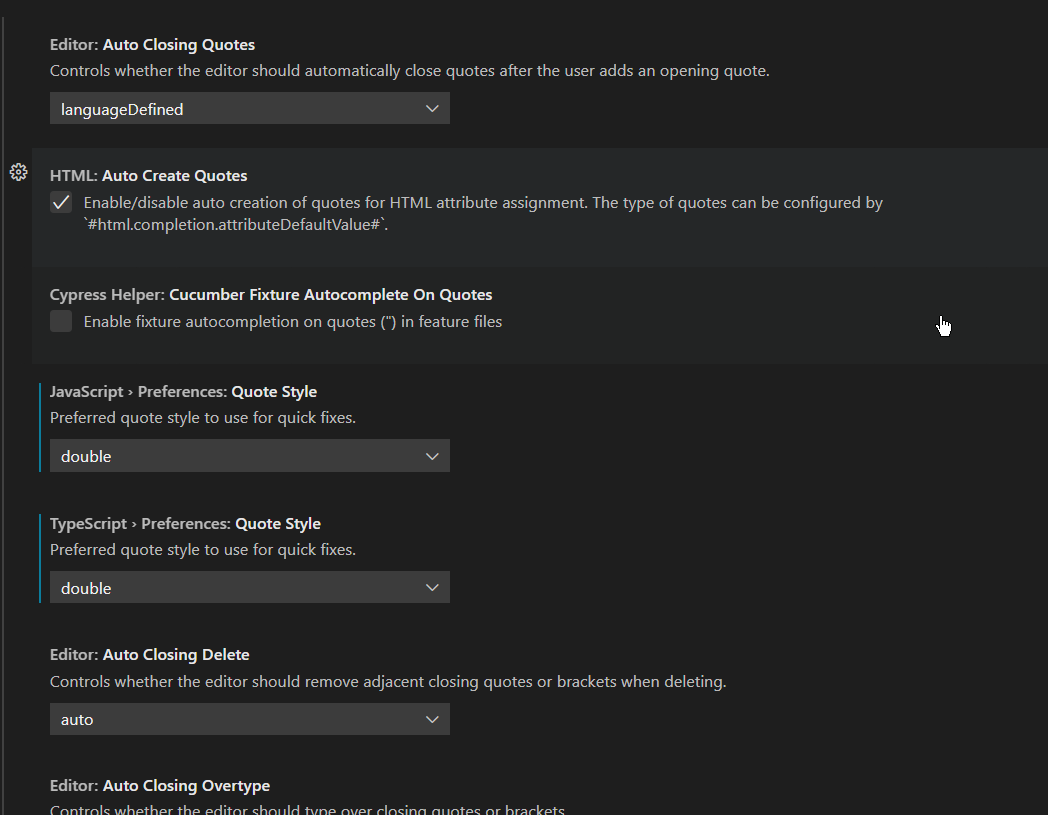
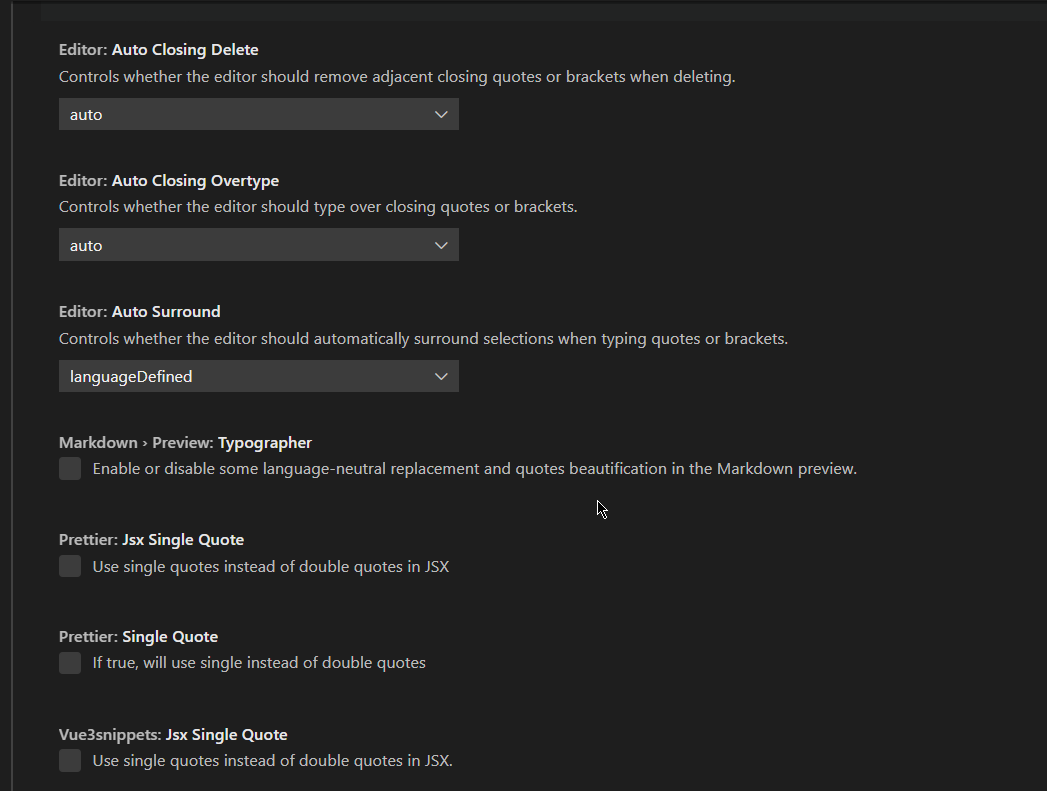
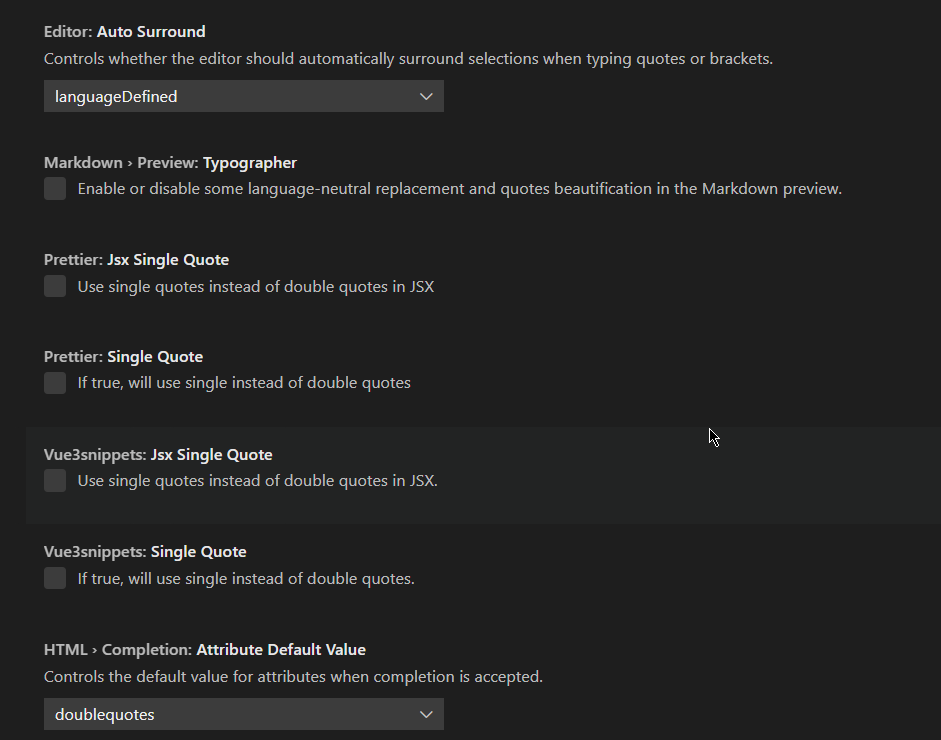
但是结果是在文件格式上没有改变引号。也就是说,单引号保持为单引号,而双引号在格式化后保持为双引号。
我说的是.js文件。
回答 1
Stack Overflow用户
回答已采纳
发布于 2022-07-07 13:33:42
您的安装看起来更漂亮(根据您在屏幕截图中的选项),这可能会覆盖您的设置。在保存/格式化时,您可能会在更漂亮的输出中看到这样的内容:
["INFO" - 9:28:24 AM] Formatting file:///c%3A/dev/GitHub/project/src/root.tsx
["INFO" - 9:28:24 AM] Using config file at 'c:\dev\GitHub\project\.prettierrc'
["INFO" - 9:28:24 AM] Using ignore file (if present) at c:\dev\GitHub\project\src\.prettierignore
["INFO" - 9:28:24 AM] File Info:
{
  "ignored": false,
  "inferredParser": "typescript"
}
["INFO" - 9:28:24 AM] Detected local configuration (i.e. .prettierrc or .editorconfig), VS Code configuration will not be used
["INFO" - 9:28:24 AM] Prettier Options:
{
  "filepath": "c:\\dev\\GitHub\\project\\src\\root.tsx",
  "parser": "typescript",
  "useTabs": false,
  "printWidth": 120,
  "tabWidth": 2,
  "endOfLine": "auto",
  "singleQuote": true,
  "trailingComma": "es5",
  "bracketSameLine": false
}
["INFO" - 9:28:24 AM] Formatting completed in 0.061ms.注意"singleQuote": true,部分,以及输出中的Detected local configuration (i.e. .prettierrc or .editorconfig)。如果您有一个.prettierrc文件,那么修改它并将singleQuote设置为false。保存文件,重新启动Visual代码,然后再试一次。
页面原文内容由Stack Overflow提供。腾讯云小微IT领域专用引擎提供翻译支持
原文链接:
https://stackoverflow.com/questions/72898418
复制相关文章
相似问题
腾讯云开发者

Copyright © 2013 - 2026 Tencent Cloud. All Rights Reserved. 腾讯云 版权所有
深圳市腾讯计算机系统有限公司 ICP备案/许可证号:粤B2-20090059  粤公网安备44030502008569号
腾讯云计算(北京)有限责任公司 京ICP证150476号 | 京ICP备11018762号