
如何在callbackJS中使用shinyWidgets?
如何在callbackJS中使用shinyWidgets?
提问于 2022-06-29 10:04:32
我以前在Shiny告警中使用过,但是因为我尝试在shinyWidgets (ask_confirmation)中使用一些bug。在Shiny警报中,我使用callbackJS来了解用户是单击OK还是单击Cancel,但它在ask_confirmation中不起作用。
library(shiny)
library(shinyWidgets)

ui <- fluidPage(
)

server <- function(input, output, session) {
  ask_confirmation(
    "form1",
    title = " ",
    type = "question",
    btn_labels = c("Cancel", "OK"),
    allowEscapeKey = TRUE,
    closeOnClickOutside = TRUE,
    html = TRUE,
    #######################
    #this one is not woking
    callbackJS =      "
    function(x) {
      if (x !== false) {
      alert('t');
      }
    else{
    alert('ttt');
    }
}

    ",
    ######################
    text =
      div(HTML("

<form style = ' display:flex; flex-direction: row; justify-content: center; align-items: center' action=''>
<div style='border: 5px  black;'>
<input type='text'name='add_nosha_tohen' autocomplete='off' id='add_nosha_tohen' value=''   dir='rtl' style='border-color: black; font-size: 12px;height: 45px; width: 400px; display: block;'/></input>
</div>
</form>
"
      ))
  )
}

shinyApp(ui, server)
知道我该怎么修吗?
回答 1
Stack Overflow用户
回答已采纳
发布于 2022-06-29 22:24:32
在callbackJS中没有ask_confirmation参数。要执行回调,并运行JS代码,可以执行以下操作:
library(shiny)
library(shinyWidgets)
library(shinyjs)
ui <- fluidPage(
    useShinyjs()
)

server <- function(input, output, session) {
    ask_confirmation(
        "form1",
        title = " ",
        type = "question",
        btn_labels = c("Cancel", "OK"),
        allowEscapeKey = TRUE,
        closeOnClickOutside = TRUE,
        html = TRUE,
######################
text =
    div(HTML("
<form style = ' display:flex; flex-direction: row; justify-content: center; align-items: center' action=''>
<div style='border: 5px  black;'>
<input type='text'name='add_nosha_tohen' autocomplete='off' id='add_nosha_tohen' value=''   dir='rtl' style='border-color: black; font-size: 12px;height: 45px; width: 400px; display: block;'/></input>
</div>
</form>
"
    ))
    )

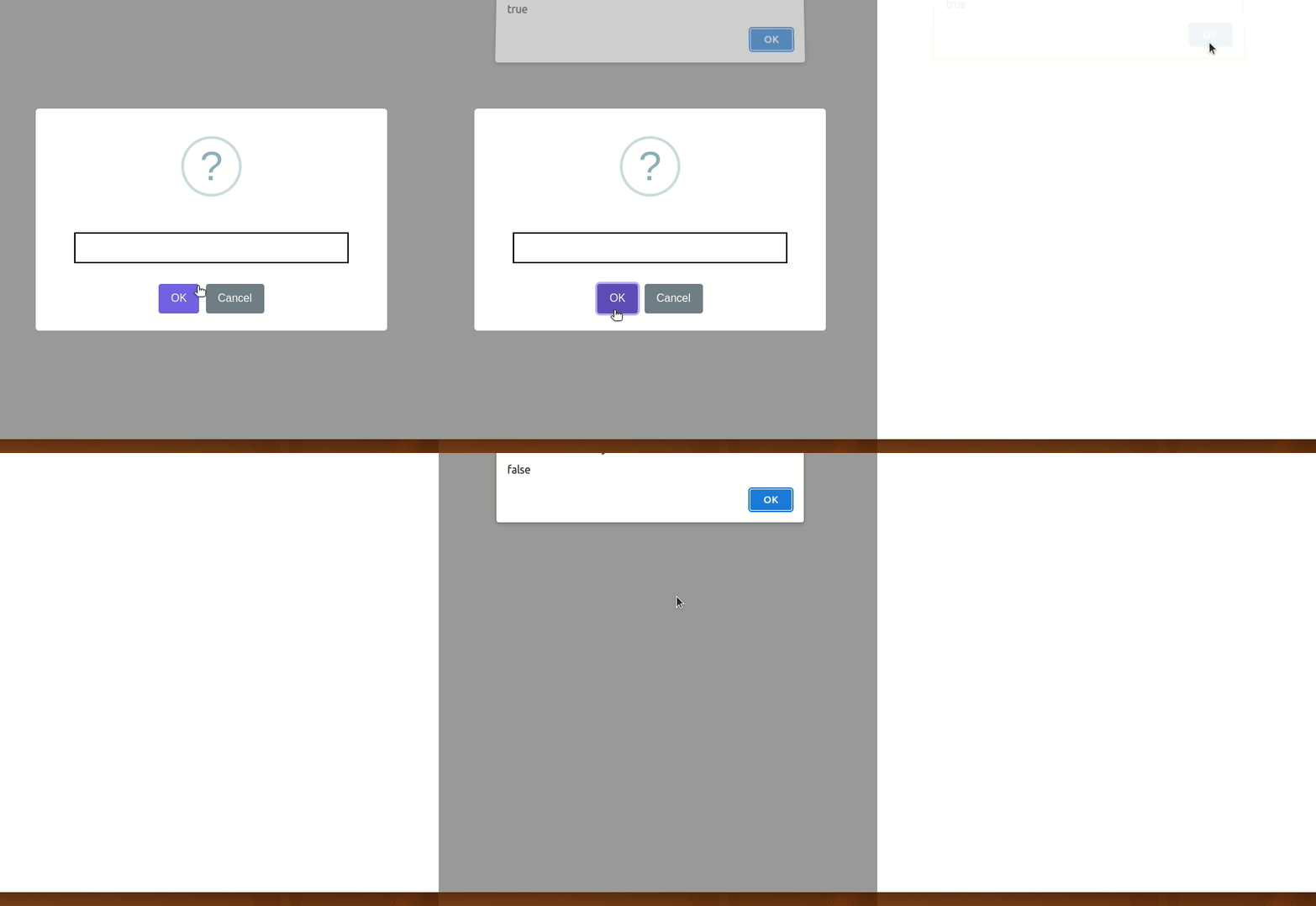
    observeEvent(input$form1, {
        if(is.null(input$form1)) runjs("alert('NULL');")
        else if (input$form1) runjs("alert('true');")
        else runjs("alert('false');")
    }, ignoreNULL = TRUE)
}

shinyApp(ui, server)
页面原文内容由Stack Overflow提供。腾讯云小微IT领域专用引擎提供翻译支持
原文链接:
https://stackoverflow.com/questions/72799504
复制相关文章
相似问题
腾讯云开发者

Copyright © 2013 - 2026 Tencent Cloud. All Rights Reserved. 腾讯云 版权所有
深圳市腾讯计算机系统有限公司 ICP备案/许可证号:粤B2-20090059  粤公网安备44030502008569号
腾讯云计算(北京)有限责任公司 京ICP证150476号 | 京ICP备11018762号