
在officedown文档中使用可弯曲对象时,不同页面上的表标题
我试图把一个文档放在一起,在文档的末尾会找到一个“表”部分。在那里,将显示我将在整个文件中引用的所有表格。
我的问题是,每当我有一个跨越几页的长表时,表标题就单独放在一页上,而下一页上则是表的后面。这既发生在肖像和景观模式。
我的问题是:,我能用它做什么,这样就可以在同一页的关联表的上方找到表标题吗?
以下是问题的快照:
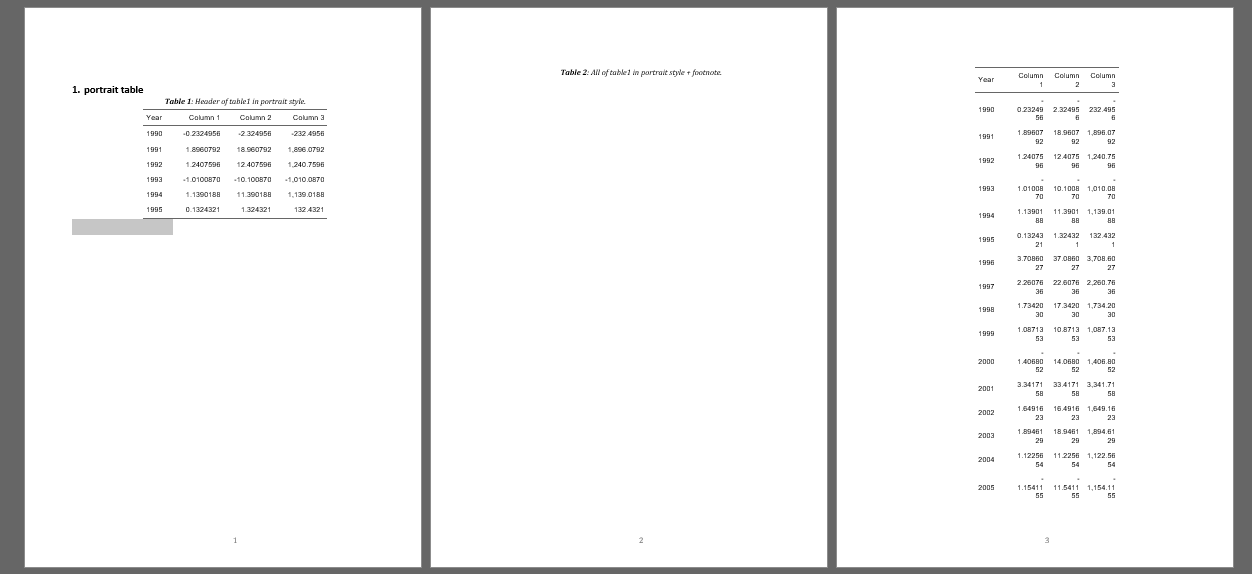
在纵向模式下,当只显示前几行(使用r head()函数左)时,表是可以的,而整个表是不正确的(右侧有两页)。
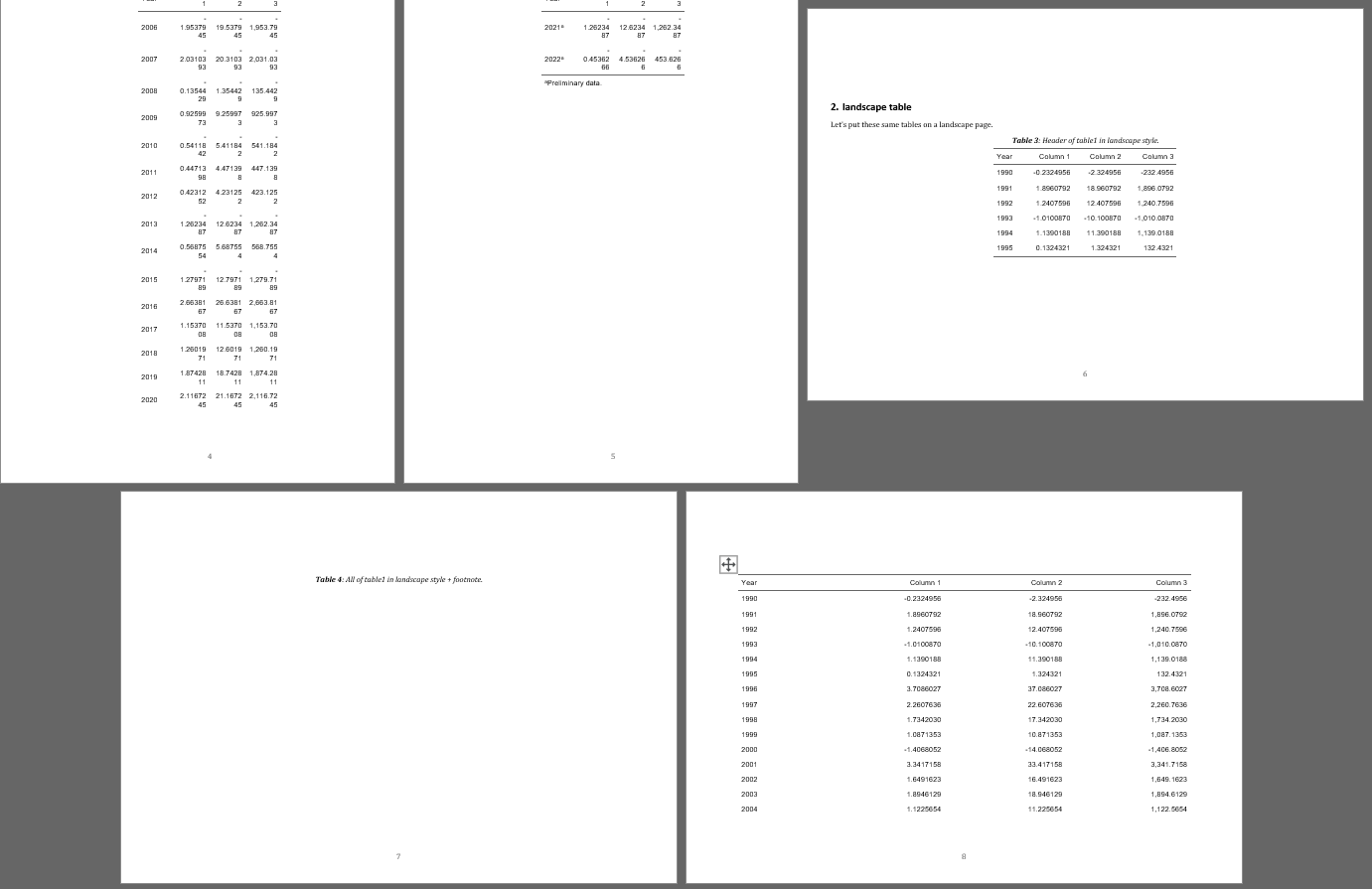
景观模式也是如此。
这是一个可重复的例子。
输出: officedown::rdocx_document
```{r setup, echo=F, message=F, warning=F}Knitr::opts_chunk$set(回声= F,
collapse = T, fig.align = "center", fig.width = 6, fig.height = 8, fig.cap = T, fig.pos = "!h", message = F, warning = F)使用%>%的库(Magrittr)#
图书馆(Dplyr)
图书馆(办公大楼)
图书馆(主任)
图书馆(可弯曲)
肖像剖面
纵向<- prop_section(类型=“连续”)
景观剖面
景观<- prop_section(page_size =page_size(东方=“景观”),类型=“连续”)
设置宽度的函数
FitFlextableToPage <-函数(ft,pgwidth = 6){
ft_out <- ft %>% autofit()
ft_out <-宽度(ft_out,宽度= dim(ft_out)$widths*pgwidth /(flextable_dim(ft_out)$widths))
返回(Ft_out)
}
set.seed(12345) #用于设置table1时的可重现性
```{r, echo = F}table1的创建
年份<- 1990:2022年
table1 <- tibble(年份=年份,
dat1 = sample(rnorm(n = 1000, 0, 2), size = length(years), replace = T)) %>% mutate(year = as.character(year), dat2 = dat1 * 10, dat3 = dat1 * 1000)#表1
# portrait table
```{r}
“初步数据”#脚注
col_names <- c(“年份”、“第1栏”、“第2栏”、“第3栏”)#表标题
设置脚注
cor <-其中(table1,年%在% 2021:2022))
长度(Cor)#2
标头
名称(Table1) <- col_names
```{r table1, tab.cap = "Header of table1 in portrait style."}table1 %>% head() %>%可挠性() %>% autofit()
\newpage
```{r table2, tab.cap = "All of table1 in portrait style + footnote."}
table1 %>%
柔性() %>%
脚注(i= cor,j= 1,value =as_paragraph(英尺),
ref_symbols = "a", part = "body")Block_section(纵向)#纵向部分的末尾
# landscape table
Let's put these same tables on a landscape page.

```{r table3, tab.cap = "Header of table1 in landscape style."}
table1 %>% head() %>%可挠性() %>% autofit()
\newpage

```{r table4, tab.cap = "All of table1 in landscape style + footnote."}
table1 %>%
柔性() %>%
脚注(i= cor,j= 1,value =as_paragraph(英尺),
ref_symbols = "a", part = "body") %>% FitFlextableToPage(pgwidth = 9.5)
Block_section(景观)#景观剖面的末尾
# New section in portrait style

bla bla bla.回答 1
Stack Overflow用户
发布于 2022-06-28 17:27:50
正如David友好地回答的那样,块选项ft.keepnext是这里的关键,需要在示例中设置为FALSE。这是通过在脚本开始时在opts_chunk$set()中添加一个额外的参数来完成的,例如:
knitr::opts_chunk$set(echo = F,
                      collapse = T,
                      fig.align = "center",
                      fig.width = 6,
                      fig.height = 8,
                      fig.cap = T,
                      fig.pos = "!h",
                      message = F,
                      warning = F,
ft.keepnext = F) # the argument addedhttps://stackoverflow.com/questions/72789191
复制相似问题
腾讯云开发者

Copyright © 2013 - 2026 Tencent Cloud. All Rights Reserved. 腾讯云 版权所有
深圳市腾讯计算机系统有限公司 ICP备案/许可证号:粤B2-20090059  粤公网安备44030502008569号
腾讯云计算(北京)有限责任公司 京ICP证150476号 | 京ICP备11018762号