
React Select -钩子-form不适用于Cypress
React Select -钩子-form不适用于Cypress
提问于 2022-06-17 17:03:03
在我的react应用程序中,我有一个带有下拉选择的表单。根据所选选项,呈现不同的输入。
    const [templateType, setTemplateType] = useState("");
    const {
     register,
     formState: { errors },
     setValue,
    } = useFormContext();
    ...
    <FormControl>
      <InputLabel>Template Typ</InputLabel>
      <Select id="SelectTemplateType"
        className="custom-input"
        {...register("templateType", { required: true })}
        label="Template Typ"
        value={templateType}
        onChange={(e) => setTemplateType(e.target.value)}
        error={errors.templateType}
      >
        {TEMPLATE_TYPES.map((option) => (
          <MenuItem value={option.value}>{option.label}</MenuItem>
        ))}
      </Select>
      {errors.templateType && (
        <FormHelperText sx={{ color: "#d32f2f" }}>
          Eintrag darf nicht leer sein!
        </FormHelperText>
      )}
    </FormControl>
    <TemplateFormSwitch templateType={templateType} />
TemplateFormSwitch根据选定的templateType返回不同的表单组件。
我在FormProvider和useFormContext中使用react表单,因为我的表单被分割成多个组件/文件。
我尝试编写一个Cypress-Test,首先单击select,然后单击所需的选项:
    cy.get('#SelectTemplateType').click({ force: true })
    cy.get('[data-value="Text"]').click({ force: true });
    //Entering Test values to TextFields
    cy.get('#mui-1').type("Test");
    cy.get('#mui-2').type("HelloWorld");
然后,当我试图提交我的表单时,所有的文本字段都会得到正确的验证。但不知为何,带有templateType的select没有验证,提交操作就会被阻塞。
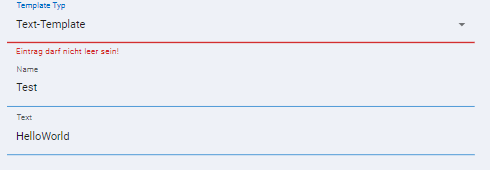
奇怪的是,当我在应用程序中手动单击时,一切都正常,templateType选择得到了正确的验证。
我需要做什么/改变,以测试MUI选择正确,并触发相应的反应钩子形式的验证,就像我将手动测试?
回答 2
Stack Overflow用户
回答已采纳
发布于 2022-06-18 00:04:20
有时命令使用的javascript代码不足以触发验证检查。
用户将聚焦并模糊每个字段,因此您也可以这样做。
it("form test", () => {
  cy.visit("http://localhost:3000");

  cy.get('[href="/form"] > .MuiListItem-root > .MuiListItemButton-root')
    .click();

  cy.get("#SelectGenderType").click();
  cy.get('[data-value="m"]').click()
  cy.get("#SelectGenderType").focus().blur()

  cy.get("form > :nth-child(1) > :nth-child(2)").type("Max");
  cy.get("form > :nth-child(1) > :nth-child(3)").type("Mustermann");

  cy.get(".MuiButton-root")
    .click();

  cy.contains('p', 'Field cannot be empty!').should('not.exist')    // ✅ passes
});Stack Overflow用户
发布于 2022-06-17 19:52:42
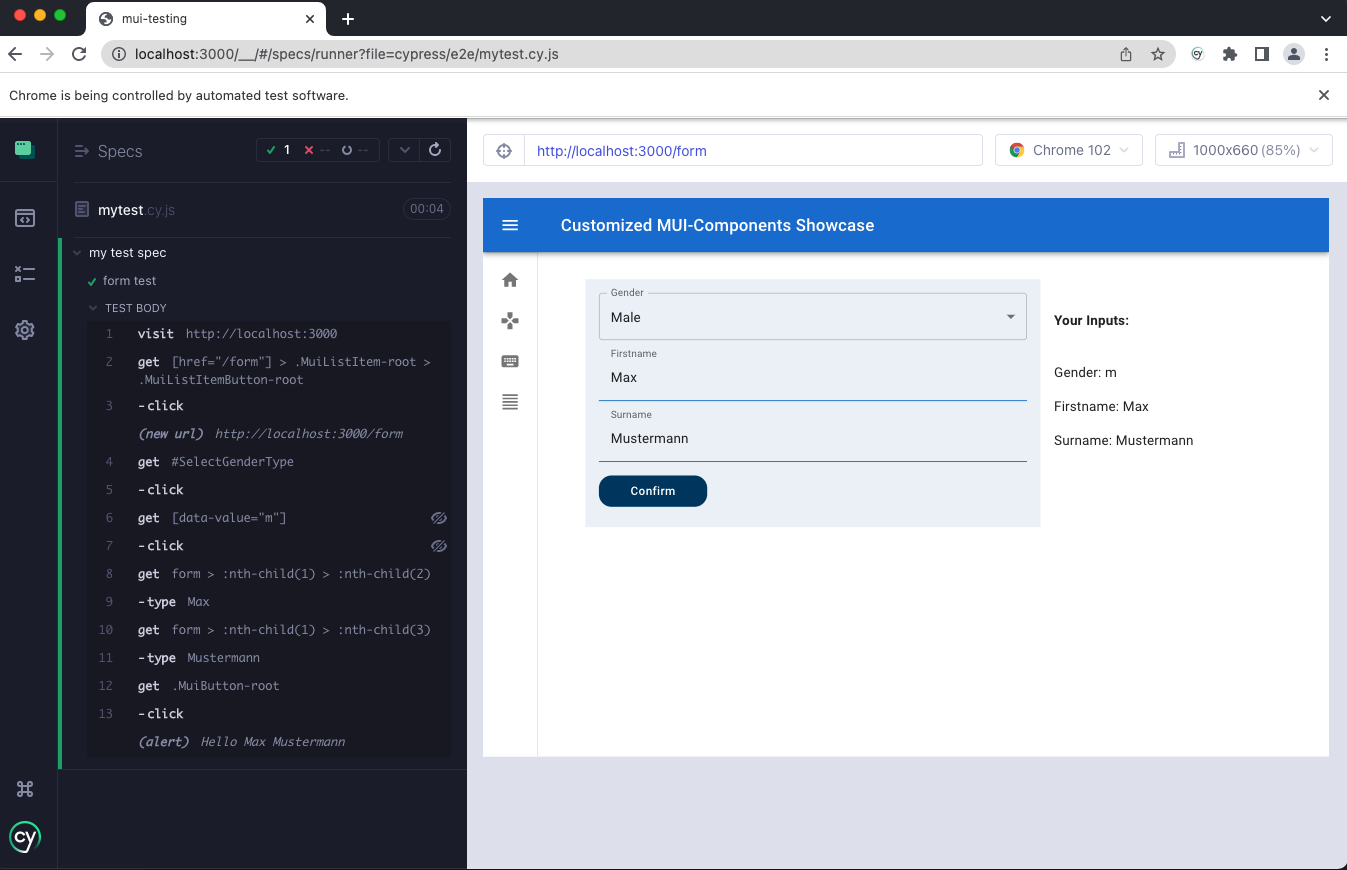
我克隆了你的Repo,并运行了测试,但对我来说,没有产生错误。我查了准确的剧本。
describe('my test spec', () => {
  it('form test', () => {
    cy.visit('http://localhost:3000')

    cy.get(
      '[href="/form"] > .MuiListItem-root > .MuiListItemButton-root'
    ).click()

    cy.get('#SelectGenderType').click()

    cy.get('[data-value="m"]').click()

    cy.get('form > :nth-child(1) > :nth-child(2)').type('Max')
    cy.get('form > :nth-child(1) > :nth-child(3)').type('Mustermann')

    cy.get('.MuiButton-root').click()
  })
})
测试跑步者的截图:
页面原文内容由Stack Overflow提供。腾讯云小微IT领域专用引擎提供翻译支持
原文链接:
https://stackoverflow.com/questions/72662664
复制相关文章
相似问题
腾讯云开发者

Copyright © 2013 - 2026 Tencent Cloud. All Rights Reserved. 腾讯云 版权所有
深圳市腾讯计算机系统有限公司 ICP备案/许可证号:粤B2-20090059  粤公网安备44030502008569号
腾讯云计算(北京)有限责任公司 京ICP证150476号 | 京ICP备11018762号