
用Visual代码调试Docsify.js
用Visual代码调试Docsify.js
提问于 2022-06-16 10:44:26
我正在使用Docsify.js和一些插件创建一些文档。我非常喜欢这个工具来创建文档。如果需要,我在GitHub上创建了一个带有模板的回购程序。
我面临的问题是当我在本地机器上打开index.html时,浏览器无法读取.md文件。
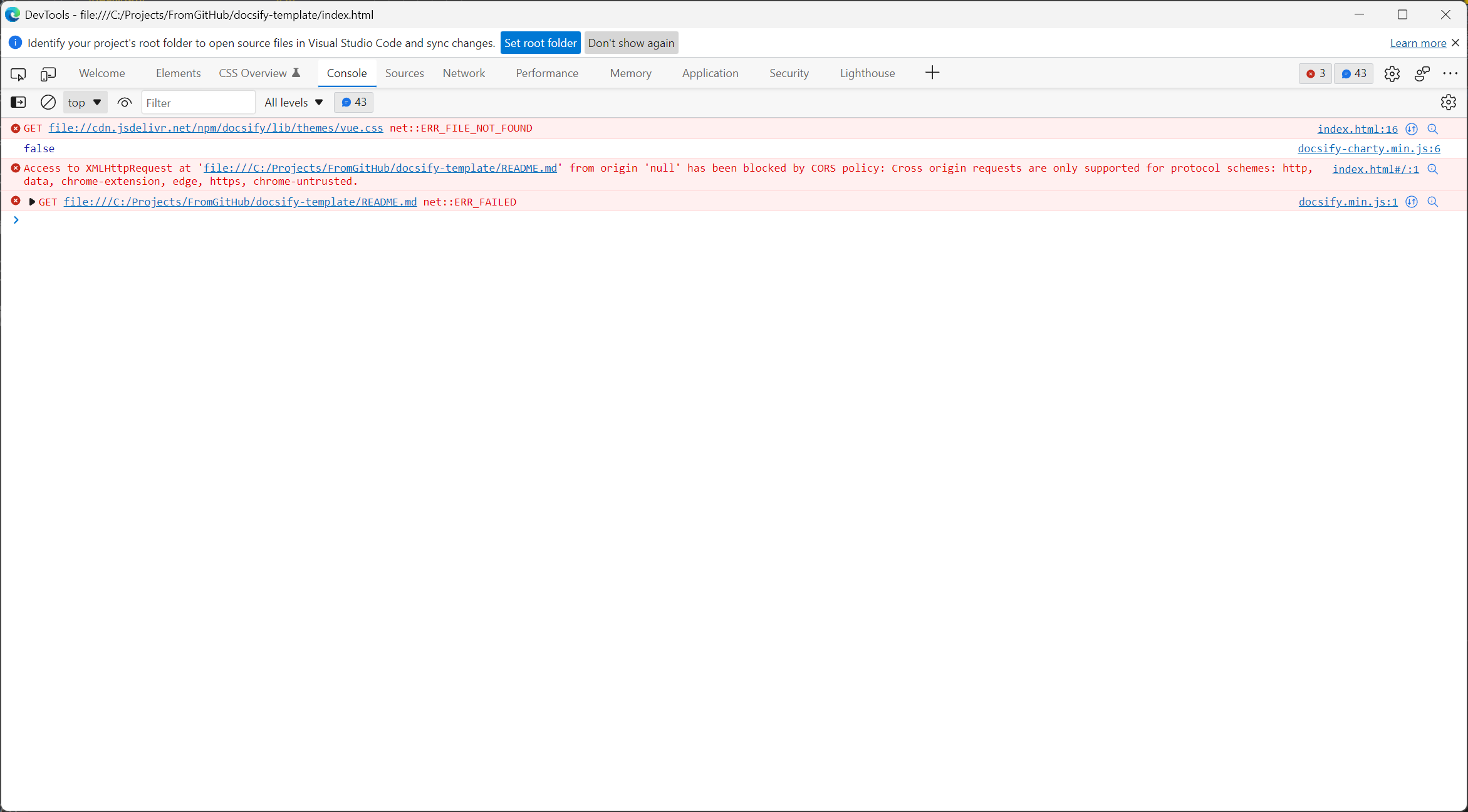
只有当我在服务器上发布页面时,它才能正常工作。因此,我尝试使用代码来运行这些文件。我添加了Microsoft工具。
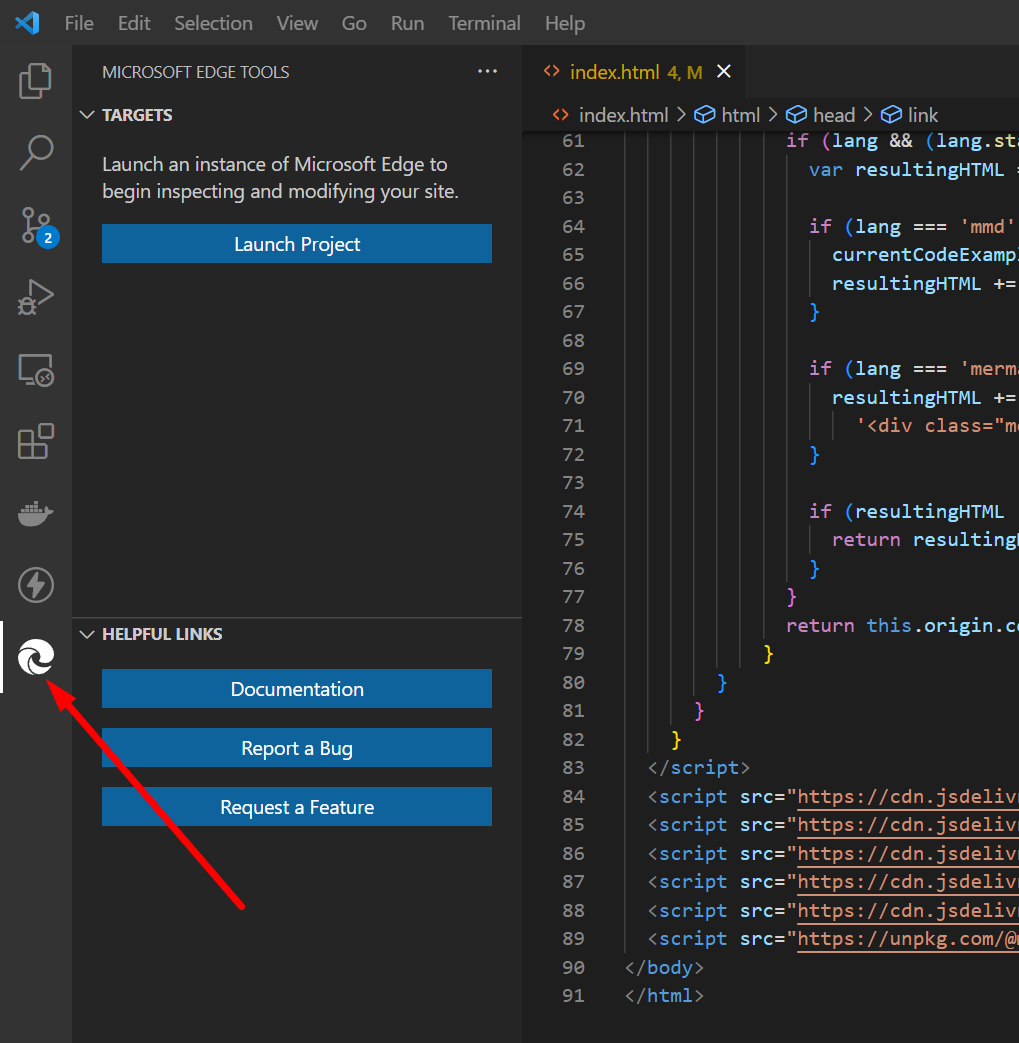
自动,Visual代码为我创建一个launch.json
{
    "configurations": [
        {
            "type": "pwa-msedge",
            "name": "Launch Microsoft Edge",
            "request": "launch",
            "runtimeArgs": [
                "--remote-debugging-port=9222"
            ],
            "url": "C:\\Projects\\FromGitHub\\agile\\index.html",
            "presentation": {
                "hidden": true
            }
        },
        {
            "type": "pwa-msedge",
            "name": "Launch Microsoft Edge in headless mode",
            "request": "launch",
            "runtimeArgs": [
                "--headless",
                "--remote-debugging-port=9222"
            ],
            "url": "C:\\Projects\\FromGitHub\\agile\\index.html",
            "presentation": {
                "hidden": true
            }
        },
        {
            "type": "vscode-edge-devtools.debug",
            "name": "Open Edge DevTools",
            "request": "attach",
            "url": "C:\\Projects\\FromGitHub\\agile\\index.html",
            "presentation": {
                "hidden": true
            }
        }
    ],
    "compounds": [
        {
            "name": "Launch Edge Headless and attach DevTools",
            "configurations": [
                "Launch Microsoft Edge in headless mode",
                "Open Edge DevTools"
            ]
        },
        {
            "name": "Launch Edge and attach DevTools",
            "configurations": [
                "Launch Microsoft Edge",
                "Open Edge DevTools"
            ]
        }
    ]
}
但是,同样,我也有同样的问题。如何允许浏览器访问本地文件来调试文档?是否有方法为其配置Visual代码?
回答 1
Stack Overflow用户
发布于 2022-08-11 11:44:09
你试过使用docsify serve吗?
git clone https://github.com/erossini/docsify-template.git
cd docsify-template
docsify serve .Serving /Users/xyz/git/github.ibm.com/erossin/docsify-template now.
Listening at http://localhost:3000页面原文内容由Stack Overflow提供。腾讯云小微IT领域专用引擎提供翻译支持
原文链接:
https://stackoverflow.com/questions/72644567
复制相关文章
相似问题
腾讯云开发者

Copyright © 2013 - 2026 Tencent Cloud. All Rights Reserved. 腾讯云 版权所有
深圳市腾讯计算机系统有限公司 ICP备案/许可证号:粤B2-20090059  粤公网安备44030502008569号
腾讯云计算(北京)有限责任公司 京ICP证150476号 | 京ICP备11018762号