
如何使用Dropzone组件拒绝超大文件?
如何使用Dropzone组件拒绝超大文件?
提问于 2022-06-16 09:30:19
我在React-Dropzone的React-Dropzone组件中使用Nextjs和TypeScript。
- 如果文件大小超过30 to (
30000000字节),我想拒绝上传。此时,拒绝消息可以是任何内容。 - 当前,当将一个大文件放到区域中时,会出现以下错误:
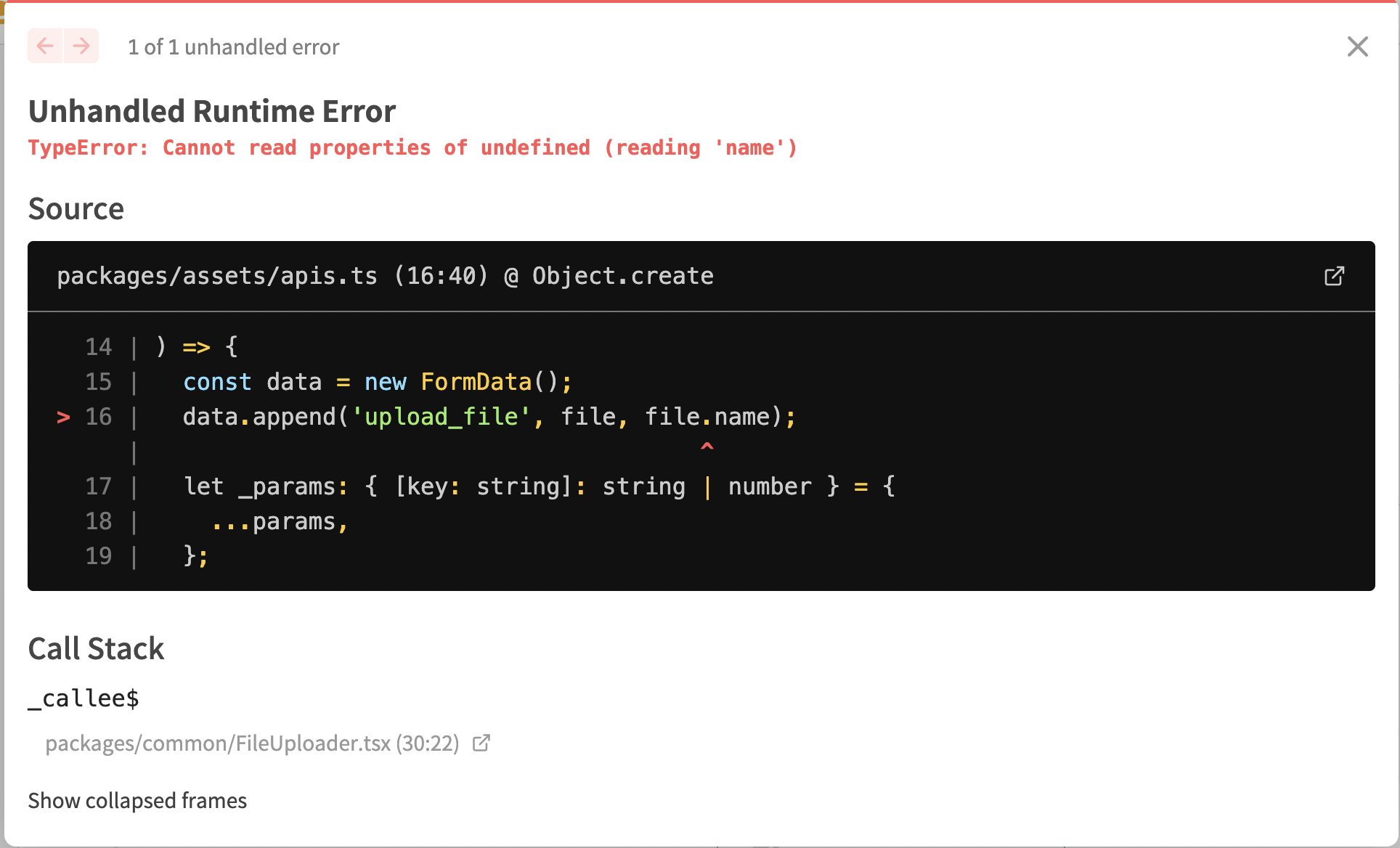
我看到在这个onDropRejected组件中有一个名为Dropzone的属性可以使用,但是我们如何才能使用这个属性而不是像上面那样运行错误呢?
,这是我的UI的样子:
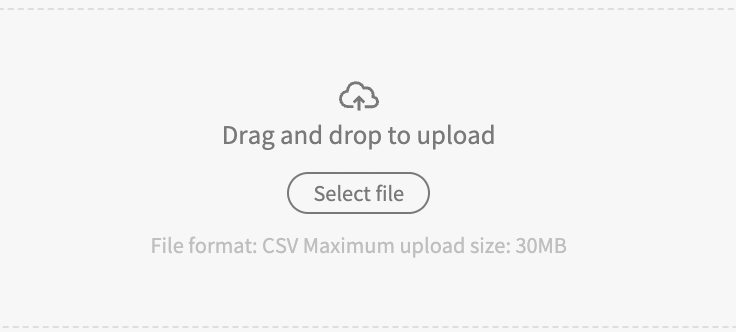
我的代码:
type Props = {
  name?: string;
  isError?: boolean;
  onChange?: (id: string) => void;
};

export const FileUploader = ({ name, isError, onChange }: Props) => {
  const [uploading, setUploading] = useState(false);

  const [nameFile, setNameFile] = useState<string>('File format: CSV Maximum upload size: 30MB');
  const [currId, setCurrId] = useState('');

  useEffect(() => {
    name && setNameFile(name);
  }, [name]);

  const handleDrop = async (acceptedFiles: File[]) => {
    setUploading(true);
    const file = acceptedFiles[0];
    const res = await AssetApis.create(file, AssetResourceType.marketingAction);
    if (res.id) {
      setNameFile(file.name);
      onChange?.(res.id);
      currId && (await AssetApis.remove(currId));
      setCurrId(res.id);
    }
    setUploading(false);
  };

  return (
    <div>
      <Dropzone
        onDrop={handleDrop}
        multiple={false}
        accept={['image/*', 'text/csv']}
        disabled={uploading}
        maxSize={30000000}>
        {({ getRootProps, getInputProps }) => (
          <div
            {...getRootProps({ className: 'dropzone' })}
            className='flex items-center w-full h-40 text-center'>
            <input {...getInputProps()} />
            <div
              className={classNames(
                'rounded flex h-full items-center justify-center flex-col flex-1 border border-dashed text-gray-700 mr-2.5 py-6',
                isError ? 'border-danger' : 'border-gray'
              )}>
              <Icon name='upload' size={20} />
              <div className='mb-2.5 text-medium'>Drag and drop to upload</div>
              <button
                type='button'
                className='px-2.5 border-gray-700 border rounded-full text-small px-3 py-0.5'>
                Select file
              </button>
              <div className='mt-2 text-gray-500 text-small'>{nameFile}</div>
            </div>
          </div>
        )}
      </Dropzone>
    </div>
  );
};回答 1
Stack Overflow用户
发布于 2022-07-11 12:55:09
您可以添加一个函数验证器:
const fileValidator = (file) => {

if (file.size > 30000000) {

  return {
    code: "size-too-large",
    message: `file is larger than 30MB`,
  };
}

return null;
}
然后,将函数添加到useDropZone中:
 const { getRootProps, getInputProps, isDragAccept, isDragReject } =
useDropzone({
  onDrop,
  validator: fileValidator,
});页面原文内容由Stack Overflow提供。腾讯云小微IT领域专用引擎提供翻译支持
原文链接:
https://stackoverflow.com/questions/72643567
复制相关文章
相似问题
腾讯云开发者

Copyright © 2013 - 2026 Tencent Cloud. All Rights Reserved. 腾讯云 版权所有
深圳市腾讯计算机系统有限公司 ICP备案/许可证号:粤B2-20090059  粤公网安备44030502008569号
腾讯云计算(北京)有限责任公司 京ICP证150476号 | 京ICP备11018762号