
如何避免"RuntimeError:库达内存不足“。在一幅图像的推理过程中?
如何避免"RuntimeError:库达内存不足“。在一幅图像的推理过程中?
提问于 2022-06-15 20:01:47
我正面临着著名的“记忆中的数据自动化系统”错误。
File "DATA\instance-mask-r-cnn-torch\venv\lib\site-packages\torchvision\models\detection\roi_heads.py", line 416, in paste_mask_in_image
    im_mask = torch.zeros((im_h, im_w), dtype=mask.dtype, device=mask.device)
RuntimeError: CUDA out of memory. Tried to allocate 24.00 MiB (GPU 0; 2.00 GiB total capacity; 1.66 GiB already allocated; 0 bytes free; 1.73 GiB reserved in total by PyTorch) If reserved memory is >> allocated memory try setting max_split_size_mb to avoid fragmentation.  See documentation for Memory Management and PYTORCH_CUDA_ALLOC_CONF
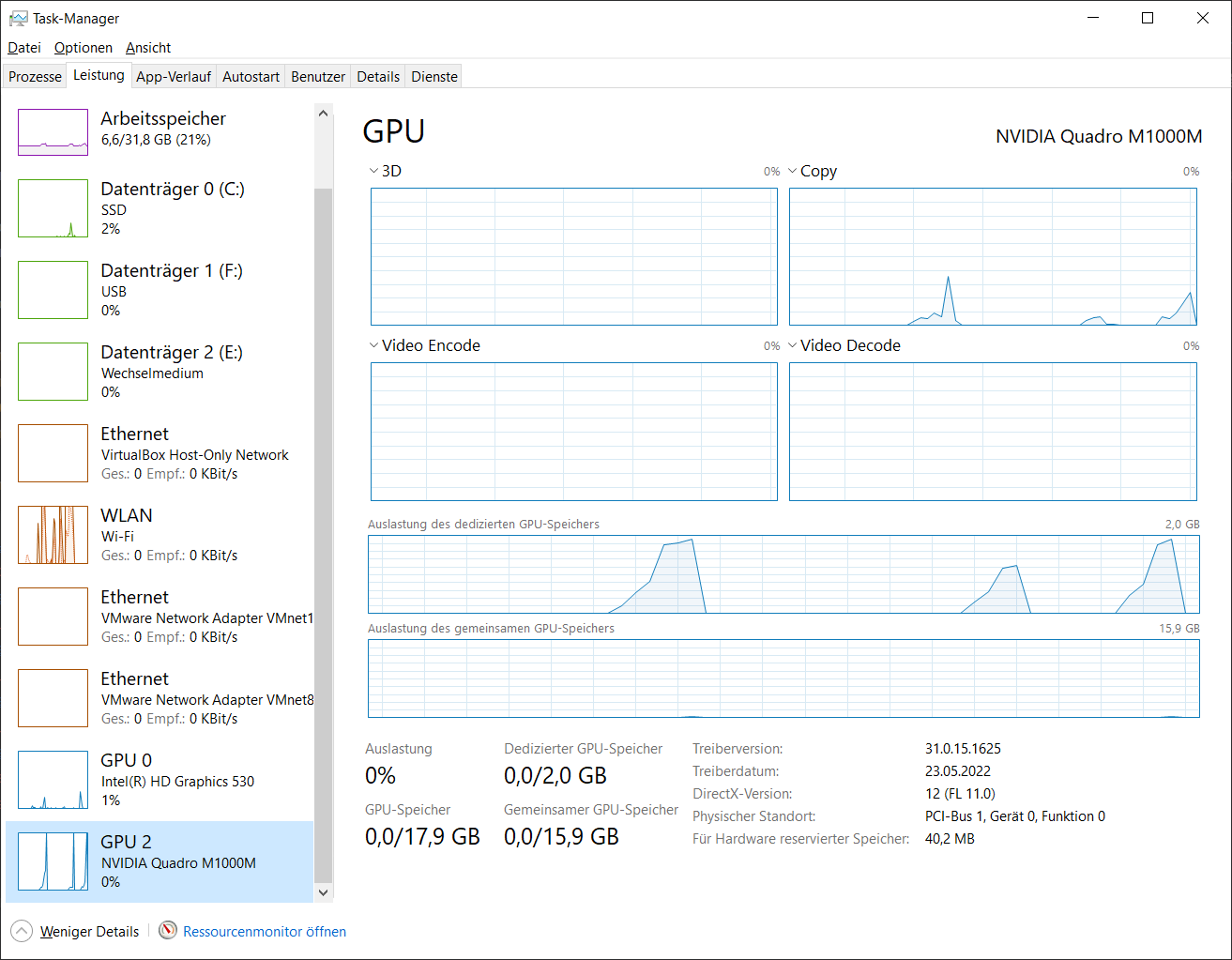
Windows 10,CUDA 11.3,torch 0.11.0+cu113,torchvision 0.12.0+cu113
在ENV上我和PYTORCH_CUDA_ALLOC_CONF=max_split_size_mb:32一起玩,128,8,24,32.但没有成功。
大小为640x512 (1.5mb)的映像工作,另一个大小为3264x1840 (1.75mb)的映像导致OOME。
import torchvision.transforms
from torchvision.models.detection import mask_rcnn
import torch
from PIL import Image
import gc

if torch.cuda.is_available():
    print(f'GPU: {torch.cuda.get_device_name(0)}')
    device = torch.device('cuda')
    torch.cuda.empty_cache()
else:
    device = torch.device('cpu')

print(f'Device: {device}')

model = mask_rcnn.maskrcnn_resnet50_fpn(pretrained=True)
print(model.eval())

model.to(device)

img_path = 'images/tv_image05.png'
img_path = 'images/DJI_20220519110029_0001_W.JPG'
img_path = 'images/DJI_20220519110143_0021_T.JPG'
img_path = 'images/WP_20160104_09_52_53_Pro.jpg'

img = Image.open(img_path).convert("RGB")

img_tensor = torchvision.transforms.functional.to_tensor(img)

with torch.no_grad():
    predictions = model([img_tensor.cuda()])

print(predictions)

gc.collect()
torch.cuda.empty_cache()
到目前为止,我发现了很多提示,减少了批量大小。但我没有使用训练模式。我还能做些什么来处理尺寸高达7mb的图像呢?
回答 1
Stack Overflow用户
回答已采纳
发布于 2022-06-15 23:47:55
在float32中,3264x1840映像将是72 in。因为它适用于640x512图像,所以我建议对其进行调整。简单地添加torchvision.transforms.functional.resize(img,512)
另一个常见的技巧是将模型和图像量化为float16,但这可能会降低模型的准确性,这取决于您正在做什么。
页面原文内容由Stack Overflow提供。腾讯云小微IT领域专用引擎提供翻译支持
原文链接:
https://stackoverflow.com/questions/72637215
复制相关文章
相似问题
腾讯云开发者

Copyright © 2013 - 2026 Tencent Cloud. All Rights Reserved. 腾讯云 版权所有
深圳市腾讯计算机系统有限公司 ICP备案/许可证号:粤B2-20090059  粤公网安备44030502008569号
腾讯云计算(北京)有限责任公司 京ICP证150476号 | 京ICP备11018762号