
readthedocs构建无法使用shields.io svg徽章生成狮身人面像文档。
readthedocs构建无法使用shields.io svg徽章生成狮身人面像文档。
提问于 2022-06-03 07:24:37
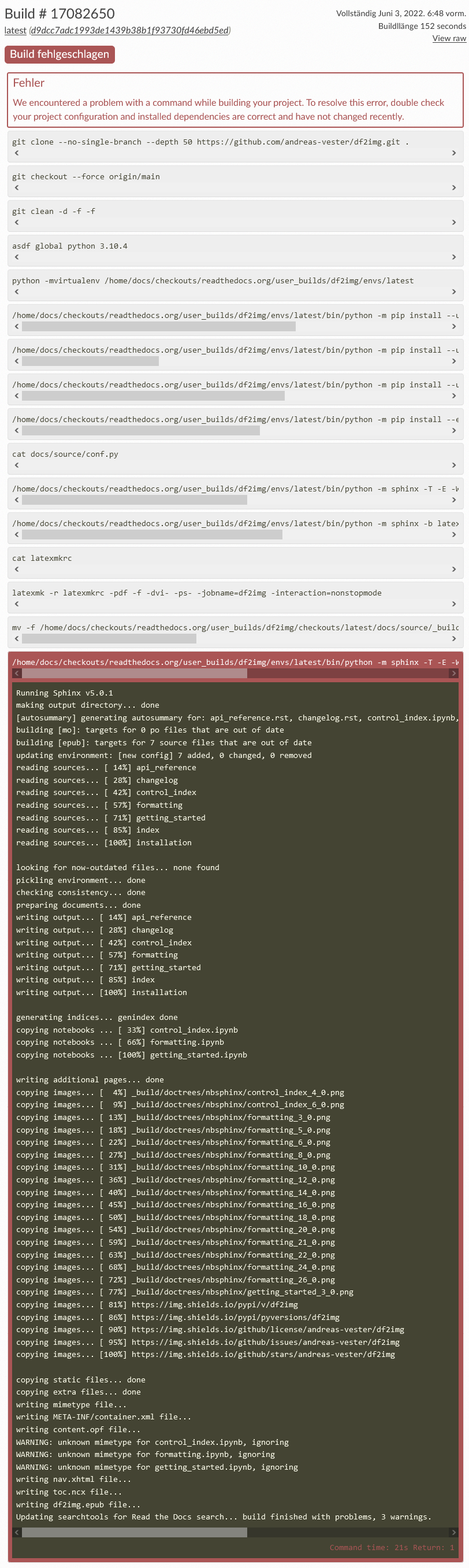
我最新的狮身人面像文档在试图用readthedocs构建它时失败了。这与我试图加入一些来自https://shields.io/的徽章有很大的关系。这些徽章是.svg图形文件。
我可能需要对我的conf.py文件做一些调整吗?
在我的本地机器上,我能够生成Sphinx文档,并且所有HTML文件看起来都不错。
以下是我的conf.py文件的摘录:
# -- General configuration ---------------------------------------------------

# Add any Sphinx extension module names here, as strings. They can be
# extensions coming with Sphinx (named 'sphinx.ext.*') or your custom
# ones.
extensions = [
    "nbsphinx",
    "numpydoc",
    "sphinx.ext.autodoc",
    "sphinx_copybutton",
    "sphinx.ext.napoleon",
]

napoleon_google_docstring = False
napoleon_numpy_docstring = True
numpy_validation_checks = {all}

# Add any paths that contain templates here, relative to this directory.
templates_path = ["_templates"]

# List of patterns, relative to source directory, that match files and
# directories to ignore when looking for source files.
# This pattern also affects html_static_path and html_extra_path.
exclude_patterns = []


# -- Options for HTML output -------------------------------------------------

# The theme to use for HTML and HTML Help pages.  See the documentation for
# a list of builtin themes.
#
html_theme = "sphinx_rtd_theme"

# Add any paths that contain custom static files (such as style sheets) here,
# relative to this directory. They are copied after the builtin static files,
# so a file named "default.css" will overwrite the builtin "default.css".
html_static_path = []以下是文本输出:https://readthedocs.org/api/v2/build/17082650.txt
回答 1
Stack Overflow用户
回答已采纳
发布于 2022-06-04 07:39:03
虽然您可能已经禁用了RTD UI中的epub和PDF构建,但在高级设置>默认设置下,您必须在RTD UI中注意:
可以使用配置文件配置这些设置。这是设置项目的推荐方法。当使用配置文件时,此处列出的设置将被忽略。
因此,您必须使用同时启用pdf和epub生成的配置文件。瞧,瞧:
formats:
  - pdf
- epub页面原文内容由Stack Overflow提供。腾讯云小微IT领域专用引擎提供翻译支持
原文链接:
https://stackoverflow.com/questions/72486078
复制相关文章
相似问题
腾讯云开发者

Copyright © 2013 - 2026 Tencent Cloud. All Rights Reserved. 腾讯云 版权所有
深圳市腾讯计算机系统有限公司 ICP备案/许可证号:粤B2-20090059  粤公网安备44030502008569号
腾讯云计算(北京)有限责任公司 京ICP证150476号 | 京ICP备11018762号