
vTune 2022.2未能为.NET 6控制台应用程序加载PDB符号
我试图使用Intel vTune来分析.NET 6控制台应用程序。我正在学习英特尔网站的例子。
你可以找到回购这里。
我安装了vTune 2022.2,在Windows10ProVersion21H2Build 19044.1706上运行
我更新了默认的.csproj文件,使其在发布模式下生成符号:
<Project Sdk="Microsoft.NET.Sdk">

  <PropertyGroup>
    <OutputType>Exe</OutputType>
    <TargetFramework>net6.0</TargetFramework>
    <ImplicitUsings>enable</ImplicitUsings>
    <Nullable>enable</Nullable>
    <DebugSymbols>true</DebugSymbols>
    <DebugType>full</DebugType>
  </PropertyGroup>

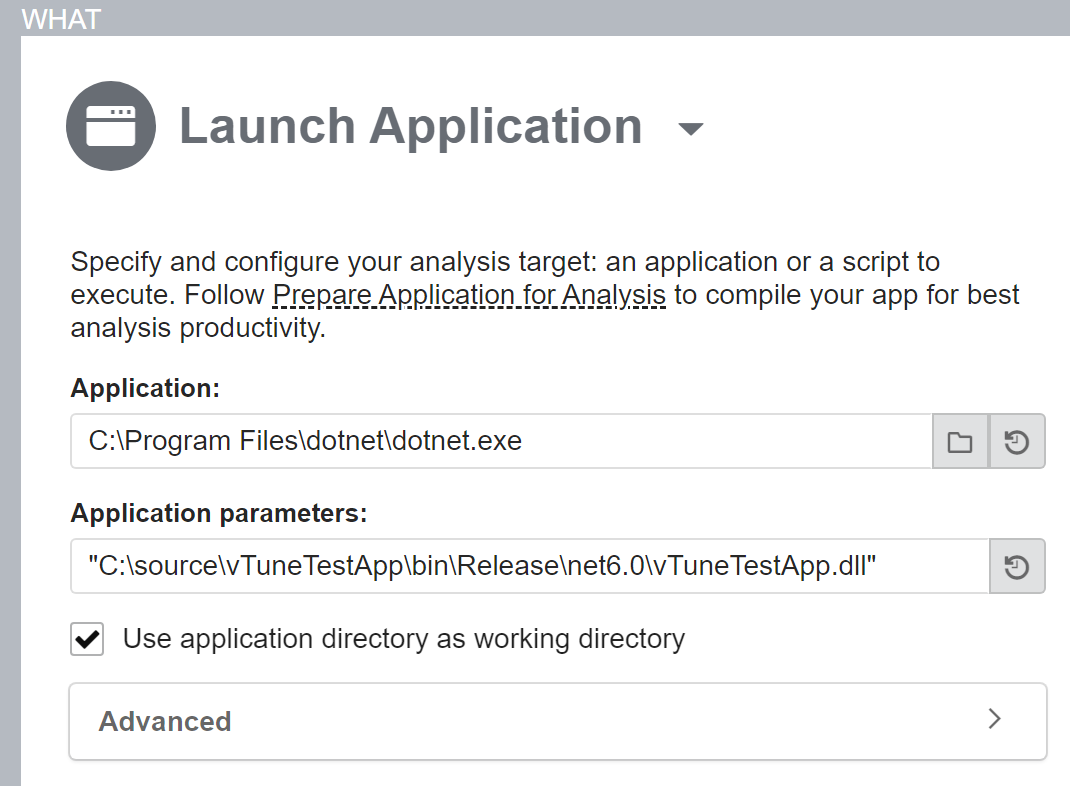
</Project>我有vTune将dotnet.exe可执行文件作为目标应用程序,对于命令行参数,我给出了vTuneTestApp.dll的位置。
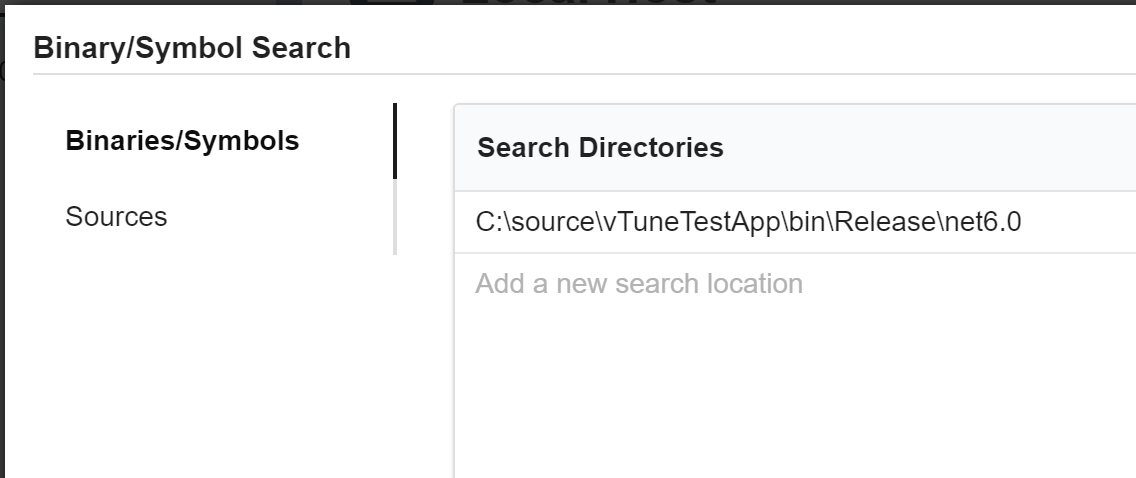
我还添加了PDB位于二进制/符号搜索中的目录。
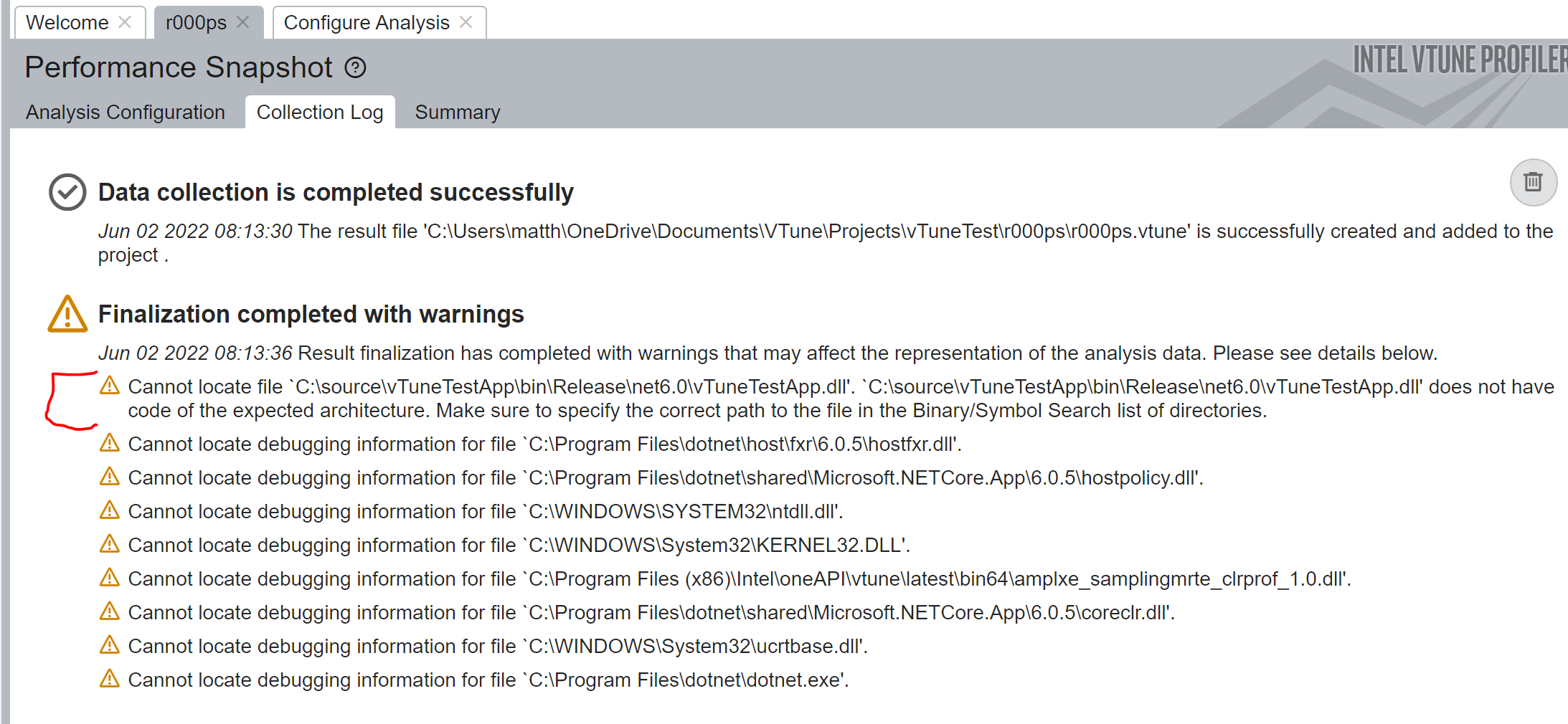
当我运行“性能快照”分析时,我会在集合日志中得到以下反馈。
Cannot locate file "C:\source\vTuneTestApp\bin\Release\net6.0\vTuneTestApp.dll".
"C:\source\vTuneTestApp\bin\Release\net6.0\vTuneTestApp.dll" does not have code
of the expected architecture. Make sure to specify the correct path to the file
in the Binary/Symbol Search list of directories.
我做错了什么?我尽可能地学习这个例子,但它失败了。
回答 1
Stack Overflow用户
发布于 2022-06-06 12:36:56
这些只是一些警告信息。通常,输出的警告消息是关于系统和VTune模块的。如果您对分析系统功能不感兴趣,可以忽略它们。否则,请参阅VTune帮助中的“Windows*系统库的调试信息”帮助主题。
对于Cannot locate file "C:\source\vTuneTestApp\bin\Release\net6.0\vTuneTestApp.dll". "C:\source\vTuneTestApp\bin\Release\net6.0\vTuneTestApp.dll" does not have code of the expected architecture. Make sure to specify the correct path to the file in the Binary/Symbol Search list of directories.,当VTune找不到共享的dll库时就会发生这种情况。这些库是在没有调试符号的情况下编译的。
即使VTune抛出此警告,也将收集所有数据。您可以随意忽略这些警告。
有关更多信息,请参考以下链接:https://www.intel.com/content/www/us/en/develop/documentation/vtune-help/top/troubleshooting/error-c..。
https://stackoverflow.com/questions/72478672
复制相似问题
腾讯云开发者

Copyright © 2013 - 2026 Tencent Cloud. All Rights Reserved. 腾讯云 版权所有
深圳市腾讯计算机系统有限公司 ICP备案/许可证号:粤B2-20090059  粤公网安备44030502008569号
腾讯云计算(北京)有限责任公司 京ICP证150476号 | 京ICP备11018762号