
动态图片循环
动态图片循环
提问于 2022-06-02 06:20:45
因此,我已经创建了一个动态选择列表的excel使用vba。见下文
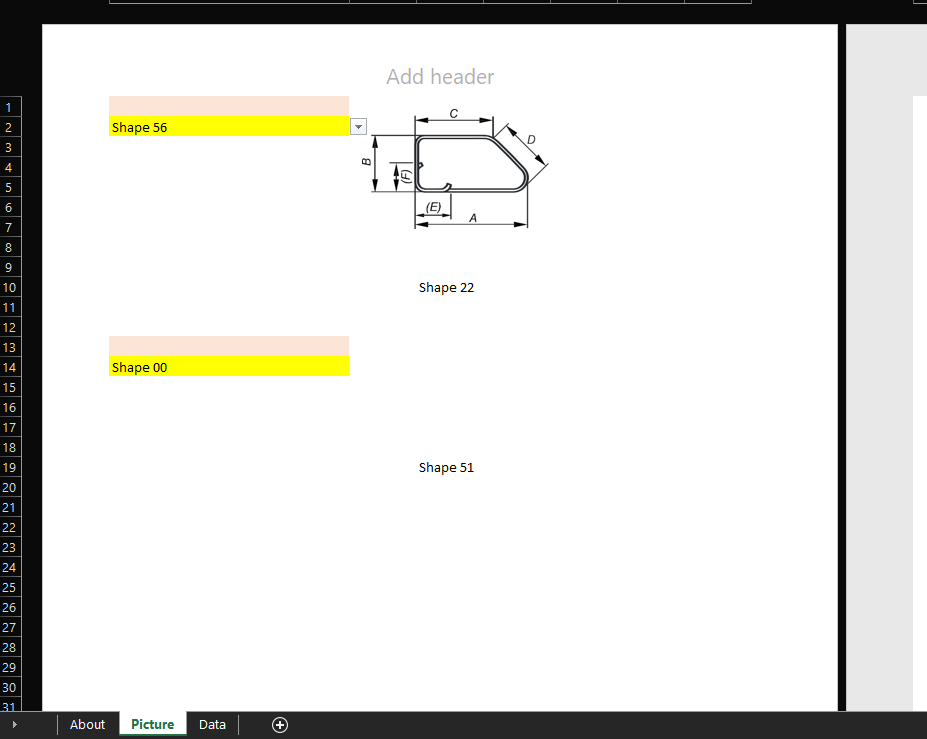
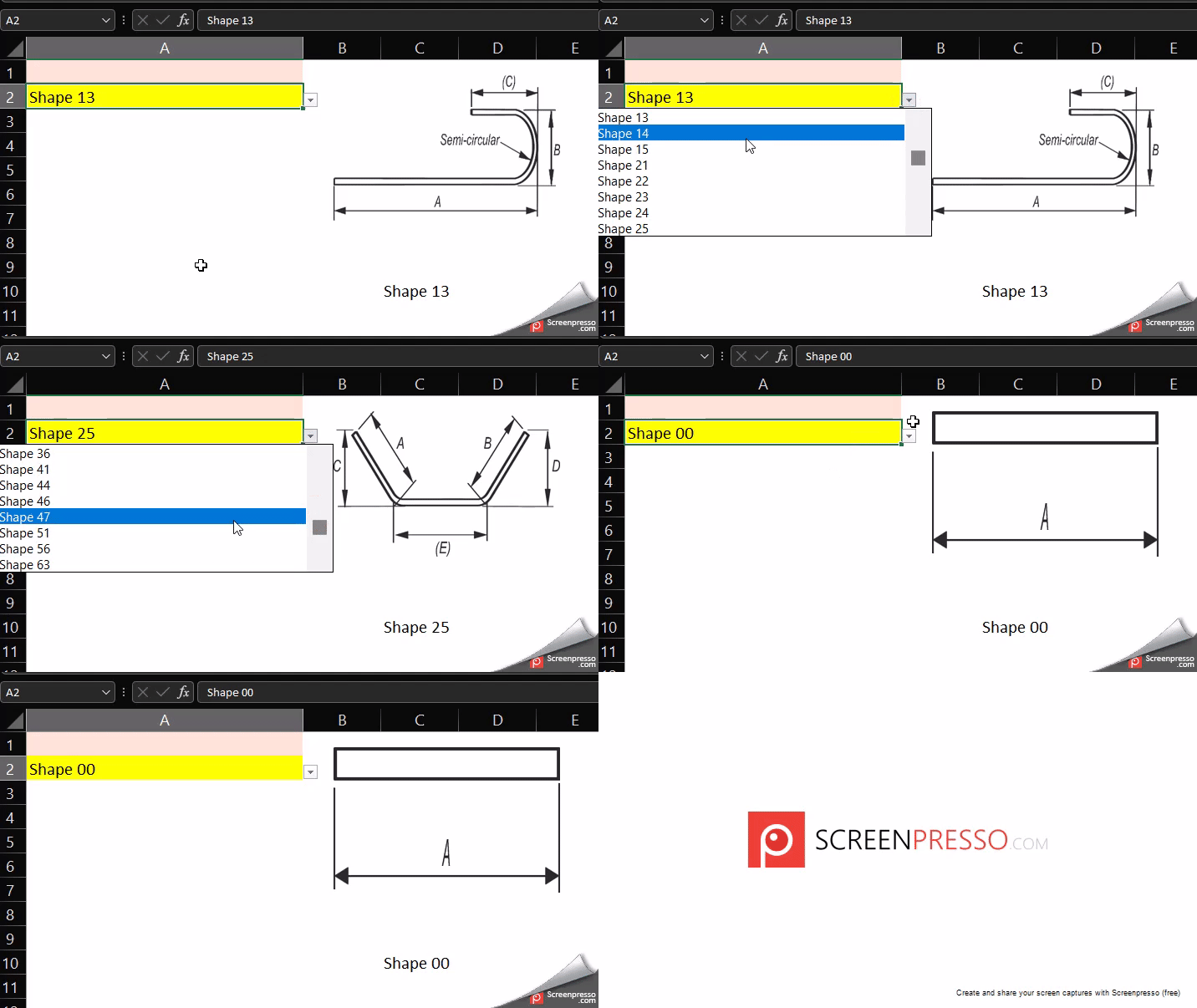
下面是代码
Private Sub Worksheet_Change(ByVal Target As Range)
On Error Resume Next
If Target.Address = "$A$2" Then
    Call PanggilPhoto
End If
End Sub


Sub PanggilPhoto()
Application.ScreenUpdating = False
Dim myObj
Dim Foto
Set myObj = ActiveSheet.DrawingObjects
For Each Foto In myObj
If Left(Foto.Name, 7) = "Picture" Then
Foto.Select
Foto.Delete
End If
Next
Dim CommodityName1 As String, CommodityName2 As String, T As String


myDir = ThisWorkbook.Path & "\"
CommodityName1 = Range("A2")
T = ".png"

Range("C15").Value = CommodityName
On Error GoTo errormessage:
ActiveSheet.Shapes.AddPicture Filename:=myDir & CommodityName1 & T, _
linktofile:=msoFalse, savewithdocument:=msoTrue, Left:=190, Top:=10, Width:=140,
Height:=90

errormessage:If Err.Number = 1004 Then
Exit Sub
MsgBox "File does not exist." & vbCrLf & "Check the name of the Commodity!"
Range("A2").Value = ""
Range("C10").Value = ""

End If
Application.ScreenUpdating = True
End Sub
foto是工作表中的预定义数据列表。
所以问题是,与其为一个细胞做这件事,我还能为多个细胞创建一个循环吗?我需要它在一个宏运行时导入多个图像。
回答 1
Stack Overflow用户
回答已采纳
发布于 2022-06-02 11:31:15
找到解决办法
Private Sub Worksheet_Change(ByVal Target As Range)
On Error Resume Next
    If Target.Address = "$A$2" Then
        Call schedules
    End If
End Sub

Sub schedules()

Worksheets("Picture").Activate


Application.ScreenUpdating = False
Dim myObj
Dim Foto
Set myObj = ActiveSheet.DrawingObjects
For Each Foto In myObj
If Left(Foto.Name, 7) = "Picture" Then
Foto.Select
Foto.Delete
End If
Next

Dim CommodityName1 As String, CommodityName2 As String, T1 As String, T2 As String
Dim i As Integer, j As Integer, k As Integer

j = 0


For i = 2 To 100


myDir = "C:\Users\User\Desktop\ESTIMATING SHEETS\test\rebar shapes" & "\"
CommodityName1 = Range("A" & i)
T1 = ".png"


On Error GoTo errormessage:
ActiveSheet.Shapes.AddPicture Filename:=myDir & CommodityName1 & T1, _
linktofile:=msoFalse, savewithdocument:=msoTrue, Left:=230, Top:=j, Width:=140, Height:=80


errormessage:
If Err.Number = 1004 Then
Exit Sub
MsgBox "File does not exist." & vbCrLf & "Check the name of the rebar!"
Range("A" & i).Value = ""
Range("C10").Value = ""

End If
Application.ScreenUpdating = True
i = i + 11
j = j + 190
Next i


End Sub页面原文内容由Stack Overflow提供。腾讯云小微IT领域专用引擎提供翻译支持
原文链接:
https://stackoverflow.com/questions/72471541
复制相关文章
相似问题
腾讯云开发者

Copyright © 2013 - 2026 Tencent Cloud. All Rights Reserved. 腾讯云 版权所有
深圳市腾讯计算机系统有限公司 ICP备案/许可证号:粤B2-20090059  粤公网安备44030502008569号
腾讯云计算(北京)有限责任公司 京ICP证150476号 | 京ICP备11018762号