
到屏幕中心的VStack
到屏幕中心的VStack
提问于 2022-05-31 10:20:23
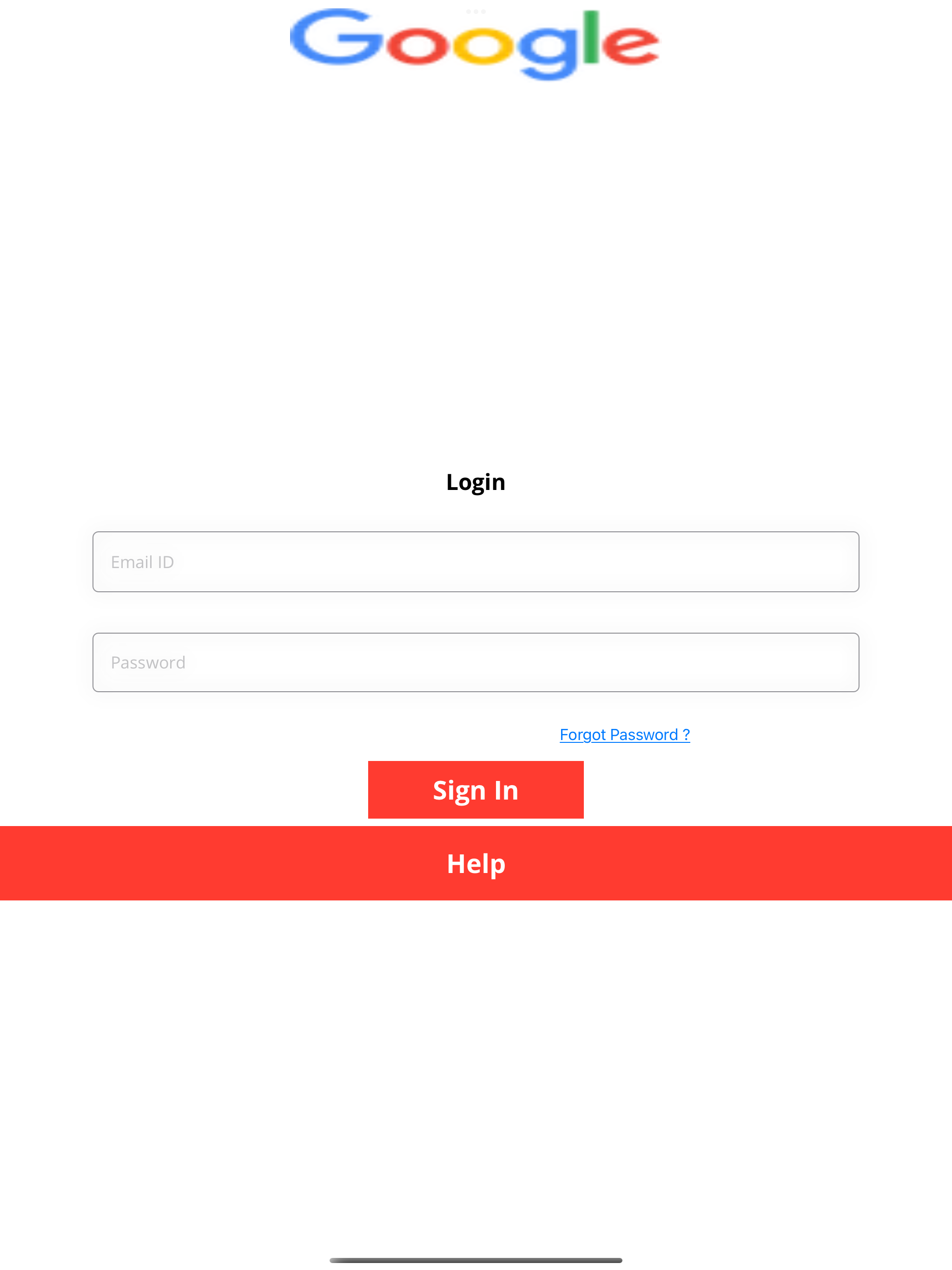
我必须像下面这样显示,使用三个VStacks来显示它。但是,登录VStack位于屏幕底部。如何将其放置到屏幕的中心,将Google图像放置到屏幕的大部分顶部
    struct Login: View {
       var body: some View {
      ZStack{
                CustomNavigationBar() // To diplay image
              VStack{
                LoginView(lgnvwmmodel: lgnvwmmodel) //To display Login View
                HelpView()
                }
            }
    }

    }


struct CustomNavigationBar: View{
    var body: some View{
        NavigationView{
        Image(uiImage: UIImage(named: "google.png")!)
        } .navigationViewStyle(StackNavigationViewStyle())
            .navigationBarTitleDisplayMode(.inline)
            .padding(0)
    }
}

struct LoginView: View {

    @State private var emailId: String = ""
    @State private var password: String = ""
    @State var ntwrkShowAlert = false
    @State private var success = false
    @State var isModal:Bool = false
    @EnvironmentObject var DataGetting : DataStorage
    @ObservedObject var monitor = NetworkMonitor()
    @State private var isEmailValid : Bool   = true
    @State private var showingAlert = false
    @State var chngpasscode = false
    @State var btnClicked:CancelClicked = .none
    @State var showPopup = false
    @ObservedObject var lgnvwmmodel : LoginViewModel
   var body: some View {
       Text("Login")
            .font(.custom("OpenSans-Bold", size: 24))
            .padding(.top, 100)


        TextField("Email ID", text: $emailId)
            .onReceive(Just(emailId), perform: { _ in
                if emailId.count >= 50{
                    emailId = String(emailId.prefix(50))
                }
            })
            .modifier(customViewModifier(roundedCornes: 6,  textColor: .black))
            .frame(height: 100)
            .padding([.leading, .trailing], 100)


        SecureField("Password", text: $password)
            .onReceive(Just(password), perform: { _ in
                if password.count >= 50{
                    password = String(password.prefix(50))
                }
            })
            .modifier(customViewModifier(roundedCornes: 6,  textColor: .black))
            .frame(height: 100)
            .padding([.leading, .trailing], 100)


        Button(action: {

        }, label: {
            Text("Forgot Password ?")
                .underline()
                .frame( height: 40, alignment: .trailing)
                .padding(.leading, 320)

        })

        Button(action: {

            if(DataGetting.strEmail == ""){
    UserDefaults.standard.setValue(self.emailId, forKey:"Email")
            }
            if((DataGetting.strPassword) == 0){
                UserDefaults.standard.setValue(self.password, forKey: "Password")
            }


            self.isModal = true


            if(monitor.status == .connected){
                self.ntwrkShowAlert = false
                lgnvwmmodel.dataStorage = DataGetting
            lgnvwmmodel.getUserIdDetails(emailId: emailId, password: password){ status in
                do {
                    if(status){

                        success = true

                    }
                }
            }

            }
            else{
                self.ntwrkShowAlert = true

            }


        }, label: {
            Text("Sign In")
                .frame(width: 200, height: 30)
                .padding()
                .background(Color.red)
                .foregroundColor(Color.white)
                .font(.custom("OpenSans-Bold", size: 28))

        }).alert(isPresented: $ntwrkShowAlert){

      return Alert(title: Text("Please check your internet connection"), message: Text(""), dismissButton: .default(Text("OK")))
          }


    }


}

struct HelpView: View{
    @State private var isAlert = false
    @State private var errorMessage: String = ""
    var body: some View{
    Button(action: {

    }, label: {
        Text("Help")
            .frame(minWidth: 0, maxWidth: .infinity, maxHeight: 80)
            .background(Color.red)
            .foregroundColor(Color.white)
            .font(.custom("OpenSans-Bold", size: 28))
    }).alert(isPresented: $isAlert){
        Alert(title: Text(self.errorMessage), message: Text(""), dismissButton: .default(Text("OK")))
    }
}
}
回答 1
Stack Overflow用户
发布于 2022-05-31 20:43:20
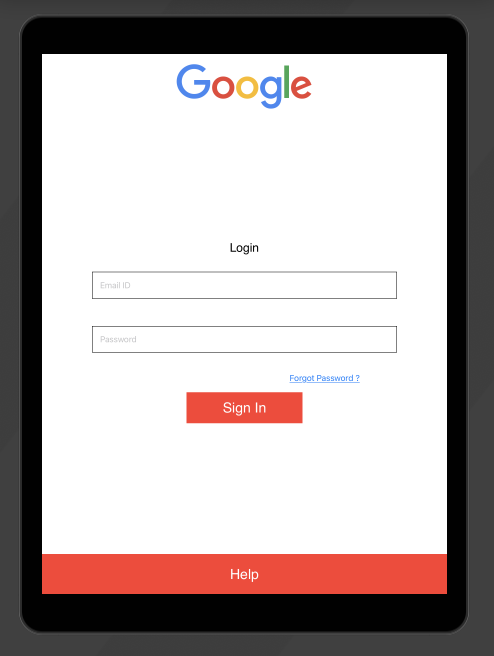
这里是一个固定的简化版本(没有模型或按钮操作)。我不知道你为什么把谷歌徽标包装在NavigationView里?-所以我跳过了,因为它会引起布局问题。
struct ContentView: View {
    var body: some View {
        VStack{
            CustomNavigationBar()
            Spacer()
            LoginView()
            Spacer()
            HelpView()
        }
    }
}


struct CustomNavigationBar: View{
    var body: some View{
            Image("google")
    }
}


struct LoginView: View {

    @State private var emailId: String = ""
    @State private var password: String = ""

    var body: some View {

        Text("Login")
            .font(.custom("OpenSans-Bold", size: 24))

        TextField("Email ID", text: $emailId)
            .padding().border(.black, width: 1)
            .frame(height: 100)
            .padding([.leading, .trailing], 100)


        SecureField("Password", text: $password)
            .padding().border(.black, width: 1)
            .frame(height: 100)
            .padding([.leading, .trailing], 100)

        Button(action: {
        }, label: {
            Text("Forgot Password ?")
                .underline()
                .frame( height: 40, alignment: .trailing)
                .padding(.leading, 320)

        })

        Button(action: {
        }, label: {
            Text("Sign In")
                .frame(width: 200, height: 30)
                .padding()
                .background(Color.red)
                .foregroundColor(Color.white)
                .font(.custom("OpenSans-Bold", size: 28))

        })
    }
}

struct HelpView: View{
    var body: some View{
        Button(action: {
        }, label: {
            Text("Help")
                .frame(maxWidth: .infinity, maxHeight: 80)
                .background(.red)
                .foregroundColor(.white)
                .font(.custom("OpenSans-Bold", size: 28))
        })
    }
}页面原文内容由Stack Overflow提供。腾讯云小微IT领域专用引擎提供翻译支持
原文链接:
https://stackoverflow.com/questions/72446060
复制相关文章
相似问题
腾讯云开发者

Copyright © 2013 - 2026 Tencent Cloud. All Rights Reserved. 腾讯云 版权所有
深圳市腾讯计算机系统有限公司 ICP备案/许可证号:粤B2-20090059  粤公网安备44030502008569号
腾讯云计算(北京)有限责任公司 京ICP证150476号 | 京ICP备11018762号