
织女星:如何为多层散点图显示多个“色彩”传说?
织女星:如何为多层散点图显示多个“色彩”传说?
提问于 2022-05-31 09:24:04
我的织女星json:在Vega编辑器中打开图表
{
  "$schema": "https://vega.github.io/schema/vega-lite/v5.json",
  "layer": [
    {
      "data": {"url": "data/cars.json"},
      "params": [
        {
          "name": "grid",
          "select": "interval",
          "bind": "scales"
        }
      ],
      "mark": "circle",
      "encoding": {
        "x": {"field": "Horsepower", "type": "quantitative"},
        "y": {"field": "Miles_per_Gallon", "type": "quantitative"},
        "color": {
          "field": "Horsepower",
          "type": "quantitative",
          "scale": {
            "range": ["blue", "blue"]
          }
        }
      }
    },


    {
      "data": {"url": "data/cars.json"},
      "mark": "circle",
      "encoding": {
        "x": {"field": "Miles_per_Gallon", "type": "quantitative"},
        "y": {"field": "Acceleration", "type": "quantitative"},
        "color": {
          "field": "Displacement",
          "type": "quantitative",
          "scale": {
            "range": ["black", "black"]
          }
        }
      }
    }
  ]
}
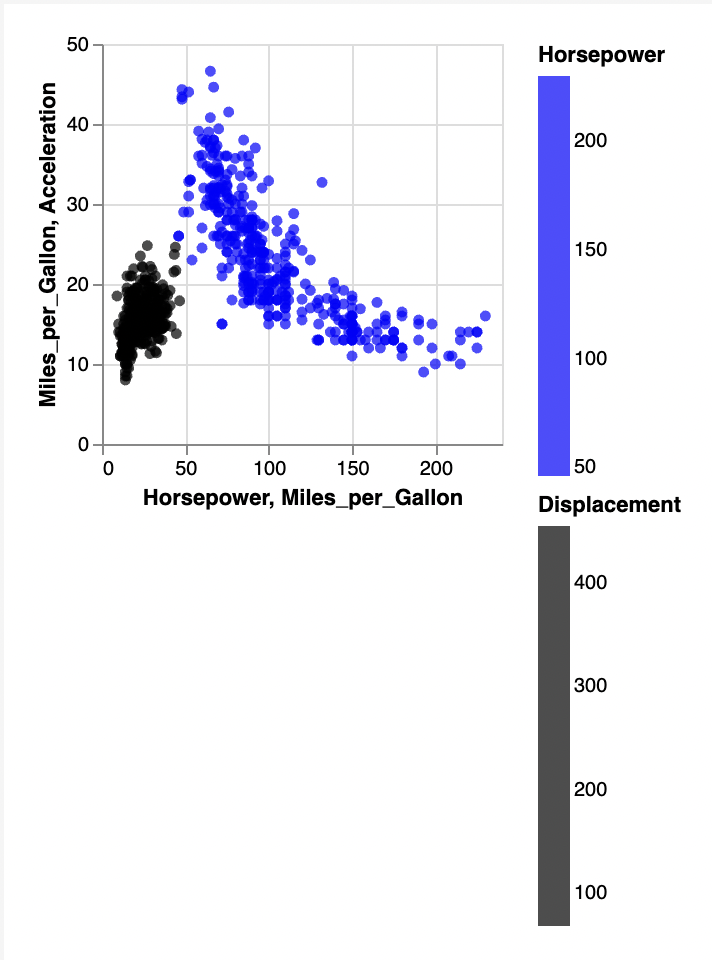
我正在显示2层scratter图,所以我希望它有两个传奇色条。当我使用“颜色”时,第二个图例被合并,并被第一个图例所取代。
当我改变使用“填充”,我设法有两个不同的颜色条。但是如果我有4层,该怎么做呢?
回答 1
Stack Overflow用户
回答已采纳
发布于 2022-06-02 07:09:30
您需要添加resolve属性。
"resolve": {"legend":{"color": "independent"}, "scale": {"color": "independent"} }
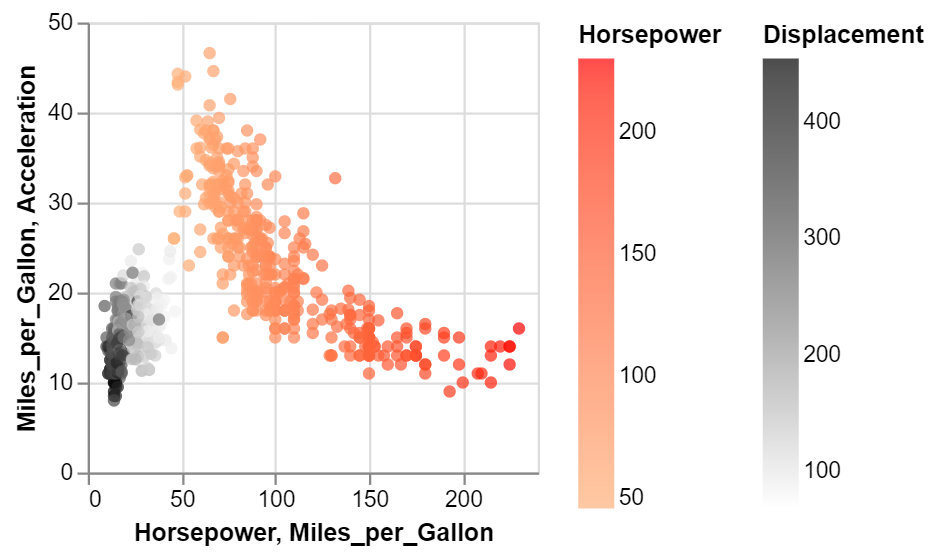
vega编辑器上的示例:在Vega编辑器中打开图表
页面原文内容由Stack Overflow提供。腾讯云小微IT领域专用引擎提供翻译支持
原文链接:
https://stackoverflow.com/questions/72445264
复制相关文章
相似问题
腾讯云开发者

Copyright © 2013 - 2026 Tencent Cloud. All Rights Reserved. 腾讯云 版权所有
深圳市腾讯计算机系统有限公司 ICP备案/许可证号:粤B2-20090059  粤公网安备44030502008569号
腾讯云计算(北京)有限责任公司 京ICP证150476号 | 京ICP备11018762号