
透视转换OMR OpenCV Python
透视转换OMR OpenCV Python
提问于 2022-05-28 19:44:53
我试图在python中使用OpenCV进行透视图转换。我想要对齐图像,并找到上、左、右、下、左、右下等值线的坐标。这是我的代码,到目前为止,我可以识别所有的轮廓。
gray = cv2.cvtColor(img, cv2.COLOR_BGR2GRAY)
blur = cv2.GaussianBlur(gray,(3,3),0)
edges = cv2.Canny(blur,50,100)
contours, hierarchy = cv2.findContours(edges,cv2.RETR_EXTERNAL, cv2.CHAIN_APPROX_SIMPLE) #find contours
cv2.drawContours(img,contours,-1,(0,255,0),2)
cv2.imshow('Contours',img)
cv2.waitKey(0)
这是我得到的照片。
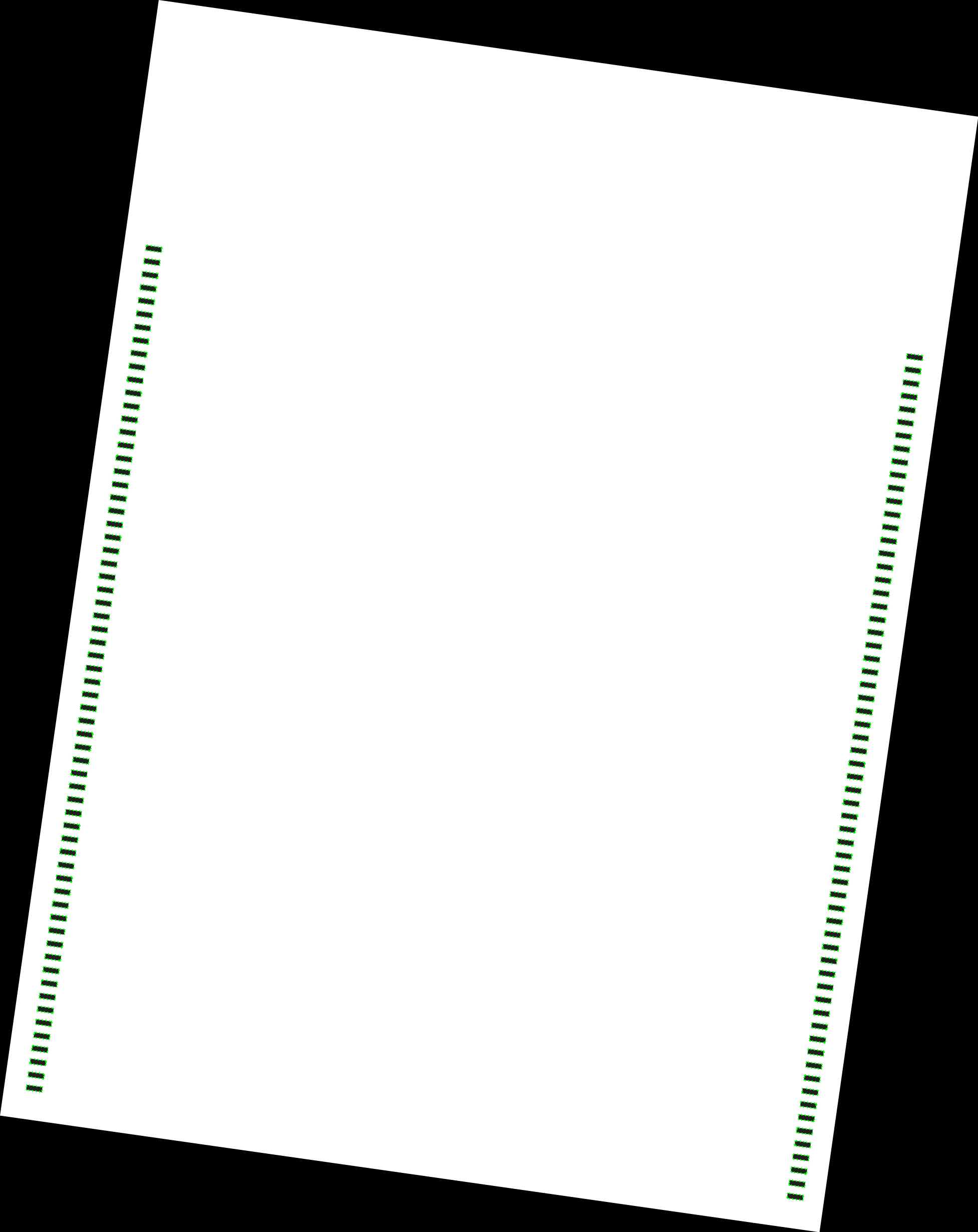
如果你能帮我解决这个问题,我会非常感激的!

演示输入:
演示输入演示输入1:


演示输入2:

演示输入3:

演示输入4:

期望产出:

回答 2
Stack Overflow用户
回答已采纳
发布于 2022-05-29 20:53:40
这里是一个校正,解决输入图像是旋转cw还是ccw在Python/OpenCV中。
- 读取输入
- 阅读模板(其尺寸)
- 将输入转换为灰度和阈值
- 按住阈值(在应用形态学时保留角点)
- 应用形态学关闭
- 拆下垫子
- 得到最大的外部轮廓
- 获取其周长,并将其近似为4个角作为翘曲的输入角
- 按Y对角进行排序,并测试X的前两个排序角。如果diff=X2-X1为负,则输出角需要以稍微不同的顺序列出。
- 从模板的尺寸和排序角的差异中获取翘曲的输出角。
- 求出透视变换矩阵
- 扭曲输入以匹配模板
- 保存结果
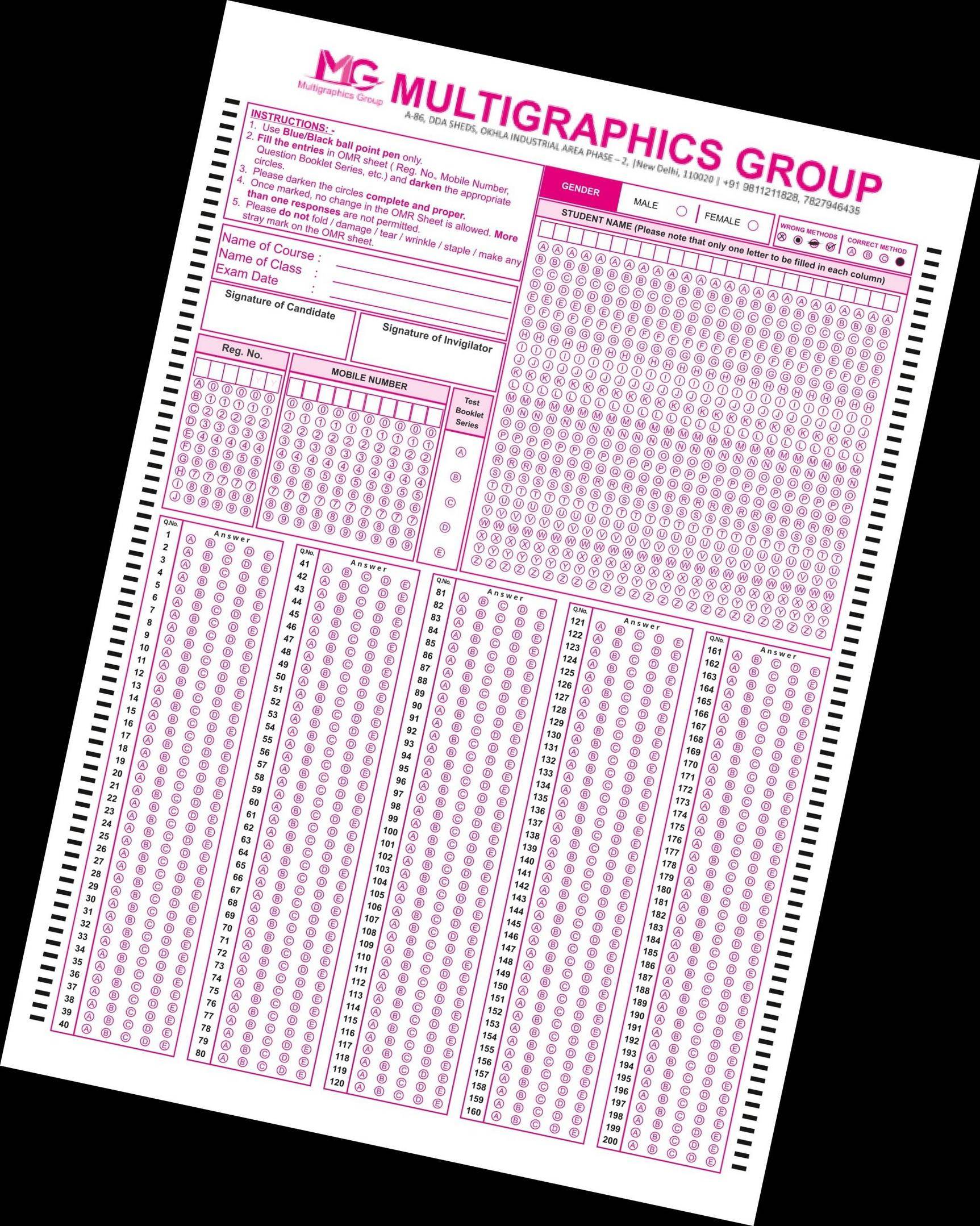
投入1 (cw轮调):
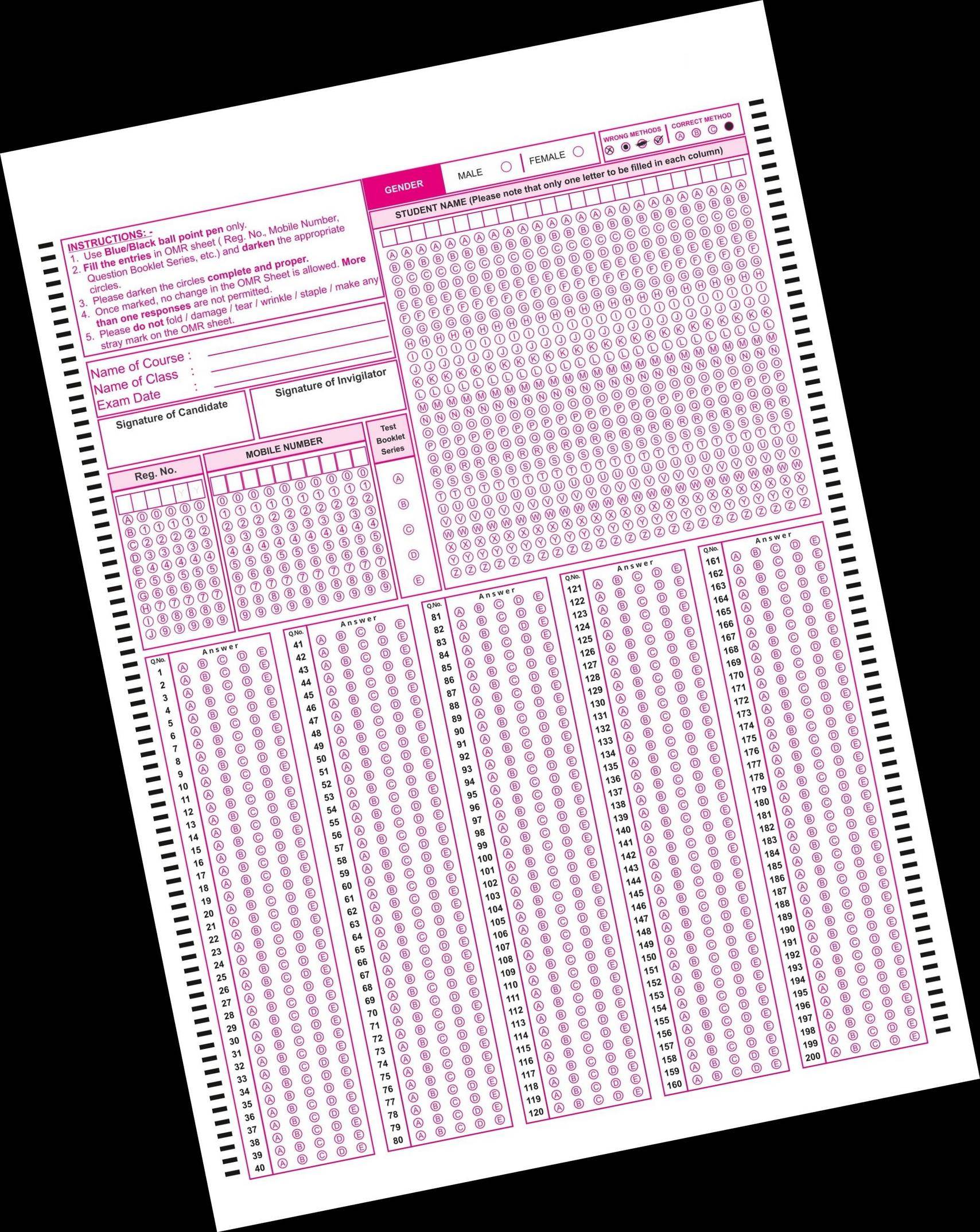
投入2(“特定常规武器公约”轮换):
import cv2
import numpy as np

# read image
#img = cv2.imread("omr_test.jpg")
img = cv2.imread("omr_test2.jpg")
hh, ww = img.shape[:2]

# read template
template = cv2.imread("omr_template.jpg")
ht, wd = template.shape[:2]

# convert img to grayscale
gray = cv2.cvtColor(img, cv2.COLOR_BGR2GRAY)

# do otsu threshold on gray image
thresh = cv2.threshold(gray, 0, 255, cv2.THRESH_BINARY+cv2.THRESH_OTSU)[1]

# pad thresh with black to preserve corners when apply morphology
pad = cv2.copyMakeBorder(thresh, 20, 20, 20, 20, borderType=cv2.BORDER_CONSTANT, value=0)

# apply morphology
kernel = cv2.getStructuringElement(cv2.MORPH_ELLIPSE, (15,15))
morph = cv2.morphologyEx(pad, cv2.MORPH_CLOSE, kernel)

# remove padding
morph = morph[20:hh+20, 20:ww+20]

# get largest external contour
contours = cv2.findContours(morph, cv2.RETR_EXTERNAL, cv2.CHAIN_APPROX_SIMPLE)
contours = contours[0] if len(contours) == 2 else contours[1]
big_contour = max(contours, key=cv2.contourArea)

# get perimeter and approximate a polygon
peri = cv2.arcLength(big_contour, True)
corners = cv2.approxPolyDP(big_contour, 0.04 * peri, True)

# draw polygon on input image from detected corners
polygon = img.copy()
cv2.polylines(polygon, [corners], True, (0,255,0), 2, cv2.LINE_AA)

# print the number of found corners and the corner coordinates
# They seem to be listed counter-clockwise from the top most corner
print(len(corners))
print(corners)

# reformat input corners to x,y list
sortcorners = []
for corner in corners:
    pt = [ corner[0][0],corner[0][1] ]
    sortcorners.append(pt)
icorners = np.float32(sortcorners)

# sort corners on y
def takeSecond(elem):
    return elem[1]
sortcorners.sort(key=takeSecond)

# check if second corner x is left or right of first corner x
x1 = sortcorners[0][0]
x2 = sortcorners[1][0]
diff = x2 - x1
print(x1, x2)

# get corresponding output corners from width and height
if diff >= 0:
    ocorners = [ [0,0], [0,ht], [wd,ht], [wd,0] ]
else:
    ocorners = [ [wd,0], [0,0], [0,ht], [wd,ht]]
ocorners = np.float32(ocorners)

# get perspective tranformation matrix
M = cv2.getPerspectiveTransform(icorners, ocorners)

# do perspective
warped = cv2.warpPerspective(img, M, (wd, ht))

# write results
cv2.imwrite("omr_test2_thresh.jpg", thresh)
cv2.imwrite("omr_test2_morph.jpg", morph)
cv2.imwrite("omr_test2_polygon.jpg", polygon)
cv2.imwrite("omr_test2_warped.jpg", warped)

# display it
cv2.imshow("thresh", thresh)
cv2.imshow("pad", pad)
cv2.imshow("morph", morph)
cv2.imshow("polygon", polygon)
cv2.imshow("warped", warped)
cv2.waitKey(0)
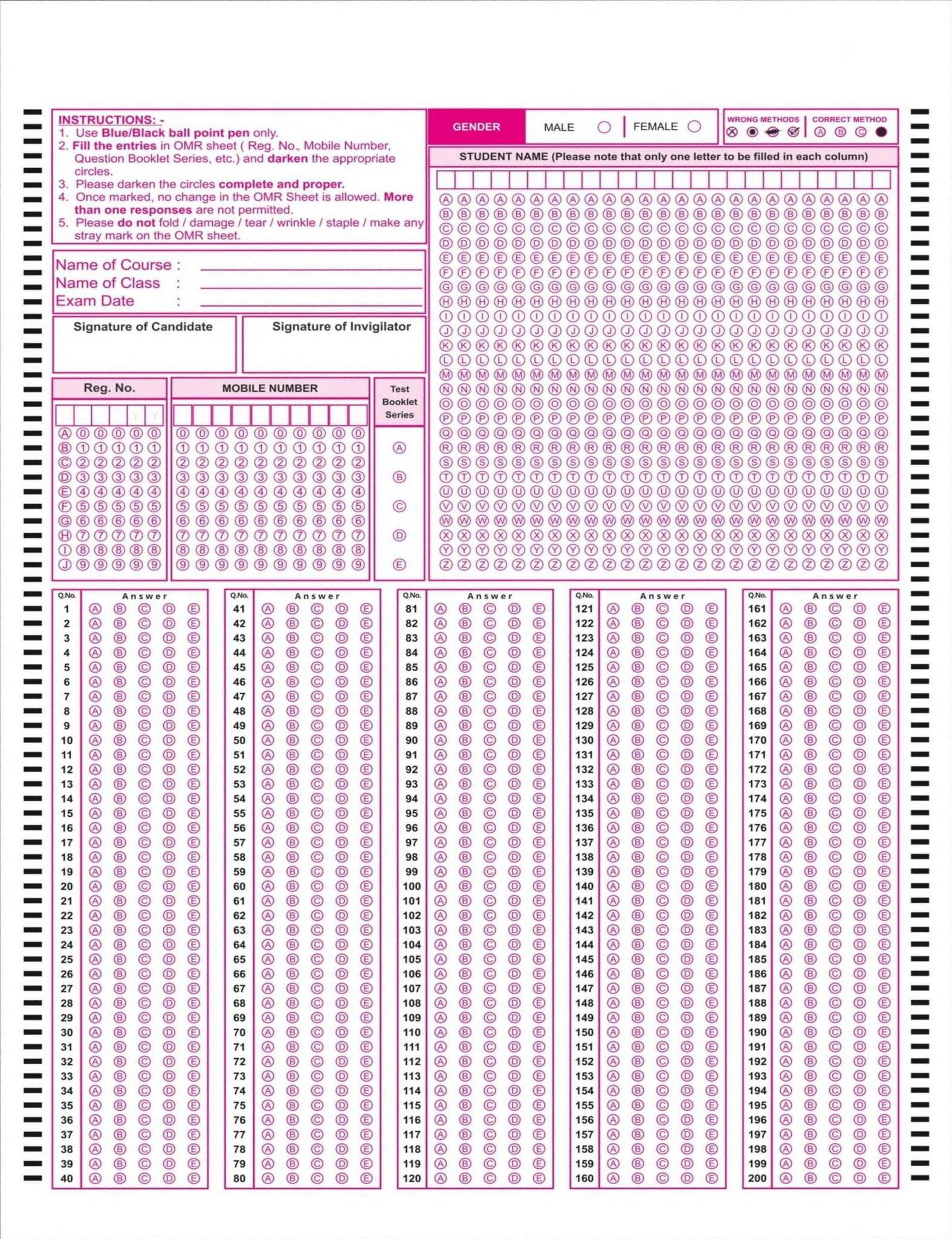
第一次输入的结果(cw旋转):
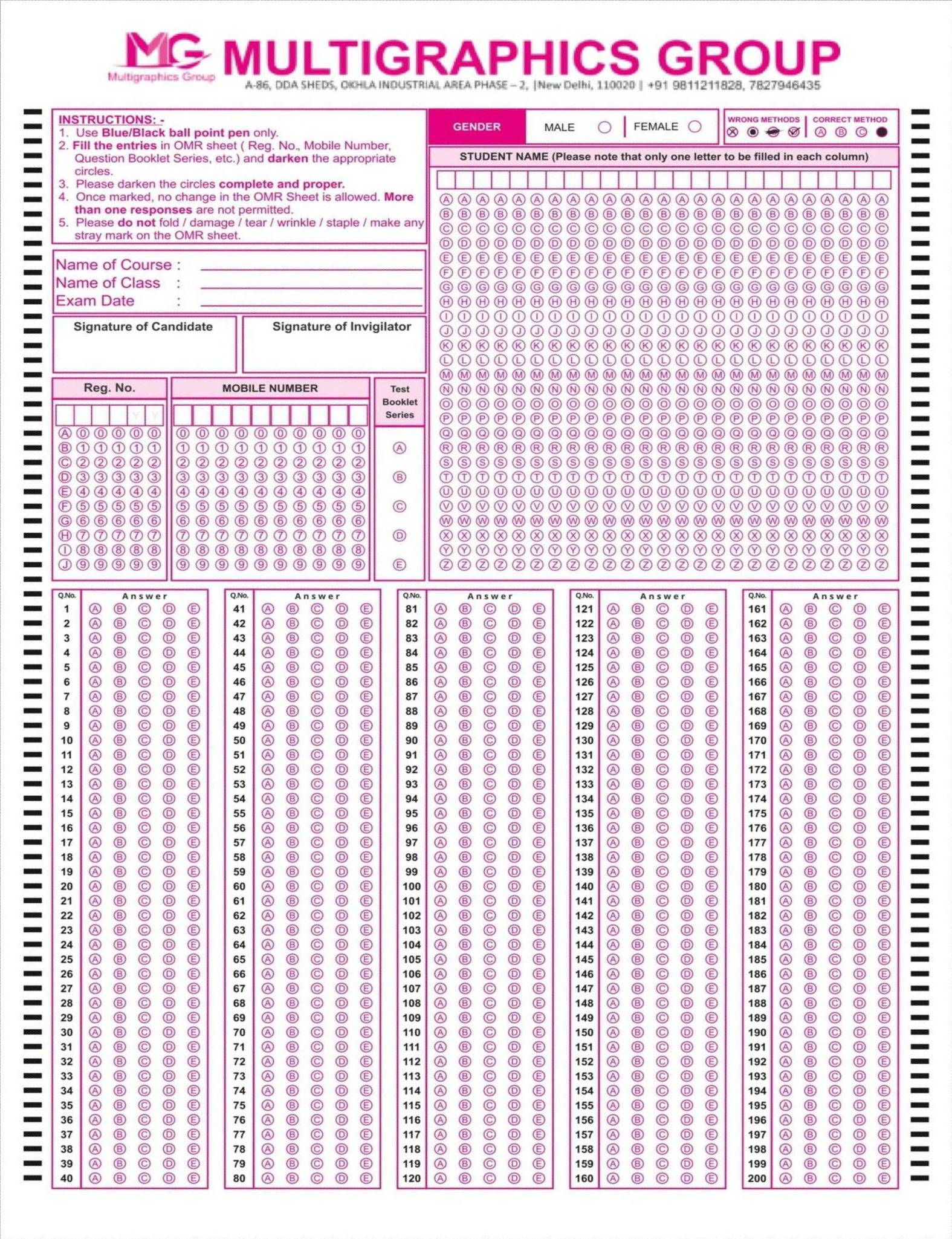
第二次投入的结果(“特定常规武器公约”轮换):
Stack Overflow用户
发布于 2022-05-29 16:18:59
这里有一种在Python/OpenCV中实现这一功能的方法。
- 读取输入
- 读取模板(其维度)
- 将输入转换为灰度和阈值
- 按住阈值(在应用形态学时保留角)
- 应用形态学关闭
- 拆下垫子
- 得到最大的外部轮廓
- 获取其周长,并将其近似为4个角作为翘曲的输入角
- 从模板的尺寸中获取翘曲的输出角
- 求出透视变换矩阵
- 扭曲输入以匹配模板
- 保存结果
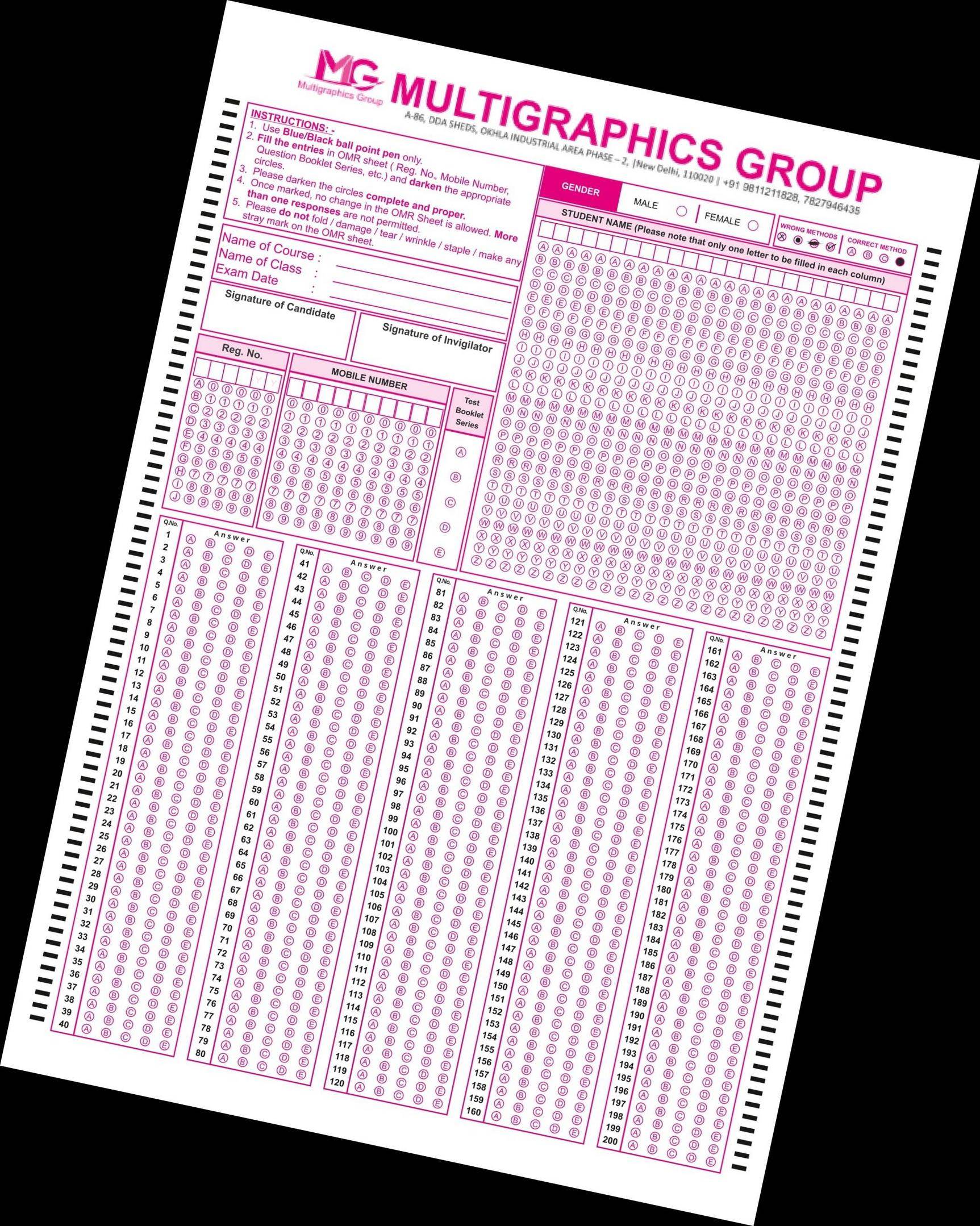
输入:
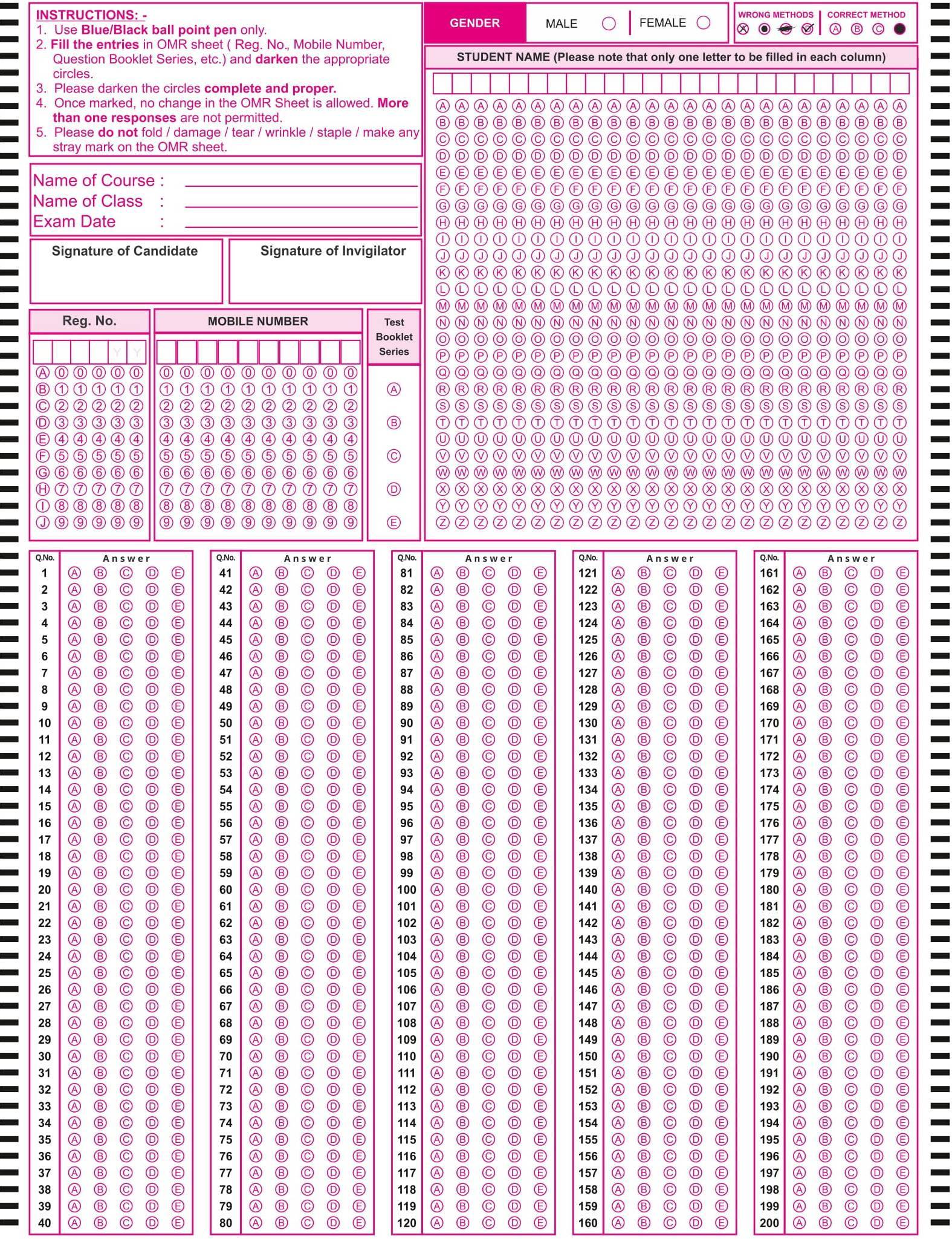
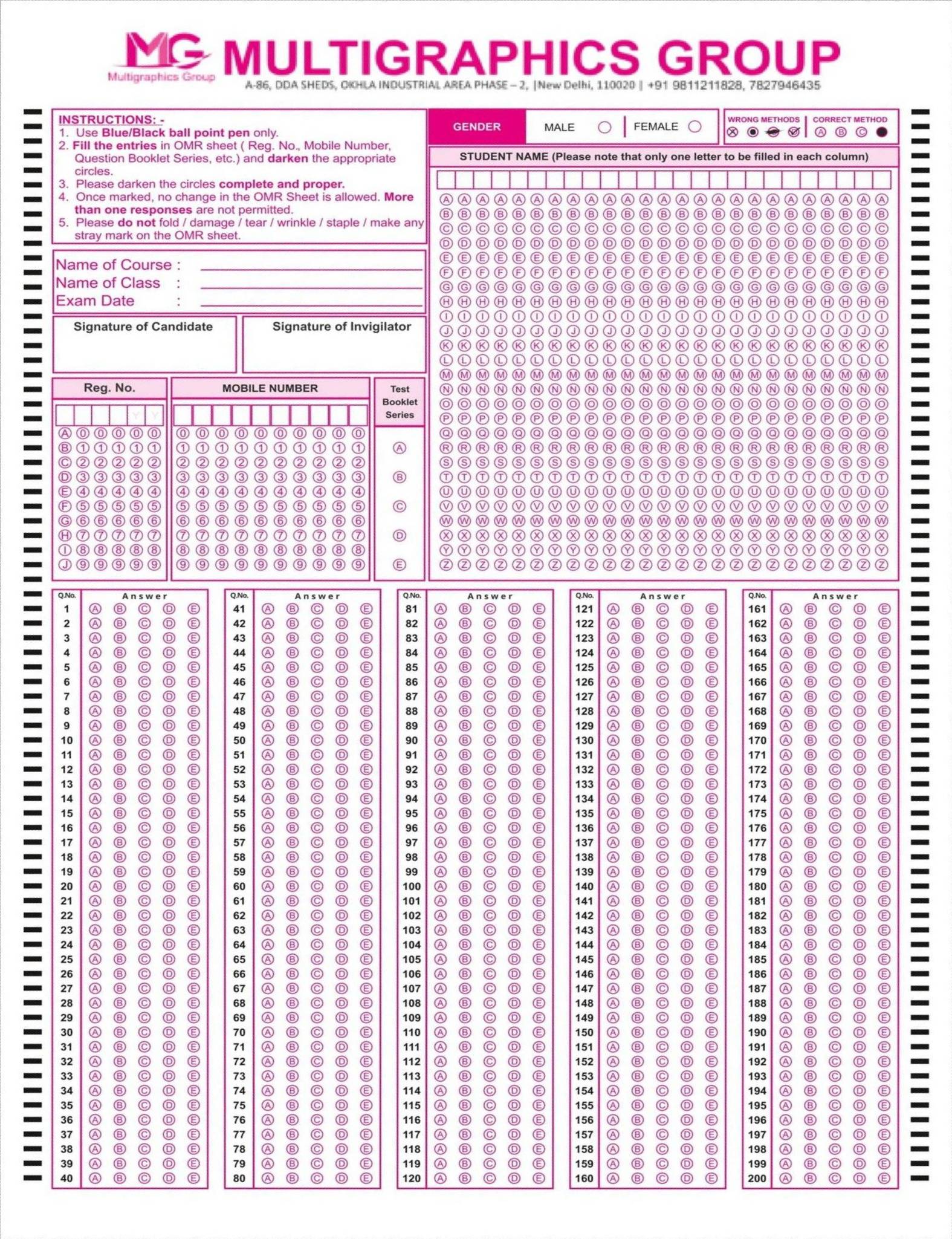
模板:
import cv2
import numpy as np

# read image
img = cv2.imread("omr_test.jpg")
hh, ww = img.shape[:2]

# read template
template = cv2.imread("omr_template.jpg")
ht, wd = template.shape[:2]

# convert img to grayscale
gray = cv2.cvtColor(img, cv2.COLOR_BGR2GRAY)

# do otsu threshold on gray image
thresh = cv2.threshold(gray, 0, 255, cv2.THRESH_BINARY+cv2.THRESH_OTSU)[1]

# pad thresh with black to preserve corners when apply morphology
pad = cv2.copyMakeBorder(thresh, 20, 20, 20, 20, borderType=cv2.BORDER_CONSTANT, value=0)

# apply morphology
kernel = cv2.getStructuringElement(cv2.MORPH_ELLIPSE, (15,15))
morph = cv2.morphologyEx(pad, cv2.MORPH_CLOSE, kernel)

# remove padding
morph = morph[20:hh+20, 20:ww+20]

# get largest external contour
contours = cv2.findContours(morph, cv2.RETR_EXTERNAL, cv2.CHAIN_APPROX_SIMPLE)
contours = contours[0] if len(contours) == 2 else contours[1]
big_contour = max(contours, key=cv2.contourArea)

# get perimeter and approximate a polygon
peri = cv2.arcLength(big_contour, True)
corners = cv2.approxPolyDP(big_contour, 0.04 * peri, True)

# draw polygon on input image from detected corners
polygon = img.copy()
cv2.polylines(polygon, [corners], True, (0,255,0), 2, cv2.LINE_AA)
# Alternate: cv2.drawContours(page,[corners],0,(0,0,255),1)

# print the number of found corners and the corner coordinates
# They seem to be listed counter-clockwise from the top most corner
print(len(corners))
print(corners)

# reformat input corners to x,y list
icorners = []
for corner in corners:
    pt = [ corner[0][0],corner[0][1] ]
    icorners.append(pt)
icorners = np.float32(icorners)

# get corresponding output corners form width and height
ocorners = [ [0,0], [0,ht], [wd,ht], [wd,0] ]
ocorners = np.float32(ocorners)

# get perspective tranformation matrix
M = cv2.getPerspectiveTransform(icorners, ocorners)

# do perspective
warped = cv2.warpPerspective(img, M, (wd, ht))

# write results
cv2.imwrite("omr_test_thresh.jpg", thresh)
cv2.imwrite("omr_test_morph.jpg", morph)
cv2.imwrite("omr_test_polygon.jpg", polygon)
cv2.imwrite("omr_test_warped.jpg", warped)

# display it
cv2.imshow("thresh", thresh)
cv2.imshow("pad", pad)
cv2.imshow("morph", morph)
cv2.imshow("polygon", polygon)
cv2.imshow("warped", warped)
cv2.waitKey(0)
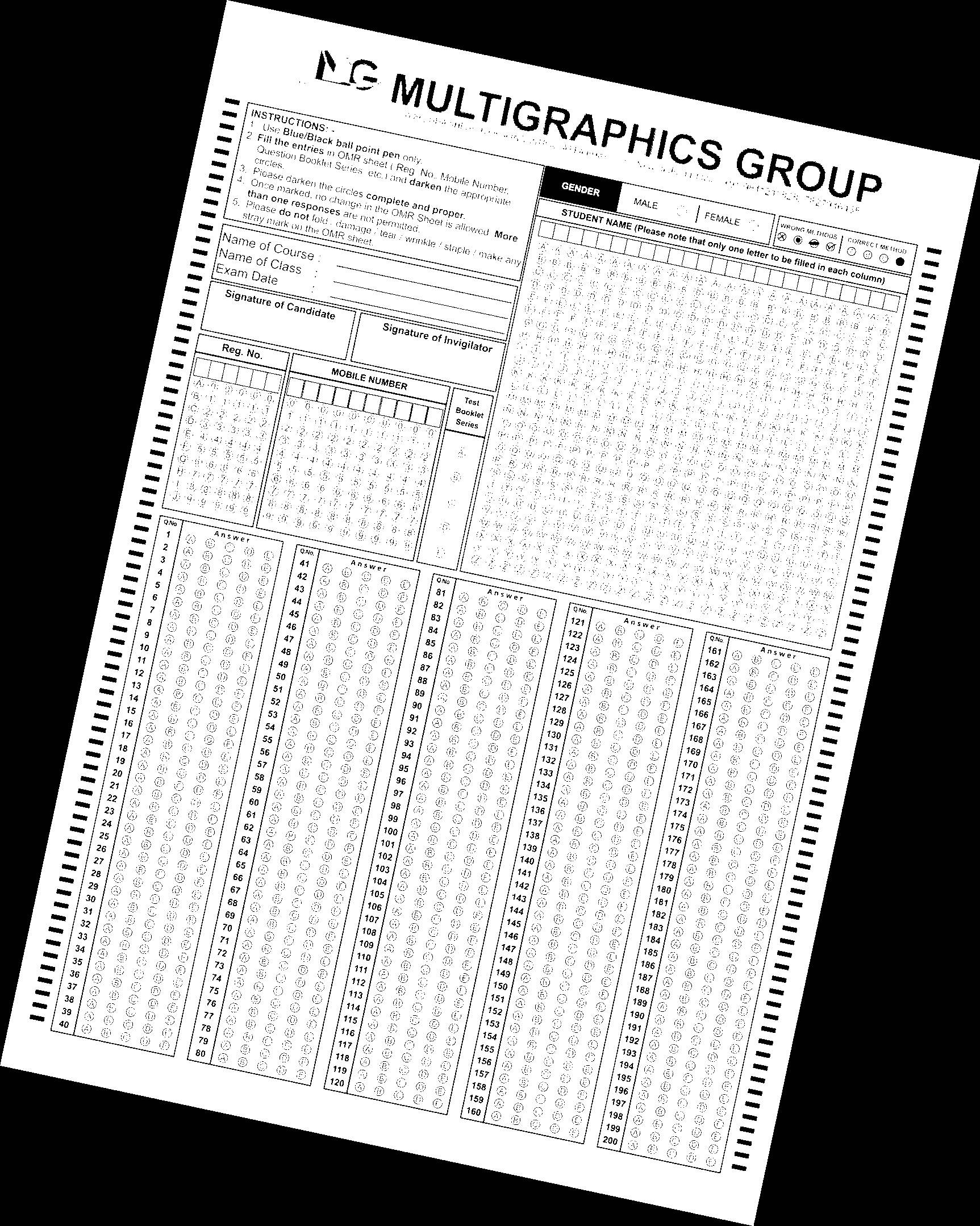
阈值图像:
形态学图像:

多边形图像:
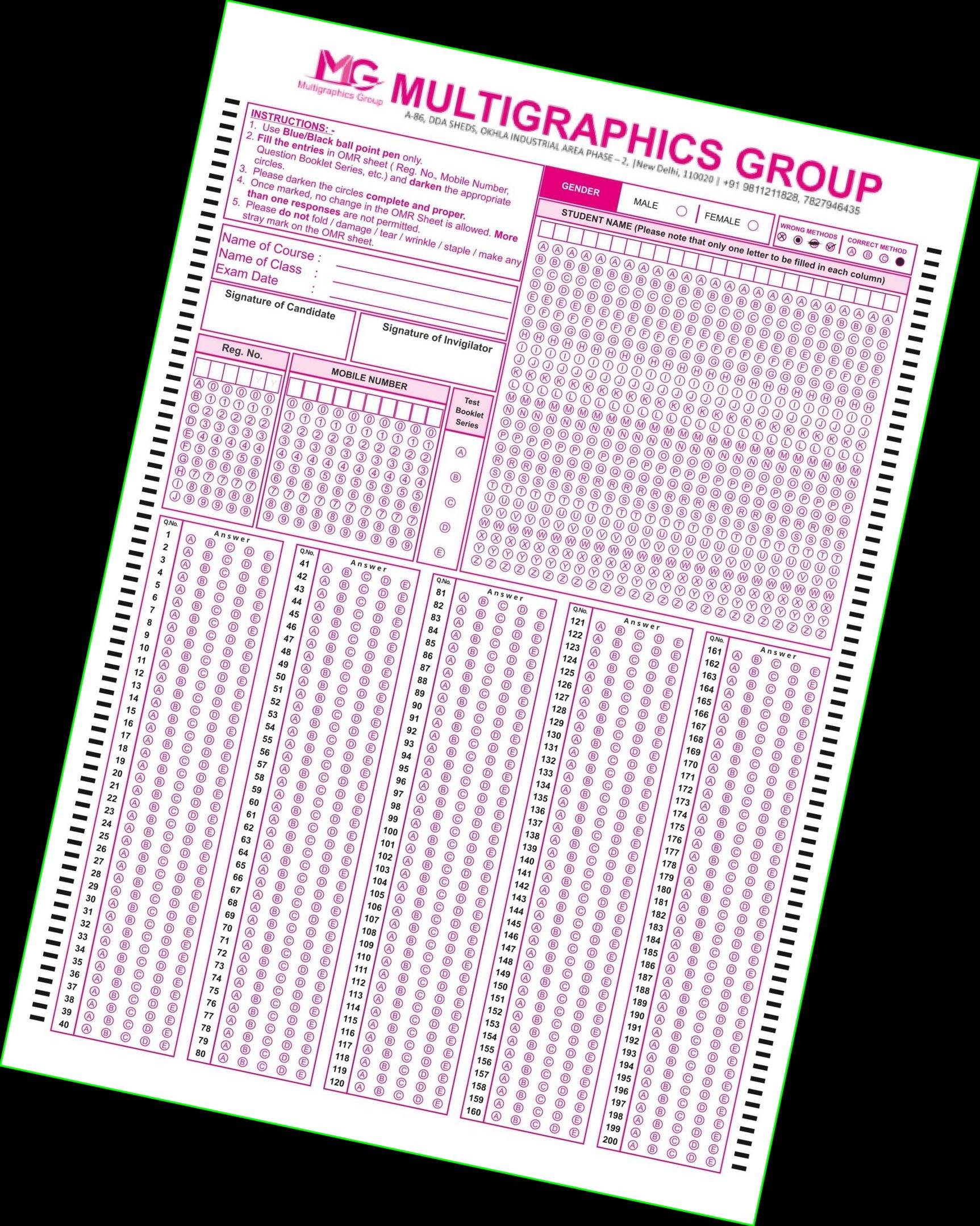
扭曲输入:
页面原文内容由Stack Overflow提供。腾讯云小微IT领域专用引擎提供翻译支持
原文链接:
https://stackoverflow.com/questions/72418797
复制相关文章
相似问题
腾讯云开发者

Copyright © 2013 - 2026 Tencent Cloud. All Rights Reserved. 腾讯云 版权所有
深圳市腾讯计算机系统有限公司 ICP备案/许可证号:粤B2-20090059  粤公网安备44030502008569号
腾讯云计算(北京)有限责任公司 京ICP证150476号 | 京ICP备11018762号