
QGraphicsView:涂料矩形梯度
我试图画一个矩形梯度作为QGraphicsView的背景。
这张图片就是我试图实现的一个例子:
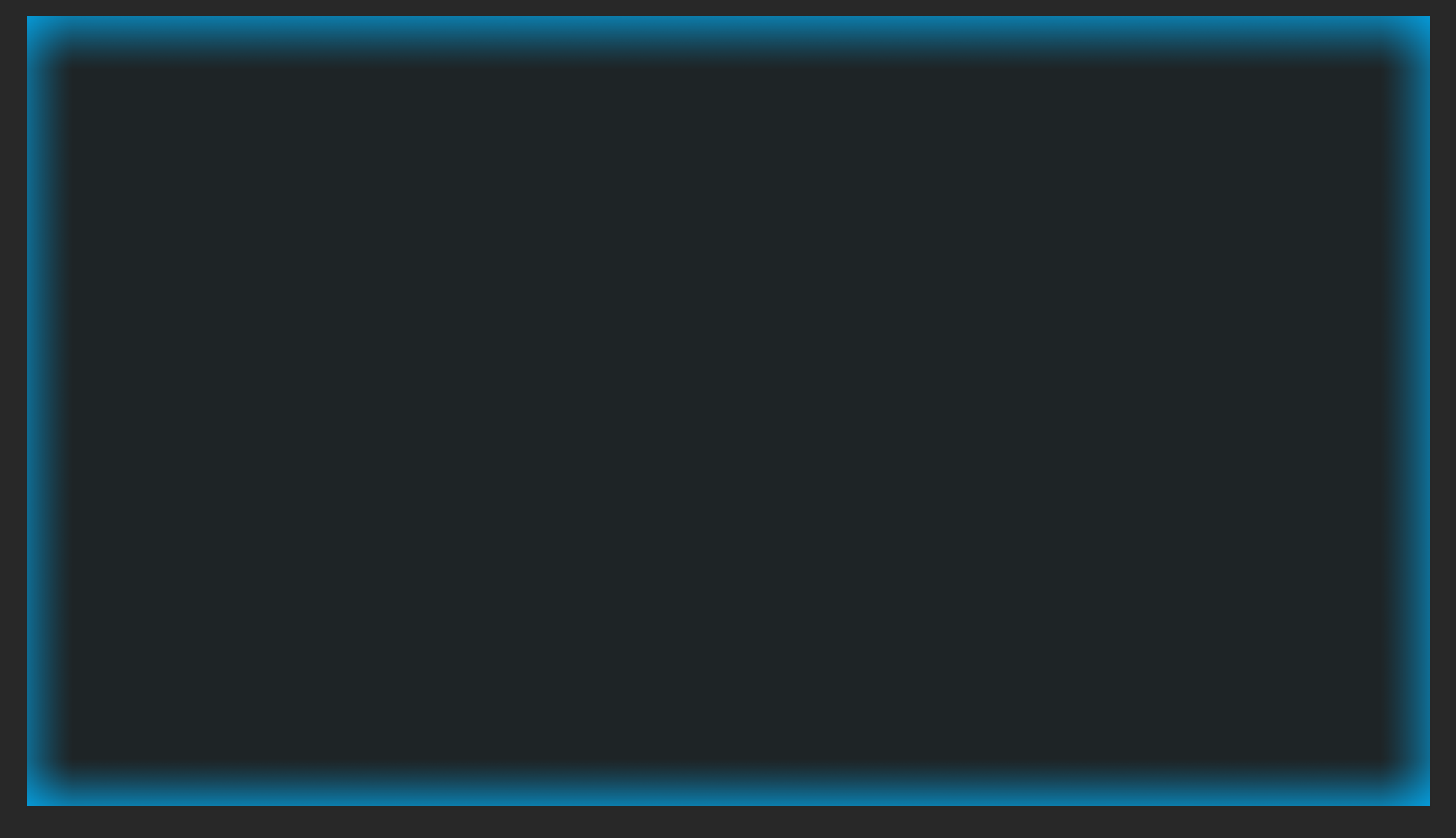
注意边界周围的光梯度。
我尝试使用4 QLinearGradients,从窗口的每个边框到相反的位置(从右到左,从上到下,等等)。我不认为这种方法是非常有效的(画这么多梯度对象)。也许一个QLinearGradient的利差设置为ReflectSpread就足够了,但是我有一个定位问题。这个想法是,梯度应该像遮阳篷,就像相机的框架。无论QGraphicsView大小或规模如何,它都应该看起来是一样的。
这是QLinearGradient的代码:
    QLinearGradient lGrad;
    lGrad.setSpread(QGradient::ReflectSpread);
    lGrad.setStart(0, 500);
    lGrad.setColorAt(0, Qt::red);
    lGrad.setColorAt(1, Qt::blue);

    painter->fillRect(rect, lGrad);
我试着在边框周围使用样式表,但是它并没有给我想要的结果。渐变似乎不能应用于边框,只能应用于工具提示。最起码的例子:
#include <QGraphicsView>

// View
class View : public QGraphicsView
{
    Q_OBJECT
    public:
     explicit View(QWidget* parent = nullptr)
     {
         // Stylesheet
         setStyleSheet(
             "border-left:40px solid qlineargradient(spread:pad, x1:0, y1:0, x2:1, y2:0, stop:0 rgba(0, 0, 0,150), stop:1 rgba(0, 0, 0, 0) );"
             "border-right:40px solid qlineargradient(spread:pad, x1:1, y1:0, x2:0, y2:0, stop:0 rgba(0, 0, 0,150), stop:1 rgba(0, 0, 0, 0) );"
             "border-top:40px solid qlineargradient(spread:pad, x1:0, y1:0, x2:0, y2:1, stop:0 rgba(0, 0, 0,150), stop:1 rgba(0, 0, 0, 0) );"
             "border-bottom:40px solid qlineargradient(spread:pad, x1:0, y1:1, x2:0, y2:0, stop:0 rgba(0, 0, 0,150), stop:1 rgba(0, 0, 0, 0) );"
             "border-radius: 0.5px;"
             "padding: 1px;"
             "margin: 0px;"
             "spacing: 0px;"
             );

        // Hidden because the stylesheet adds colors to them
         setHorizontalScrollBarPolicy( Qt::ScrollBarAlwaysOff);
         setVerticalScrollBarPolicy(Qt::ScrollBarAlwaysOff);

         setDragMode(QGraphicsView::ScrollHandDrag);
         setBackgroundBrush(QColor(35, 41, 56));
         setCacheMode(CacheBackground);
         setViewportUpdateMode(BoundingRectViewportUpdate);
         setRenderHint(QPainter::Antialiasing);
         setTransformationAnchor(AnchorUnderMouse);
         scale(qreal(0.8), qreal(0.8));
         setTransformationAnchor(QGraphicsView::AnchorUnderMouse);
     }

     void mousePressEvent(QMouseEvent *event) override
     {
         QGraphicsView::mousePressEvent(event);
         if (event->button() == Qt::LeftButton)
         {
             _clickPos = mapToScene(event->pos());
         }
     }

     void mouseMoveEvent(QMouseEvent *event) override
     {
         QGraphicsView::mouseMoveEvent(event);
         if (scene()->mouseGrabberItem() == nullptr && event->buttons() == Qt::LeftButton)
         {
             if ((event->modifiers() & Qt::ShiftModifier) == 0)
             {
                 QPointF difference = _clickPos - mapToScene(event->pos());
                 setSceneRect(sceneRect().translated(difference.x(), difference.y()));
             }
         }
     }
}
// Main
#include <QMainWindow>
#include <QGraphicsScene>

int main(int argc, char *argv[])
{
    QApplication app(argc, argv);

    auto scene = new QGraphicsScene;

    auto view = new View;
    view->setScene(scene);

    auto window = new QMainWindow;
    window->setCentralWidget(view);
    window->show();

    return app.exec();
}回答 2
Stack Overflow用户
发布于 2022-05-27 19:02:42
我找到了一个解决方案,实际上是两个。这样做的目的是在QGraphicsView的边界绘制渐变。效果应该是常量的,而不应该受到平移视图或调整小部件大小的影响。结果:https://i.gyazo.com/af979432e86b9ecf3848a0114d950531.gif

QGraphicsView::drawBackground()中的
- 使用QGraphicsView的矩形绘制渐变,但确保没有缓存背景。确保没有设置setCacheMode(CacheBackground);。如果设置好了,就会有工件。
QLinearGradient leftGrad;leftGrad.setStart(rect.left(),0);leftGrad.setFinalStop(rect.left() + 200,0);leftGrad.setColorAt(0.0,gradientColor);leftGrad.setColorAt(gradientPosition,Qt::透明);漆器->滤料(rect,leftGrad);
- 则在中绘制梯度。这允许为optimization.保存缓存的后台。
Stack Overflow用户
发布于 2022-05-24 20:01:08
我尝试使用样式表来创建它,这是我的结果:
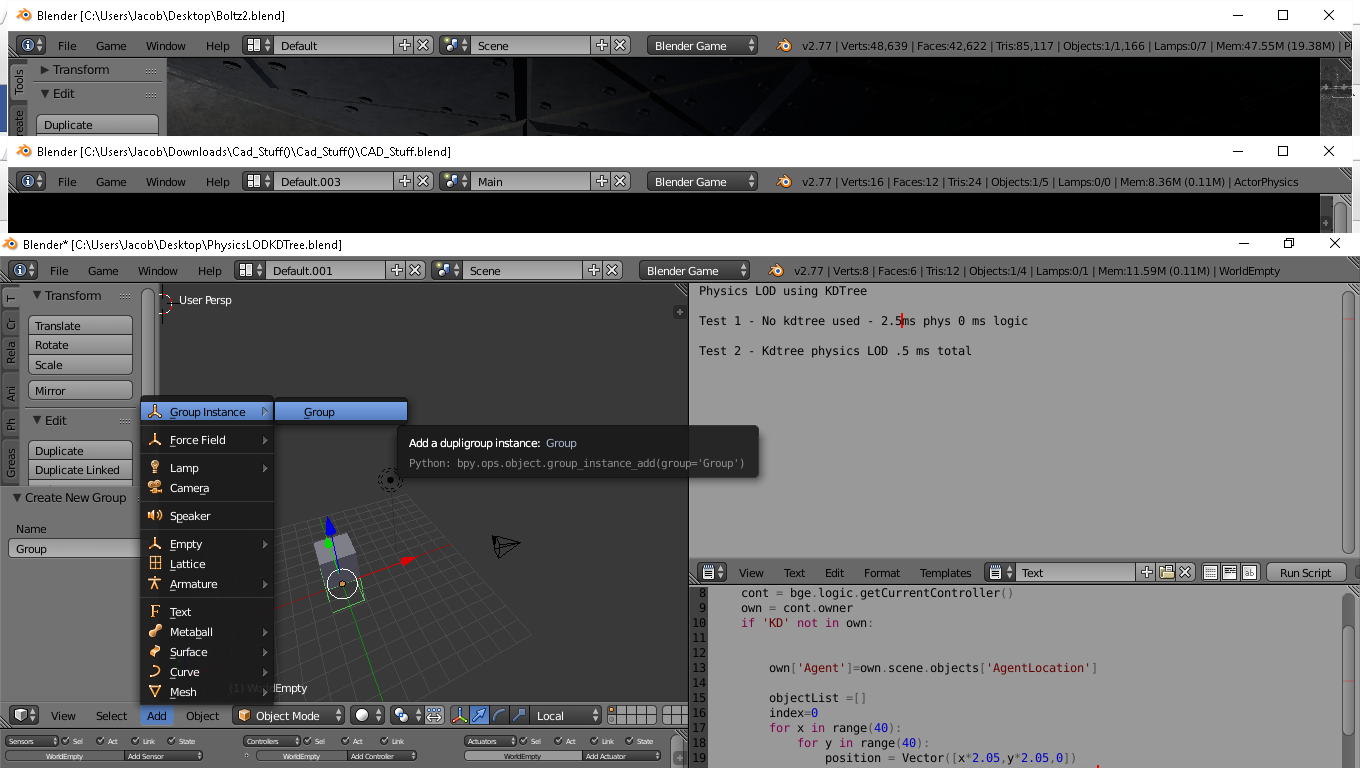
我在我的graphicsView中添加了一个 Widget,并添加了这个样式表
border-left:20px solid qlineargradient(spread:pad, x1:0, y1:0, x2:1, y2:0, stop:0 rgba(32, 180, 214,150), stop:1 rgba(0, 0, 0, 0) );

border-right:20px solid qlineargradient(spread:pad, x1:1, y1:0, x2:0, y2:0, stop:0 rgba(32, 180, 214,150), stop:1 rgba(0, 0, 0, 0) );

border-top:20px solid qlineargradient(spread:pad, x1:0, y1:0, x2:0, y2:1, stop:0 rgba(32, 180, 214,150), stop:1 rgba(0, 0, 0, 0) );

border-bottom:20px solid qlineargradient(spread:pad, x1:0, y1:1, x2:0, y2:0, stop:0 rgba(32, 180, 214,150), stop:1 rgba(0, 0, 0, 0) );

border-radius: 0.5px;
padding: 1px;
margin: 0px;
spacing: 0px;
我试着得到你的颜色,但如果你玩它的RGB,你可以得到你想要的颜色。我认为这是最干净的解决方案,因为通过改变视图的大小,一切都会改变,样式保持不变。
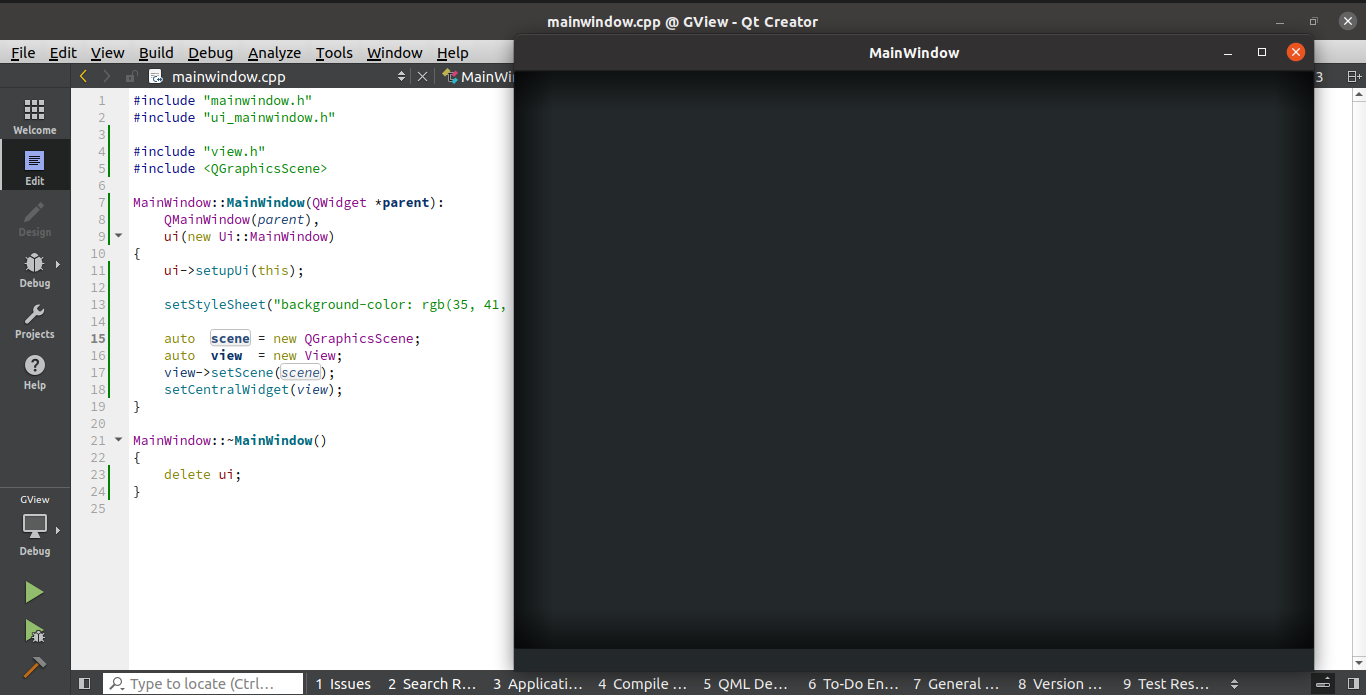
编辑和更新:,您不应该在QGraphicsView和View类中添加setBackgroundBrush(QColor(35, 41, 56));。我移除这一行,而是将其添加到MainWindow中作为setStyleSheet。就像这样:
视图类中的 :
View::View()
{
    // Stylesheet
    setStyleSheet(
        "border-left:40px solid qlineargradient(spread:pad, x1:0, y1:0, x2:1, y2:0, stop:0 rgba(0, 0, 0,150), stop:1 rgba(0, 0, 0, 0) );"
        "border-right:40px solid qlineargradient(spread:pad, x1:1, y1:0, x2:0, y2:0, stop:0 rgba(0, 0, 0,150), stop:1 rgba(0, 0, 0, 0) );"
        "border-top:40px solid qlineargradient(spread:pad, x1:0, y1:0, x2:0, y2:1, stop:0 rgba(0, 0, 0,150), stop:1 rgba(0, 0, 0, 0) );"
        "border-bottom:40px solid qlineargradient(spread:pad, x1:0, y1:1, x2:0, y2:0, stop:0 rgba(0, 0, 0,150), stop:1 rgba(0, 0, 0, 0) );"
        "border-radius: 0.5px;"
        "padding: 1px;"
        "margin: 0px;"
        "spacing: 0px;"
        );

// Hidden because the stylesheet adds colors to them
    setHorizontalScrollBarPolicy(Qt::ScrollBarAlwaysOff);
    setVerticalScrollBarPolicy(Qt::ScrollBarAlwaysOff);

    setDragMode(QGraphicsView::ScrollHandDrag);
// setBackgroundBrush(QColor(35, 41, 56));
    setCacheMode(CacheBackground);
    setViewportUpdateMode(BoundingRectViewportUpdate);
    setRenderHint(QPainter::Antialiasing);
    setTransformationAnchor(AnchorUnderMouse);
    scale(qreal(0.8), qreal(0.8));
    setTransformationAnchor(QGraphicsView::AnchorUnderMouse);
}
和in MainWindow类:
MainWindow::MainWindow(QWidget *parent):
    QMainWindow(parent),
    ui(new Ui::MainWindow)
{
    ui->setupUi(this);

    setStyleSheet("background-color: rgb(35, 41, 43);");

    auto  scene = new QGraphicsScene;
    auto  view  = new View;
    view->setScene(scene);
    setCentralWidget(view);
}
--这是结果:
https://stackoverflow.com/questions/72354410
复制相似问题
腾讯云开发者

Copyright © 2013 - 2026 Tencent Cloud. All Rights Reserved. 腾讯云 版权所有
深圳市腾讯计算机系统有限公司 ICP备案/许可证号:粤B2-20090059  粤公网安备44030502008569号
腾讯云计算(北京)有限责任公司 京ICP证150476号 | 京ICP备11018762号