
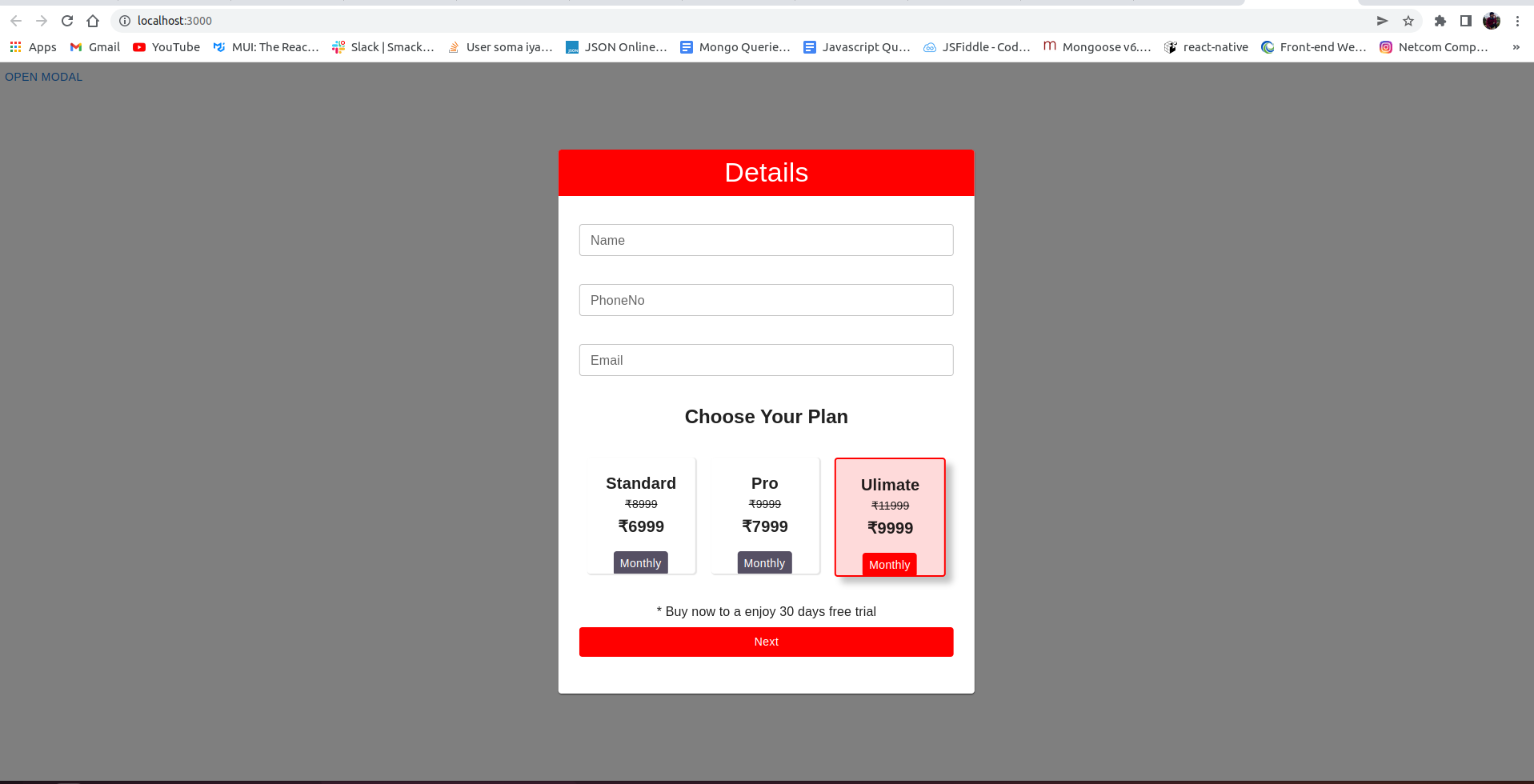
如何改变背景颜色和模糊mui5模式?
如何改变背景颜色和模糊mui5模式?
提问于 2022-05-23 08:11:37
回答 2
Stack Overflow用户
发布于 2022-05-23 08:55:49
要添加模糊,请将此样式添加到Modal中:
      <Modal
        open={open}
        onClose={handleClose}
        aria-labelledby="modal-modal-title"
        aria-describedby="modal-modal-description"
        style={{ backdropFilter: "blur(5px)" }}
      >
对于背景颜色,请更改Box样式:
const style = {
  position: "absolute",
  top: "50%",
  left: "50%",
  transform: "translate(-50%, -50%)",
  width: 400,
  bgcolor: "background.paper", // Change to whatever color you want
  border: "2px solid #000",
  boxShadow: 24,
  p: 4
};

...

  return (
    <div>
      <Button onClick={handleOpen}>Open modal</Button>
      <Modal
        open={open}
        onClose={handleClose}
        aria-labelledby="modal-modal-title"
        aria-describedby="modal-modal-description"
        style={{ backdropFilter: "blur(5px)" }}
      >
{/* Apply styles here: */}
        <Box sx={style}>
          <Typography id="modal-modal-title" variant="h6" component="h2">
            Text in a modal
          </Typography>
          <Typography id="modal-modal-description" sx={{ mt: 2 }}>
            Duis mollis, est non commodo luctus, nisi erat porttitor ligula.
          </Typography>
        </Box>
      </Modal>
    </div>
  );
对于模态之外的背景颜色,更改modal的样式:
style={{ backdropFilter: "blur(5px)",
backgroundColor: "rgb(200, 0, 0, 0.5)" }}Stack Overflow用户
发布于 2022-05-23 09:49:29
直接在模态组件中使用sx支柱:
<Modal
  sx={{
    "& > .MuiBackdrop-root" : {
            backdropFilter: "blur(2px)"
          }
    }}
  open={open}
  onClose={handleClose}
.
.
/>页面原文内容由Stack Overflow提供。腾讯云小微IT领域专用引擎提供翻译支持
原文链接:
https://stackoverflow.com/questions/72345231
复制相关文章
相似问题
腾讯云开发者

Copyright © 2013 - 2026 Tencent Cloud. All Rights Reserved. 腾讯云 版权所有
深圳市腾讯计算机系统有限公司 ICP备案/许可证号:粤B2-20090059  粤公网安备44030502008569号
腾讯云计算(北京)有限责任公司 京ICP证150476号 | 京ICP备11018762号