
PyQt5:填充QPolygon //增加q多边形的大小(高度)的孔
我有以下QPolygon:

我需要增加它的高度才能得到以下的QPolygon:
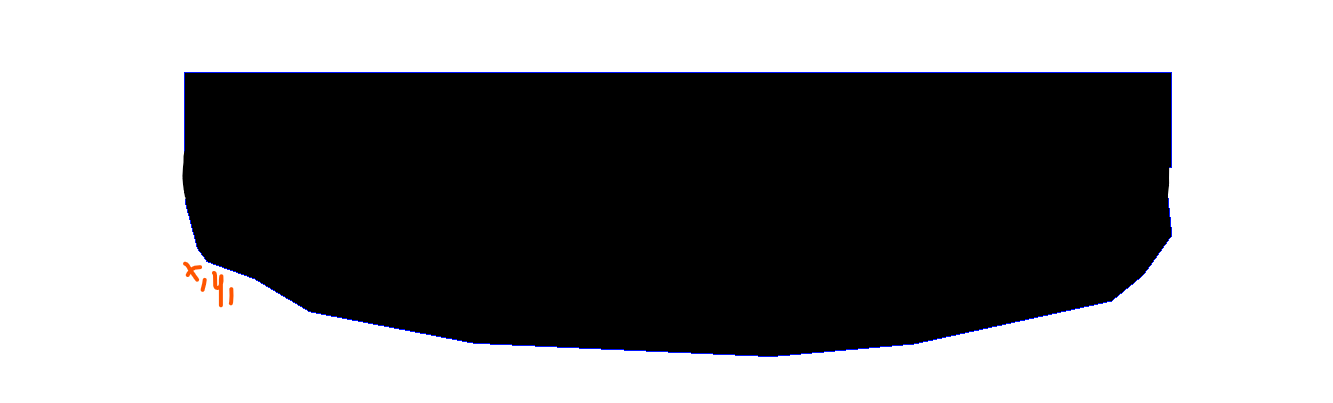
虽然q多边形的下边界保持在同一位置,即x1,第一幅图像中的y1,在第二幅图像中仍然是x1,而在第二幅图像中添加的黑色区域应该是q多边形本身高度的一半(最好有一条直线,但不太重要)
为此,我拿起了QPolygon的边框
poly1_bounding_rect=QPolygonF(poly_1_coords).boundingRect()
和X0,Y0坐标,以及宽度和高度,然后使多边形与原始多边形相结合。
max_y, min_x, height_, width_ = poly1_bounding_rect.y(), poly1_bounding_rect.x(), poly1_bounding_rect.height(), poly1_bounding_rect.width()
poly1_addition = QPolygonF(
    [QPointF(min_x, max_y), QPointF(min_x, max_y - height_ * .5),
     QPointF(min_x + width_, max_y - height_ * .5),
     QPointF(min_x + width_, max_y)])
然而,这个解决方案使QPolygon有漏洞,我不知道该如何填充它们,或者首先创建一个没有这些整体的QPolygon。
任何指导都是非常感谢的,谢谢!
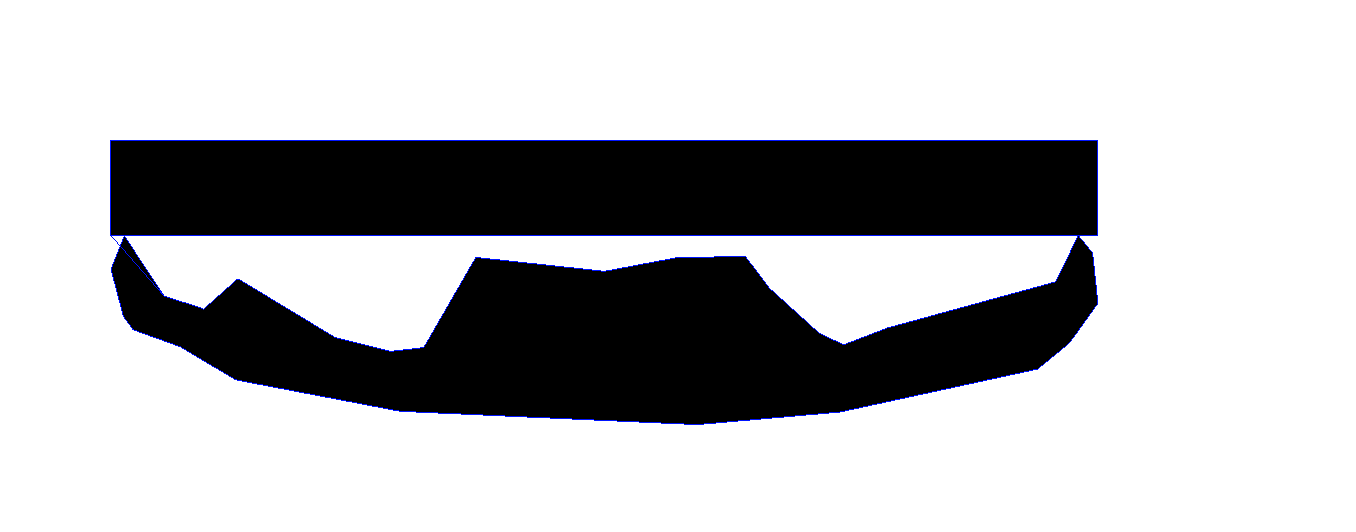
下面是一个最低可重现性的例子:
import PyQt5
from PyQt5 import QtCore

import sys
import PyQt5
from PyQt5.QtCore import *#QPointF, QRectF
from PyQt5.QtGui import *#QPainterPath, QPolygonF, QBrush,QPen,QFont,QColor, QTransform
from PyQt5.QtWidgets import *#QApplication, QGraphicsScene, QGraphicsView, QGraphicsSimpleTextItem


poly_1_coords= [PyQt5.QtCore.QPointF(412.01, 257.98), PyQt5.QtCore.QPointF(372.24, 197.66), PyQt5.QtCore.QPointF(358.88, 230.95), PyQt5.QtCore.QPointF(371.46, 278.4), PyQt5.QtCore.QPointF(381.16, 291.77), PyQt5.QtCore.QPointF(428.34, 308.81), PyQt5.QtCore.QPointF(483.66, 341.84), PyQt5.QtCore.QPointF(648.02, 373.29), PyQt5.QtCore.QPointF(945.05, 386.61), PyQt5.QtCore.QPointF(1087.66, 374.02), PyQt5.QtCore.QPointF(1285.26, 331.05), PyQt5.QtCore.QPointF(1317.34, 304.71), PyQt5.QtCore.QPointF(1345.85, 265.03), PyQt5.QtCore.QPointF(1340.6, 214.96), PyQt5.QtCore.QPointF(1326.19, 197.39), PyQt5.QtCore.QPointF(1303.38, 243.79), PyQt5.QtCore.QPointF(1134.3, 290.19), PyQt5.QtCore.QPointF(1091.57, 306.71), PyQt5.QtCore.QPointF(1067.45, 295.44), PyQt5.QtCore.QPointF(1017.38, 250.09), PyQt5.QtCore.QPointF(993.53, 218.63), PyQt5.QtCore.QPointF(925.89, 219.41), PyQt5.QtCore.QPointF(852.23, 233.31), PyQt5.QtCore.QPointF(723.52, 219.41), PyQt5.QtCore.QPointF(671.51, 309.58), PyQt5.QtCore.QPointF(638.88, 313.37), PyQt5.QtCore.QPointF(583.5, 299.71), PyQt5.QtCore.QPointF(485.61, 240.53), PyQt5.QtCore.QPointF(451.47, 270.88)]

def main():
    app = QApplication(sys.argv)


    scene = QGraphicsScene()
    view = QGraphicsView(scene)
    pen_ = QPen(QColor(0, 20, 255))
    brush_ = QBrush(QColor(0,0,0))

    poly_1 = QPolygonF(poly_1_coords)
    #scene.addPolygon(poly_1,pen_,brush_)

    poly1_bounding_rect = poly_1.boundingRect()
    max_y, min_x, height_, width_ = poly1_bounding_rect.y(), poly1_bounding_rect.x(), poly1_bounding_rect.height(), poly1_bounding_rect.width()

    poly1_addition = QPolygonF(
        [QPointF(min_x, max_y), QPointF(min_x, max_y - height_ * .5),
         QPointF(min_x + width_, max_y - height_ * .5),
         QPointF(min_x + width_, max_y)])

    complete_poly1 = poly_1.united(poly1_addition)


    scene.addPolygon(complete_poly1,pen_,brush_)


    view.show()

    sys.exit(app.exec_())


if __name__ == "__main__":
main()回答 2
Stack Overflow用户
发布于 2022-05-10 19:15:44
假设多边形总是简单的,没有任何交集,您可以执行以下操作:
(bottom);
- build
- 找到最小和最大值x(左和右)的点,以及最大的y-
- 两条独立的路径,它们将是从上面两点开始的顶部和底部;
- 找到哪一条路径包含底点,这意味着它是“底部side";
- translate边框高度的一半,并使用它的角作为多边形的附加点;
    poly_1 = QPolygonF(poly_1_coords)
    poly_1_bounding_rect = poly_1.boundingRect()
    # translate the bounding rect by half its height to get the top corners
    poly_1_bounding_rect.translate(
        QPointF(0, -poly_1_bounding_rect.height() * .5))

    # find the left/right/bottom-most points
    left = right = bottom = None
    for point in poly_1_coords:
        if not left or left.x() > point.x():
            left = point
        if not right or right.x() < point.x():
            right = point
        if not bottom or bottom.y() < point.y():
            bottom = point

    # assuming points are in correct order and there is no intersection between
    # lines, get the indexes of the left and right points to build two separate
    # paths, one from the top side, one for the bottom
    leftIndex = poly_1_coords.index(left)
    rightIndex = poly_1_coords.index(right)
    if leftIndex < rightIndex:
        side_a = poly_1_coords[leftIndex:rightIndex + 1]
        side_b = poly_1_coords[rightIndex:] + poly_1_coords[:leftIndex + 1]
    else:
        side_a = poly_1_coords[rightIndex:leftIndex + 1]
        side_b = poly_1_coords[leftIndex:] + poly_1_coords[:rightIndex + 1]

    # look for the bottom point to get the bottom side
    if bottom in side_a:
        final = side_a
    else:
        final = side_b

    # if the first point is also the left, the coordinates are counter clockwise
    # so we add the top corners accordingly, and vice versa
    if final[0] == left:
        final += [poly_1_bounding_rect.topRight(), poly_1_bounding_rect.topLeft()]
    else:
        final += [poly_1_bounding_rect.topLeft(), poly_1_bounding_rect.topRight()]

    item = scene.addPolygon(QPolygonF(final))
    item.setPen(pen_)
    item.setBrush(brush_)
或者,您也可以根据需要通过翻译来添加顶部:
    # look for the bottom point to get the bottom side and add the other
    # by translating by half the bounding rect height
    delta = QPointF(0, -poly_1_bounding_rect.height() * .5)
    if bottom in side_a:
        final = side_a + [p + delta for p in side_b]
    else:
final = side_b + [p + delta for p in side_a]Stack Overflow用户
发布于 2022-05-10 16:46:51
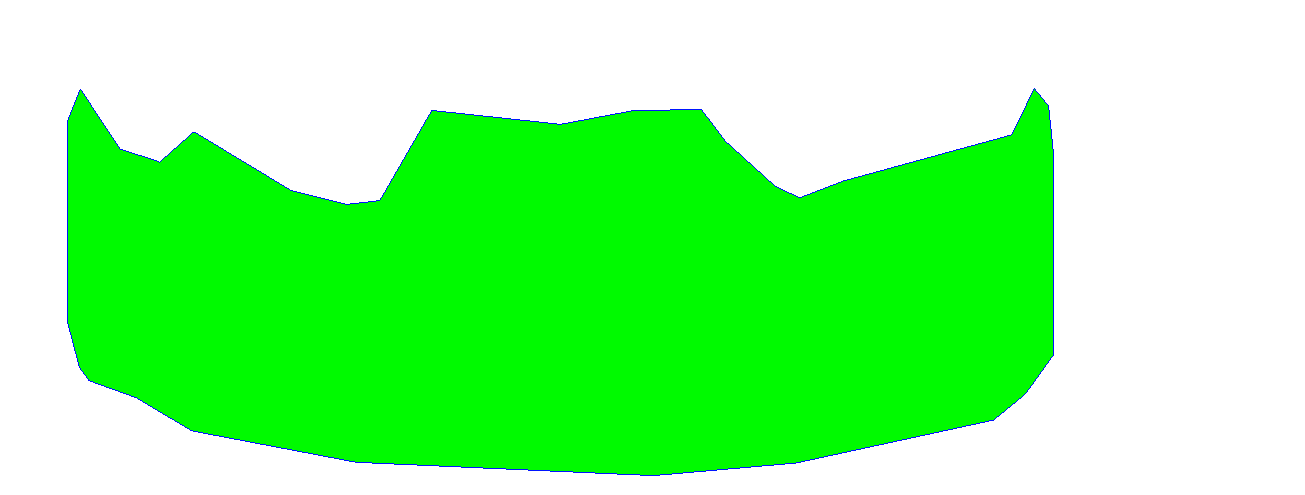
不是最优也不是最优雅的答案,而是解决了这个问题。我循环遍历初始多边形轮廓点,减少y坐标并将其与初始多边形相结合,从而有效地创造出更少的预期结果。
如果有人提出一个更好的解决方案,将被接受!
changed_polygon = QPolygonF()
for adjust in range(1,200):
    temp_polygon= QPolygonF()
    temp_coords_list = []
    for item in poly_1_coords:
        temp_coords_list.append(QPointF(item.x(),item.y()-adjust))
    changed_polygon = changed_polygon.united(QPolygonF(temp_coords_list))
https://stackoverflow.com/questions/72189524
复制相似问题
腾讯云开发者

Copyright © 2013 - 2026 Tencent Cloud. All Rights Reserved. 腾讯云 版权所有
深圳市腾讯计算机系统有限公司 ICP备案/许可证号:粤B2-20090059  粤公网安备44030502008569号
腾讯云计算(北京)有限责任公司 京ICP证150476号 | 京ICP备11018762号