
在同一行中响应本机-3组件,而不是垂直叠加。
在同一行中响应本机-3组件,而不是垂直叠加。
提问于 2022-05-02 20:06:41
在这个列表中,为我的数据库返回的每个条目都由3项组成:
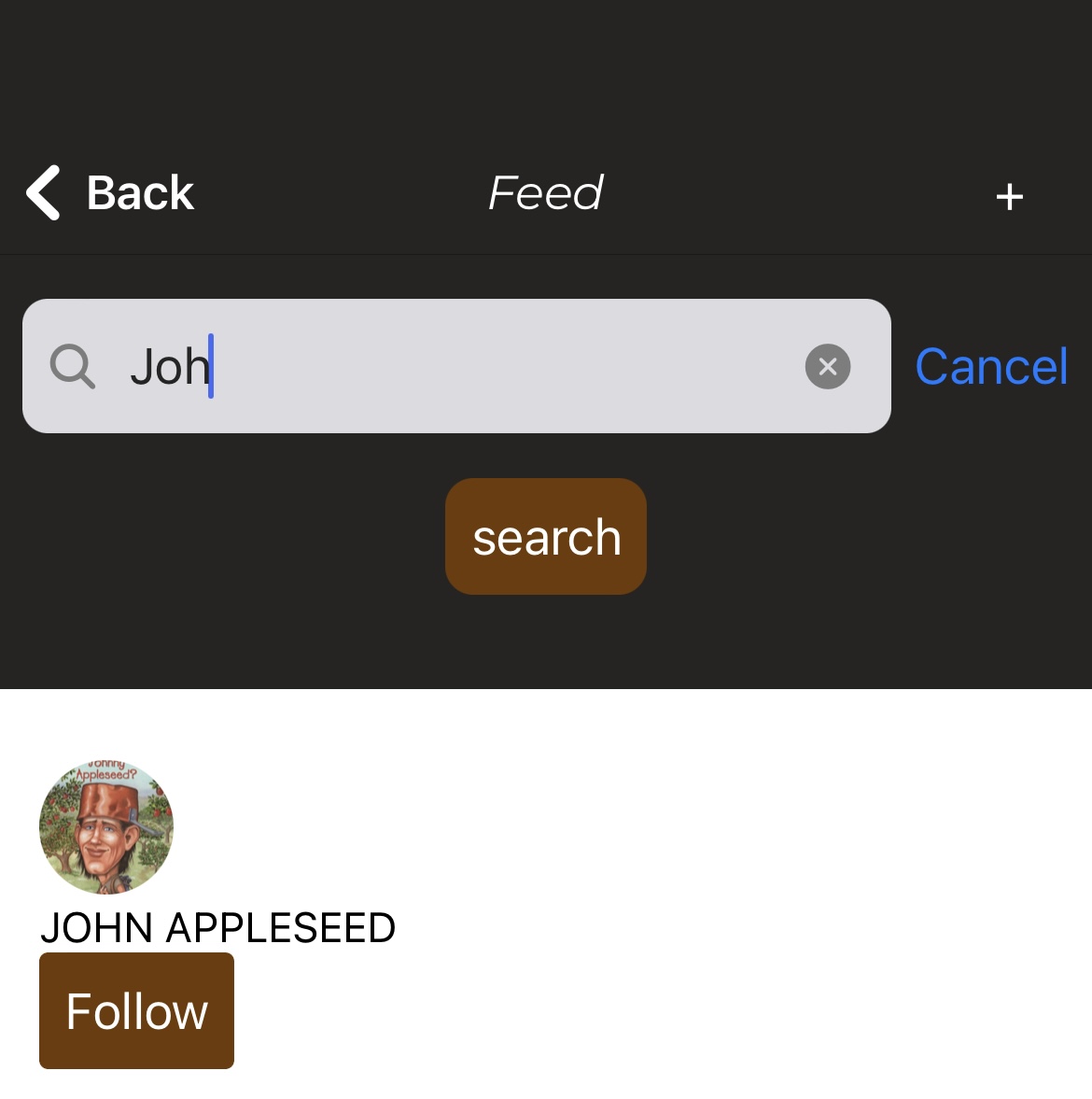
现在我要我的屏幕看起来像这样:
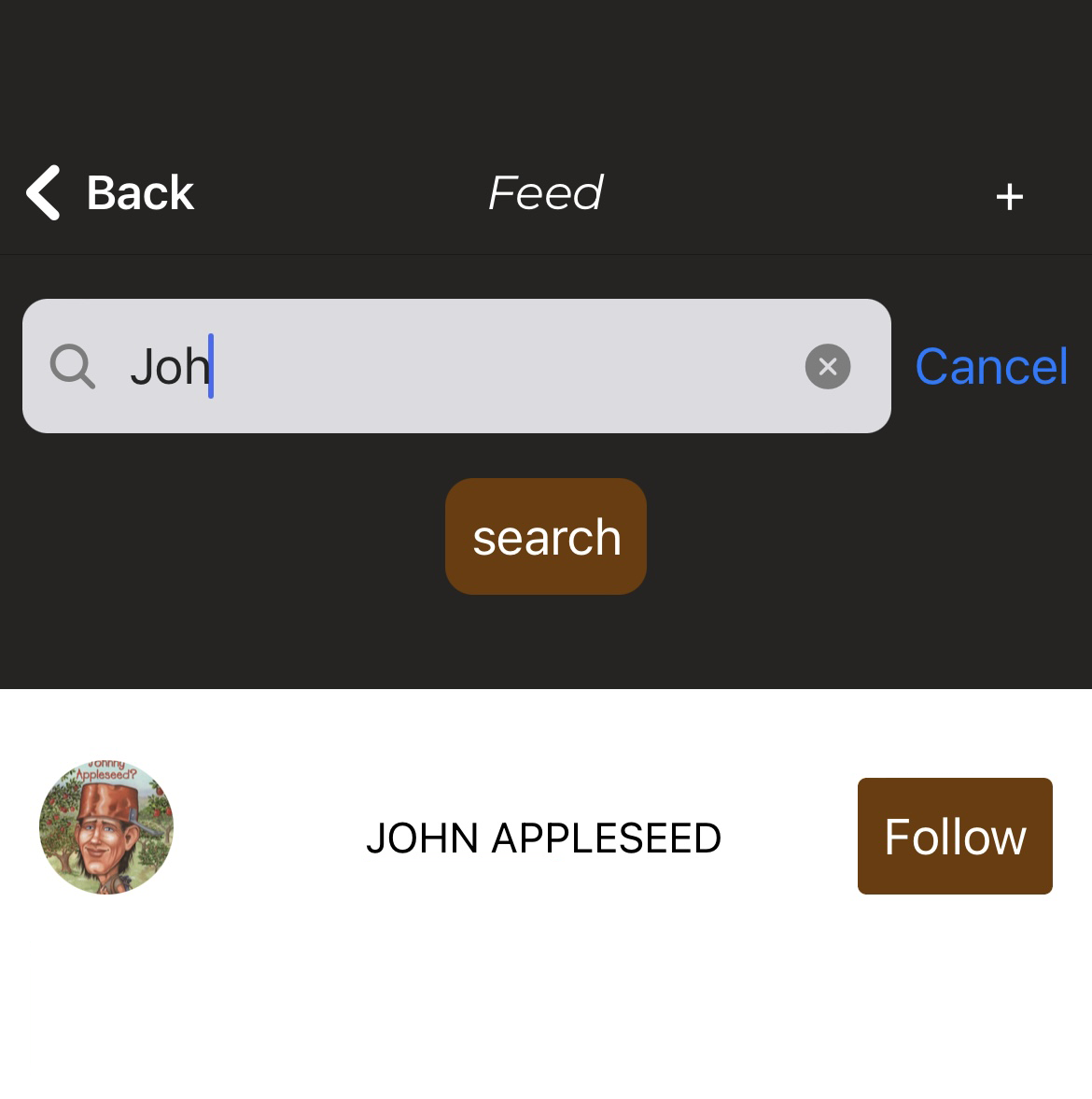
我的代码是:
  <ListItem bottomDivider>
    <ListItem.Content style={{textAlign:'left'}}>
      <ListItem.Title>{item.title}</ListItem.Title>
      <ListItem.Subtitle
        style={{color: '#9D7463'}}>
        <Image
          style={{ alignSelf: "center", borderRadius: 50 }}
          source={{ uri: item.probability, width: 48, height: 48 }}
        />
      </ListItem.Subtitle>
      <ListItem.Subtitle
        style={{color: '#000', textTransform: 'uppercase'}}>
        {item.country_id}
      </ListItem.Subtitle>
      <Button
        buttonStyle={{backgroundColor: primaryColor, padding: 9, textAlign: "right"}}
        title="Follow"
        onPress={() => alert(item.id_user)}
      />
    </ListItem.Content>
</ListItem>回答 2
Stack Overflow用户
回答已采纳
发布于 2022-05-02 20:17:17
您需要将flexDirection更改为row。注意这与网络不同。
Flexbox的工作方式与它在web上CSS中的反应是一样的,只有少数例外。默认值不同,flexDirection默认为列而不是行
因此,将flexDirection更改为父视图的行,并为每个子视图设置flex:1,应该可以解决这个问题。
<ListItem.Content style={{flexDirection: "row"}}>
<ListItem.Subtitle
        style={{color: '#9D7463', flex: 1}}>
        <Image
          style={{ alignSelf: "center", borderRadius: 50 }}
          source={{ uri: item.probability, width: 48, height: 48 }}
        />
      </ListItem.Subtitle>
      <ListItem.Subtitle
        style={{color: '#000', textTransform: 'uppercase', flex: 1}}>
        {item.country_id}
      </ListItem.Subtitle>
      <Button
        buttonStyle={{backgroundColor: primaryColor, padding: 9, textAlign: "right", flex: 1}}
        title="Follow"
        onPress={() => alert(item.id_user)}
      />
</ListItem.Content>Stack Overflow用户
发布于 2022-05-02 20:11:52
在此组件中,您可以使用柔性盒。
<ListItem.Content style={{width: '100%', display: 'flex', flexDirection: 'row', justifyContent: 'space-between', alignItems: 'center'}}>
页面原文内容由Stack Overflow提供。腾讯云小微IT领域专用引擎提供翻译支持
原文链接:
https://stackoverflow.com/questions/72091843
复制相关文章
相似问题
腾讯云开发者

Copyright © 2013 - 2026 Tencent Cloud. All Rights Reserved. 腾讯云 版权所有
深圳市腾讯计算机系统有限公司 ICP备案/许可证号:粤B2-20090059  粤公网安备44030502008569号
腾讯云计算(北京)有限责任公司 京ICP证150476号 | 京ICP备11018762号