
导出Vnet \\子网
我想导出类似于VNET中的子网视图的东西,比如门户中显示的VNET。不幸的是,没有将其导出到CSV的选项。我已经在网上找到了可以导出子网路由表和相关子网的powershell脚本。我还找到了powershell脚本来导出vnet子网上的详细信息。然而,我还没有找到将两者结合在一起的脚本
忽略那些我认为是他从以前的剧本中留下的概要和描述。
因此,我试图反转逻辑,即获取子网细节,并为每个子网添加路由表,如果存在的话。不过,我不知道现在我在做什么!脚本正在错误地运行以下内容:
Line |
  47 |  …         $routeTables = Get-AzRouteTable -Name $routeTableName -Resour …
     |                                                  ~~~~~~~~~~~~~~~
     | Cannot validate argument on parameter 'Name'. The argument is null or empty. Provide an argument that is not null or empty, and then try the command again.
脚本结束,CSV包含除了路由表细节以外的所有内容。所以,如果你能帮助一个菜鸟,我会非常感激的,这是我所拥有的:
$PathToOutputCSVReport = "/path/output.csv"

$subs = Get-AzSubscription

#Checking if the subscriptions are found or not
if(($subs -ne $null) -or ($subs.Count -gt 0))
{
    #Creating Output Object
    $results = @()

    #Iterating over various subscriptions
    foreach($sub in $subs)
    {
        $SubscriptionId = $sub.SubscriptionId
        Write-Output $SubscriptionName

        #Selecting the Azure Subscription
        Select-AzSubscription -SubscriptionName $SubscriptionId

        #Getting all Azure Route Tables
        $vnets = Get-AzVirtualNetwork

        foreach($vnet in $vnets)
        {
            $vnetName = $vnet.Name
            $vnetResourceGroup = $vnet.ResourceGroupName
            Write-Output $vnetName

            #Fetch Route Subnets
            $vnetSubnets = $vnet.Subnets

            foreach($vnetSubnet in $vnetSubnets)
            {
                $subnetName = $vnetSubnet.Name
                Write-Output $subnetName

                $subnetId = $vnetSubnet.Id

                ###Getting information
                $splitarray = $subnetId.Split('/')
                $subscriptionId = $splitarray[2]
                $vNetResourceGroupName = $splitarray[4]
                $virtualNetworkName = $splitarray[8]
                $subnetName = $splitarray[10]

                #Fetch the route table details
                $routeTables = Get-AzRouteTable -Name $routeTableName -ResourceGroupName $routeResourceGroup

                #Fetching the vNet and Subnet details
                #$vnet = Get-AzVirtualNetwork -Name $virtualNetworkName -ResourceGroupName $vNetResourceGroupName
                $subnet = Get-AzVirtualNetworkSubnetConfig -Name $subnetName -VirtualNetwork $vnet

                $subnetAddressPrefix = $subnet.AddressPrefix[0]

                $details = @{
                        virtualNetworkName=$virtualNetworkName
                        subnetAddressPrefix=$subnetAddressPrefix
                        subnetName=$subnetName
                        routeTableName=$routeTableName
                        routeResourceGroup=$routeResourceGroup
                        subscriptionId=$subscriptionId
                        vNetResourceGroupName=$vNetResourceGroupName

                }
                $results += New-Object PSObject -Property $details


            }

        }
    }
    $results | export-csv -Path $PathToOutputCSVReport -NoTypeInformation
}
else
{
    Write-Host -ForegroundColor Red "No Subscription Found"
}回答 2
Stack Overflow用户
发布于 2022-04-27 06:30:09
您所得到的这个错误清楚地表明变量routeTableName是cmdlet Get-AzRouteTable的-Name参数的无效值。
查看您的脚本,似乎没有在任何地方定义变量,这解释了为什么它是空的,因此与cmdlet一起使用无效。
若要定义具有与子网关联的路由表名称的变量,可以使用以下方法:
$routeTableName = $subnet.RouteTable.Id.Split('/')[8]似乎您根本没有使用以下内容,并且可以删除:
$routeTables = Get-AzRouteTable -Name $routeTableName -ResourceGroupName $routeResourceGroup下面是整个代码的样子:
$PathToOutputCSVReport = "/path/output.csv"

$subs = Get-AzSubscription

#Checking if the subscriptions are found or not
if(($subs -ne $null) -or ($subs.Count -gt 0))
{
    #Creating Output Object
    $results = @()

    #Iterating over various subscriptions
    foreach($sub in $subs)
    {
        $SubscriptionId = $sub.SubscriptionId
        Write-Output $SubscriptionName

        #Selecting the Azure Subscription
        Select-AzSubscription -SubscriptionName $SubscriptionId

        #Getting all Azure Route Tables
        $vnets = Get-AzVirtualNetwork

        foreach($vnet in $vnets)
        {
            $vnetName = $vnet.Name
            $vnetResourceGroup = $vnet.ResourceGroupName
            Write-Output $vnetName

            #Fetch Route Subnets
            $vnetSubnets = $vnet.Subnets

            foreach($vnetSubnet in $vnetSubnets)
            {
                $subnetName = $vnetSubnet.Name
                Write-Output $subnetName

                $subnetId = $vnetSubnet.Id

                ###Getting information
                $splitarray = $subnetId.Split('/')
                $subscriptionId = $splitarray[2]
                $vNetResourceGroupName = $splitarray[4]
                $virtualNetworkName = $splitarray[8]
                $subnetName = $splitarray[10]

                #Fetch the route table details
                #$routeTables = Get-AzRouteTable -Name $routeTableName -ResourceGroupName $routeResourceGroup

                #Fetching the vNet and Subnet details
                #$vnet = Get-AzVirtualNetwork -Name $virtualNetworkName -ResourceGroupName $vNetResourceGroupName
                $subnet = Get-AzVirtualNetworkSubnetConfig -Name $subnetName -VirtualNetwork $vnet
                $routeTableName = $subnet.RouteTable.Id.Split('/')[8]

                $subnetAddressPrefix = $subnet.AddressPrefix[0]

                $details = @{
                        virtualNetworkName=$virtualNetworkName
                        subnetAddressPrefix=$subnetAddressPrefix
                        subnetName=$subnetName
                        routeTableName=$routeTableName
                        routeResourceGroup=$routeResourceGroup
                        subscriptionId=$subscriptionId
                        vNetResourceGroupName=$vNetResourceGroupName

                }
                $results += New-Object PSObject -Property $details


            }

        }
    }
    $results | export-csv -Path $PathToOutputCSVReport -NoTypeInformation
}
else
{
    Write-Host -ForegroundColor Red "No Subscription Found"
}Stack Overflow用户
发布于 2022-04-27 06:38:41
我们试过和你一样的警告,
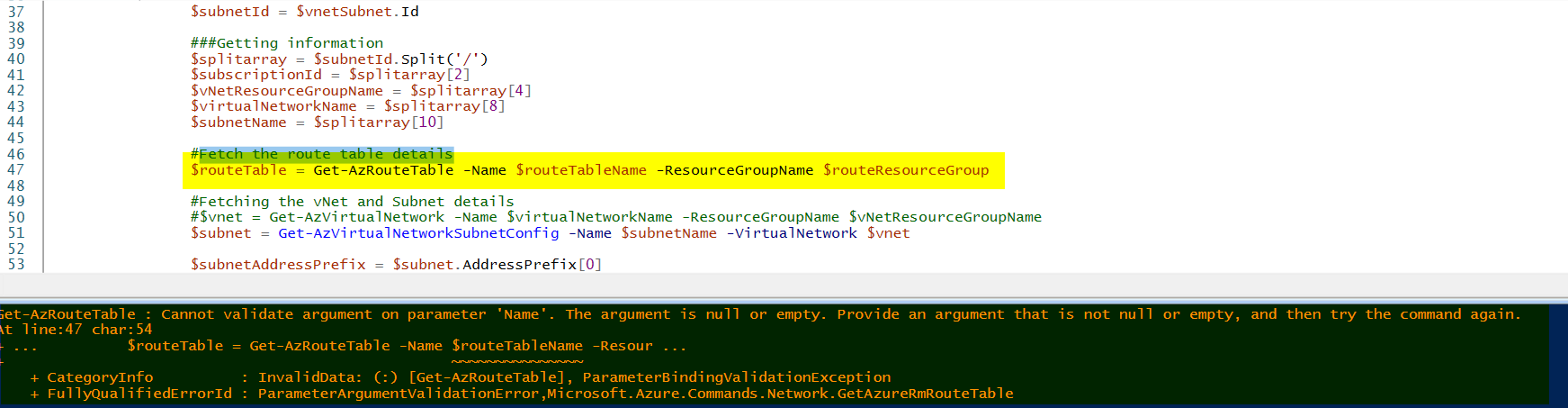
查看您的脚本,您做的是正确的,但没有提供任何变量来读取第47行的$routeTableName或$routeResourceGroup。我们再次使用foreach循环以子网和vnet的形式检索路由表详细信息,然后是下面的脚本,我们可以在没有任何故障的情况下运行它:-
$PathToOutputCSVReport = "/mylocalpath/output.csv"

$subs = Get-AzSubscription

#Checking if the subscriptions are found or not
if(($subs -ne $null) -or ($subs.Count -gt 0))
{
    #Creating Output Object
    $results = @()

    #Iterating over various subscriptions
    foreach($sub in $subs)
    {
        $SubscriptionId = $sub.SubscriptionId
        Write-Output $SubscriptionName

        #Selecting the Azure Subscription
        Select-AzSubscription -SubscriptionName $SubscriptionId

        #Getting all Azure Route Tables
        $vnets = Get-AzVirtualNetwork

        foreach($vnet in $vnets)
        {
            $vnetName = $vnet.Name
            $vnetResourceGroup = $vnet.ResourceGroupName
            Write-Output $vnetName

            #Fetch Route Subnets
            $vnetSubnets = $vnet.Subnets

            foreach($vnetSubnet in $vnetSubnets)
            {
                $subnetName = $vnetSubnet.Name
                Write-Output $subnetName

                $subnetId = $vnetSubnet.Id

                ###Getting information
                $splitarray = $subnetId.Split('/')
                $subscriptionId = $splitarray[2]
                $vNetResourceGroupName = $splitarray[4]
                $virtualNetworkName = $splitarray[8]
                $subnetName = $splitarray[10]

                #Fetch the route table details
                #$routeTables = Get-AzRouteTable -ResourceGroupName $routeResourceGroup -Name $routeTableName instead of this tried below line to fetch the route table details

        $routeTables = Get-AzRouteTable

        foreach($routeTable in $routeTables)
        {
            $routeTableName = $routeTable.Name
            $routeResourceGroup = $routeTable.ResourceGroupName
            Write-Output $routeName

                #Fetching the vNet and Subnet details
                #$vnet = Get-AzVirtualNetwork -Name $virtualNetworkName -ResourceGroupName $vNetResourceGroupName
                $subnet = Get-AzVirtualNetworkSubnetConfig -Name $subnetName -VirtualNetwork $vnet

                $subnetAddressPrefix = $subnet.AddressPrefix[0]

                $details = @{
                        virtualNetworkName=$virtualNetworkName
                        subnetAddressPrefix=$subnetAddressPrefix
                        subnetName=$subnetName
                        routeTableName=$routeTableName
                        routeResourceGroup=$routeResourceGroup
                        subscriptionId=$subscriptionId
                        vNetResourceGroupName=$vNetResourceGroupName

                }
                $results += New-Object PSObject -Property $details

               }
            }

        }
    }
    $results | export-csv -Path $PathToOutputCSVReport -NoTypeInformation
}
else
{
    Write-Host -ForegroundColor Red "No Subscription Found"
}也是您共享的链接,它也将根据您的需求列出.。

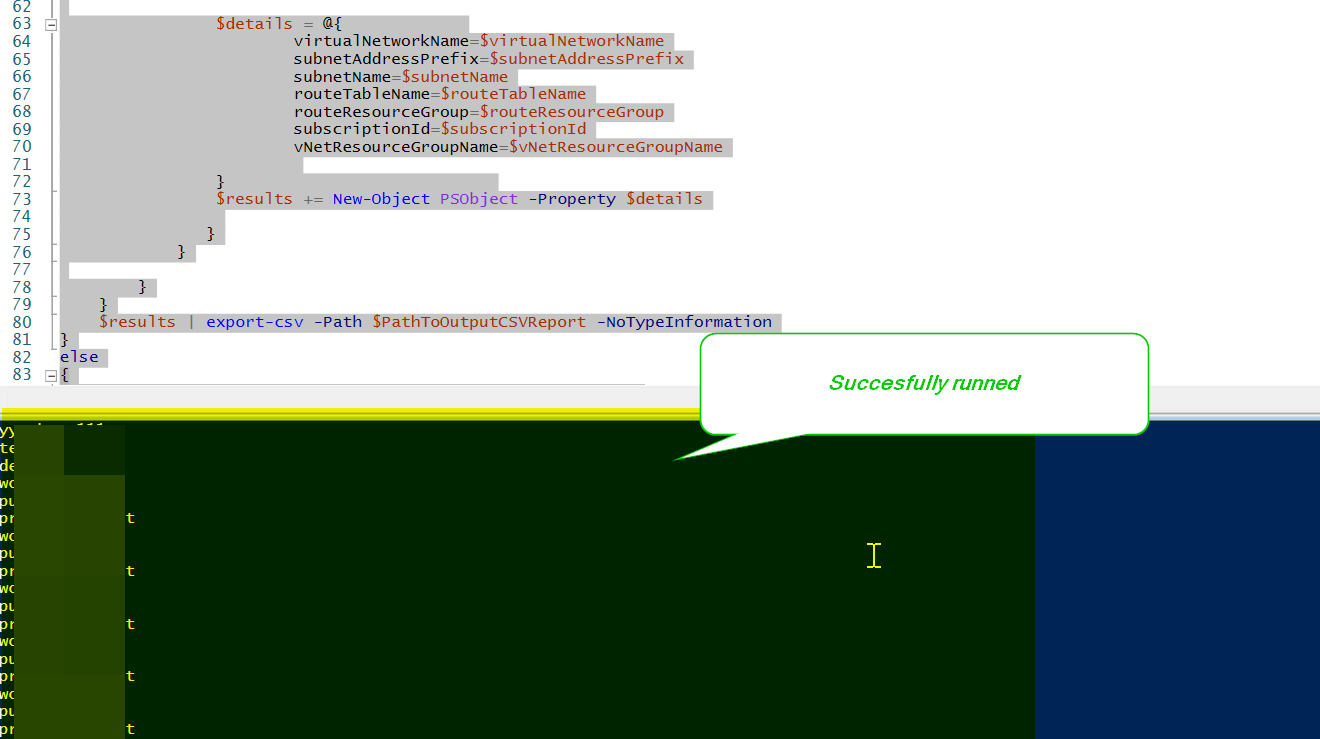
输出详细信息以供参考:-
CSV文件:-

欲知更多以不同方式获取路线详情的资料,请参阅以下连结:
https://stackoverflow.com/questions/72020042
复制相似问题
腾讯云开发者

Copyright © 2013 - 2026 Tencent Cloud. All Rights Reserved. 腾讯云 版权所有
深圳市腾讯计算机系统有限公司 ICP备案/许可证号:粤B2-20090059  粤公网安备44030502008569号
腾讯云计算(北京)有限责任公司 京ICP证150476号 | 京ICP备11018762号