
Docker映像中的Azure函数应用程序在Az门户页面中没有显示函数
Docker映像中的Azure函数应用程序在Az门户页面中没有显示函数
提问于 2022-04-21 21:46:28
我尝试从Docker容器创建我的第一个虚拟Azure函数应用程序。
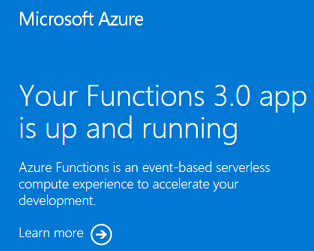
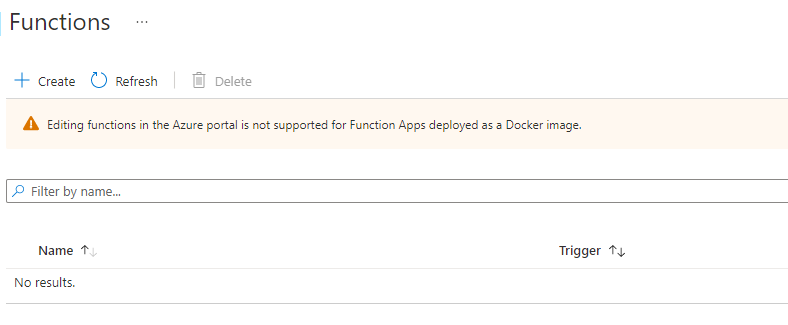
问题是,在从已发布的docker图像创建之后,我可以看到默认页面,但没有看到任何函数(应该显示默认函数)。
该函数也不起作用。当我输入函数HTTP时,会返回错误404。
默认页面
空函数列表
这是我的设置,我只使用默认配置。
# Create the default azure function app.
py -m venv .venv
.venv\scripts\activate
func init --worker-runtime python --docker

# Build with the docker.
docker build -f Dockerfile -t <function-app-name> .

# Verify, that the function is working.
docker run -p 8080:80 --name <name> <function-app-name>
http://localhost:8080/api/PythonFunctionExample

# Push image into the azure docker container.
docker login <docker-container-address>.azurecr.io
docker tag <docker-tag> <docker-container-address>.azurecr.io/<function-app-name>
docker push <docker-container-address>.azurecr.io/<function-app-name>

# I Created Azure Function App from the Azure Portal.
## Docker image was selected from the Docker container registry.
## Azure Plan "Functions Premium" was selected.
知道有什么问题吗,我忘了什么?
回答 1
Stack Overflow用户
发布于 2022-08-19 12:34:58
您应该为Docker容器函数选择应用服务计划( Premium V2 P1v2)而不是 for高级,因为Premium函数是无服务器功能。
页面原文内容由Stack Overflow提供。腾讯云小微IT领域专用引擎提供翻译支持
原文链接:
https://stackoverflow.com/questions/71961233
复制相关文章
相似问题
腾讯云开发者

Copyright © 2013 - 2026 Tencent Cloud. All Rights Reserved. 腾讯云 版权所有
深圳市腾讯计算机系统有限公司 ICP备案/许可证号:粤B2-20090059  粤公网安备44030502008569号
腾讯云计算(北京)有限责任公司 京ICP证150476号 | 京ICP备11018762号