
无法选择UIDocumentPickerViewController Swift格式的文件
无法选择UIDocumentPickerViewController Swift格式的文件
提问于 2022-04-06 04:44:15
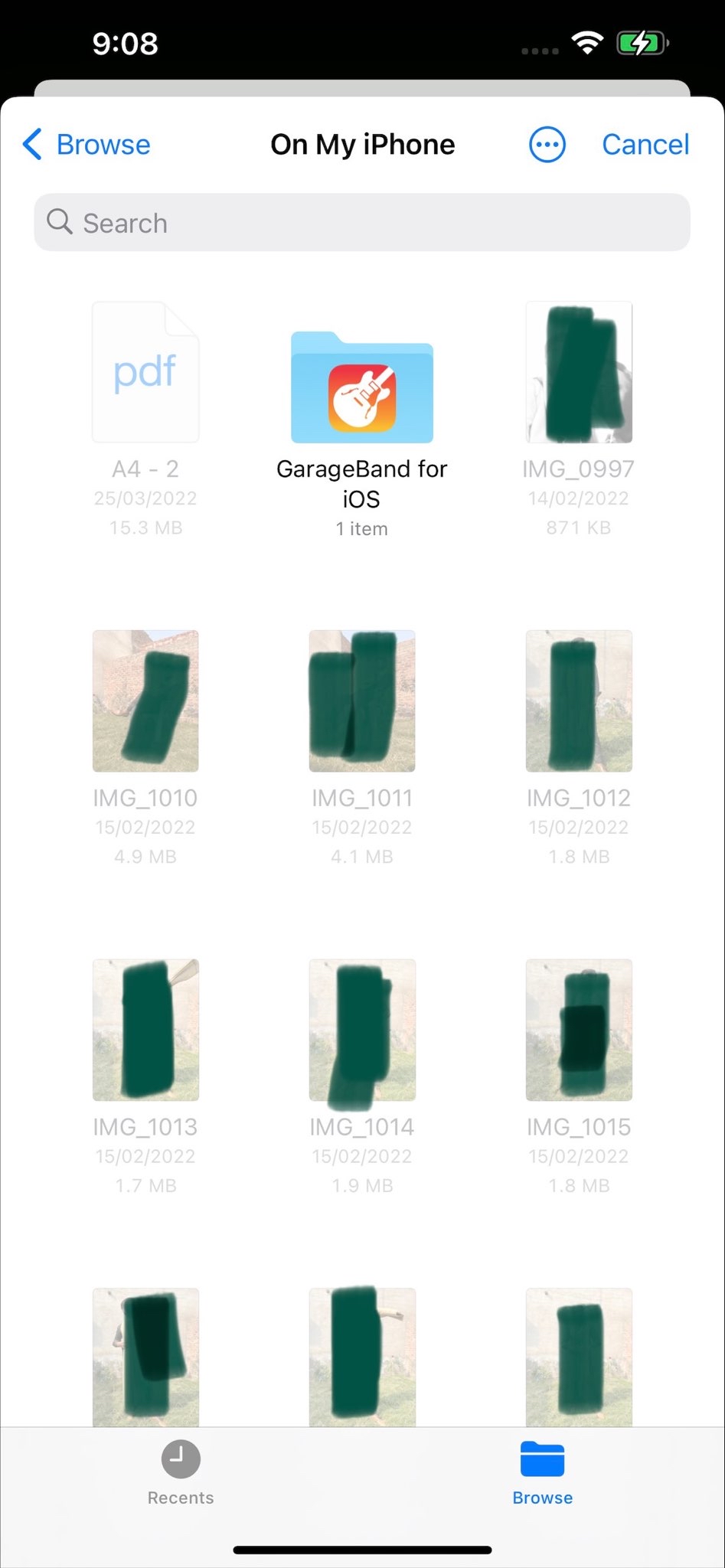
我正在快速地编写UIDocumentPickerViewController()。打开文档选择器后,文件和图像看起来很模糊,我无法选择其中的任何人。我已经附上了截图和下面的代码。知道为什么这些文件和图像是不可选的。
extension BecomeMuftiTwoVC: UIDocumentPickerDelegate {
    func documentPicker(_ controller: UIDocumentPickerViewController, didPickDocumentsAt urls: [URL]) {
        guard let selectedFilesURL = urls.first else {
            return
        }
        let dir = FileManager.default.urls(for: .documentDirectory, in: .userDomainMask).first!
        let sandboxFileURL = dir.appendingPathComponent(selectedFilesURL.lastPathComponent)

        if FileManager.default.fileExists(atPath: sandboxFileURL.path) {
            print("Already File Exist")
        }
        else {

            do{
                try FileManager.default.copyItem(at: selectedFilesURL, to: sandboxFileURL)
                print("Copied Files")
            }
            catch{
                print("Files Are not exist ")

            }
        }
    }
}
//MARK: - Import File Btn Action
@IBAction func importFile(_ sender: Any) {
    let documentPicker = UIDocumentPickerViewController(documentTypes: [KUTTypedPlainText], in: .import)
    documentPicker.delegate = self
    documentPicker.allowsMultipleSelection = false
present(documentPicker, animated: true, completion: nil)回答 2
Stack Overflow用户
发布于 2022-04-06 16:15:30
你的线路
let documentPicker = UIDocumentPickerViewController(documentTypes: [KUTTypedPlainText], in: .import)似乎只初始化纯文本文件的文档选择器。
试一试:
let documentPicker = UIDocumentPickerViewController(documentTypes: [kUTTypeImage as String], in: .import)此外,要小心,因为从iOS14.0开始,初始化器init(documentTypes:in:)就不再受欢迎了。因此,对于iOS14和更高版本,您应该使用:
let documentPicker = UIDocumentPickerViewController(forOpeningContentTypes: [.heic, .heif, .livePhoto, .image])Stack Overflow用户
发布于 2022-04-20 21:20:18
你在用模拟器吗?还是真正的设备?
在模拟器中,无法从文档选择器中选择文件.但是,如果您想测试您的代码,并且需要选择文件,请查看此answer
页面原文内容由Stack Overflow提供。腾讯云小微IT领域专用引擎提供翻译支持
原文链接:
https://stackoverflow.com/questions/71761153
复制相关文章
相似问题
腾讯云开发者

Copyright © 2013 - 2026 Tencent Cloud. All Rights Reserved. 腾讯云 版权所有
深圳市腾讯计算机系统有限公司 ICP备案/许可证号:粤B2-20090059  粤公网安备44030502008569号
腾讯云计算(北京)有限责任公司 京ICP证150476号 | 京ICP备11018762号