
如何创建一个ReyclerView,其中包含用于添加新项的额外CardView
考虑一个包含4个元素的ArrayList。RecylcerView显示4 CardViews。我知道怎么做。对于这个特定的RecyclerView,我想要一种不同的行为:有一个第五张卡纸视图来添加新的项目。在新项目成功地添加到ArrayList之后,"add item“CardView将是第6项,等等。
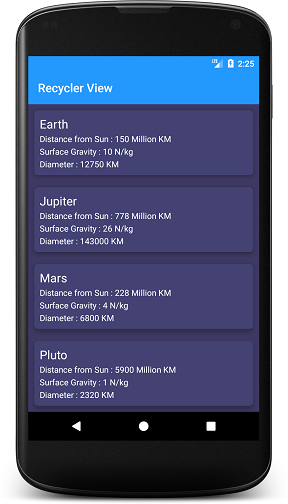
以下是我已经拥有的:
override fun getItemViewType(position: Int): Int {
    if (position < itemCount) return VIEW_DISPLAY_ITEM
    else return VIEW_ADD_ITEM
}

 override fun onCreateViewHolder(parent: ViewGroup, viewType: Int) : RecyclerView.ViewHolder{
        if (viewType == VIEW_DISPLAY_ITEM){
            return ViewHolderDisplayItem(
                LayoutInflater.from(context).inflate(R.layout.display_item, parent, false)
            )
        }
        else {
            return ViewHolderAddItem(
                LayoutInflater.from(context).inflate(R.layout.add_new_item, parent, false)
            )
        }
    }


override fun onBindViewHolder(holder: RecyclerView.ViewHolder, position: Int) {
        when (holder.itemViewType){
            VIEW_DISPLAY_ITEM -> {
                (holder as ViewHolderDisplayItem).bind(position)
                holder.itemView.setOnClickListener {
                    val theData = theList.get(position)
                    txtItemName.text = theData.name
                    txtItemID.text = theData.id
                    txtItemLocation.text = theData.location
                }
            }

            VIEW_ADD_ITEM -> {
                (holder as ViewHolderAddItem).bind(position)
                holder.itemView.setOnClickListener {

                }
            }
        }
}结果并不如我所料。“添加新项目”卡视图未显示。我想这是因为当getItemType()被调用时,position总是比itemCount小。
不知道解决这个问题的简单方法是什么。提示/示例代码为佳。
回答 3
Stack Overflow用户
发布于 2022-04-06 01:52:05
您的问题中没有包括getItemCount()的代码。确保您正在返回list.size + 1,以便包含最后的“添加新项”元素。
Stack Overflow用户
发布于 2022-04-06 03:11:30
你试着
override fun getItemViewType(position: Int): Int {
    if (position <= itemCount) return VIEW_DISPLAY_ITEM
     else return VIEW_ADD_ITEM       }
我认为您在重写getItemViewType()函数时有一点误解,位置从0开始。
希望如此
Stack Overflow用户
发布于 2022-04-06 03:55:13
如果你需要简单的解
您只需在回收器视图之外使用此CardView,但请确保回收器视图是包装内容,以便可扩展。
ScrollView >> LinearLayout >> RecyclerView >> CardView
简单得不得了
<androidx.recyclerview.widget.RecyclerView
        android:id="@+id/course_names_rv"
        android:layout_width="match_parent"
        android:layout_height="wrap_content"
        android:nestedScrollingEnabled="false"/>
因此,您可以轻松地将新项添加到适配器中,而无需使用视图类型或其他东西。
我已经做好了,我也做得很好
https://stackoverflow.com/questions/71760022
复制相似问题
腾讯云开发者

Copyright © 2013 - 2026 Tencent Cloud. All Rights Reserved. 腾讯云 版权所有
深圳市腾讯计算机系统有限公司 ICP备案/许可证号:粤B2-20090059  粤公网安备44030502008569号
腾讯云计算(北京)有限责任公司 京ICP证150476号 | 京ICP备11018762号