
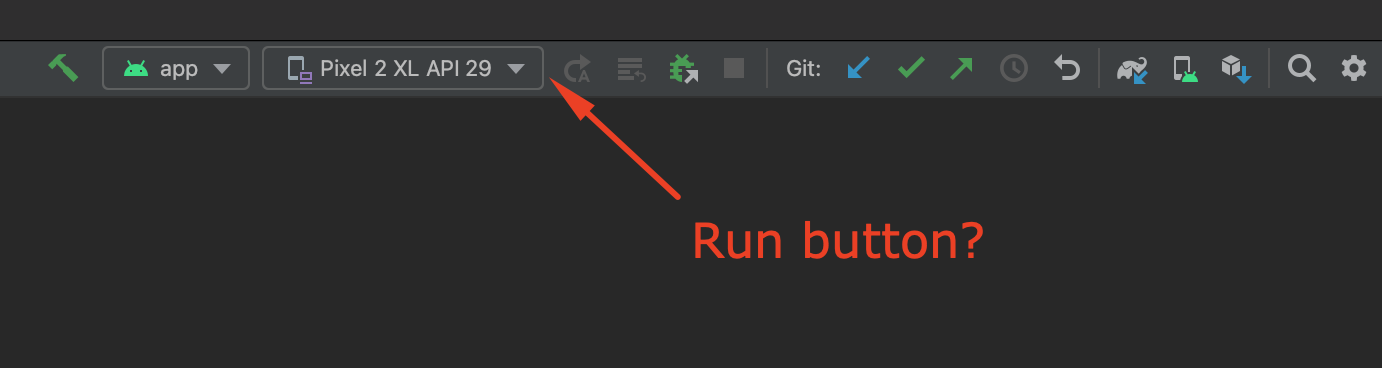
没有出现android studio "run“按钮。
没有出现android studio "run“按钮。
提问于 2022-04-04 17:56:47
我的android工作室停止了显示"run“按钮(在它显示这个项目之前,它没有问题)。我尝试过几种解决方案,如“使缓存失效”、“将项目与gradle文件同步”和“尝试使用快捷方式shift +F10运行”,但都没有奏效。
选择的模块是正确的。
我的Android Studio版本
Android Studio Bumblebee | 2021.1.1 Patch 2
Build #AI-211.7628.21.2111.8193401, built on February 17, 2022
Runtime version: 11.0.11+0-b60-7590822 x86_64
VM: OpenJDK 64-Bit Server VM by JetBrains s.r.o.
macOS 12.3.1
GC: G1 Young Generation, G1 Old Generation
Memory: 4096M
Cores: 12
Registry: external.system.auto.import.disabled=true, debugger.watches.in.variables=false
Non-Bundled Plugins: com.wakatime.intellij.plugin (13.1.14), org.jetbrains.kotlin (211-1.6.20-release-275-AS7442.40), com.developerphil.adbidea (1.6.4), org.intellij.plugins.markdown (211.7142.37)回答 3
Stack Overflow用户
回答已采纳
发布于 2022-04-05 12:45:41
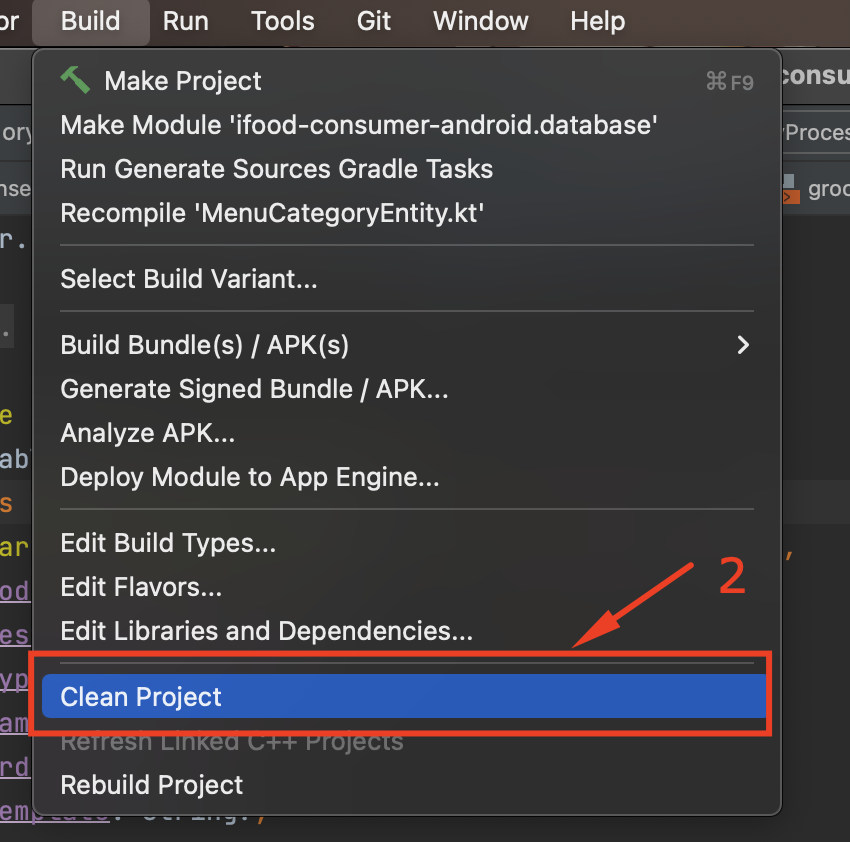
我设法解决了这个问题如下:
- 在Android的顶部单击"build“;

- 在打开的菜单中,访问“清洁项目”选项;
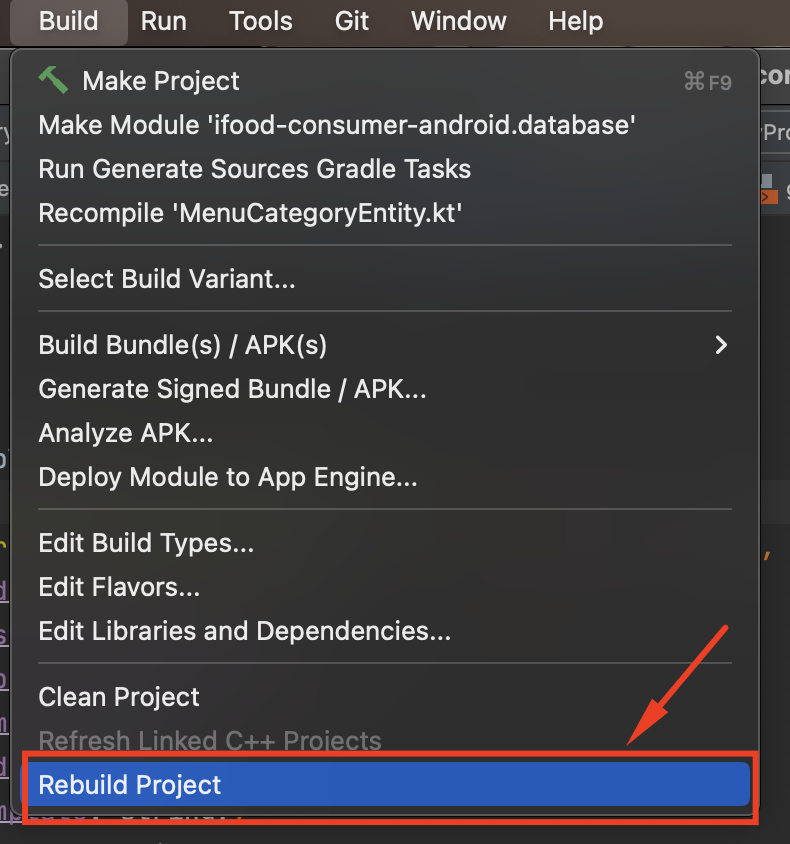
- 再次转到"build“选项;

在打开的菜单中,访问“
- ”选项.
Stack Overflow用户
发布于 2022-04-05 12:31:44
由于IntelliJ产品具有很高的可定制性,所以您可能删除了Run按钮。
转到Android Studio > Preferences > Appearance & Behaviour > Menus and Toolbars
搜索Toolbar Run Actions / Run/Debug如果没有看到Run,您可以通过Restore Actions进行还原
希望能帮上忙。
Stack Overflow用户
发布于 2022-11-13 03:27:00
在Android中,海豚转到TabBar ->文件->修复IDE。看,警告和点击修复index.This是解决了我。
页面原文内容由Stack Overflow提供。腾讯云小微IT领域专用引擎提供翻译支持
原文链接:
https://stackoverflow.com/questions/71741732
复制相关文章
相似问题
腾讯云开发者

Copyright © 2013 - 2026 Tencent Cloud. All Rights Reserved. 腾讯云 版权所有
深圳市腾讯计算机系统有限公司 ICP备案/许可证号:粤B2-20090059  粤公网安备44030502008569号
腾讯云计算(北京)有限责任公司 京ICP证150476号 | 京ICP备11018762号