
如何将收据的高度从发票打印到发票中内容的最大高度?
如何将收据的高度从发票打印到发票中内容的最大高度?
提问于 2022-03-25 14:46:27
我正在尝试使用iframe从浏览器打印收据发票。我能够调用打印,并且能够在浏览器打印窗口中删除收据。然而,收据的高度超过了收据中的最大含量,这导致了纸张的浪费。
以下是我迄今所做的工作。
HTML**:**
<!DOCTYPE html>
<html lang="en">

<body>
    <button id="print">Print</button>
    <section id="section-to-print">
        <header>
            <h1>Brand Name</h1>
            <hr />
            <address>Address: #1234,<br /> Street,<br /> Area,<br />
                District - PinCode</address>
            <p>Phone: 22334455</p>
            <p>Mobile: 9876543210</p>
            <p>GSTIN: GSTIN123456789</p>
        </header>
        <hr />
        <main>
            <section id="customerdetails">
                <h3>Abdul Rahman</h3>
            </section>
            <hr />
            <section id="invoicedetails">
                <p>Invoice No: 1234</p>
                <p>Invoice Date: 24 MAR 2022)</p>
                <p>Payment Mode: Cash</p>
                <p>Total Amount: 1234</p>
                <p>Serviced By: Undertaker</p>
            </section>
            <hr />
            <section id="invoiceitems">
                <div class="header justify-self-start">Description</div>
                <div class="header">Qty</div>
                <div class="header justify-self-end">Price</div>

                <div class="item justify-self-start">Category <br /> - Item</div>
                <div class="unit">1</div>
                <div class="price justify-self-end">100</div>

                <div class="footer justify-self-start font-bold">Total QTY</div>
                <div class="footer justify-self-start font-bold">1</div>
                <div></div>
                <div class="footer justify-self-start span-2 font-bold">Sub Total</div>
                <div class="footer justify-self-end font-bold">90</div>

                <div class="footer justify-self-start span-2 font-bold">DISCOUNT</div>
                <div class="footer justify-self-end align-self-center font-bold">-10</div>

                <div class="footer justify-self-start span-2 font-bold">CGST (1%)</div>
                <div class="footer justify-self-end align-self-center font-bold">1</div>
                <div class="footer justify-self-start span-2 font-bold">SGST (1%)</div>
                <div class="footer justify-self-end align-self-center font-bold">1</div>

                <div class="footer justify-self-start span-2 font-bold">ROUNDOFF</div>
                <div class="footer justify-self-end align-self-center font-bold">-0.01</div>

                <div class="footer justify-self-start span-2 font-bold">TOTAL</div>
                <div class="footer justify-self-end align-self-center font-bold">100</div>
            </section>
            <hr />
            <section id="invoicesummary">
                <p>Total Amount in Words ($)</p>
                <p>ONE HUNDRED ONLY</p>
            </section>
        </main>
        <hr />
        <footer>
            <p><small>Thank you for the business</small></p>
            <p><small>This is a computer generated invoice</small></p>
        </footer>
    </section>
    <script>
        window.addEventListener("DOMContentLoaded", function () {
            document.getElementById("print").addEventListener("click", function () {
                var iframe = document.querySelector('#invoice-print') || document.createElement('iframe');
                iframe.setAttribute("id", "invoice-print");
                document.body.appendChild(iframe);
                iframe.contentWindow.document.body.innerHTML = document.querySelector('#section-to-print').innerHTML;

                var printScript = document.createElement("script");
                printScript.innerHTML = `function setPrintStyles(pagesize) {
                                    var documentHeight = document.getElementsByTagName('html')[0].offsetHeight;
                                    var css = \`@media print { @page { size: $\{pagesize} $\{documentHeight}px; } }\`,
                                        head = document.head || document.getElementsByTagName('head')[0],
                                        style = document.createElement('style');
                                    head.appendChild(style);
                                    style.type = 'text/css';
                                    style.appendChild(document.createTextNode(css));
                                }`;
                iframe.contentWindow.document.head.appendChild(printScript);

                var bodyScript = document.createElement("script");
                bodyScript.innerHTML = `fetch('${window.location.origin}/receipt.css')
                            .then(response => response.text())
                            .then(data => {
                                var head = document.head || document.getElementsByTagName('head')[0],
                                    style = document.createElement('style');
                                head.appendChild(style);
                                style.type = 'text/css';
                                style.appendChild(document.createTextNode(data));
                                setPrintStyles('2.7in');
                                window.print();
                            });`;
                iframe.contentWindow.document.body.appendChild(bodyScript);
            });
        });
    </script>
</body>

</html>
Receipt CSS:
@media print {
    #section-to-print {
        position: absolute;
        left: 0;
        top: 0;
    }

    html, body {
        margin: 0 2px;
        height: max-content;
    }

    body {
        font-family: Calibri;
        text-align: center;
        font-size: 0.8rem;
    }

    p, h1, h3 {
        margin: 0.25rem 0;
    }

    #customerdetails {
        text-transform: uppercase;
    }

    main #invoiceitems {
        display: grid;
        grid-template-columns: auto min-content max-content;
        grid-column-gap: 1px;
    }

        main #invoiceitems .header {
            text-transform: uppercase;
            font-weight: bold;
        }

        main #invoiceitems .item {
            text-align: left;
        }

        main #invoiceitems .price {
            text-align: right;
        }

    main .justify-self-start {
        justify-self: start;
    }

    main .justify-self-end {
        justify-self: end;
    }

    main .align-self-center {
        align-self: center;
    }

    main .span-2 {
        grid-column-start: 1;
        grid-column-end: 3;
    }

    footer {
        margin-top: 0.75rem;
        text-transform: uppercase;
    }

    #invoicesummary {
        text-transform: uppercase;
        font-weight: bold;
    }

    .font-bold {
        font-weight: bold;
    }
}
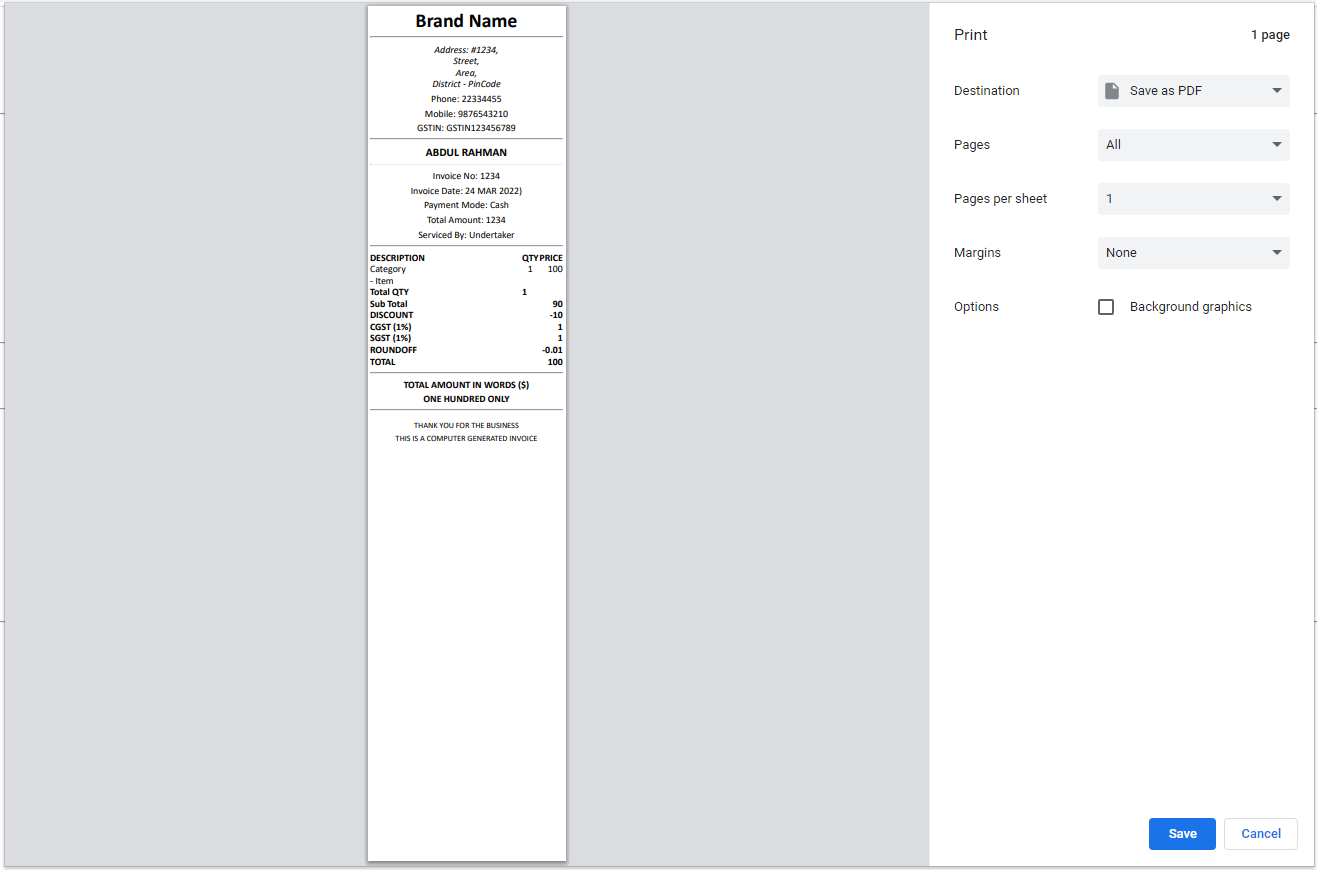
实际输出-有额外的高度,导致浪费纸张:
期望的输出--具有精确的内容高度:
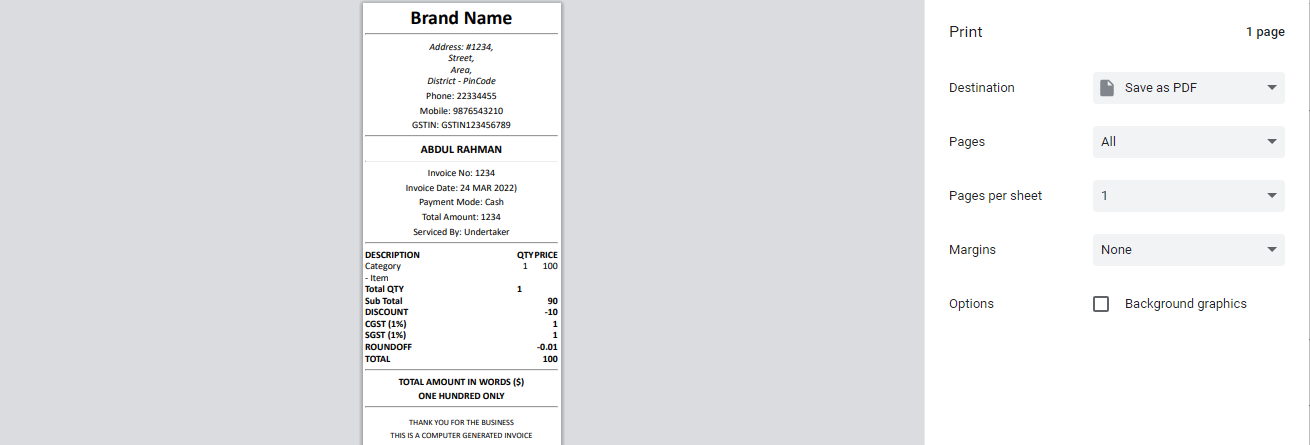
当我点击打印按钮,我想要使收据有高度的它的最大内容。我使用下面的代码var documentHeight = document.getElementsByTagName('html')[0].offsetHeight;尝试在iframe内设置页面高度。但是,这个高度几乎是内容高度的两倍。请协助我做错事。
回答 1
Stack Overflow用户
回答已采纳
发布于 2022-04-11 00:59:34
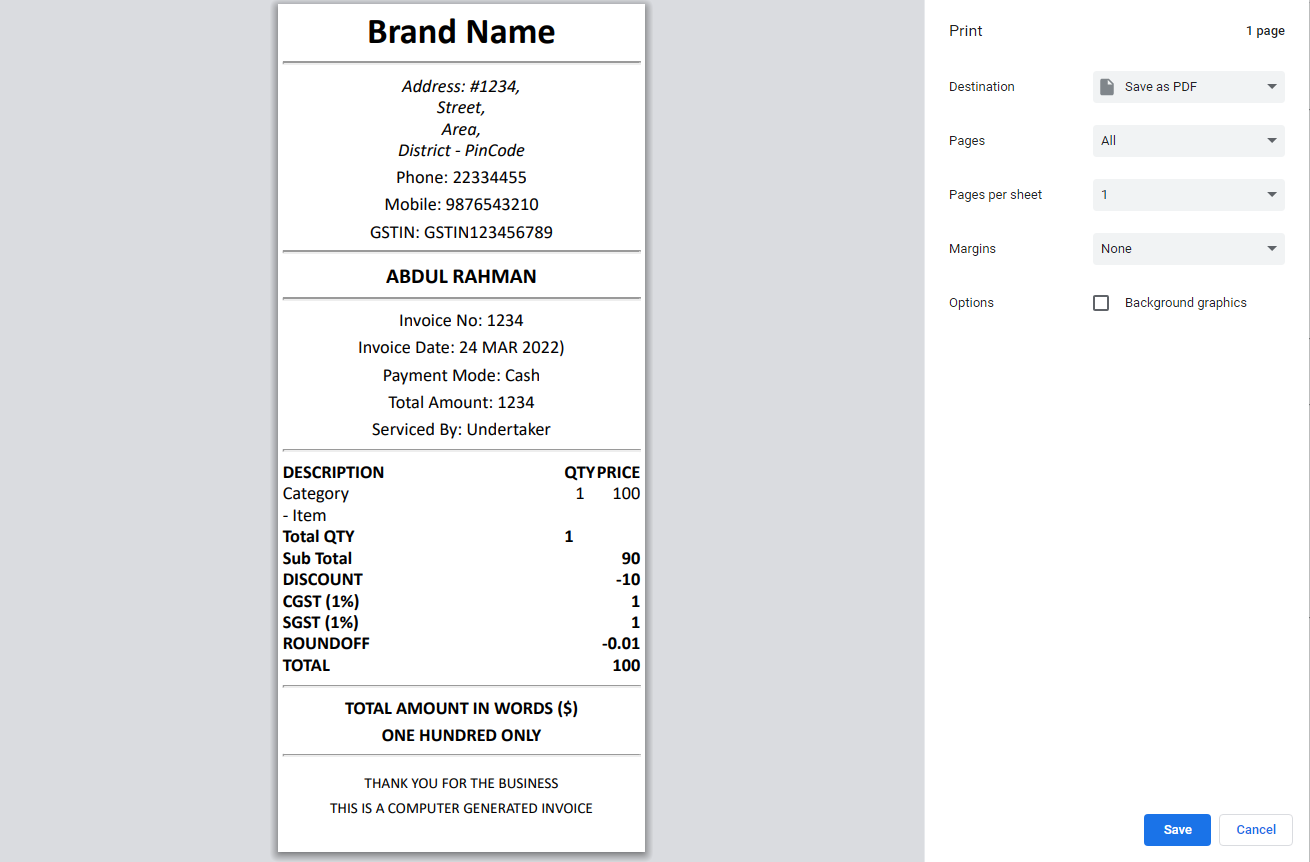
最后,我将documentHeight还原为half,并在half脚本中添加了50px的呼吸空间,从而解决了这一问题。
TLDR:
从…
var documentHeight = document.getElementsByTagName('html')[0].offsetHeight;至
var documentHeight = `${(iframe.contentWindow.document.body.offsetHeight / 2) + 50}`;这给出了如下所示的预期输出。
页面原文内容由Stack Overflow提供。腾讯云小微IT领域专用引擎提供翻译支持
原文链接:
https://stackoverflow.com/questions/71618860
复制相关文章
相似问题
腾讯云开发者

Copyright © 2013 - 2026 Tencent Cloud. All Rights Reserved. 腾讯云 版权所有
深圳市腾讯计算机系统有限公司 ICP备案/许可证号:粤B2-20090059  粤公网安备44030502008569号
腾讯云计算(北京)有限责任公司 京ICP证150476号 | 京ICP备11018762号