
如何创建Android动画矢量绘图
我有https://lottiefiles.com/share/gordjiyb乐透文件,我想要创建安卓动画矢量绘图,我们已经使用弗雷斯科库,并将乐透文件转换为GIF在绘图文件夹,这是600 kb的空间。我相信动画矢量绘图将有更多的空间足够。
回答 2
Stack Overflow用户
发布于 2022-03-20 17:21:19
你可以做下一个
- 创建的文件是html
。
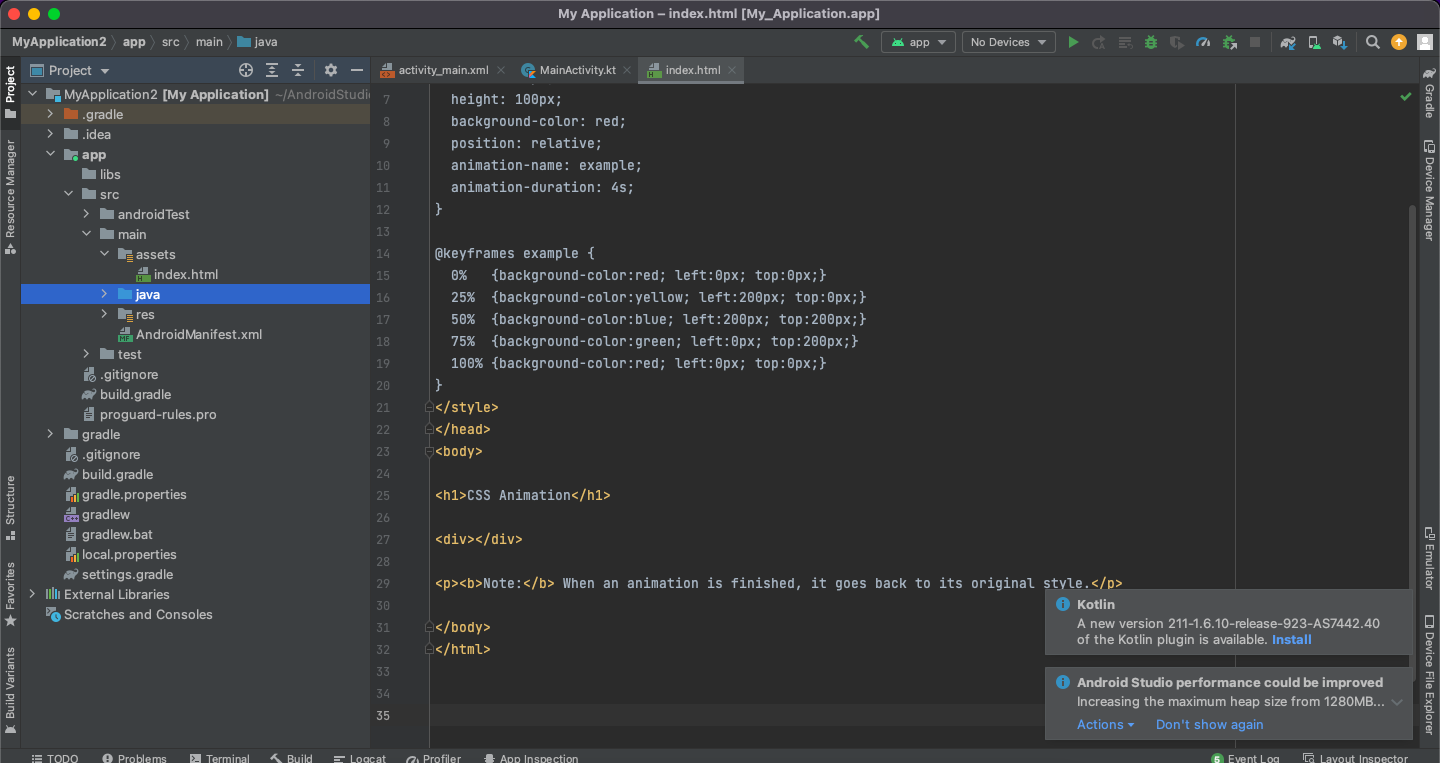
- 导入资产文件夹
- 中的文件,在视图
中添加webview组件
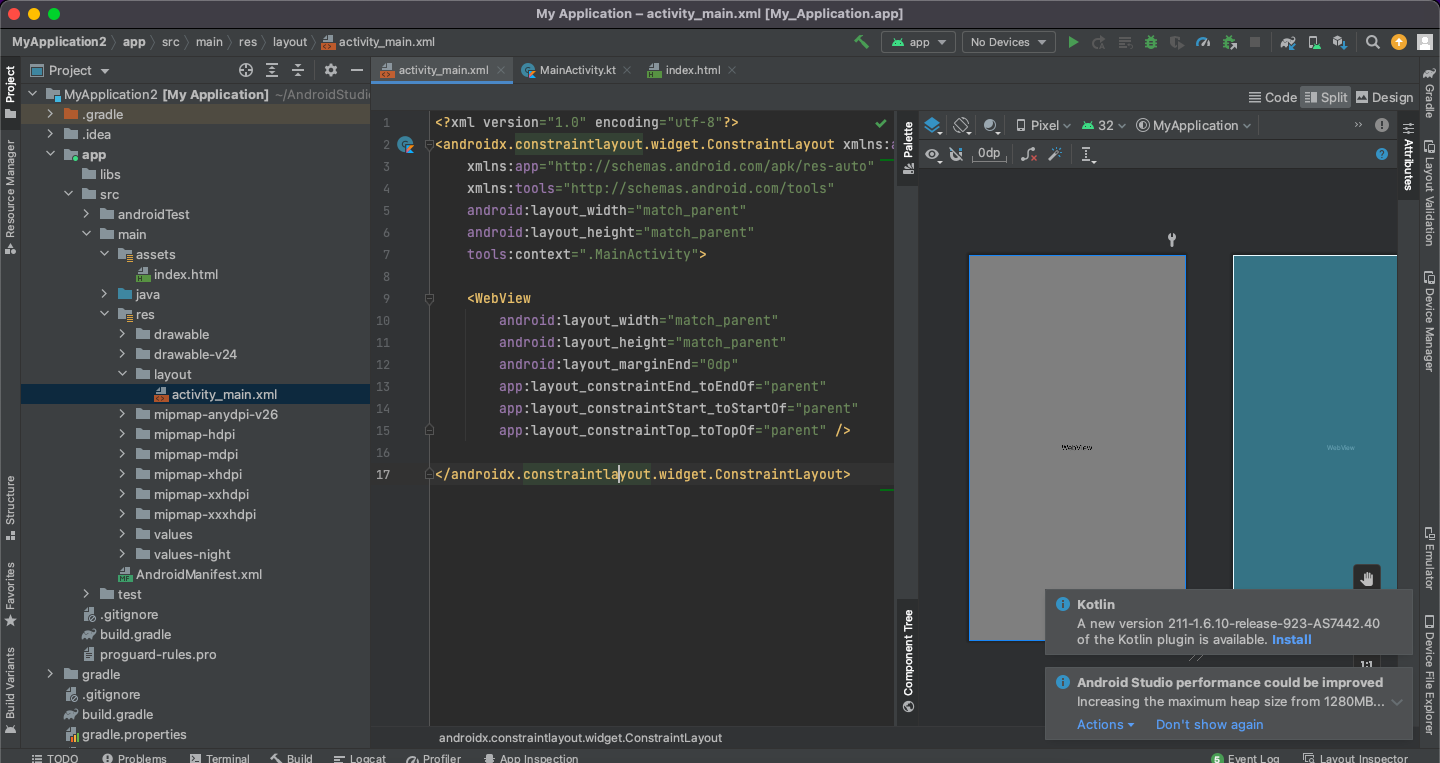
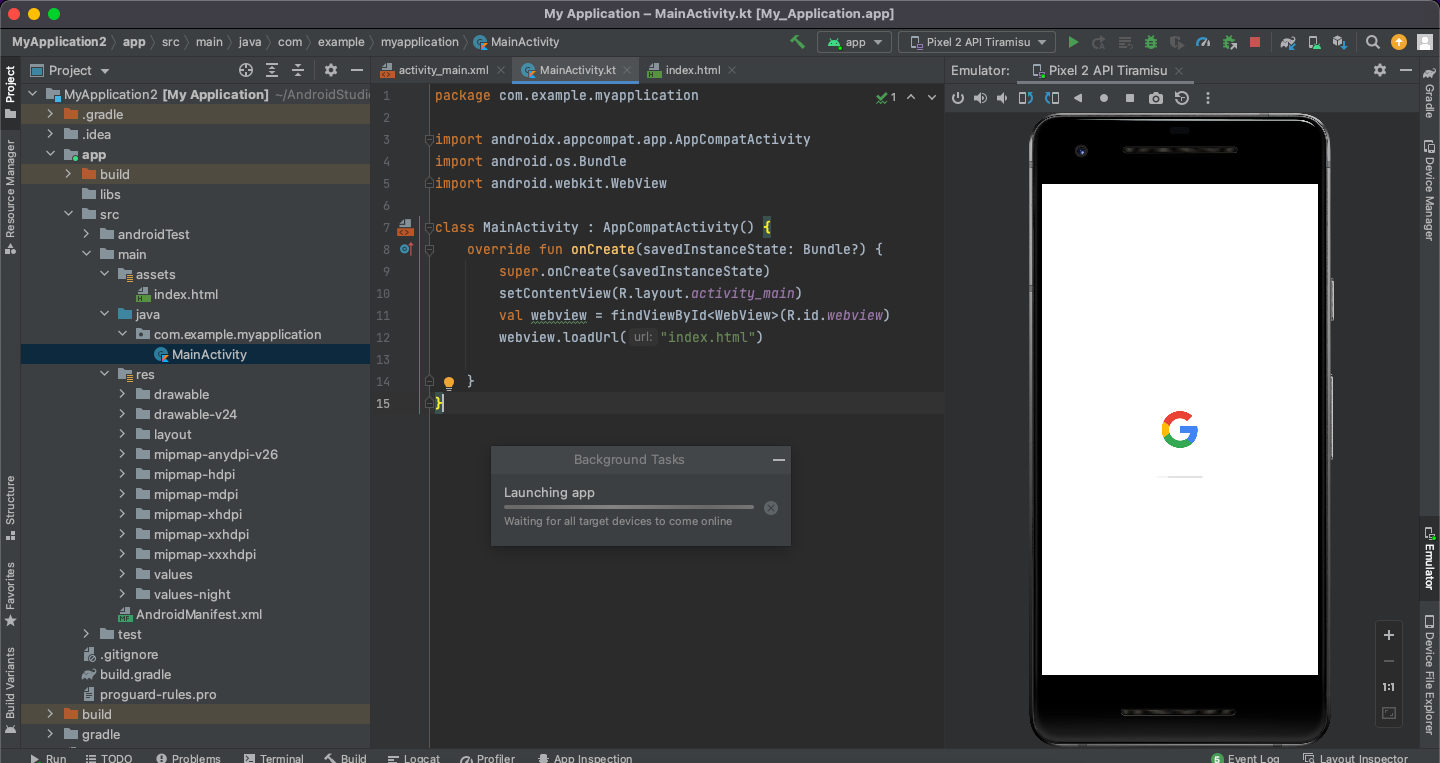
- 在组件中加载文件
封装com.example.myapplication
导入androidx.appcompat.app.AppCompatActivity导入android.os.Bundle导入android.webkit.WebView
类MainActivity : AppCompatActivity() {AppCompatActivity onCreate(savedInstanceState: Bundle?) { super.onCreate(savedInstanceState) setContentView(R.layout.activity_main) val webview = findViewById(R.id.webview)
}
}
Stack Overflow用户
发布于 2022-03-20 18:41:08
在res/动画器资源文件夹中创建一个动画(如果它不存在的话创建它),让我们将它称为expand1,如下所示:
<?xml version="1.0" encoding="utf-8"?>
<set xmlns:android="http://schemas.android.com/apk/res/android"
    android:ordering="sequentially">
    <set>
        <objectAnimator
            android:propertyName="scaleX"
            android:duration="1000"
            android:valueTo="0.5"
            android:interpolator="@android:anim/linear_interpolator"/>
        <objectAnimator
            android:propertyName="scaleY"
            android:duration="1000"
            android:valueTo="0.5"
            android:interpolator="@android:anim/linear_interpolator"/>
    </set>
    <set>
        <objectAnimator
            android:propertyName="scaleX"
            android:duration="1000"
            android:valueTo="1.5"
            android:interpolator="@android:anim/linear_interpolator"/>
        <objectAnimator
            android:propertyName="scaleY"
            android:duration="1000"
            android:valueTo="1.5"
            android:interpolator="@android:anim/linear_interpolator"/>
    </set>
</set>
这将创建一个对象动画器,该对象动画器将依次缩放一个图标。
然后再创建3个expand2 expand3 expand4
每一次将scaleX和scaleY从0.5改为1.5,改为0.7到1.3等等,这取决于您的圆圈在最小和最大时的大小
然后创建您的向量绘图(ic_sound.xml),如下所示:
<vector xmlns:android="http://schemas.android.com/apk/res/android"
    android:width="24dp"
    android:height="24dp"
    android:viewportWidth="24"
    android:viewportHeight="24">
    <group
        android:name="icon">
        <path
            android:fillColor="@android:color/white"
            android:pathData=" draw the microphone icon here "/>
    </group>
    <group
        android:name="circle1">
        <path
            android:fillColor="@android:color/holo_green_light"
            android:fillAlpha="0.2"
            android:pathData=" draw the darkest circle here "/>
    </group>

     repeat three more times for circle2, circle3 and circle4 with different fillAlphas
</vector>
最后创建一个可绘制的向量,如下所示:
<?xml version="1.0" encoding="utf-8"?>
<animated-vector xmlns:android="http://schemas.android.com/apk/res/android"
    android:drawable="@drawable/ic_sound">
    <target
        android:name="circle1"
        android:animation="@animator/expand1" />
    <target
        android:name="circle2"
        android:animation="@animator/expand2" />
    <target
        android:name="circle3"
        android:animation="@animator/expand3" />
    <target
        android:name="circle4"
        android:animation="@animator/expand4" />
</animated-vector>
它告诉ic_sound向量,对每个组应用一个动画,所以circle1将从0.5扩展到1.5,第2圈将从0.7扩展到1.3,依此类推。
您可以使用时间(如果您希望动画持续更长时间)它将播放多长时间,内插器(添加一个加速或减速效果)使它看起来像您所希望的。
https://stackoverflow.com/questions/71548757
复制相似问题
腾讯云开发者

Copyright © 2013 - 2026 Tencent Cloud. All Rights Reserved. 腾讯云 版权所有
深圳市腾讯计算机系统有限公司 ICP备案/许可证号:粤B2-20090059  粤公网安备44030502008569号
腾讯云计算(北京)有限责任公司 京ICP证150476号 | 京ICP备11018762号