
FilePicker - Cant?
FilePicker - Cant?
提问于 2022-03-14 23:40:06
试着让我的应用程序在iOS上工作-哇!这比我想象的要难得多。
好的,所以我有一个文件选择器。非常简单(下面的代码)。用iOs。打开文件选择器对话框,我可以单击我想要的文件,但是什么都不会发生-直到我点击cancel,然后代码继续运行.(寻址结果!= null)。是空码停止..。https://photos.app.goo.gl/fGD5SPtCqdMYE8AS7
    var customFileType =
    new FilePickerFileType(new Dictionary<DevicePlatform, IEnumerable<string>>
    {
        { DevicePlatform.iOS, new[] { "com.microsoft.word.doc" } }, // or general UTType values
        { DevicePlatform.Android, new[] { "application/doc" } },
        { DevicePlatform.UWP, new[] { ".doc" } },
        { DevicePlatform.Tizen, new[] { "*/*" } },
        { DevicePlatform.macOS, new[] { "doc" } }, // or general UTType values
    });
    string OutupPath;
    var pickResult = await FilePicker.PickAsync(new PickOptions
    {
        FileTypes = customFileType,
        PickerTitle = "Select Doc File"

    }) ;
    if (pickResult != null)
    {
        OutupPath = pickResult.FullPath.ToString();
        App.docFilePath = OutupPath;
        LoadingText = pickResult.FileName.ToString();
        DbFileName = LoadingText;
    }
    else {
        return;
    }
注意-我正在开发Win10 vs 2022。我是iOs的新手。我刚刚启动了我的苹果开发帐户。Android版本和Windows版本的工作完美无缺。
不知道我该去哪里解决这个小故障。
https://photos.app.goo.gl/fGD5SPtCqdMYE8AS7
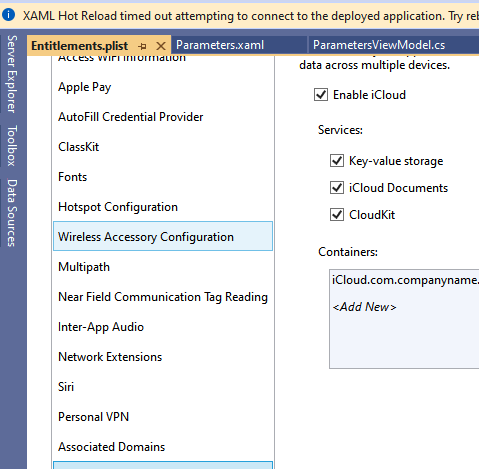
没有选项的原始代码
private async void Button_Clicked(object sender, EventArgs e)
{
    var pickResult = await FilePicker.PickAsync();
    if (pickResult != null)
    {
        FileLabel.Text = pickResult.FileName.ToString();
    }
    else {
        await DisplayAlert("Alert", "No File Selected", "OK");
    }
}回答 1
Stack Overflow用户
发布于 2022-03-15 06:38:35
在文件类型中也添加org.openxmlformats.wordprocessingml.document怎么样?
文件的实际类型可能是docx,所以只需尝试一下。
请参阅
https://stackoverflow.com/a/51592769/8187800
更新(在PickOptions中指定doc类型)
var customFileType =
    new FilePickerFileType(new Dictionary<DevicePlatform, IEnumerable<string>>
    {
        { DevicePlatform.iOS, new[] { "com.microsoft.word.doc","org.openxmlformats.wordprocessingml.document" } }, // or general UTType values
        { DevicePlatform.Android, new[] { "application/doc" } },
        { DevicePlatform.UWP, new[] { ".doc" } },
        { DevicePlatform.Tizen, new[] { "*/*" } },
        { DevicePlatform.macOS, new[] { "doc" } }, // or general UTType values
    });

    var pickResult = await FilePicker.PickAsync(new PickOptions
    {
        FileTypes = customFileType,
        PickerTitle = "Select Doc File"

}) ;页面原文内容由Stack Overflow提供。腾讯云小微IT领域专用引擎提供翻译支持
原文链接:
https://stackoverflow.com/questions/71475399
复制相关文章
相似问题
腾讯云开发者

Copyright © 2013 - 2026 Tencent Cloud. All Rights Reserved. 腾讯云 版权所有
深圳市腾讯计算机系统有限公司 ICP备案/许可证号:粤B2-20090059  粤公网安备44030502008569号
腾讯云计算(北京)有限责任公司 京ICP证150476号 | 京ICP备11018762号