
如何遵循同样的高度
如何遵循同样的高度
提问于 2022-03-05 12:14:09
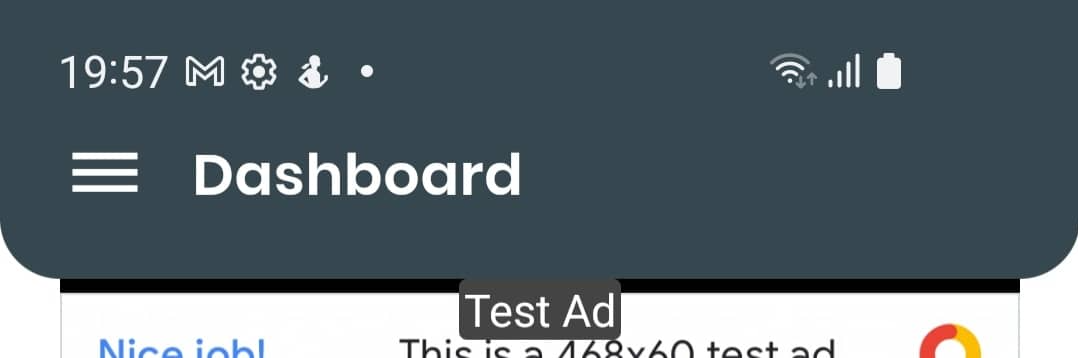
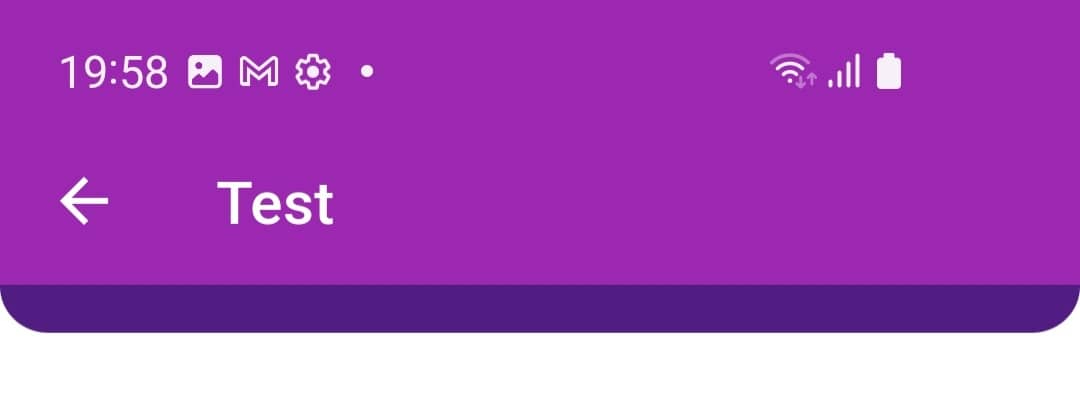
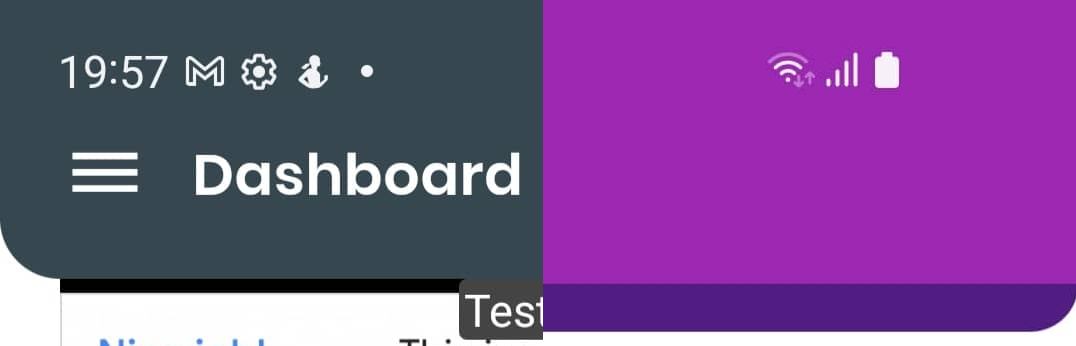
我正试图跟随左边图片的高度。但是,即使我调整了右边图片的填充,它也不会像左边那样变小。
左侧图片:
    return WillPopScope(
      onWillPop: () async {
        return true;
      },
      child: Scaffold(
        drawer: Drawer(
          child: ListView(...)
        ),
        body: UpgradeAlert(
          canDismissDialog: false,
          child: Column(
            children: <Widget>[
              Container(
                width: Get.size.width,
                decoration: BoxDecoration(
                  color: Theme.of(context).primaryColor,
                  borderRadius: const BorderRadius.only(
                    bottomLeft: Radius.circular(20.0),
                    bottomRight: Radius.circular(20.0),
                  ),
                ),
                child: SafeArea(
                  bottom: false,
                  child: Padding(
                    padding: const EdgeInsets.only(
                        left: 16.0, right: 16.0, top: 0.0, bottom: 16.0),
                    child:
右侧图片:
    return WillPopScope(
      onWillPop: _onWillPop,
      child: Scaffold(
        appBar: AppBar(
          backgroundColor: Colors.purple,
          title: Text('Test'),
        ),
        body: Column(
          children: <Widget>[
            Container(
              width: Get.size.width,
              decoration: BoxDecoration(
                color: Theme.of(context).colorScheme.secondary,
                borderRadius: const BorderRadius.only(
                  bottomLeft: Radius.circular(20.0),
                  bottomRight: Radius.circular(20.0),
                ),
              ),
              child: const SafeArea(
                bottom: false,
                child: Padding(
                  padding: EdgeInsets.only(
                      left: 16.0, right: 16.0, top: 0.0, bottom: 16.0),
                ),
编辑:分别显示图片。
左侧图片:
右侧图片:
并排比较,以显示额外的高度在正确的图片。
回答 1
Stack Overflow用户
回答已采纳
发布于 2022-03-05 12:51:22
底部部分来自bottom填充。
Padding(
  padding: EdgeInsets.only(
    left: 16.0,
    right: 16.0,
    top: 0.0,
  //  bottom: 16.0, you can remove this to have desire result
  ),
),若要获得圆角,请在shape上使用AppBar属性。
appBar: AppBar(
  shape: RoundedRectangleBorder(
    borderRadius: BorderRadius.only(
      bottomLeft: Radius.circular(25.0),
      bottomRight: Radius.circular(25.0),
    ),
  ),
  backgroundColor: Colors.purple,
  title: Text('Test'),
),

页面原文内容由Stack Overflow提供。腾讯云小微IT领域专用引擎提供翻译支持
原文链接:
https://stackoverflow.com/questions/71362097
复制相关文章
相似问题
腾讯云开发者

Copyright © 2013 - 2026 Tencent Cloud. All Rights Reserved. 腾讯云 版权所有
深圳市腾讯计算机系统有限公司 ICP备案/许可证号:粤B2-20090059  粤公网安备44030502008569号
腾讯云计算(北京)有限责任公司 京ICP证150476号 | 京ICP备11018762号