
cornerRadius不使用backgroungTint
cornerRadius不使用backgroungTint
提问于 2022-03-04 18:02:19
我是android开发的初学者。我正在做一个计算器,我想在其中添加圆角按钮使用角半径。问题是,当我不设置背景色调时,它运行良好,如下所示
<Button
    android:id="@+id/button_7"
    android:layout_width="50dp"
    android:layout_height="50dp"
    android:text="7"
    android:textColor="#000000"
    app:cornerRadius="20dp" />

但是当我设置背景色调时,它不起作用。
<Button
    android:id="@+id/button_7"
    android:layout_width="50dp"
    android:layout_height="50dp"
    android:text="7"
    android:textColor="#000000"
    app:cornerRadius="20dp"
    android:background="#E3E3E3"
    app:backgroundTint="#E3E3E3"/>

我该怎么办?谢谢!
回答 3
Stack Overflow用户
发布于 2022-03-04 18:14:52
尝尝这个
  <com.google.android.material.button.MaterialButton
    android:id="@+id/button_7"
    android:layout_width="50dp"
    android:layout_height="50dp"
    android:text="7"
    android:textColor="#000000"
    app:cornerRadius="20dp"
 />
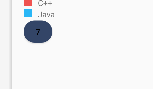
对于使用背景颜色,只需使用app:backgroundTint="#334567“。不要用背景..。你正面临着这个问题,因为你同时使用了这两种方法。只是用了一个。
Stack Overflow用户
发布于 2022-03-04 18:21:10
根据您的需求,使用更多的自定义按钮来尝试这一点。
<androidx.appcompat.widget.AppCompatButton
    android:id="@+id/btn_scan_qr"
    android:layout_width="50dp"
    android:layout_height="50dp"
    android:background="@drawable/rounded" //CREATE rounded.xml in res/drawable
    android:text="7"
    android:textSize="15sp" />
区域/可绘图中的rounded.xml
<?xml version="1.0" encoding="utf-8"?>
<shape xmlns:android="http://schemas.android.com/apk/res/android"
    android:shape="rectangle">
    <!-- you can use any color you want I used here gray color-->
    <solid android:color="#ABABAB" />

    <corners
        android:bottomLeftRadius="10dp"
        android:bottomRightRadius="10dp"
        android:topLeftRadius="10dp"
        android:topRightRadius="10dp" />
    <size
        android:width="10dp"
        android:height="1dp" />
</shape>Stack Overflow用户
发布于 2022-05-07 17:16:40
只需删除android:background中的Button。
<Button
    android:id="@+id/button_7"
    android:layout_width="50dp"
    android:layout_height="50dp"
    android:text="7"
    android:textColor="#000000"
    app:cornerRadius="20dp"
app:backgroundTint="#E3E3E3"/>使用带有android:background的自定义背景时,不使用默认的MaterialShapeDrawable,并且没有设置一些特性,如笔划、形状外观(圆角)、波纹(因为它们与MaterialShapeDrawable相关),您必须为它们提供自定义背景。
页面原文内容由Stack Overflow提供。腾讯云小微IT领域专用引擎提供翻译支持
原文链接:
https://stackoverflow.com/questions/71355503
复制相关文章
相似问题
腾讯云开发者

Copyright © 2013 - 2026 Tencent Cloud. All Rights Reserved. 腾讯云 版权所有
深圳市腾讯计算机系统有限公司 ICP备案/许可证号:粤B2-20090059  粤公网安备44030502008569号
腾讯云计算(北京)有限责任公司 京ICP证150476号 | 京ICP备11018762号