
具有自定义NSTextStorage格式的可滚动NSTextStorage
我正在尝试为Mac制作一个格式化的文本编辑器。它与自定义的NSTextView类一起使用。它将粗体等属性应用于NSAttributableStrings。
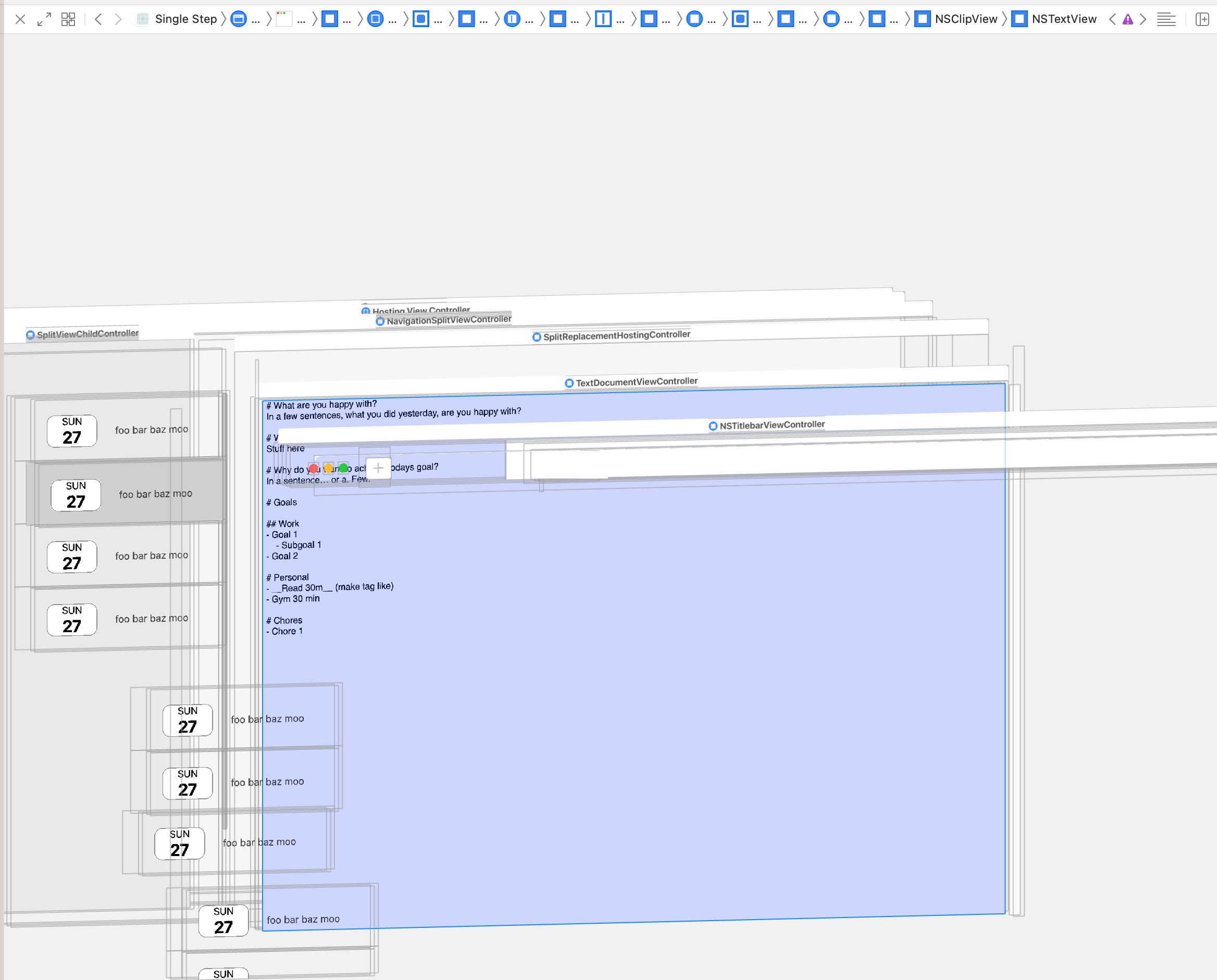
这一切似乎都很好,就像在下面的截图中看到的那样。它是一个带有自定义NSTextView类的NSTextStorage。它通过NSAttributeableString上的属性应用格式设置。
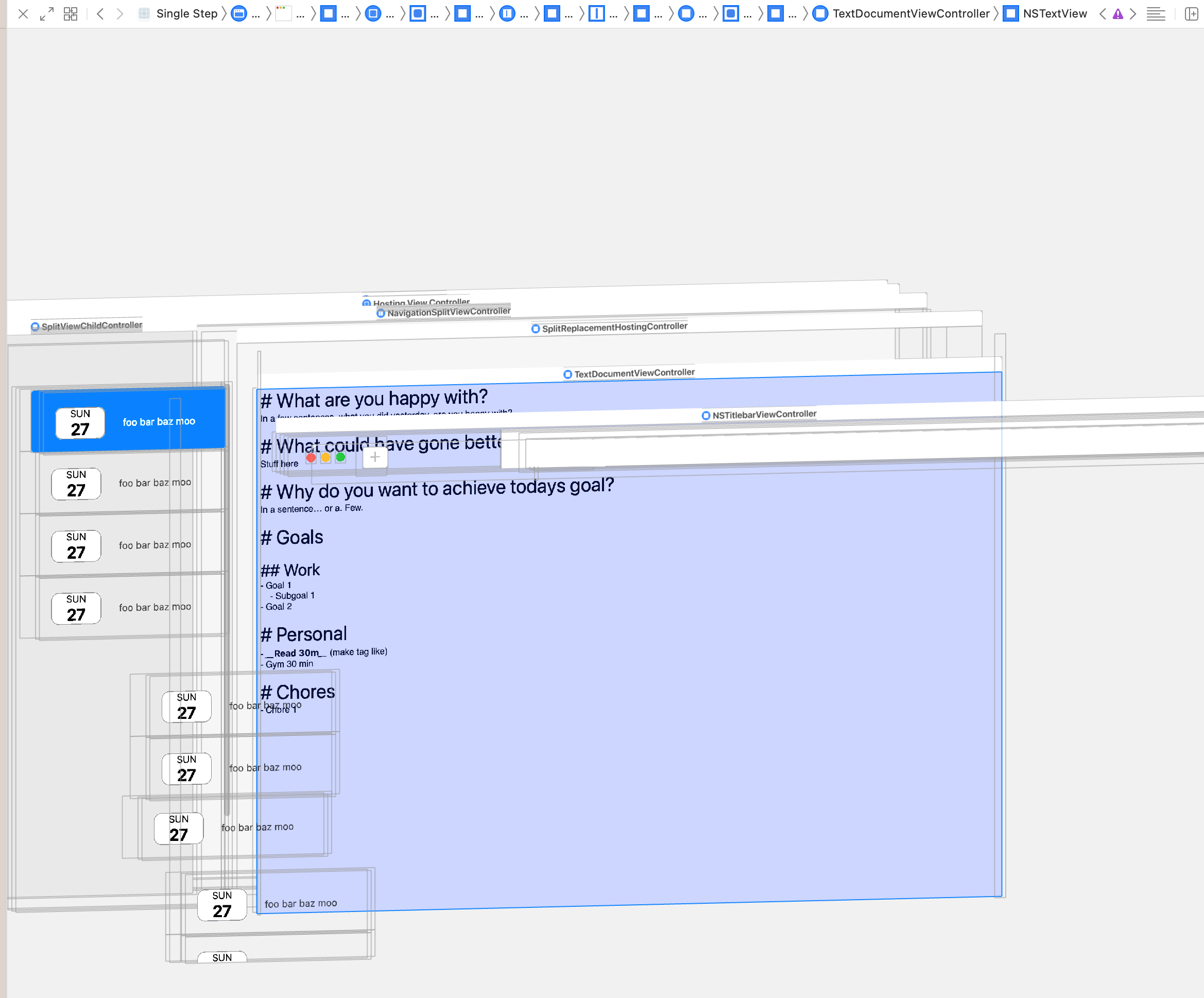
然而,拥有所有相同的东西,但是从苹果提供的函数NSTextView获得一个可滚动的NSTextView.scrollableTextView(),它根本不显示任何文本。尽管您可以在屏幕截图中看到NStextView实际上是可见的。另外,将鼠标移到编辑器上将光标更改为编辑器游标。但我不能选择打字也不能做任何事。
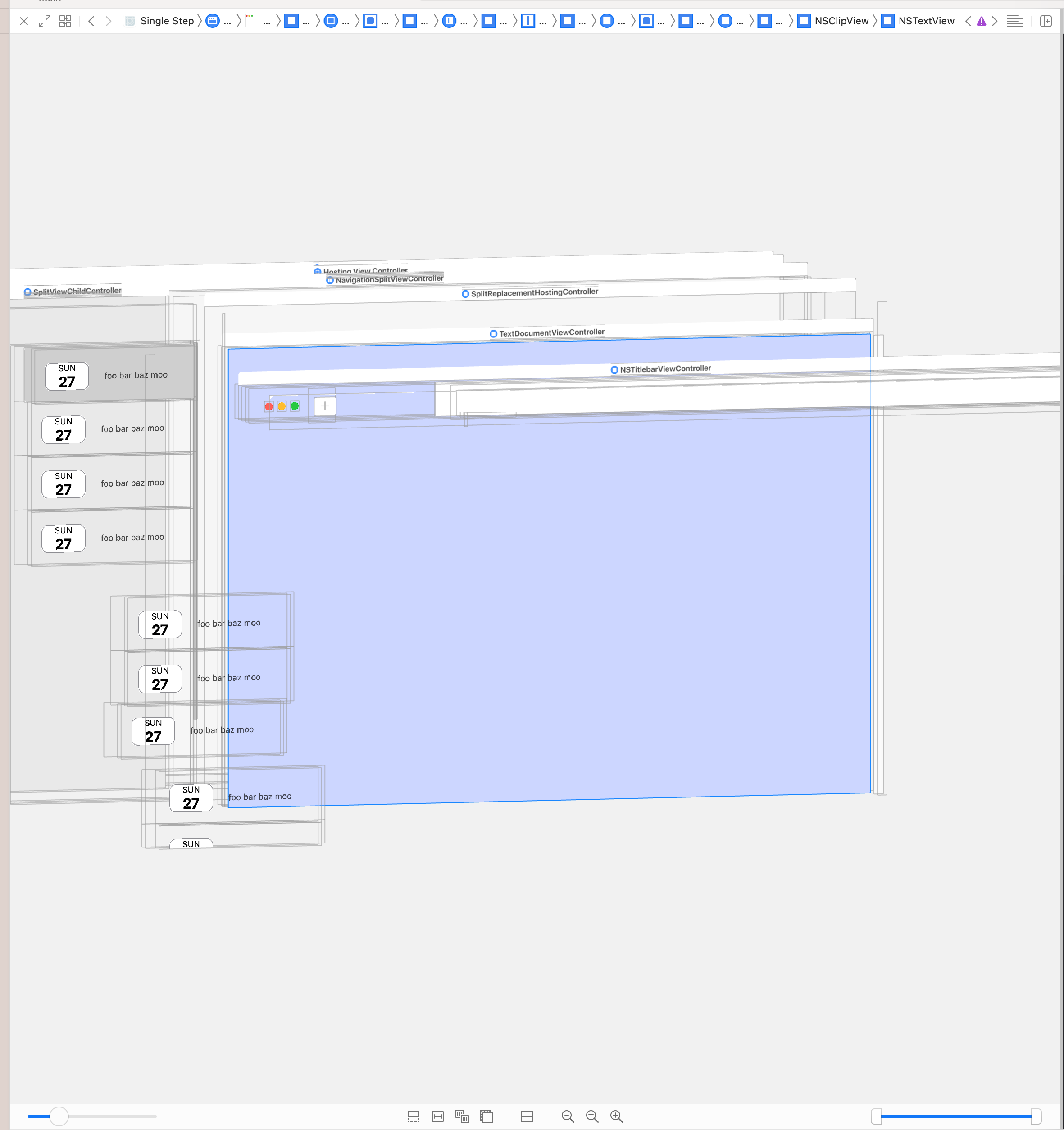
执行与上面完全相同的操作,但没有向文本视图提供文本容器,确实会显示它的连接是正确的,因为那时我确实得到了一个可滚动的文本视图。滚动实际上起作用的地方,但当然,格式不再适用。
所以我搞不懂我现在要做什么。
这基本上是我的设置:
//
//  TextDocumentViewController.swift
//
//  Created by Matthijn on 15/02/2022.
//  Based on LayoutWithTextKit2 Sample from Apple

import Foundation
import AppKit

class TextDocumentViewController: NSViewController {

    // Extends NSTextStorage, applies attributes to NSAttributeAbleString for formatting
    private var textStorage: TextStorage

    // Not custom yet, default implementation - do I need to subclass this specifically and implement something to support the scrolling behaviour? Which seems weird to me since it does work without scrolling support
    private var layoutManager: NSLayoutManager
    // Also default implementation
    private var textContainer: NSTextContainer

    private var textDocumentView: NSTextView
    private var scrollView: NSScrollView

    required init(content: String) {
        textStorage = TextStorage(editorAttributes: MarkdownAttributes)


        layoutManager = NSLayoutManager()
        textStorage.addLayoutManager(layoutManager)


        textContainer = NSTextContainer()
        // I'm not 100% sure if I need this on false or true or can just do defaults. No combination fixes it
        // textContainer.heightTracksTextView = false
        // textContainer.widthTracksTextView = true

        layoutManager.addTextContainer(textContainer)

        scrollView = NSTextView.scrollableTextView()
        textDocumentView = (scrollView.documentView as! NSTextView)

        // Basically commenting this out, stops applying my NSTextContainer, NSLayoutManager and NSTextContainer, but then of course the formatting is not applied. This one line changes it between it works without formatting, or it doesn't work at all. (Unless I have my text view not embedded in a scroll view) then it works but the scrolling of course then does not work.
        textDocumentView.textContainer = textContainer

        textDocumentView.string = content
        textDocumentView.isVerticallyResizable = true
        textDocumentView.isHorizontallyResizable = false

        super.init(nibName: nil, bundle: nil)
    }

    override func loadView() {
        view = scrollView
    }
}回答 1
Stack Overflow用户
发布于 2022-03-03 10:33:35
实际上,您可以使用NSScrollView创建scrollableTextView()实例,并且可以获得隐式创建的documentView (NSTextView)。
最后,可以将documentView的现有documentView分配给从NSTextStorage继承的自己的TextStorage类。
在viewDidLoad中,您可以使用addSubview:将传统的scrollView添加到视图中。对于AutoLayout,与往常一样,必须将translatesAutoresizingMaskIntoConstraints设置为false。
使用widthAnchor和greaterThanOrEqualToConstant,您可以定义最小的大小,这样用户就不能使它周围的窗口变小。该结构还允许具有附加粘性视图(例如,面包屑视图等)的以后的简单扩展。
码
如果您以这种方式实现它,那么对于一个很小的最小测试,它可能如下所示。
import Cocoa


class ViewController: NSViewController {

    private var scrollView: NSScrollView
    private var textDocumentView: NSTextView

    required init(content: String) {
        scrollView = NSTextView.scrollableTextView()
        let textDocumentView = scrollView.documentView as! NSTextView
        self.textDocumentView = textDocumentView
        let textStorage = TextStorage(editorAttributes: MarkdownAttributes())
        textStorage.addLayoutManager(textDocumentView.layoutManager!)

        textDocumentView.string = content

        super.init(nibName: nil, bundle: nil)

    }

    required init?(coder: NSCoder) {
        fatalError("init(coder:) has not been implemented")
    }

    override func viewDidLoad() {
        super.viewDidLoad()

        scrollView.translatesAutoresizingMaskIntoConstraints = false
        view.addSubview(scrollView)
        NSLayoutConstraint.activate([
            scrollView.topAnchor.constraint(equalTo: view.topAnchor),
            scrollView.leadingAnchor.constraint(equalTo: view.leadingAnchor),
            scrollView.bottomAnchor.constraint(equalTo: view.bottomAnchor),
            scrollView.trailingAnchor.constraint(equalTo: view.trailingAnchor),
            scrollView.widthAnchor.constraint(greaterThanOrEqualToConstant: 200.0),
            scrollView.heightAnchor.constraint(greaterThanOrEqualToConstant: 200.0),
        ])
    }

    override func loadView() {
      self.view = NSView()
    }

}
测试
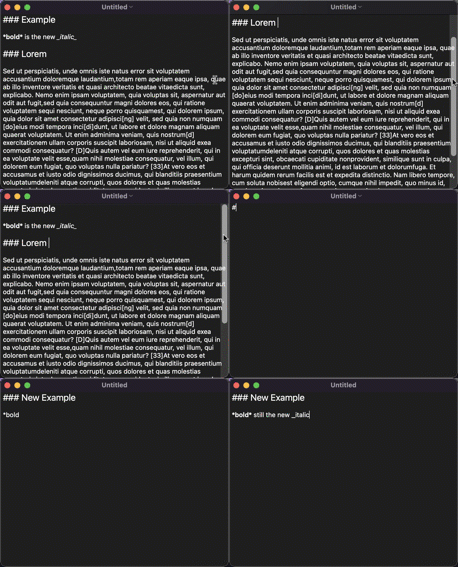
下面是一个快速测试,显示和滚动的工作都与安装程序预期的一样:
https://stackoverflow.com/questions/71286431
复制相似问题
腾讯云开发者

Copyright © 2013 - 2026 Tencent Cloud. All Rights Reserved. 腾讯云 版权所有
深圳市腾讯计算机系统有限公司 ICP备案/许可证号:粤B2-20090059  粤公网安备44030502008569号
腾讯云计算(北京)有限责任公司 京ICP证150476号 | 京ICP备11018762号