
R的prettyRadioButtons应答选项不根据屏幕大小包装
R的prettyRadioButtons应答选项不根据屏幕大小包装
提问于 2022-02-27 03:52:54
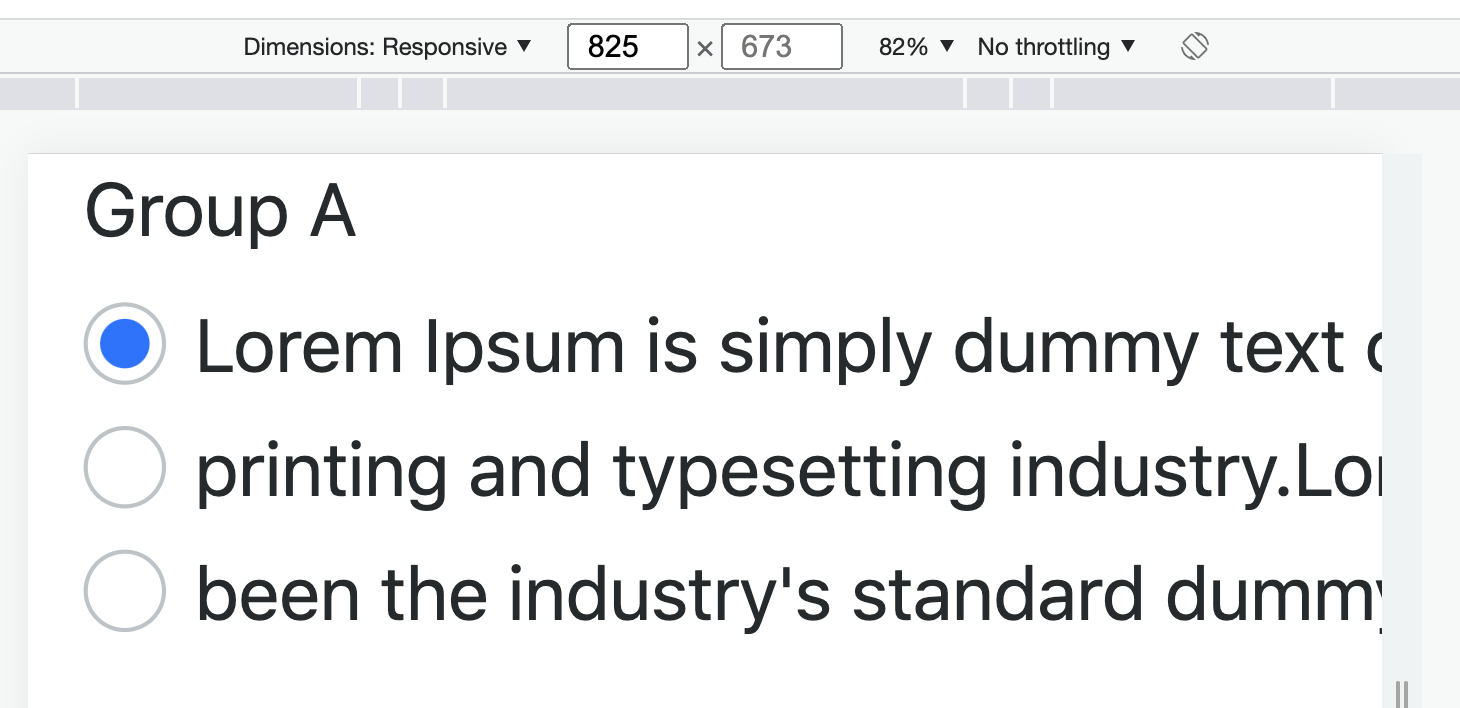
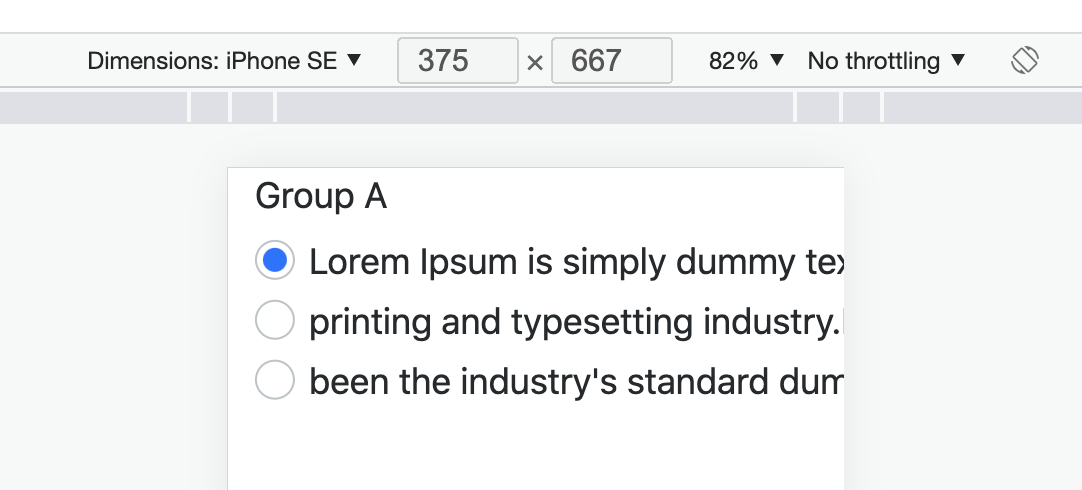
为什么这个prettyRadioButtons问题的长答案选项不会根据屏幕大小自动包装?下面是两个屏幕截图的Chrome浏览器的检查模式模拟不同的设备。
即使手动将宽度设置为“300 to”,也不会包装答案选项。
铬>检验>反应
铬>检验> iPhone SE
library(shiny)
library(bslib)
library(shinyWidgets)

ui <- bootstrapPage(
  theme = bs_theme(version = 5, "font-scale" = 1.0),

  div(class = "container-fluid",

      div(class = "row",
          div(class="col-12",
              prettyRadioButtons(
                inputId = "a",
                label = "Group A",
                selected = NULL,
                status = "primary",
                shape = c("round"),
                width = NULL,
                choiceNames = c("Lorem Ipsum is simply dummy text of the ",
                                "printing and typesetting industry.Lorem Ipsum has",
                                "been the industry's standard dummy text ever since the 1500s, when an unknown printer"),
                choiceValues = c("opt1", "opt2", "opt3")
              )
          )
      )
  )
)

server <- function(input, output, session) {

}

shinyApp(ui, server)回答 1
Stack Overflow用户
发布于 2022-03-01 01:58:04
这可能是Chrome的一个问题。如果检查打开时将Dimensions:设置为Responsive,然后切换到iPhone SE,则可以工作。
如果检查打开时Dimensions:设置为iPhone SE,则回答选项将始终是截止选项。
页面原文内容由Stack Overflow提供。腾讯云小微IT领域专用引擎提供翻译支持
原文链接:
https://stackoverflow.com/questions/71281985
复制相关文章
相似问题
腾讯云开发者

Copyright © 2013 - 2026 Tencent Cloud. All Rights Reserved. 腾讯云 版权所有
深圳市腾讯计算机系统有限公司 ICP备案/许可证号:粤B2-20090059  粤公网安备44030502008569号
腾讯云计算(北京)有限责任公司 京ICP证150476号 | 京ICP备11018762号