
Carplay恢复音乐
我正在创建一个CarPlay音乐应用程序,除了我在音乐播放期间接到电话外,一切都很好。Carplay在中间暂停音乐,但当我结束电话时,它没有恢复。如果有人遇到同样的问题,请帮忙。
回答 2
Stack Overflow用户
发布于 2022-02-26 19:14:15
CarPlay实际上并不是在播放或暂停音乐,而是用户设备上的应用程序在做所有的工作,而CarPlay只是提供一个界面来与您的应用程序交互,这就是您在CarPlaySceneDelegate中所做的工作。
因此,处理应用程序在调用后恢复的方式不是CarPlay的一部分。
您可以在播放机管理模块中尝试以下操作:
1.侦听音频中断通知
NotificationCenter.default
            .addObserver(self,
                         selector: #selector(handleInterruption(_:)),
                         name: AVAudioSession.interruptionNotification,
                         object: nil)
2.检查中断的状态并相应地处理
@objc
private func handleInterruption(_ notification: Notification)
{
  // Check if we have valid information from the notification
  // with regards to the interruption
  guard let info = notification.userInfo,
        let typeValue = info[AVAudioSessionInterruptionTypeKey] as? UInt,
        let type = AVAudioSession.InterruptionType(rawValue: typeValue)
  else
  {
    return
  }

  // We check if the interruption has begun
  if type == .began
  {
    // Pause the AVPlayer in that case
    player?.pause()
  }
  else if type == .ended
  {
    // We check if we have instructions on how to handle the interruptions
    guard let optionsValue = info[AVAudioSessionInterruptionOptionKey] as? UInt else
    {
      return
    }

    // Convert the optionsValue into an AVAudioSession.InterruptionOptions
    // which can be tested
    let options = AVAudioSession.InterruptionOptions(rawValue: optionsValue)

    // Check if the playback can resume after the interruption
    if options.contains(.shouldResume)
    {
      // Request AVPlayer to resume the playback
      player?.play()
    }
  }
}
试试看它是否对你的处境有帮助
基于OP注释的更新
未重新启动的音频与CarPlay无关,如果您的应用程序在呼叫后恢复音频,这将转到CarPlay。
尽管如此,如果还没有,则在播放机初始化时添加此代码:
UIApplication.shared.beginReceivingRemoteControlEvents()也许我的代码不适用于您的确切场景,但我相信您需要使用AVAudioSession.interruptionNotification,这就是当电话、siri或类似的东西中断您的音频时所调用的get。
当中断结束时,您需要重新启动音频。
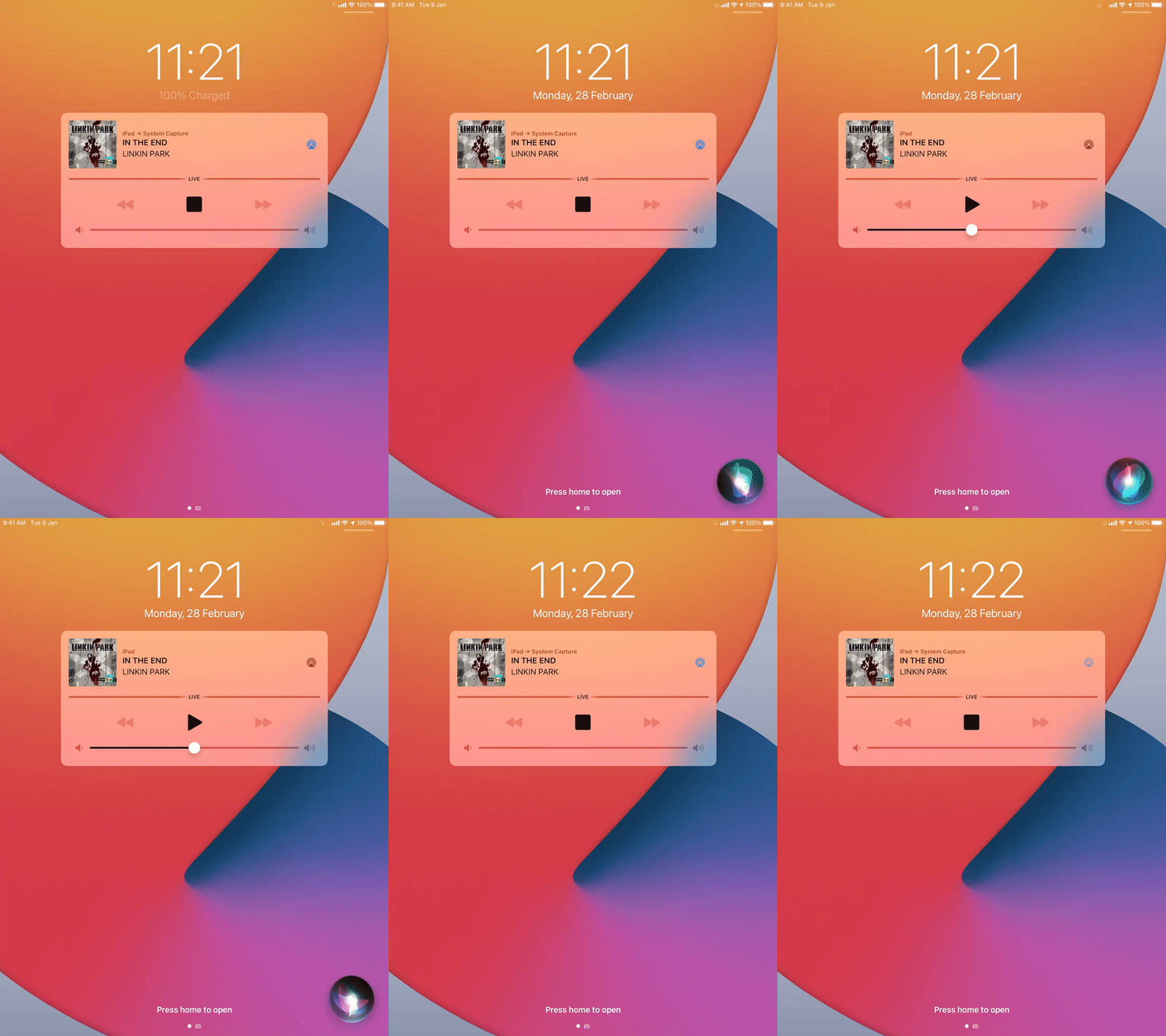
我不能给您展示一个CarPlay示例,但这里是上面代码的一个示例,当Siri中断音频时,锁定屏幕显示暂停音频的状态,当Siri被关闭时,应用程序会恢复播放器的功能,如您所见。
Stack Overflow用户
发布于 2022-11-01 08:26:50
所以我找到了解决方案:-我遗漏了一行代码,“尝试.setCategory(AVAudioSession.Category.playback)”() AVAudioSession.sharedInstance() --这是维护音频会话所必须的
https://stackoverflow.com/questions/71265658
复制相似问题
腾讯云开发者

Copyright © 2013 - 2026 Tencent Cloud. All Rights Reserved. 腾讯云 版权所有
深圳市腾讯计算机系统有限公司 ICP备案/许可证号:粤B2-20090059  粤公网安备44030502008569号
腾讯云计算(北京)有限责任公司 京ICP证150476号 | 京ICP备11018762号