
DevOps注册脚本错误:.IsInRole(.)
DevOps注册脚本错误:.IsInRole(.)
提问于 2022-02-16 19:26:05
我无法让我的注册脚本运行在PowerShell (管理)。它在Powershell ISE中工作,但是脚本被卡在“连接到服务器.”上。
我做错了什么吗?
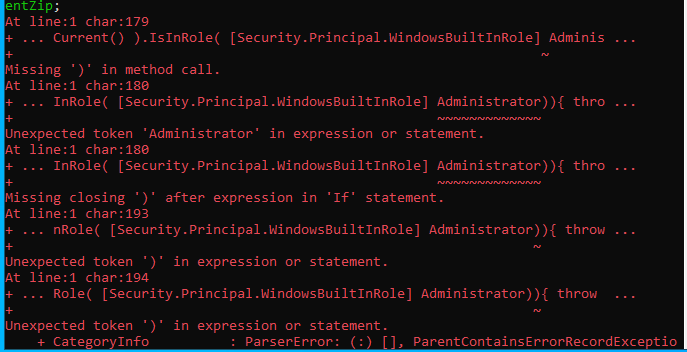
这是一个脚本:
$ErrorActionPreference="Stop";If(-NOT ([Security.Principal.WindowsPrincipal][Security.Principal.WindowsIdentity]::GetCurrent() ).IsInRole( [Security.Principal.WindowsBuiltInRole] “Administrator”)){ throw "Run command in an administrator PowerShell prompt"};If($PSVersionTable.PSVersion -lt (New-Object System.Version("3.0"))){ throw "The minimum version of Windows PowerShell that is required by the script (3.0) does not match the currently running version of Windows PowerShell." };If(-NOT (Test-Path $env:SystemDrive\'azagent')){mkdir $env:SystemDrive\'azagent'}; cd $env:SystemDrive\'azagent'; for($i=1; $i -lt 100; $i++){$destFolder="A"+$i.ToString();if(-NOT (Test-Path ($destFolder))){mkdir $destFolder;cd $destFolder;break;}}; $agentZip="$PWD\agent.zip";$DefaultProxy=[System.Net.WebRequest]::DefaultWebProxy;$securityProtocol=@();$securityProtocol+=[Net.ServicePointManager]::SecurityProtocol;$securityProtocol+=[Net.SecurityProtocolType]::Tls12;[Net.ServicePointManager]::SecurityProtocol=$securityProtocol;$WebClient=New-Object Net.WebClient; $Uri='[url]';if($DefaultProxy -and (-not $DefaultProxy.IsBypassed($Uri))){$WebClient.Proxy= New-Object Net.WebProxy($DefaultProxy.GetProxy($Uri).OriginalString, $True);}; $WebClient.DownloadFile($Uri, $agentZip);Add-Type -AssemblyName System.IO.Compression.FileSystem;[System.IO.Compression.ZipFile]::ExtractToDirectory( $agentZip, "$PWD");.\config.cmd --deploymentgroup --deploymentgroupname "Production" --agent $env:COMPUTERNAME --runasservice --work '_work' --url '[devopsUrl]' --projectname 'Storms' --auth PAT --token [token]; Remove-Item $agentZip;回答 2
Stack Overflow用户
回答已采纳
发布于 2022-02-25 22:04:42
引号是问题所在。有多种类型的引号,这可能会引起问题,取决于您的居住国。
这可以通过删除"Administrator“周围的引号并将它们手动添加来解决。
您可以在这里看到不同之处:“管理员”与“管理员”
注意到引号的不同吗?第一双是美国的,第二双是欧洲的。
Stack Overflow用户
发布于 2022-02-17 07:33:38
为了解决上述问题,我们需要在 PowerShell (以管理员身份运行)上运行脚本
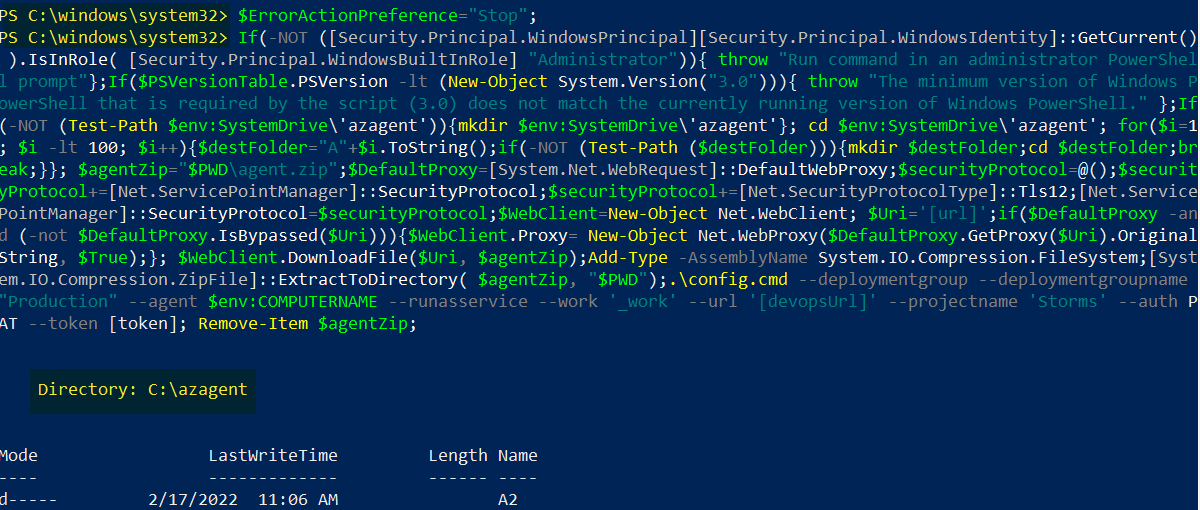
欲了解更多信息,请参考以下链接:
- Blog:-
- 博客
页面原文内容由Stack Overflow提供。腾讯云小微IT领域专用引擎提供翻译支持
原文链接:
https://stackoverflow.com/questions/71148132
复制相关文章
相似问题
腾讯云开发者

Copyright © 2013 - 2026 Tencent Cloud. All Rights Reserved. 腾讯云 版权所有
深圳市腾讯计算机系统有限公司 ICP备案/许可证号:粤B2-20090059  粤公网安备44030502008569号
腾讯云计算(北京)有限责任公司 京ICP证150476号 | 京ICP备11018762号