
事件在第一页加载时不加载,但在刷新后工作。
我正在使用Rails 7创建一个名为雇员管理系统的应用程序。要添加员工,我已经创建了一个表单。在这里,我已经使用嵌套表单字段gem添加了雇员的联系人。问题是,当第一次加载表单时,当我想添加或删除联系人字段时,它将重定向到相同的窗体。但是当我刷新页面时,它就开始工作了,没有任何问题。即使添加或删除的字段也会反映在数据库中。它只在第一次加载“创建或更新员工”页面时创建此问题。我所发现的是,当我单击该链接以添加员工并打开表单时。事件没有在html中加载。正如我们在下面的图片中看到的身体标签:
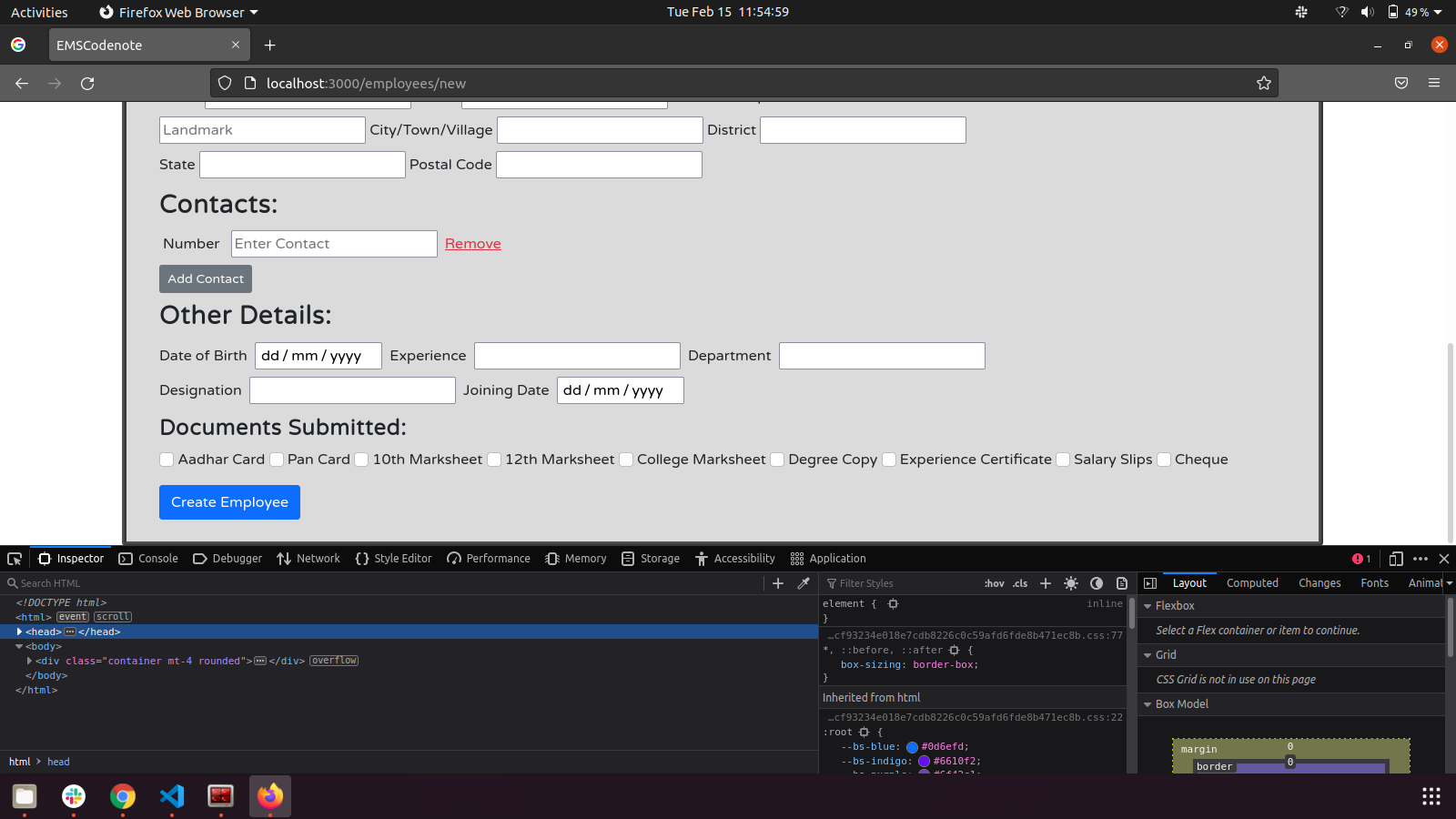
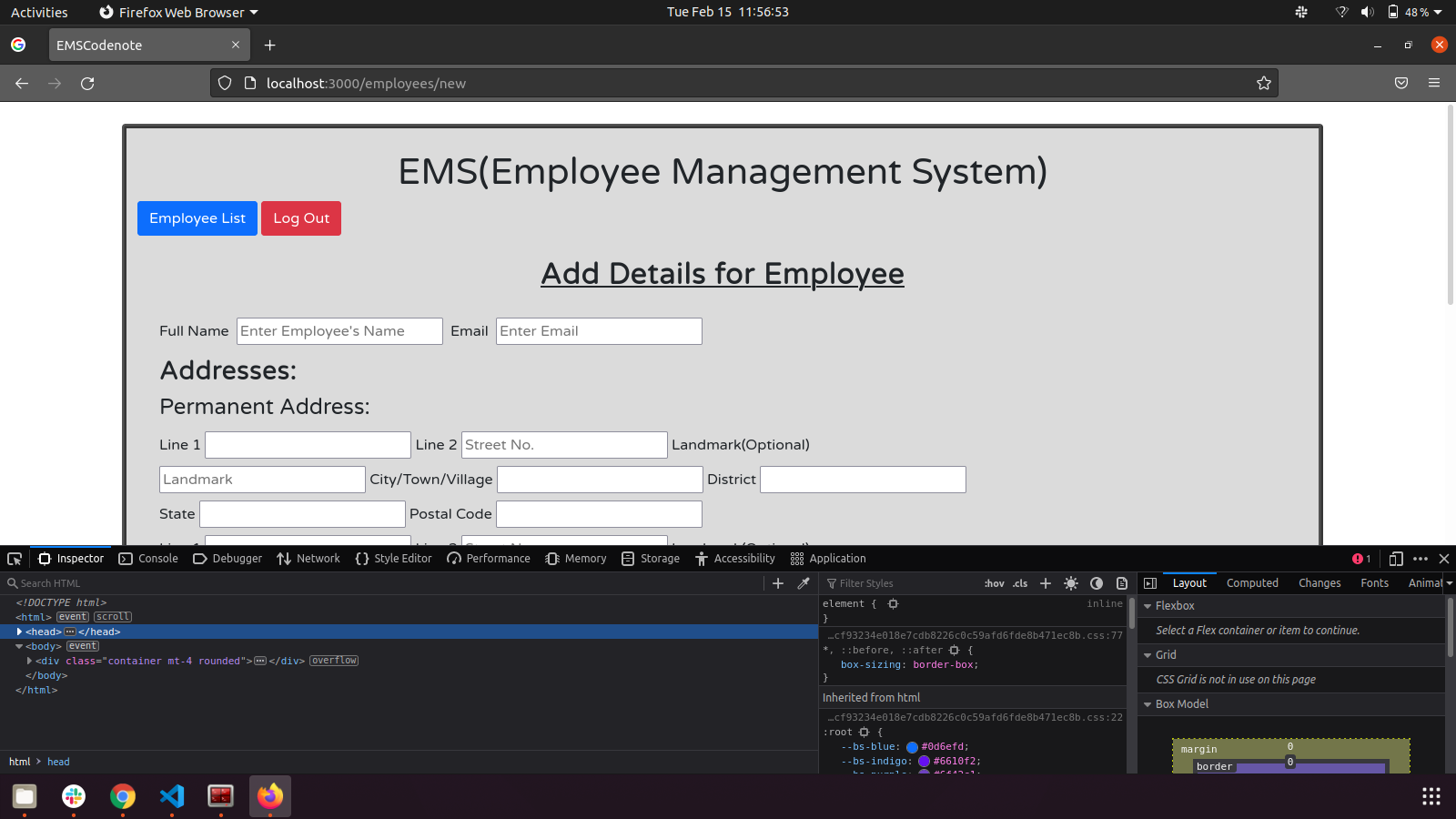
但是在刷新之后,事件将被加载:
我在gem文件夹中看到过js.coffee文件,但是对于像我这样的初学者来说,这太高级了。代码如下所示:
window.nested_form_fields or= {}

nested_form_fields.bind_nested_forms_links = () ->
  $('body').off("click", '.add_nested_fields_link')
  $('body').on 'click', '.add_nested_fields_link', (event, additional_data) ->
    $link = $(this)
    object_class = $link.data('object-class')
    association_path = $link.data('association-path')
    added_index = $(".nested_#{association_path}").length
    $.event.trigger("fields_adding.nested_form_fields",{object_class: object_class, added_index: added_index, association_path: association_path, additional_data: additional_data});
    if $link.data('scope')
      $template = $("#{$link.data('scope')} ##{association_path}_template")
    else
      $template = $("##{association_path}_template")
    target = $link.data('insert-into')

    template_html = $template.html()

    # insert association indexes
    index_placeholder = "__#{association_path}_index__"
    template_html = template_html.replace(new RegExp(index_placeholder,"g"), added_index)
    # look for replacements in user defined code and substitute with the index
    template_html = template_html.replace(new RegExp("__nested_field_for_replace_with_index__","g"), added_index)

    # replace child template div tags with script tags to avoid form submission of templates
    $parsed_template = $(template_html)
    $child_templates = $parsed_template.closestChild('.form_template')
    $child_templates.each () ->
      $child = $(this)
      $child.replaceWith($("<script id='#{$child.attr('id')}' type='text/html' />").html($child.html()))

    if target?
      $('#' + target).append($parsed_template)
    else
      $template.before( $parsed_template )
    $parsed_template.trigger("fields_added.nested_form_fields", {object_class: object_class, added_index: added_index, association_path: association_path, event: event, additional_data: additional_data});
    false

  $('body').off("click", '.remove_nested_fields_link')
  $('body').on 'click', '.remove_nested_fields_link', ->
    $link = $(this)
    return false unless $.rails == undefined || $.rails.allowAction($link)
    return false if $link.attr('disabled')
    object_class = $link.data('object-class')
    delete_association_field_name = $link.data('delete-association-field-name')
    removed_index = parseInt(delete_association_field_name.match('(\\d+\\]\\[_destroy])')[0].match('\\d+')[0])
    $.event.trigger("fields_removing.nested_form_fields",{object_class: object_class, delete_association_field_name: delete_association_field_name, removed_index: removed_index });
    $nested_fields_container = $link.parents(".nested_fields").first()
    delete_field = $nested_fields_container.find("input[type='hidden'][name='#{delete_association_field_name}']")
    if delete_field.length > 0
      delete_field.val('1')
    else
      $nested_fields_container.before "<input type='hidden' name='#{delete_association_field_name}' value='1' />"
    $nested_fields_container.hide()
    $nested_fields_container.find('input[required]:hidden, select[required]:hidden, textarea[required]:hidden').removeAttr('required')
    $nested_fields_container.trigger("fields_removed.nested_form_fields",{object_class: object_class, delete_association_field_name: delete_association_field_name, removed_index: removed_index});
    false

$(document).on "page:change turbolinks:load", ->
    nested_form_fields.bind_nested_forms_links()

jQuery ->
    nested_form_fields.bind_nested_forms_links()


#
# * jquery.closestchild 0.1.1
# *
# * Author: Andrey Mikhaylov aka lolmaus
# * Email: lolmaus@gmail.com
# *
#

$.fn.closestChild = (selector) ->
  $children = undefined
  $results = undefined
  $children = @children()
  return $() if $children.length is 0
  $results = $children.filter(selector)
  if $results.length > 0
    $results
  else
    $children.closestChild selector
有什么东西可以改变来解决这个问题吗?救命啊!!
回答 1
Stack Overflow用户
发布于 2022-02-16 10:44:52
在我的应用程序开发了两天之后,当我在application.js中添加一个使永久地址和本地地址相同的复选框时,同样的问题出现了。因此,我得出结论,这个问题并不是因为创业板,而是其他一些原因。所以我在谷歌上搜索了一下,发现涡轮键是罪魁祸首。在turbo中搜索之后,github存储库发现了“关闭”类别中的问题。通过在application.html.erb中给我的头部分添加一条简单的行,就可以读到这个问题。这一行是:
<meta name="turbo-visit-control" content="reload">不过,有个问题。添加此行后,闪存消息由于重新加载而消失。所以我又谷歌了一遍,想找出一个更好的方法。删除这一行,并在application.js中更改
import "@hotwired/turbo-rails"至
import { Turbo } from "@hotwired/turbo-rails"
Turbo.session.drive = false`
这是我在turbo readme.md中发现的。闪存消息重新出现,不需要刷新页面。
https://stackoverflow.com/questions/71110271
复制相似问题
腾讯云开发者

Copyright © 2013 - 2026 Tencent Cloud. All Rights Reserved. 腾讯云 版权所有
深圳市腾讯计算机系统有限公司 ICP备案/许可证号:粤B2-20090059  粤公网安备44030502008569号
腾讯云计算(北京)有限责任公司 京ICP证150476号 | 京ICP备11018762号