
TypeError:在使用带有Next.js的机车卷时无法读取null的属性
TypeError:在使用带有Next.js的机车卷时无法读取null的属性
提问于 2022-02-09 16:30:55
我试图使用机车卷轴,但我遇到了一个错误。
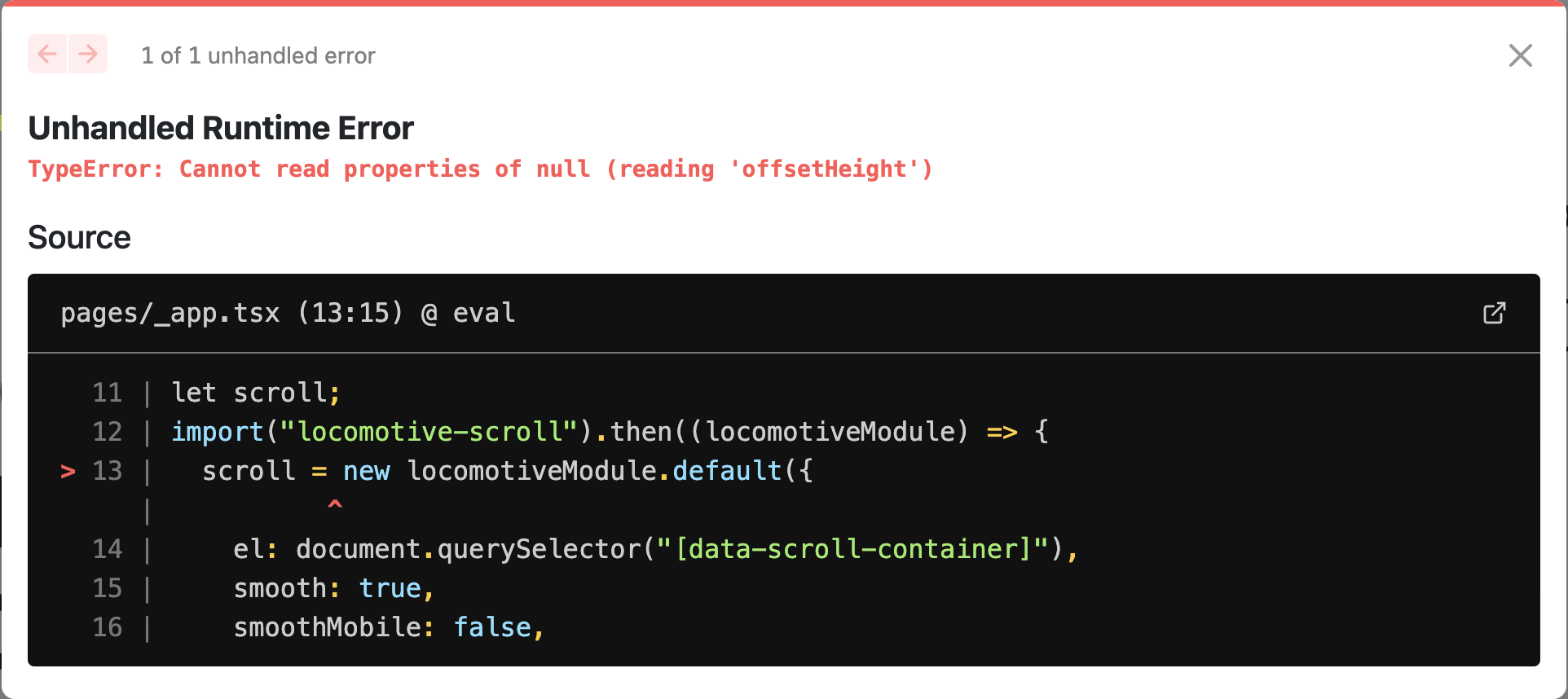
我试着用反应-机车-卷轴,但得到了同样的错误。
我的_app.tsx看起来像这样
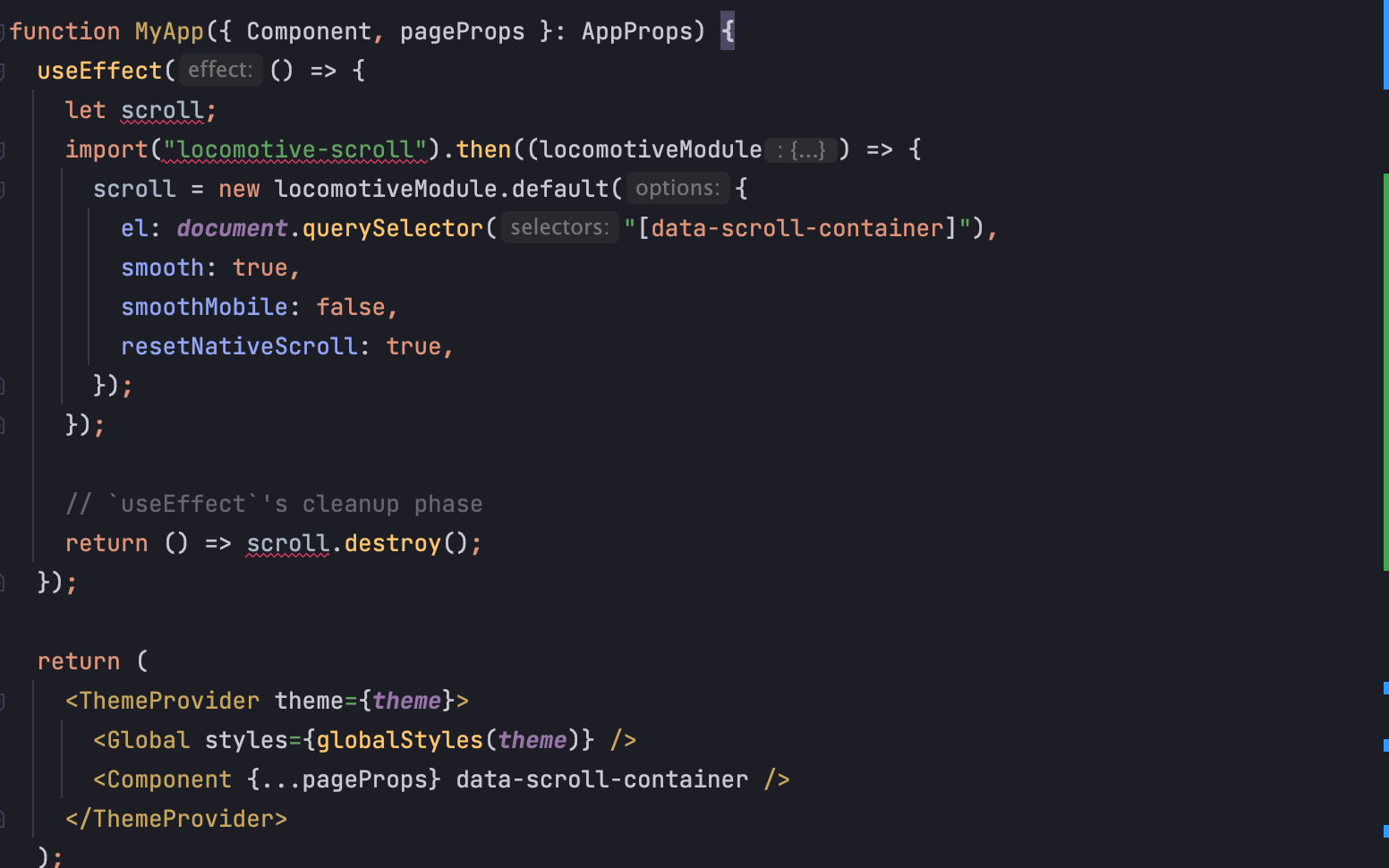
我的错误在哪里?我尝试将布局组件放在包装整个页面的内部,但它没有工作。
import type { AppProps } from "next/app";
import { ThemeProvider, Global } from "@emotion/react";
import { theme } from "../src/common/theme";
import { globalStyles } from "../src/styles/global";
import { appWithTranslation } from "next-i18next";
import "locomotive-scroll/dist/locomotive-scroll.css";
import { useEffect } from "react";

function MyApp({ Component, pageProps }: AppProps) {
  useEffect(() => {
    let scroll;
    import("locomotive-scroll").then((locomotiveModule) => {
      scroll = new locomotiveModule.default({
        el: document.querySelector("[data-scroll-container]"),
        smooth: true,
        smoothMobile: false,
        resetNativeScroll: true,
      });
    });

    // `useEffect`'s cleanup phase
    return () => scroll.destroy();
  });

  return (
    <ThemeProvider theme={theme}>
      <Global styles={globalStyles(theme)} />
      <Component {...pageProps} data-scroll-container />
    </ThemeProvider>
  );
}

export default appWithTranslation(MyApp);我也使用next-transpile-modules
const withTM = require("next-transpile-modules")(["gsap", "locomotive-scroll"]);回答 2
Stack Overflow用户
发布于 2022-02-11 19:46:37
发生此错误是因为DOM中不存在带有data-scroll-container属性的元素。
在data-scroll-container中设置Component实际上不会将属性添加到任何元素。Component是一个反应组件,而不是一个HTML元素。
您应该添加一个新元素来包装Component并在其上设置属性。
<div data-scroll-container>
    <Component {...pageProps} />
</div>Stack Overflow用户
发布于 2022-02-24 01:11:24
对我起作用的是这样做:
useEffect(() => {
  ;(async () => {
    try {
      const LocomotiveScroll = (await import('locomotive-scroll')).default
      const dataScrollContainer = document.querySelector(
        '[data-scroll-container]',
      )

      if (!dataScrollContainer) {
        console.warn(
          'locomotive-scroll: [data-scroll-container] dataset was not found. You likely forgot to add it which will prevent Locomotive Scroll to work.',
        )
      }

      window.locomotive = new LocomotiveScroll({
        el: dataScrollContainer ?? undefined,
        smooth: true,
      })
    } catch (error) {}
  })()

  return () => {
    window.locomotive?.destroy()
  }
}, [])然后在某个地方和data-scroll-container玩个div。因此,不要直接加载它,而是执行异步操作。
页面原文内容由Stack Overflow提供。腾讯云小微IT领域专用引擎提供翻译支持
原文链接:
https://stackoverflow.com/questions/71053278
复制相关文章
相似问题
腾讯云开发者

Copyright © 2013 - 2026 Tencent Cloud. All Rights Reserved. 腾讯云 版权所有
深圳市腾讯计算机系统有限公司 ICP备案/许可证号:粤B2-20090059  粤公网安备44030502008569号
腾讯云计算(北京)有限责任公司 京ICP证150476号 | 京ICP备11018762号