
未定义的对象不是一个对象(计算'_$$_REQUIRE(_dependencyMap[5],“evaluating”).Camera‘)
我正试图在我的设备上安装世博会照相机,但我一直遇到问题。我只做了三件事
将expo-camera.
- copy示例代码安装到我的项目中。
- 将世博会摄像机添加到package.json.
我遵循了本教程:https://docs.expo.dev/versions/latest/sdk/camera/
我认为问题可能是:In managed apps, Camera requires Permissions.CAMERA. Video recording requires Permissions.AUDIO_RECORDING.
我不知道该怎么处理它。
很高兴知道:
- I还试图安装react本机相机https://react-native-camera.github.io/react-native-camera/docs/installation。当然没有成功:(
)
Package.json:
{
  "name": "untitled",
  "version": "0.0.1",
  "private": true,
  "scripts": {
    "android": "react-native run-android",
    "ios": "react-native run-ios",
    "start": "react-native start",
    "test": "jest",
    "lint": "eslint ."
  },
  "dependencies": {
    "react": "17.0.2",
    "react-native": "0.67.2"
  },
  "devDependencies": {
    "@babel/core": "^7.16.12",
    "@babel/runtime": "^7.16.7",
    "@react-native-community/eslint-config": "^3.0.1",
    "babel-jest": "^27.4.6",
    "eslint": "^7.32.0",
    "jest": "^27.4.7",
    "metro-react-native-babel-preset": "^0.67.0",
    "react-test-renderer": "17.0.2",
    "expo-camera": "~12.0.3"
  },
  "jest": {
    "preset": "react-native"
  }
}
Camera.js
import React, {useState, useEffect} from 'react';
import {StyleSheet, Text, View, TouchableOpacity} from 'react-native';
import {Camera} from 'expo-camera';

export default function App() {
  const [hasPermission, setHasPermission] = useState(null);
  const [type, setType] = useState(Camera.Constants.Type.back);

  useEffect(() => {
    (async () => {
      const {status} = await Camera.requestCameraPermissionsAsync();
      setHasPermission(status === 'granted');
    })();
  }, []);

  if (hasPermission === null) {
    return <View />;
  }
  if (hasPermission === false) {
    return <Text>No access to camera</Text>;
  }
  return (
    <View style={styles.container}>
      <Camera style={styles.camera} type={type}>
        <View style={styles.buttonContainer}>
          <TouchableOpacity
            style={styles.button}
            onPress={() => {
              setType(
                type === Camera.Constants.Type.back
                  ? Camera.Constants.Type.front
                  : Camera.Constants.Type.back,
              );
            }}>
            <Text style={styles.text}> Flip </Text>
          </TouchableOpacity>
        </View>
      </Camera>
    </View>
  );
}

const styles = StyleSheet.create({});
错误:


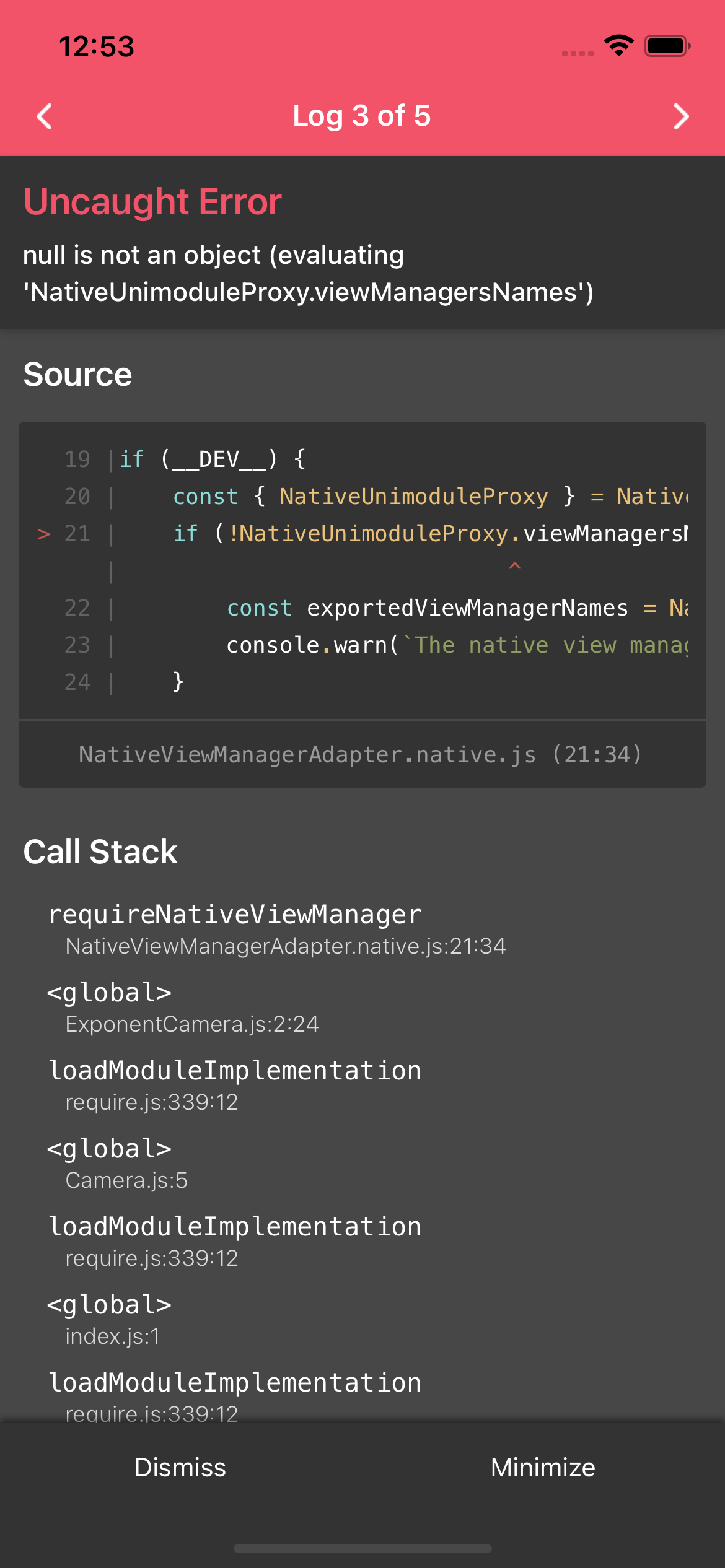
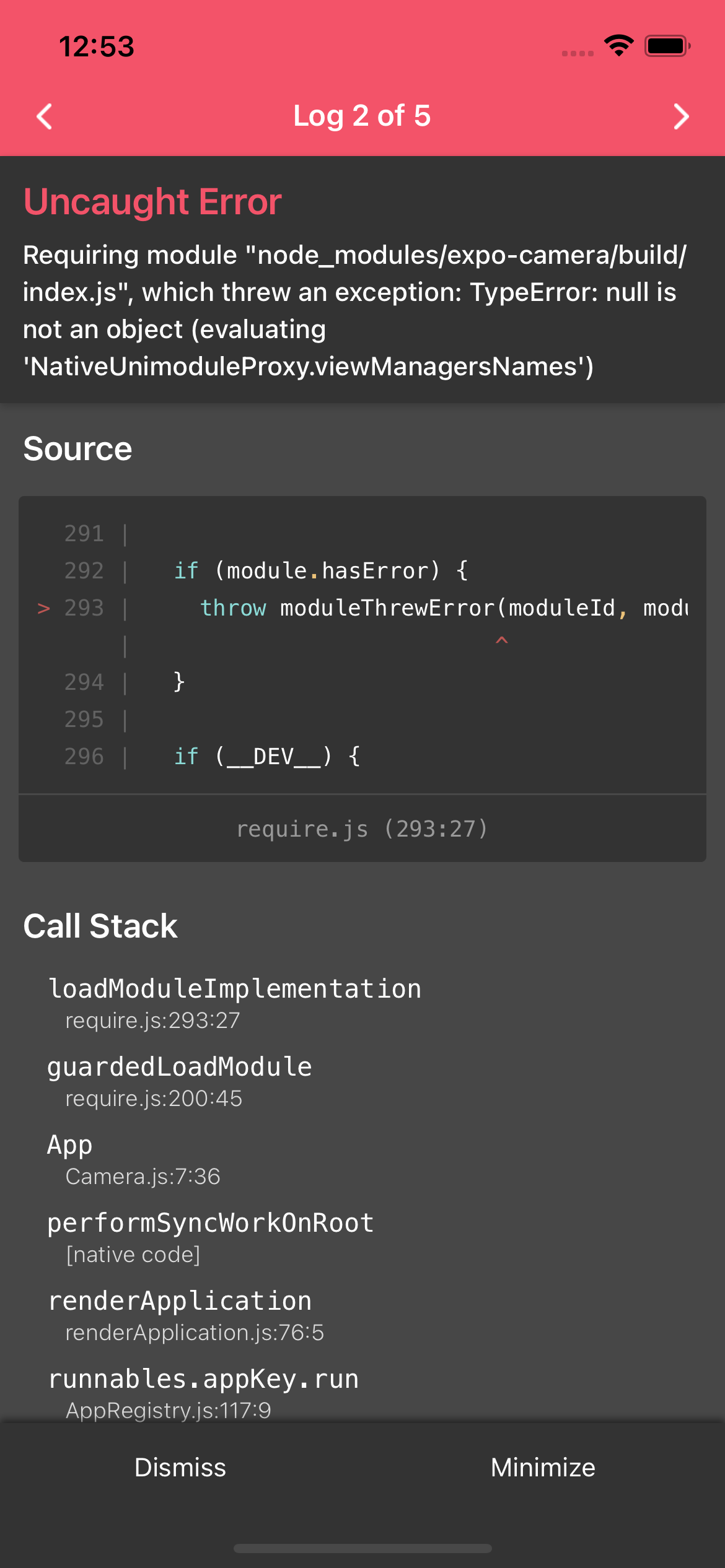
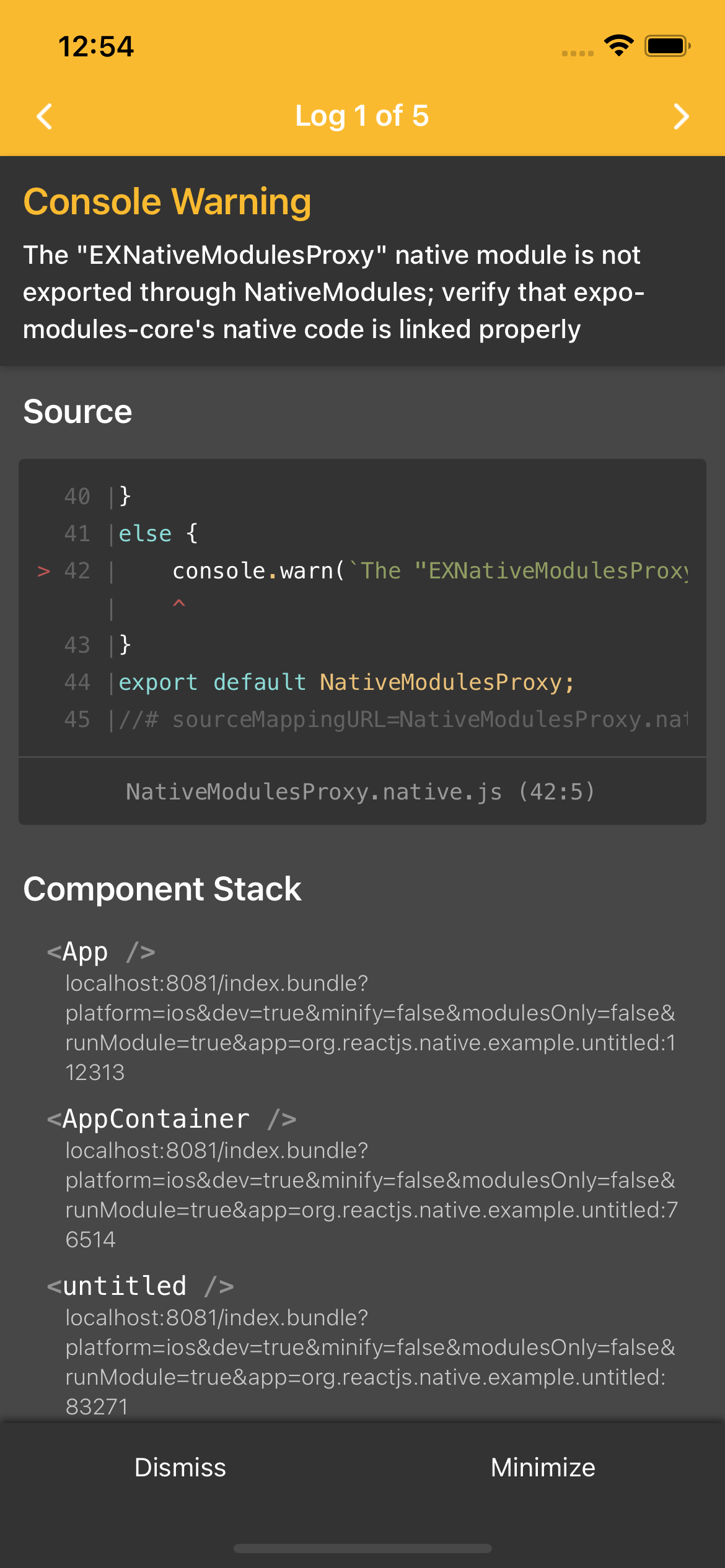
回答 1
Stack Overflow用户
发布于 2022-02-06 12:16:50
更新
如果您想轻松地使用任何世博模块,您将需要安装“世博模块”。
如果您正在从react-native-unimodules迁移,请参见以下内容:https://expo.fyi/expo-modules-migration/
若要在项目中安装世博模块,请运行以下命令:
npx install-expo-modules如果有错误,请按照手动安装:https://docs.expo.dev/bare/installing-expo-modules/#manual-installation
年长的
我认为问题可能在于,您将世博相机依赖作为开发依赖项。
你可以试着移动
{
  ...
  devDependencies:{
    "expo-camera": "~12.0.3"
  }
  ...
}
至
{
  ...
  dependencies:{
    "expo-camera": "~12.0.3"
  }
  ...
}https://stackoverflow.com/questions/71006944
复制相似问题
腾讯云开发者

Copyright © 2013 - 2026 Tencent Cloud. All Rights Reserved. 腾讯云 版权所有
深圳市腾讯计算机系统有限公司 ICP备案/许可证号:粤B2-20090059  粤公网安备44030502008569号
腾讯云计算(北京)有限责任公司 京ICP证150476号 | 京ICP备11018762号