
如何创建一个可见的、始终居中的浏览器覆盖,并缩放到视口的大小?
请注意以下与此有关的问题:
下面是我使用的html和css代码:请注意“重叠”部分。
html:
<!DOCTYPE html>
<html>
    <head>
        <meta charset="utf-8">
        <META HTTP-EQUIV="CACHE-CONTROL" CONTENT="NO-CACHE">
        <META HTTP-EQUIV="PRAGMA" CONTENT="NO-CACHE">
        <link rel="shortcut icon" href="static/favicon.ico">
        <link rel="stylesheet" href="static/style.css"/>
        <script src="static/jquery-3.6.0.min.js"></script>
        <script src="static/throttle.js"></script>
        <script src="static/Joystick_Data_Test.js"></script>

        <title>GoPiGo3 Joystick Data Test</title>

    </head>
    <body>

        <div class="container">
            <div id="zone_joystick">
                <script language="JavaScript">
                document.write('<img id="video_source" src="' + window.location.protocol + '//' + window.location.hostname + ':5001' + '/stream.mjpg' + '"/>' );
                </script>
            </div>

            <div class="robot">
                Joystick Data Test
                <ul>
                <li id="motion_state">Motion State: Waiting for Joystick</li>
                <li id="angle_dir">Direction: None</li>
                <li id="time_stamp">Timestamp: 0</li>
                <li id="force">Applied Force: 0.00</li>
                </ul>
            </div>
        </div>
        <div class="overlay"></div>
    </body>
</html>
相应的CSS:
#zone_joystick {
    display: block;
    position: absolute;
    width: 100%;
    height: 100%;
    left: 0;
    top: 0;
}

#video_source{
    display:block;
    width:100%; height:100%;
    object-fit: cover;
    background-color: white;
    background-image: url("/static/plane_loading.gif"), url('/static/waiting.svg');
    background-size: auto 100%;
    background-repeat: no-repeat;
    background-position: center center;
}

.robot {
    position: absolute;
    height: auto;
    width: 20%;
    min-width: 220px;
    left: 0.5%;
    top: 0.5%;
    padding: 1%;
    font-family: "Lucida Sans Typewriter";
    color: rgb(0, 0, 0);
    background: rgba(223, 226, 219, 0.7);
}

.overlay {
    position: absolute;
    top: 0;
    left: 0;
    width: 100%;
    height: 100%;
    background: url("Graticule-transparent-yellow.png");
}
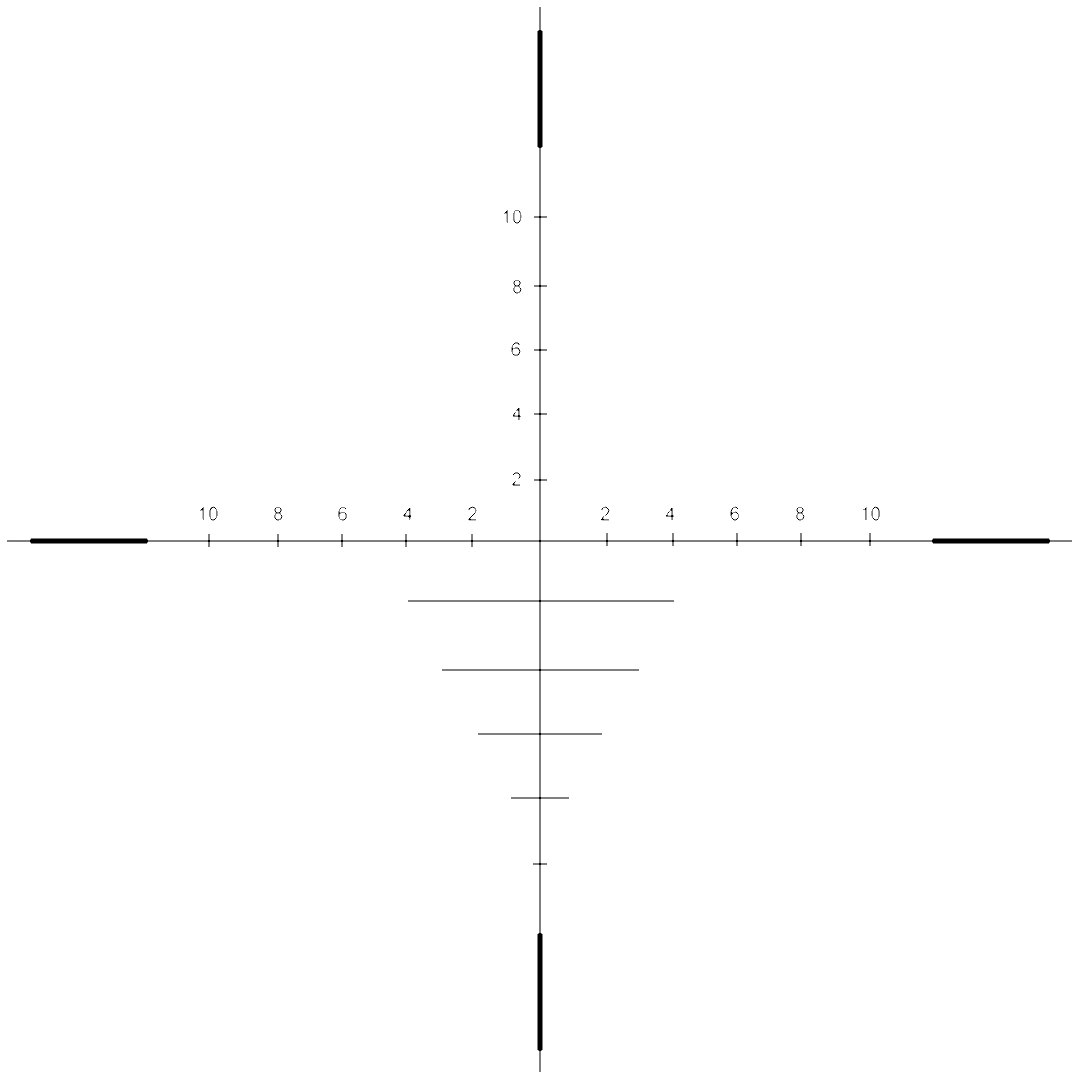
这是一个图片:(透明的GIF)。我有几个相同的不同颜色的GIF。当我编辑CSS/html时,我更改了用于确保浏览器已经完全更新缓存文件的颜色。
结果如下:
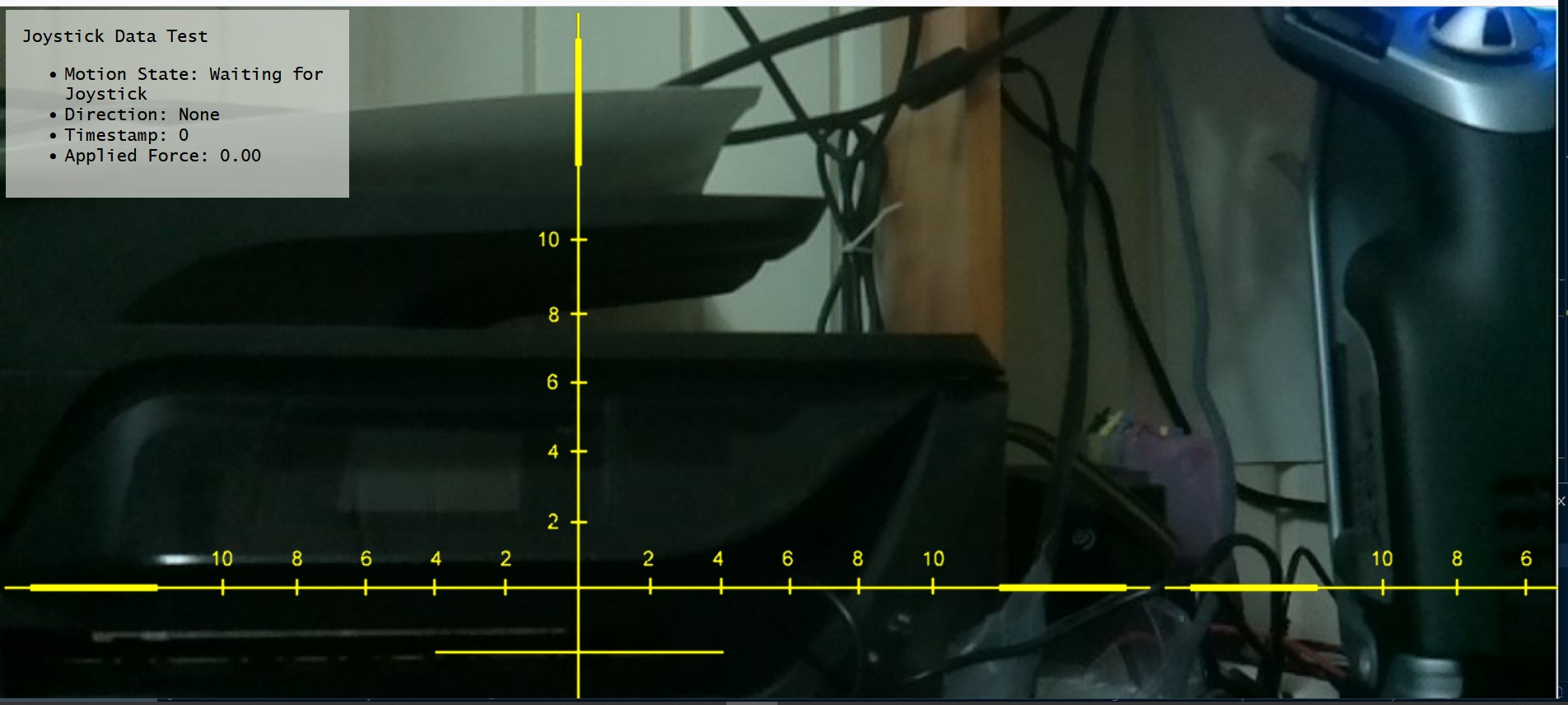
形势:
背景是一个基于Raspberry Pi的机器人的实时视频流,我可以驾驶它,我目前正在试验在图像上放置信息覆盖:电流电池电压,距离障碍物的距离,保险杠撞击状态等等。
首先,在开始更复杂的图像覆盖之前,我想在图像上放置一个简单的x-y值。
当前代码基本上是从上面提到的第一篇文章中的答案中逐字复制的。
我想要达到的目标:
- :相对于浏览器视图的中心定位的图像。在上面所示的图像中,它似乎被锚定在窗口的左上角。
- 将图像自动重新缩放以适应浏览器窗口,相对于图像的纵横比。(也就是说,如果图像是一个圆,它应该始终保持circular.)
- After重新缩放,整个图像应该是可见的,而缩放受最小维数的约束。请注意,如果能够设置一个最小的维度,然后图像将居中,但是裁剪。
- 图像应该只显示一次,这将是很好的。(在上面的图片中,您会注意到,该图像正在平铺horizontally.
发生了什么:
- 使用了第一篇文章中的代码,我得到了一个覆盖图像,但是它不是居中的,而是重复的。如果我试图更改任何参数(除了图像本身的位置),图像就会消失。注意,更改顶部和左边的参数会移动锚点,但是图像remains.
- Using是第二篇文章中的代码,图像永远不会出现。
我想知道的是:
如果我试图修改传递给CSS“命令”的参数,为什么图像会从第一个示例中消失呢?(也就是说,如果我试图将尺寸设置为“自动”或其他东西来约束或对图像进行中心化。)
- 为什么第二个示例根本无法工作?
- ,我需要做什么才能完成我想要的。
请注意,我花了几个星期的时间来研究这个问题,并尝试了各种不同的事情,但都没有结果。我不知道我做错了什么,而且到目前为止,各种教学和示例网页对我都没有任何帮助。
任何帮助都将不胜感激。
更新:
如下文所述,我尝试了以下几点:
(html)
[snip - preceding code is the same as was shown before]
        <div class="container">
            <div id="zone_joystick">
                <script language="JavaScript">
                document.write('<img id="video_source" src="' + window.location.protocol + '//' + window.location.hostname + ':5001' + '/stream.mjpg' + '"/>' );
                </script>
            </div>

            <div class="robot">
                Joystick Data Test
                <ul>
                <li id="motion_state">Motion State: Waiting for Joystick</li>
                <li id="angle_dir">Direction: None</li>
                <li id="time_stamp">Timestamp: 0</li>
                <li id="force">Applied Force: 0.00</li>
                </ul>
            </div>
        </div>

        <div class="flex-container">
            <div class="overlay"></div>
        </div>
CSS:
[snip - preceding code is the same as was shown before]
.robot {
    position: absolute;
    height: auto;
    width: 20%;
    min-width: 220px;
    left: 0.5%;
    top: 0.5%;
    padding: 1%;
    font-family: "Lucida Sans Typewriter";
    color: rgb(0, 0, 0);
    background: rgba(223, 226, 219, 0.7);
}

.overlay {
    align-self: center;
    position: fixed; inset: 0;
    /* top: 0;
    left: 0; */
    width: 100%;
    height: 100%;
    z-index: 2;
    background: url("Graticule-transparent-dark-red.png");
}
.flex-container {
    display: flex;
    justify-content: center;
    align-items: center;
}请注意,负z轴将覆盖放置在后面,其他一切都是如此。我用z轴值"2“来确保它在所有的上面。
我已经看过了flex例子和各种定位和缩放的CSS参数,我得到了精确的之前,包括重复-或绝对没有覆盖显示。
如果有人能帮助我理解我做错了什么,我将不胜感激。
回答 1
Stack Overflow用户
发布于 2022-02-02 16:31:10
有关解释,请参见CSS中的注释:
.overlay {
  /* element always visible and covering the entire viewport */
  position: fixed;
  inset: 0;

  /* include the image as background */
  background-image: url('https://i.stack.imgur.com/lAtZG.png');

  /* letting the image cover the entire viewport */
  background-size: cover;

  /* cenetring the image vertically and horizontally */
  background-position: center;

  /* positive z-index ensures that the overlay is always top z-axis wise */
  z-index: 100;
}<div class="overlay"></div>
https://stackoverflow.com/questions/70958441
复制相似问题
腾讯云开发者

Copyright © 2013 - 2026 Tencent Cloud. All Rights Reserved. 腾讯云 版权所有
深圳市腾讯计算机系统有限公司 ICP备案/许可证号:粤B2-20090059  粤公网安备44030502008569号
腾讯云计算(北京)有限责任公司 京ICP证150476号 | 京ICP备11018762号