
如何解析CSV文件并仅显示特定列?
python sliceCsv.py
总共没有。行:329375
字段名是:
注意事项:句柄是第一列
Handle, Command, Title, Body (HTML), Vendor, Type, Tags, Published, Option1 Name, Option1 Value, Option2 Name, Option2 Value, Option3 Name, Option3 Value, Variant SKU, Variant Grams, Variant Inventory Tracker, Variant Inventory Qty, Variant Inventory Policy, Variant Fulfillment Service, Variant Price, Variant Compare At Price, Variant Requires Shipping, Variant Taxable, Variant Barcode, Image Src, Image Position, Image Alt Text, Gift Card, Google Shopping / MPN, Google Shopping / Age Group, Google Shopping / Gender, Google Shopping / Google Product Category, SEO Title, SEO Description, Google Shopping / AdWords Grouping, Google Shopping / AdWords Labels, Google Shopping / Condition, Google Shopping / Custom Product, Google Shopping / Custom Label 0, Google Shopping / Custom Label 1, Google Shopping / Custom Label 2, Google Shopping / Custom Label 3, Google Shopping / Custom Label 4, Variant Image, Variant Weight Unit, Variant Tax Code, Cost per item, Metafield: theme.Applications [string], Metafield: theme.Applications with Dilutions [string], Metafield: theme.Background [string], Metafield: theme.Notes [string], Metafield: theme.Category [string], Metafield: theme.Clonality [string], Metafield: theme.Clone Number [string], Metafield: theme.Concentration [string], Metafield: theme.Conjugation [string], Metafield: theme.Cross Reactive Species [string], Metafield: theme.Predicted Reactivity [string], Metafield: theme.Datasheet URL [string], Metafield: theme.Excitation Emission [string], Metafield: theme.Gene ID [string], Metafield: theme.Gene ID Link [string], Metafield: theme.Host [string], Metafield: theme.images [string], Metafield: theme.Immunogen Sequence [string], Metafield: theme.Isotype [string], Metafield: theme.Lead Time [string], Metafield: theme.Modification [string], Metafield: theme.Modification Site [string], Metafield: theme.Product URL [string], Metafield: theme.publications [string], Metafield: theme.Purification [string], Metafield: theme.Size [string], Metafield: theme.Source [string], Metafield: theme.Specificity [string], Metafield: theme.Storage [string], Metafield: theme.Storage Buffer [string], Metafield: theme.Storage Condition [string], Metafield: theme.Subcellular Locations [string], Metafield: theme.Swiss Prot [string], Metafield: theme.Swiss Prot Link [string], Metafield: theme.Synonyms [string], Metafield: theme.Target Protein [string], Metafield: theme.AllConjugations, 和
First row are:


bs-0637R MERGE P38 MAPK Polyclonal Antibody Company Primary Antibody, P38 MAPK, target-protein_P38 MAPK, RK, p38, CSBP, EXIP, Mxi2, CSBP1, CSBP2, CSPB1, PRKM14, PRKM15, SAPK2A, p38ALPHA, Mitogen-activated protein kinase 14, MAP kinase 14, MAPK 14, Cytokine suppressive anti-inflammatory drug-binding protein, CSAID-binding protein, MAP kinase MXI2, MAX-interacting protein 2, Mitogen-activated protein kinase p38 alpha, MAP kinase p38 alpha, Stress-activated protein kinase 2a, MAPK14, Human, cross-reactive-species_Human, Mouse, cross-reactive-species_Mouse, Rat, cross-reactive-species_Rat, Rabbit, cross-reactive-species_Rabbit, Others, cross-reactive-species_Others, Dog, predicted-reactivity_Dog, Unmodified, modification_Unmodified, Rabbit, host_Rabbit, Polyclonal, clonality_Polyclonal, IgG, isotype_IgG, WB, applications_WB, ELISA, applications_ELISA, FCM, applications_FCM, IHC-P, applications_IHC-P, IHC-F, applications_IHC-F, IF(IHC-P), applications_IF(IHC-P), IF(IHC-F), applications_IF(IHC-F), IF(ICC), applications_IF(ICC), ICC, applications_ICC, Unconjugated, conjugation_Unconjugated TRUE Volume 100ul bs-0637R 45 shopify 100 continue manual 340 TRUE TRUE FALSE lb WB, ELISA, FCM, IHC-P, IHC-F, IF(IHC-P), IF(IHC-F), IF(ICC), ICC WB(1:300-5000), ELISA(1:500-1000), FCM(1:20-100), IHC-P(1:200-400), IHC-F(1:100-500),...正如你所看到的,有很多列。如何只列出特定列?Handle
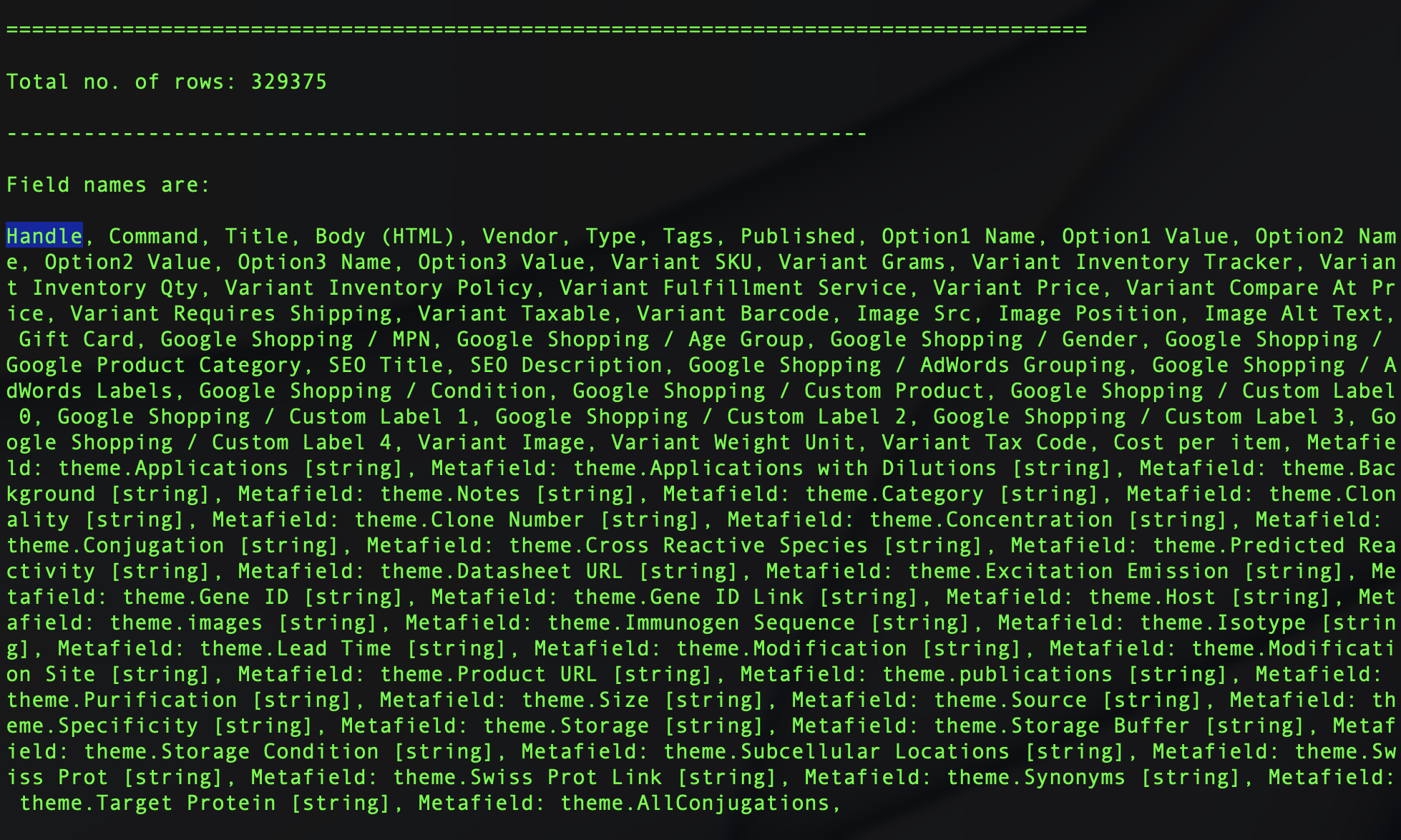
我试过了(sliceCsv.py)
# importing csv module
import sys
import csv

# Fix this error : _csv.Error: field larger than field limit (131072)
csv.field_size_limit(sys.maxsize)

# csv file name
filename = "/Users/code/Desktop/shopify.csv"

keepColumns = ['Handle']


# initializing the titles and rows list
fields = []
rows = []


print('\n====================================================================================\n')


# reading csv file
with open(filename, 'r') as csvfile:
    # creating a csv reader object
    csvreader = csv.reader(csvfile)

    # extracting field names through first row
    fields = next(csvreader)

    # extracting each data row one by one
    for row in csvreader:


        # print(row)
        # return False # return False # SyntaxError: 'return' outside function
        # break
        rows.append(row)

    # get total number of rows
    print("Total no. of rows: %d"%(csvreader.line_num))


print('\n-------------------------------------------------------------------\n')

# printing the field names
print('Field names are: \n\n' + ', '.join(field for field in fields))

print('\n-------------------------------------------------------------------\n')


#  printing first 5 rows
print('\nFirst row are:\n\n')
for row in rows[:1

]:
    # parsing each column of a row
    for col in row:
        print("%10s"%col),
    print('\n')
我的理想支票是这样的.我不知道如何在Python或CSV解析器中这样做。
if(row.header == "Handle") {
    rows.append(row)
}回答 3
Stack Overflow用户
发布于 2022-02-01 16:34:59
如果您不打算将数据写入其他地方,则不需要将数据保存在rows中。如果需要访问列的名称,可以使用DictReader。
import csv

with open("example.csv") as csv_file:
    csv_reader = csv.DictReader(csv_file)
    for row in csv_reader:
print(row["Handle"]) bs-0637R MERGE P38 MAPK Polyclonal Antibody Company Primary Antibody
bs-0637R MERGE P38 MAPK Polyclonal Antibody Company Primary Antibody
...PS:这是相当基本的东西,我建议你再看一遍基本面,以便有更强的把握。
Stack Overflow用户
发布于 2022-02-01 16:24:55
在类似的项目中,我应用了下面的策略来获得一个特定的列。我已经根据您的需要稍微修改了代码。循环遍历每一行并将特定的列值添加到handle_data列表中。您也可以访问此循环中的任何行或多行。
import pandas as pd
df = pd.read_csv(f)
handle_data = []
for id, row in df.iterrows():
handle_data.append(row['Handle'])Stack Overflow用户
发布于 2022-02-01 21:24:36
如果您所需要的只是一个分割CSV的通用工具,并且不想或不需要编写一个程序,那么我建议下载一个GoCSV的预构建二进制文件并使用它的选择命令:
gocsv select -c 'Handle' YOUR-FILE.csv您可以使用任何有效的列名或列号,gocsv select -c 1 ...将获得相同的结果。
可以将输出定向到文件、... -c 'Handle' YOUR-FILE.csv > just_handle.csv或将输出管道发送到:
- 它内置的表查看器可以直观地查看inspec,
... YOUR-FILE.csv | gocsv view - 它的stats命令可以全面了解列
... | gocsv stats中的数据类型。
它速度快,而且内存使用率通常很低。
我写了许多定制的一次性custom脚本,我非常感谢我找到了这个工具。
https://stackoverflow.com/questions/70943153
复制相似问题
腾讯云开发者

Copyright © 2013 - 2026 Tencent Cloud. All Rights Reserved. 腾讯云 版权所有
深圳市腾讯计算机系统有限公司 ICP备案/许可证号:粤B2-20090059  粤公网安备44030502008569号
腾讯云计算(北京)有限责任公司 京ICP证150476号 | 京ICP备11018762号