
Git: VS代码中缺少的克隆
Git: VS代码中缺少的克隆
提问于 2022-01-27 18:17:03
VSCode版本: 1.63
操作系统: Monterey
我错过了克隆存储库的选项。我有另一台Mac,它显示得很好。
,我检查了设置,Git在扩展项下丢失了,但我不知道如何将它拿回来.
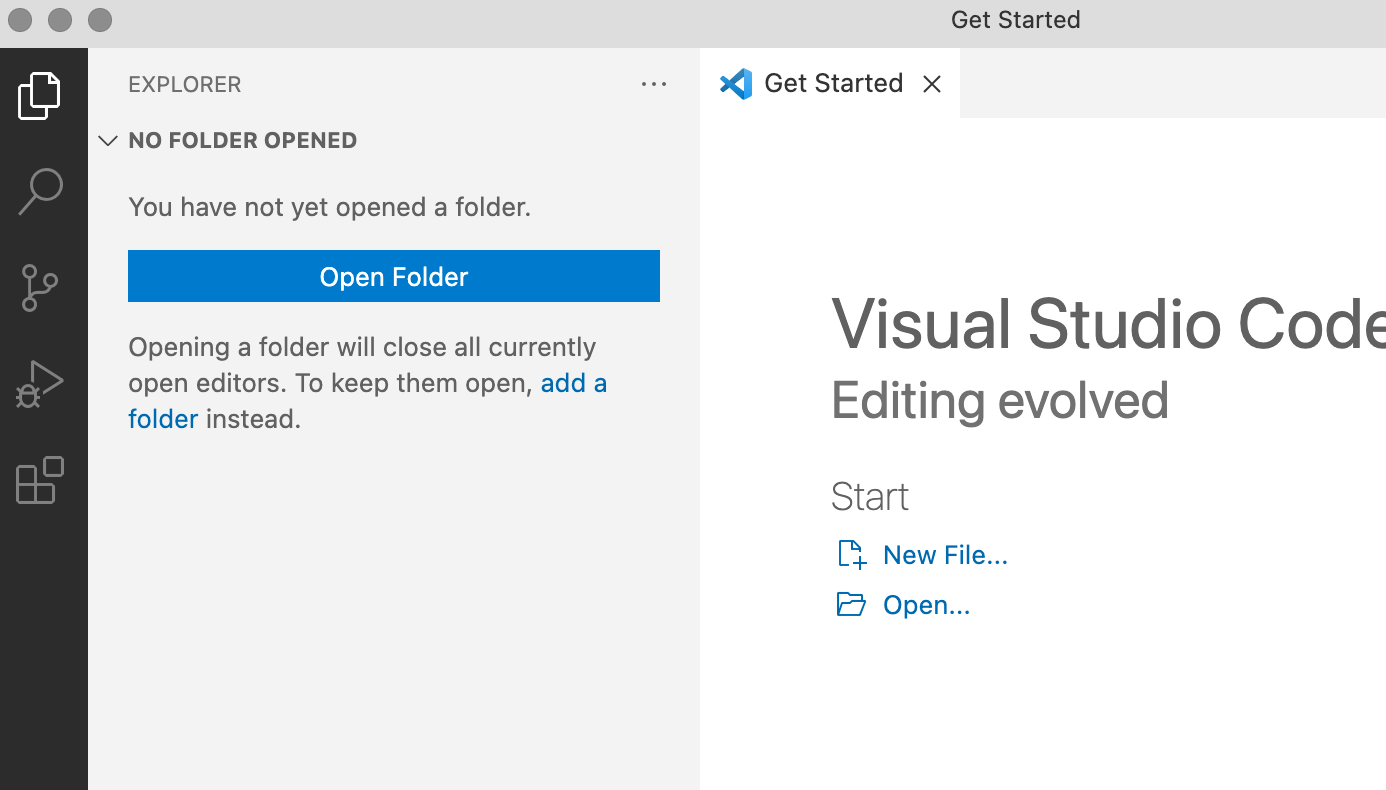
我尝试过的事情:
exist)
- Ensuring
- Shift+Ctrl+P git:
- Shift+Ctrl+P Git:
- Shift+Ctrl+P Git:
- Shift+Ctrl+P Git:
- Shift+Ctrl+P Git:
- Shift+Ctrl+P Git:
- Shift+Ctrl+P Git:
- Shift+Ctrl+P Git:
- Shift+Ctrl+P Git:
- Shift+Ctrl+P Git:
- Shift+Ctrl+P Git:
- Shift+Ctrl+P Git:
- Shift+Ctrl+P Git:
- Shift+Ctrl+P Git:
- Shift+Ctrl+P Git:
- Shift+Ctrl+P Git:
- Shift+Ctrl+P Git:
- Shift+Ctrl+P Git:
- Shift+Ctrl+P Git:
- Shift+Ctrl+P Git:
- Shift+Ctrl+P Git:
- Shift+Ctrl+P Git:
- Shift+Ctrl+P Git:
- Shift+Ctrl+P Git:
- Shift+Ctrl+P Git:
- Shift+Ctrl+P Git:
- Shift+Ctrl+P Git:
- Shift+Ctrl+P Git:
- Shift+Ctrl+P Git:
- Shift+Ctrl+P Git:
- Shift+Ctrl+P Git:
- Shift+Ctrl+P Git:
- Shift+Ctrl+P Git:
- Shift+Ctrl+P G
- Shift+Ctrl+P Git:
- Shift+Ctrl+P Git:
回答 1
Stack Overflow用户
发布于 2022-01-27 18:55:49
假设您是从识别/安装git的shell中启动VSCode的,那么首先检查是否为in here,这不是许可证问题。
参见"microsoft/vscode issue 81287":xcodebuild需要更新。
OP AnaBee报告使其在git init之后工作,并遵循"Git missing in VS Code – No source control providers":
打开Visual代码,单击左侧底部的⚙️(齿轮)并选择命令调色板.
搜索单词" Enable ",并选择EnableallExtension.
页面原文内容由Stack Overflow提供。腾讯云小微IT领域专用引擎提供翻译支持
原文链接:
https://stackoverflow.com/questions/70883732
复制相关文章
相似问题
腾讯云开发者

Copyright © 2013 - 2026 Tencent Cloud. All Rights Reserved. 腾讯云 版权所有
深圳市腾讯计算机系统有限公司 ICP备案/许可证号:粤B2-20090059  粤公网安备44030502008569号
腾讯云计算(北京)有限责任公司 京ICP证150476号 | 京ICP备11018762号