
如何在我的Appwrite函数中读取环境变量?
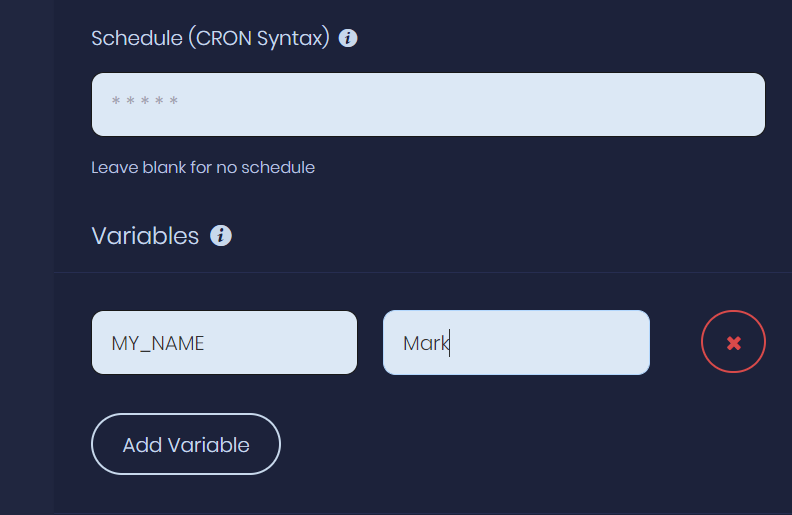
在Appwrite控制台中,我添加了一个测试环境变量以传递到函数中.
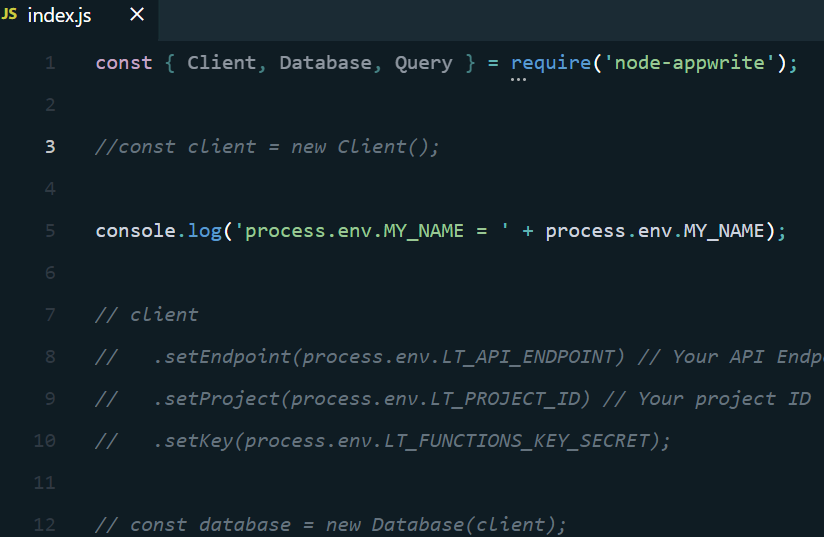
在我的函数代码(NodeJs) index.js中,我将注销上述变量的值.
我保存代码并使用App写CLI (createTag)来推送/发布代码。
然后在Appwrite中,激活新函数,然后执行它,然后在日志中看到.
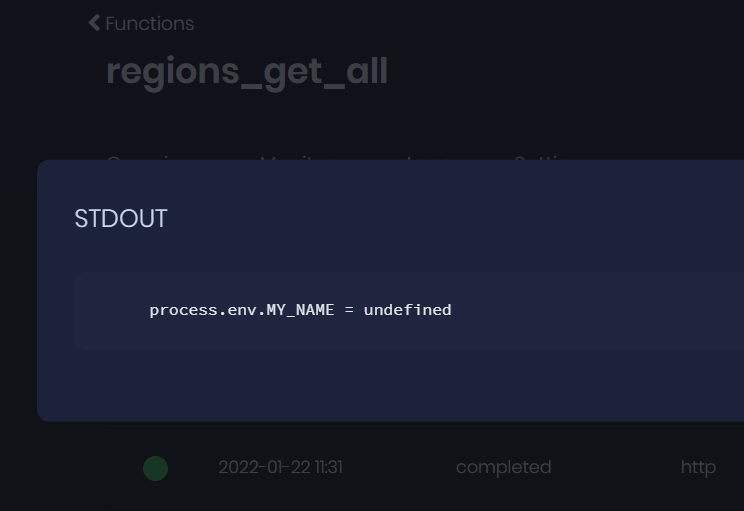
很明显,我遗漏了一些东西,但我正在搜索Appwrite文档,但我没有看到它。
我做错什么了?
谢谢你的帮助:)
回答 2
Stack Overflow用户
发布于 2022-01-23 13:44:27
好的,在这篇文章中,这是应用程序web代码中的一个bug。你现在可以用两种方法。您可以在代码中设置环境vars,也可以使用App写CLI。最后,我在我的NodeJs package.json脚本中放置了CLI推荐,以便于快速访问。
这两种方法都适用于我..。
appwrite functions create --functionId=regions_get_all --name=regions_get_all --execute=[] --runtime=node-16.0 --vars={ 'LT_API_ENDPOINT': 'https://appwrite.league-tracker.com/v1', 'LT_PROJECT_ID': '61eb...7e4ff', 'LT_FUNCTIONS_SECRET': '3b4b478e5a5576c1...ef84ba44e5fc2261cb8a8b3bfee' }
const sdk = require('node-appwrite');

const endpoint = 'https://appwrite.league-tracker.com/v1';
const projectId = '61eb3...7e4ff';
const funcionsSecret = '3b4b478e5a557ab8a...c121ff21977a';

const functionId = process.argv[2];
const name = process.argv[2];
const execute = [];
const runtime = 'node-16.0';
const env_vars = {
    "LT_API_ENDPOINT": endpoint,
    "LT_PROJECT_ID": projectId,
    "LT_FUNCTIONS_SECRET": funcionsSecret
};

// Init SDK
const client = new sdk.Client();
const functions = new sdk.Functions(client);
client
    .setEndpoint(endpoint) // Your API Endpoint
    .setProject(projectId) // Your project ID
    .setKey('33facd6c0d792e...359362efbc35d06bfaa'); // Your secret API key

functions.get(functionId)
    .then(
        func => {
            // Does this function already exist?
            if ((typeof (func) == 'object' && func['$id'] == functionId)) {
                throw `Function '${functionId}' already exists. Cannot 'create'.\n\n`;
            }
            // Create the function
            functions.create(functionId, name, execute, runtime, env_vars)
                .then(
                    response => console.log(response),
                    error => console.error(`>>> ERROR! ${error}`)
                );
        }).catch(
            error => console.error(`>>> ERROR! ${error}`)
        );
Stack Overflow用户
发布于 2022-07-08 21:50:58
从AppWrit0.13.0开始,Appwrite函数必须公开一个接受request和response的函数。要返回数据,您可以使用response对象并调用response.json()或response.send()。request对象有一个包含所有函数变量的env对象。下面是一个示例NodeJS函数:
module.exports = async (req, res) => {
  const payload =
    req.payload ||
    'No payload provided. Add custom data when executing function.';

  const secretKey =
    req.env.SECRET_KEY ||
    'SECRET_KEY environment variable not found. You can set it in Function settings.';

  const randomNumber = Math.random();

  const trigger = req.env.APPWRITE_FUNCTION_TRIGGER;

  res.json({
    message: 'Hello from Appwrite!',
    payload,
    secretKey,
    randomNumber,
    trigger,
  });
};在上面的示例中,您可以看到引用了req.env.SECRET_KEY。有关更多信息,请参阅应用程序函数文档。
https://stackoverflow.com/questions/70814931
复制相似问题
腾讯云开发者

Copyright © 2013 - 2026 Tencent Cloud. All Rights Reserved. 腾讯云 版权所有
深圳市腾讯计算机系统有限公司 ICP备案/许可证号:粤B2-20090059  粤公网安备44030502008569号
腾讯云计算(北京)有限责任公司 京ICP证150476号 | 京ICP备11018762号