
动画精灵的麻烦(热游戏)
动画精灵的麻烦(热游戏)
提问于 2022-01-21 05:15:31
我正在从事一项学校项目,用电玩,但不幸的是,我的精灵动画遇到了麻烦,或者更具体地说,改变雪碧从一个到另一个,我不知道如何做。目前,我有一班太空船精灵和背景精灵:
game_folder = os.path.dirname(__file__)
img_folder = os.path.join(game_folder, 'img')
space_background = pygame.image.load('background.png').convert()
starship_1 = pygame.image.load('starship2.png').convert()
starship_2 = pygame.image.load('starship3.png').convert()
starship_3 = pygame.image.load('starship4.png').convert()


class starship(pygame.sprite.Sprite):
    def __init__(self):
        pygame.sprite.Sprite.__init__(self)
        pygame.sprite.Sprite.__init__(self)
        self.image = pygame.transform.scale(starship_1, (150,150))
        self.image.set_colorkey(black)
        self.rect = self.image.get_rect()
        self.rect.center = (400, 400)

all_sprites = pygame.sprite.Group()
BackGround = background()
StarShip = starship()
all_sprites.add(BackGround)
all_sprites.add(StarShip)
My循环如下所示:
run = True

while run:
    pygame.time.delay(100)

    for event in pygame.event.get():
        if event.type == pygame.QUIT:
            run = False

    keys = pygame.key.get_pressed()

    if keys[pygame.K_LEFT] and StarShip.rect.x > 25:
        StarShip.rect.x -= vel

    if keys[pygame.K_RIGHT] and StarShip.rect.x < 600:
        StarShip.rect.x += vel

    if keys[pygame.K_UP] and StarShip.rect.y > 25:
        StarShip.rect.y -= vel

    if keys[pygame.K_DOWN] and StarShip.rect.y < 600:
        StarShip.rect.y += vel


    win.fill((0,0,0))
    all_sprites.update()
    all_sprites.draw(win)
    pygame.display.update()

pygame.quit()
这有左/右/上/下的基本运动。我想要做的是让我的StarShip对象在变量starship_1、starship_2、starship_3 (其中包含我的3个星际飞船)之间不断变化,所以看起来星际飞船在运动。
我的精灵长得像这样
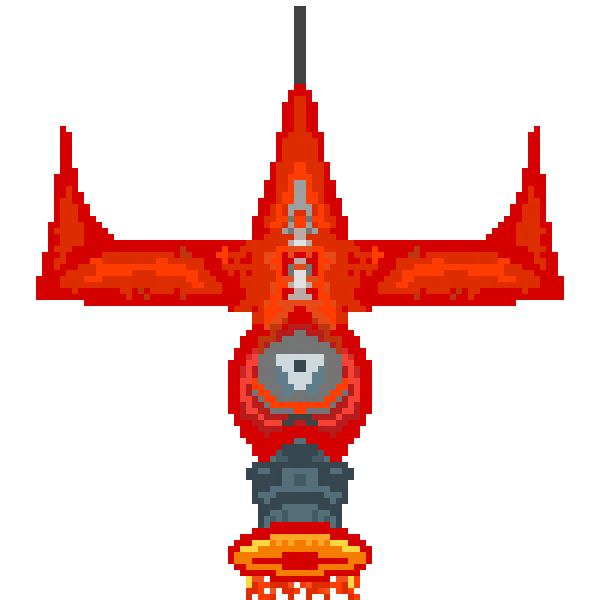
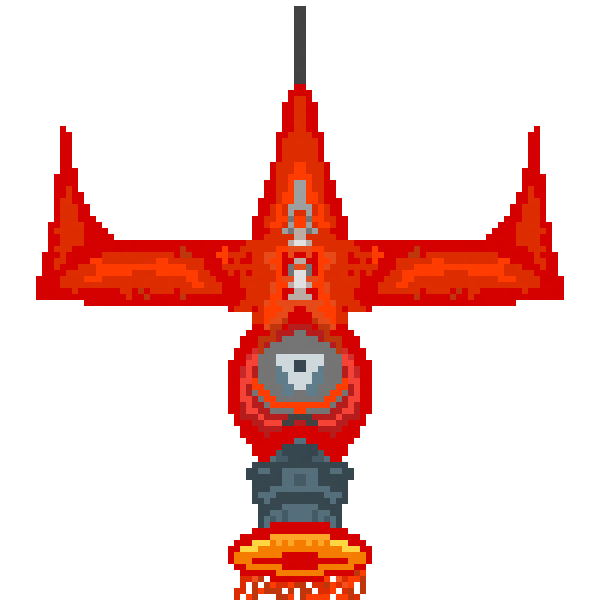
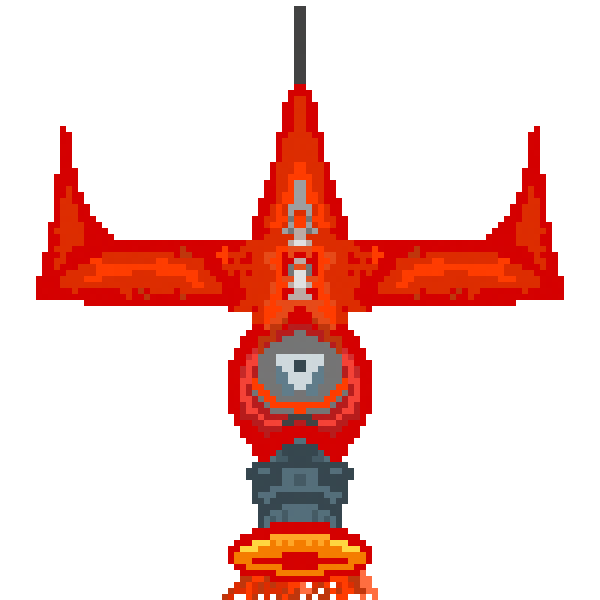
正如你所看到的,正是引擎的火是这些精灵之间的区别。每1秒我会如何在这三个精灵之间改变?
FYI:当该项目启动时,如下所示:
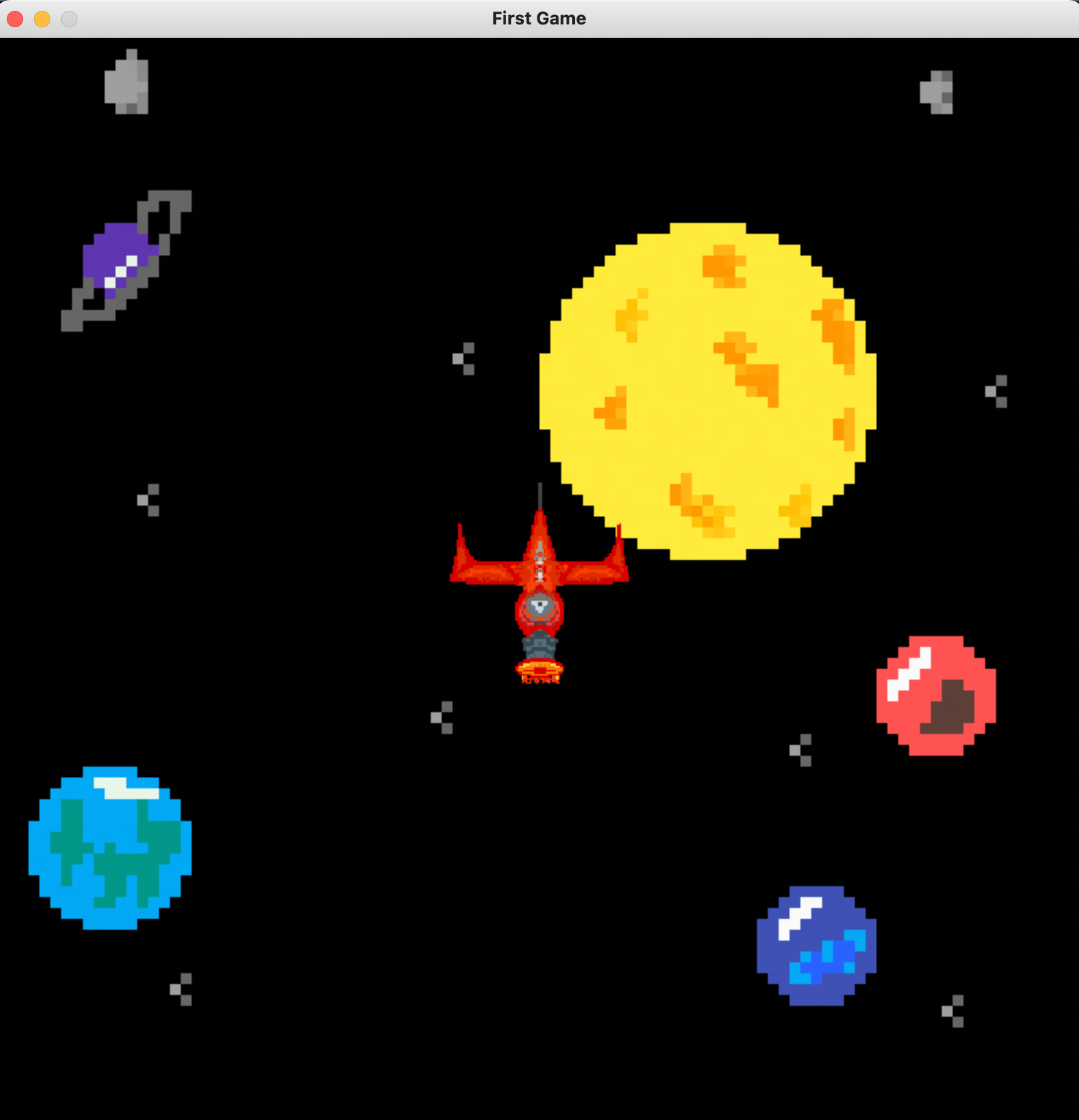
谢谢!
回答 1
Stack Overflow用户
回答已采纳
发布于 2022-01-21 06:51:30
要达到这一效果,有两个部分。
- 创建一个函数来更改雪碧的图像。(简易任务)
- 每隔x秒定期调用上述函数。(中间任务)
步骤1。您可以通过使用下一个映像设置/加载self.image变量来实现这一点。
第2步。
clock = pygame.time.Clock()

time_counter = 0
images = ['starship_1', 'starship_2', 'starship_3']
current_img_index = 0

while run:
    # Your Code

    time_counter = clock.tick()

    # 1000 is milliseconds == 1 second. Change this as desired
    if time_counter > 1000:
        # Incrementing index to next image but reseting back to zero when it hits 3
        current_img_index = (current_img_index + 1) % 3
        set_img_function(current_img_index) # Function you make in step 1

        # Reset the timer
        time_counter = 0
一个好的方法是完成步骤1,然后将其绑定到一个按钮上。测试它是否有效,然后继续到步骤2。
一些关于这段代码中用来充分理解它们的函数的很好的读物是这里。
页面原文内容由Stack Overflow提供。腾讯云小微IT领域专用引擎提供翻译支持
原文链接:
https://stackoverflow.com/questions/70796717
复制相关文章
相似问题
腾讯云开发者

Copyright © 2013 - 2026 Tencent Cloud. All Rights Reserved. 腾讯云 版权所有
深圳市腾讯计算机系统有限公司 ICP备案/许可证号:粤B2-20090059  粤公网安备44030502008569号
腾讯云计算(北京)有限责任公司 京ICP证150476号 | 京ICP备11018762号