
使用ios本机在ios上安装“@intercom/intercom-ios本机”时出错
使用ios本机在ios上安装“@intercom/intercom-ios本机”时出错
提问于 2022-01-19 13:07:43
我按照文档https://developers.intercom.com/installing-intercom/docs/react-native-installation中的方式进行了安装,但是当我运行pod命令时,它会出现以下错误:
➜  ios git:(master) ✗ pod install
Using Expo modules
Auto-linking React Native module for target `intercomexpo`: intercom-react-native
Analyzing dependencies
[!] CocoaPods could not find compatible versions for pod "intercom-react-native":
  In Podfile:
    intercom-react-native (from `../node_modules/@intercom/intercom-react-native`)

Specs satisfying the `intercom-react-native (from `../node_modules/@intercom/intercom-react-native`)` dependency were found, but they required a higher minimum deployment target.回答 2
Stack Overflow用户
回答已采纳
发布于 2022-01-20 16:25:55
@intercom/intercom-react-native的最新版本(编写时的版本2.0.1 )需要iOS 13或更高版本。
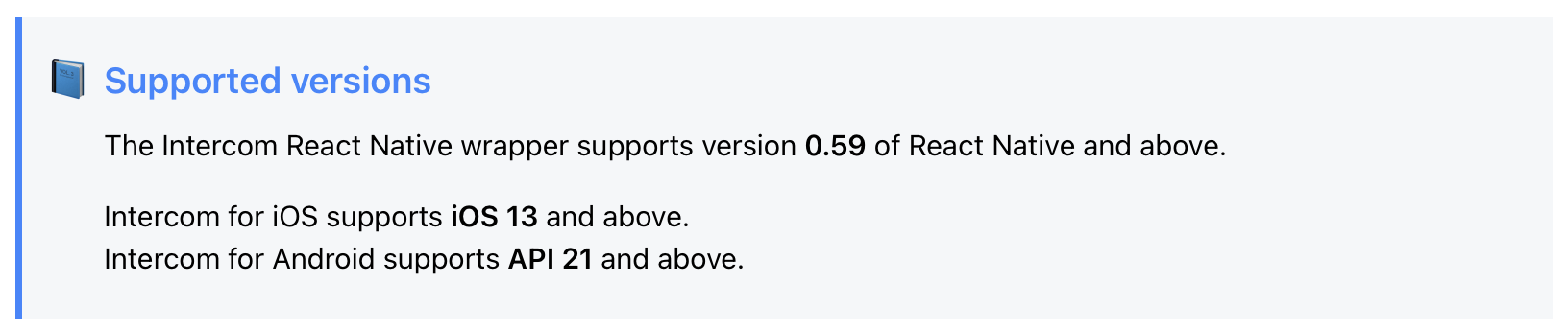
如果您的React中的iOS项目将其部署目标设置为(任何低于iOS 13.0 ),则在运行pod install时将得到以下错误
[!] CocoaPods could not find compatible versions for pod "intercom-react-native"解决方案是回到以前的版本。
如果使用国家预防机制:
npm install @intercom/intercom-react-native@1.1.1如果使用Yarn:
yarn add @intercom/intercom-react-native@1.1.1Stack Overflow用户
发布于 2022-07-19 21:42:48
在Podfile中将值更改为13.0
platform :ios, '13.0'
注意:仅在xCode中更改部署目标是不够的。
页面原文内容由Stack Overflow提供。腾讯云小微IT领域专用引擎提供翻译支持
原文链接:
https://stackoverflow.com/questions/70771125
复制相关文章
相似问题
腾讯云开发者

Copyright © 2013 - 2026 Tencent Cloud. All Rights Reserved. 腾讯云 版权所有
深圳市腾讯计算机系统有限公司 ICP备案/许可证号:粤B2-20090059  粤公网安备44030502008569号
腾讯云计算(北京)有限责任公司 京ICP证150476号 | 京ICP备11018762号