
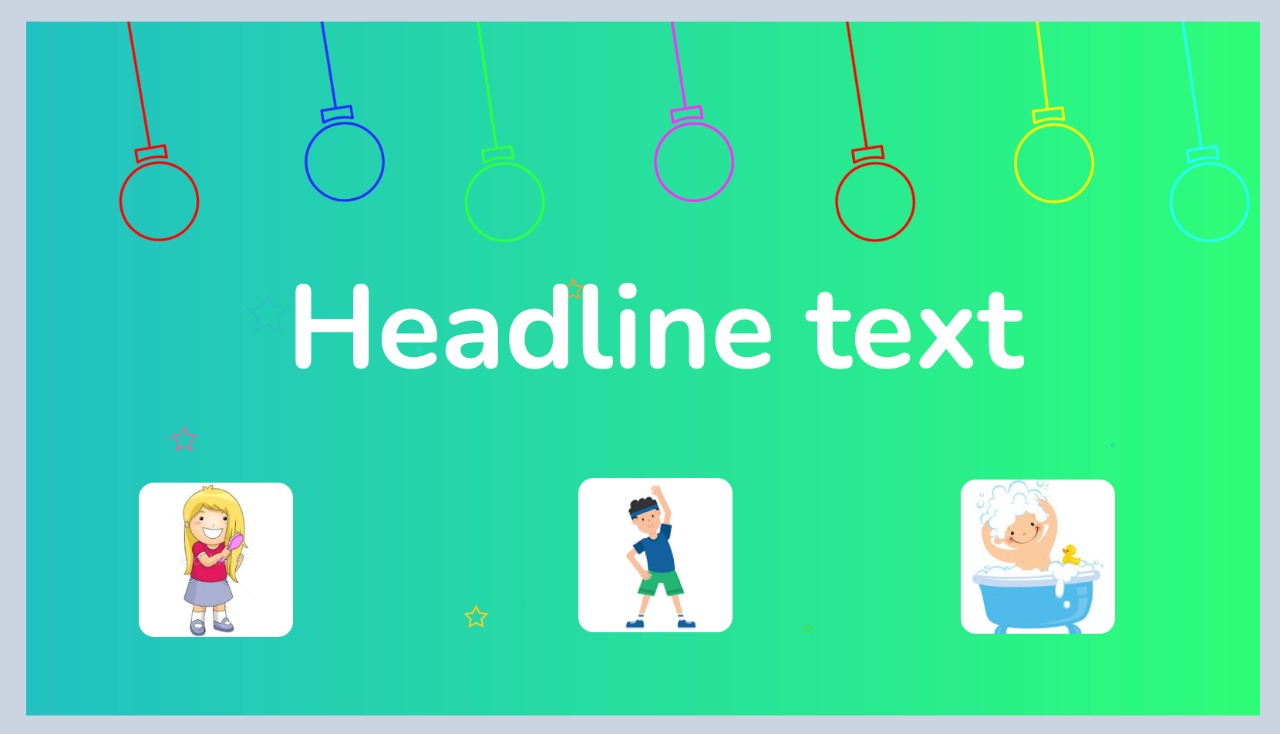
以下线框的响应UI应该使用哪些小部件?
以下线框的响应UI应该使用哪些小部件?
提问于 2022-01-11 14:59:37
什么小部件应该用来显示3幅漫画在这幅图片的底部和文字在中心响应不同的屏幕大小?
回答 2
Stack Overflow用户
发布于 2022-01-11 16:26:42
Row与spaceEvenly
           return Row(
              mainAxisAlignment: MainAxisAlignment.spaceEvenly,
              children: [
                //your images
              ],
            );
https://flutteragency.com/how-to-set-space-between-elements-in-flutter/
Stack Overflow用户
发布于 2022-01-11 17:33:06
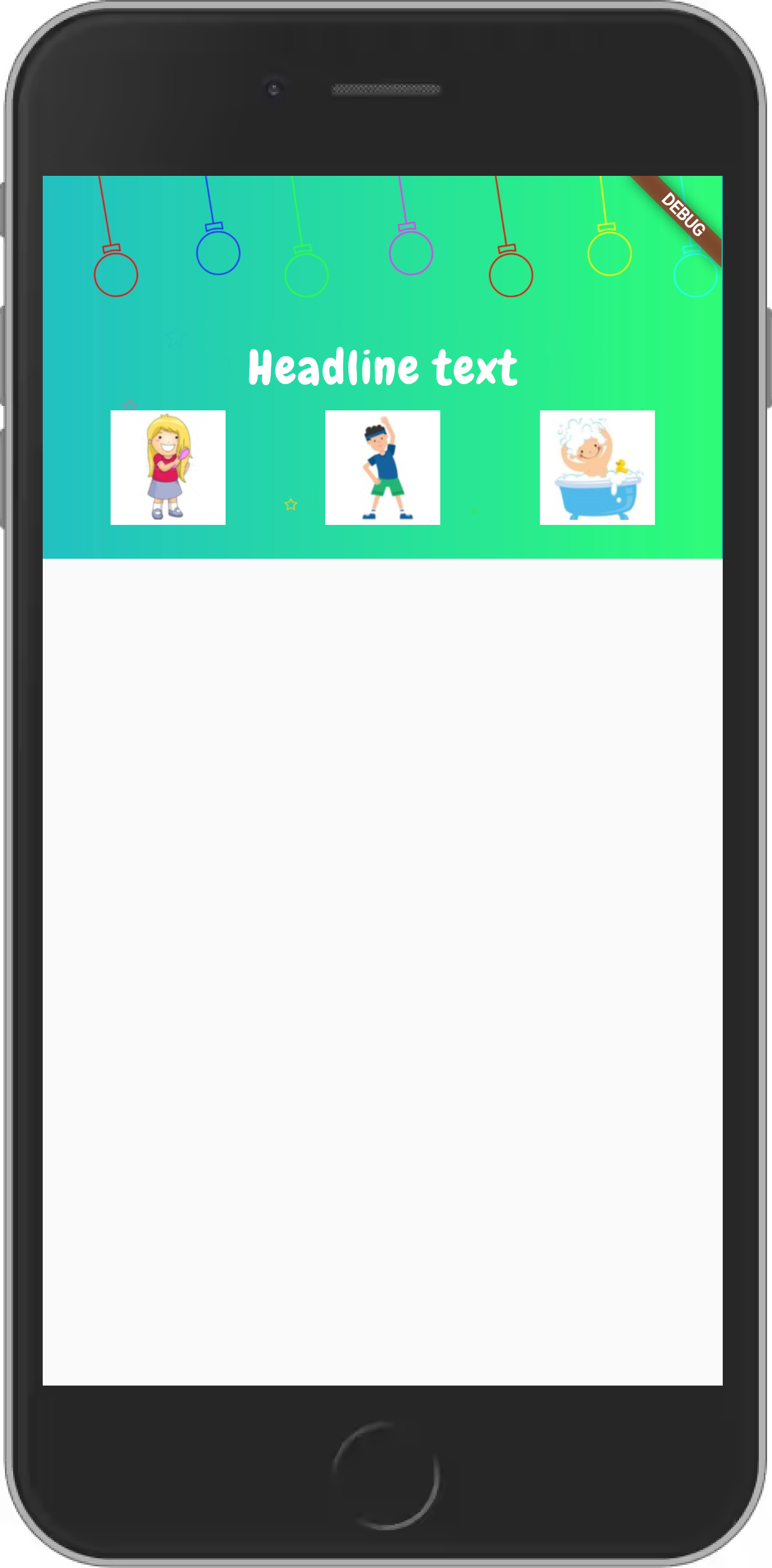
有很多方法可以做到这一点。这也将取决于您所寻找的响应行为。我希望我理解你的具体要求。
以下是一个解决方案:
class Page extends StatelessWidget {
  const Page({Key? key}) : super(key: key);

  @override
  Widget build(BuildContext context) {
    return Scaffold(
      body: AspectRatio(
        aspectRatio: 16 / 9,
        child: Container(
          decoration: const BoxDecoration(
            image: DecorationImage(
              image: AssetImage("assets/images/bg.png"),
              fit: BoxFit.cover,
            ),
          ),
          child: Stack(children: [
            Center(
              child: FractionallySizedBox(
                widthFactor: .4,
                child: FittedBox(
                  fit: BoxFit.fitWidth,
                  child: Text(
                    'Headline text',
                    style: GoogleFonts.chewy(
                      textStyle: const TextStyle(
                        color: Colors.white,
                        letterSpacing: .5,
                      ),
                    ),
                  ),
                ),
              ),
            ),
            Container(
              alignment: const Alignment(0, .75),
              child: FractionallySizedBox(
                widthFactor: .8,
                heightFactor: .3,
                child: Row(
                  mainAxisAlignment: MainAxisAlignment.spaceBetween,
                  children: [
                    Image.asset("assets/images/img1.png"),
                    Image.asset("assets/images/img2.png"),
                    Image.asset("assets/images/img3.png"),
                  ],
                ),
              ),
            )
          ]),
        ),
      ),
    );
  }
}
在这个解决方案中,
- I使用以您的图像为背景的主
Container。然后使用Stack来定位标题和图像。标题在FractionallySizedBox中被定义为FittedBox,并定义为FractionallySizedBox。这允许我对图片列表的标题too. - Finally,具有响应性,我使用
FractionallySizedBox来调整列表的大小,使用对齐的Container将其定位在堆栈中。由于使用了MainAxisAlignment.spaceBetween.
,这些图像就会传播开来。
因此,正如您所看到的,我使用以下小部件来响应地调整小部件的大小和位置:
与
CenterContainerproperty
的
- #en0#
FractionallySizedBox
- 尺寸
页面原文内容由Stack Overflow提供。腾讯云小微IT领域专用引擎提供翻译支持
原文链接:
https://stackoverflow.com/questions/70668932
复制相关文章
相似问题
腾讯云开发者

Copyright © 2013 - 2026 Tencent Cloud. All Rights Reserved. 腾讯云 版权所有
深圳市腾讯计算机系统有限公司 ICP备案/许可证号:粤B2-20090059  粤公网安备44030502008569号
腾讯云计算(北京)有限责任公司 京ICP证150476号 | 京ICP备11018762号