
如何从图像中删除背景
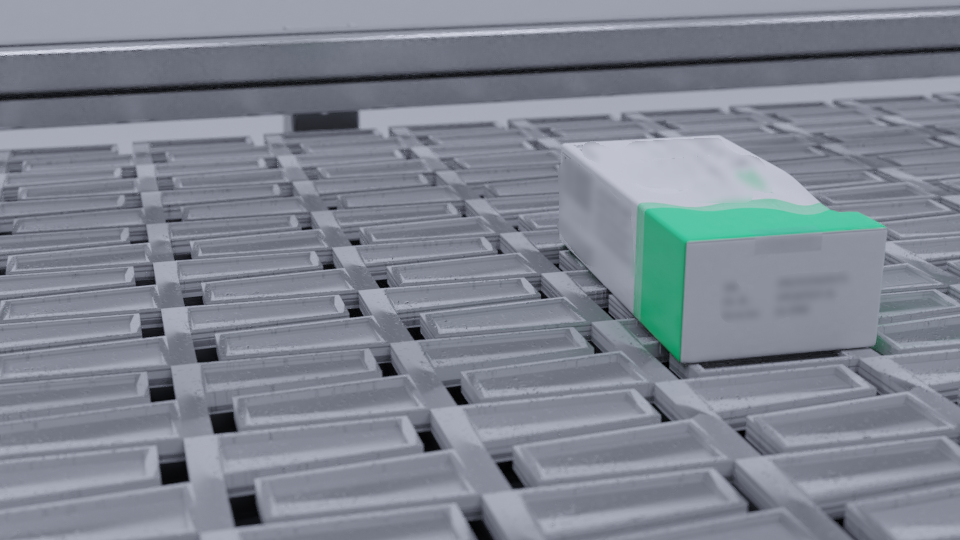
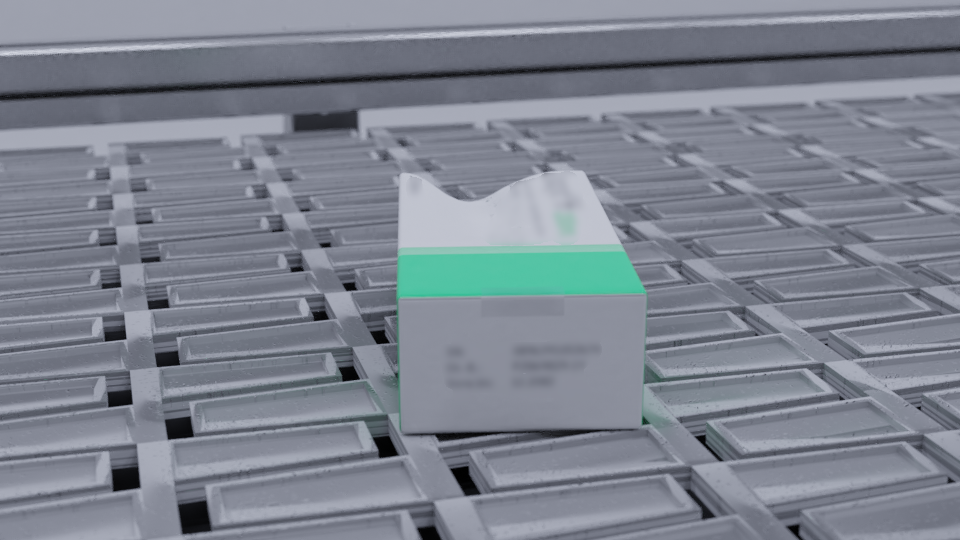
我想要删除背景,并绘制框的轮廓显示在图像(有一个类似的背景多幅这样的图像 )。我在OpenCV中尝试了多种方法,但是我无法确定可以帮助删除该图像背景的特性的组合。试验的一些办法是:
- 边缘检测-由于背景本身有自己的边缘,使用边缘检测本身(如Canny和Sobel)似乎没有取得好的效果。
- 通道过滤/阈值-背景和前景都有相似的白色,所以我无法找到一个正确的阈值来过滤前景。
- 轮廓检测-由于背景本身有很多轮廓,仅仅使用最大的轮廓面积,通常用于背景去除,也没有工作。
我愿意使用计算机视觉或深度学习( Python)的工具来解决这个特殊的问题。
回答 3
Stack Overflow用户
发布于 2022-01-07 01:57:06
概念
这是一种情况,它是真正有用的微调内核,您正在使用的膨胀和侵蚀从图像中检测到的精明边缘。下面是一个示例,其中膨胀内核是np.ones((4, 2)),而侵蚀核是np.ones((13, 7))。
“守则”
import cv2
import numpy as np

def process(img):
    img_gray = cv2.cvtColor(img, cv2.COLOR_BGR2GRAY)
    img_blur = cv2.GaussianBlur(img_gray, (3, 3), 2)
    img_canny = cv2.Canny(img_blur, 50, 9)
    img_dilate = cv2.dilate(img_canny, np.ones((4, 2)), iterations=11)
    img_erode = cv2.erode(img_dilate, np.ones((13, 7)), iterations=4)
    return cv2.bitwise_not(img_erode)

def get_contours(img):
    contours, _ = cv2.findContours(process(img), cv2.RETR_TREE, cv2.CHAIN_APPROX_NONE)
    cnt = max(contours, key=cv2.contourArea)
    cv2.drawContours(img, [cv2.convexHull(cnt)], -1, (0, 0, 255), 2)

img = cv2.imread("image2.png")
get_contours(img)
cv2.imshow("result", img)

cv2.waitKey(0)
cv2.destroyAllWindows()
输出量
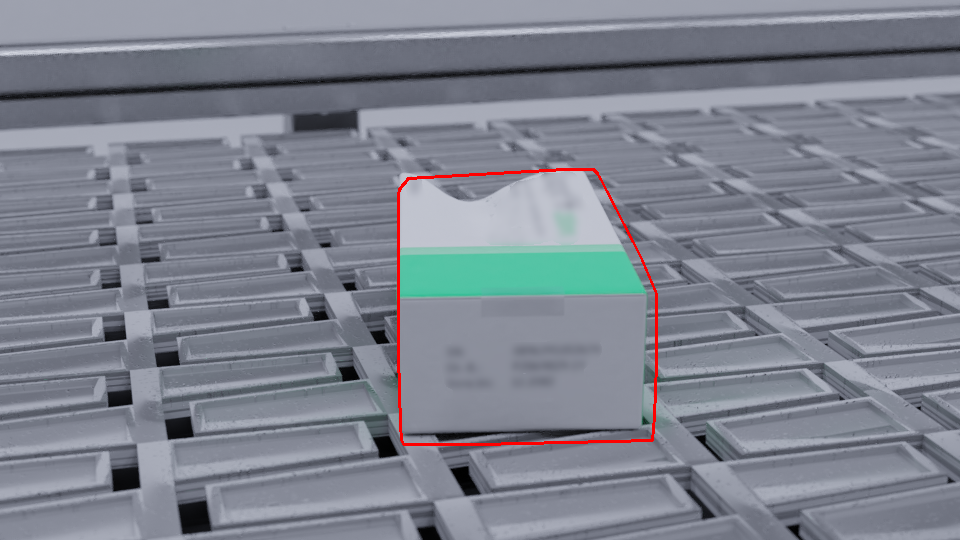
所提供的两幅图像中每一幅的输出:
图1:
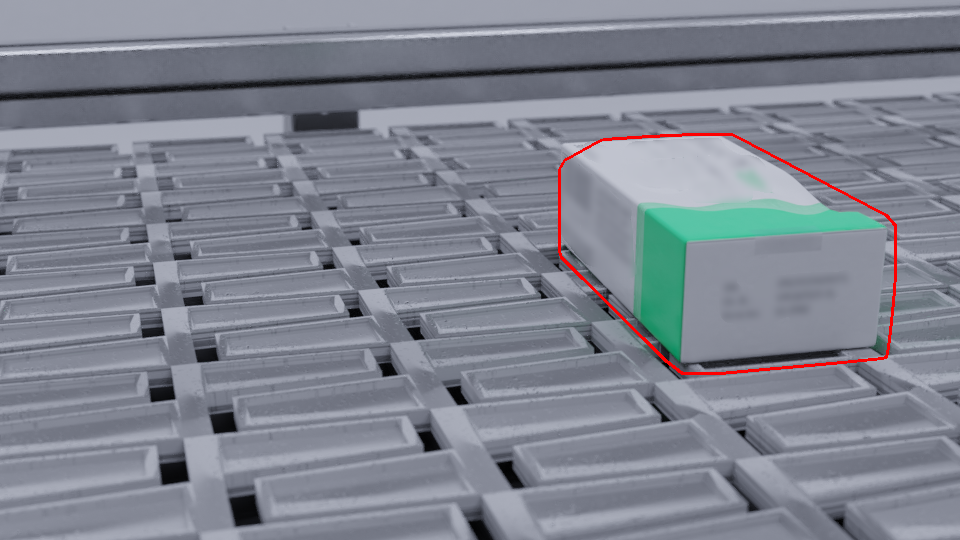
图2:
备注
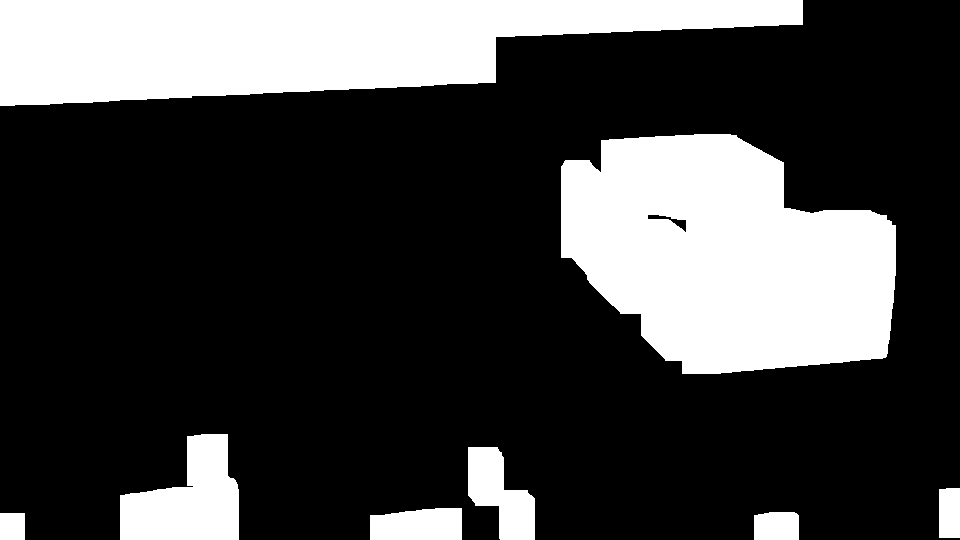
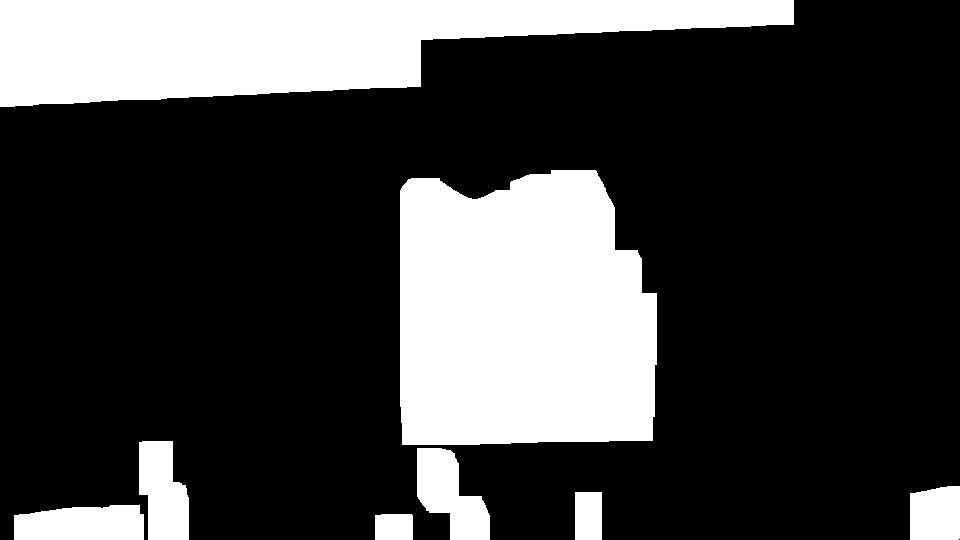
请注意,处理后的图像(二进制图像)在cv2.bitwise_not(img_erode)处被倒置。观察这两个图像的处理版本(由上面定义的process()函数返回),并进行反转:
处理后的图像1:
处理后的图像2:
工具
最后,如果您碰巧有上述程序无法正常工作的其他映像,则可以使用OpenCV履带来调整传递给以下程序的方法的值:
import cv2
import numpy as np

def process(img, b_k, b_s, c_t1, c_t2, k1, k2, k3, k4, iter1, iter2):
    img_gray = cv2.cvtColor(img, cv2.COLOR_BGR2GRAY)
    b_k = b_k // 2 * 2 + 1
    img_blur = cv2.GaussianBlur(img_gray, (b_k, b_k), b_s)
    img_canny = cv2.Canny(img_blur, c_t1, c_t2)
    img_dilate = cv2.dilate(img_canny, np.ones((k1, k2)), iterations=iter1)
    img_erode = cv2.erode(img_dilate, np.ones((k3, k4)), iterations=iter2)
    return cv2.bitwise_not(img_erode)

d = {"Blur Kernel": (3, 50),
     "Blur Sigma": (2, 30),
     "Canny Threshold 1": (50, 500),
     "Canny Threshold 2": (9, 500),
     "Dilate Kernel1": (4, 50),
     "Dilate Kernel2": (2, 50),
     "Erode Kernel1": (13, 50),
     "Erode Kernel2": (7, 50),
     "Dilate Iterations": (11, 40),
     "Erode Iterations": (4, 40)}

cv2.namedWindow("Track Bars")
for i in d:
    cv2.createTrackbar(i, "Track Bars", *d[i], id)

img = cv2.imread("image1.png")

while True:
    img_copy = img.copy()
    processed = process(img, *(cv2.getTrackbarPos(i, "Track Bars") for i in d))
    contours, _ = cv2.findContours(processed, cv2.RETR_TREE, cv2.CHAIN_APPROX_NONE)
    if contours:
        cnt = max(contours, key=cv2.contourArea)
        cv2.drawContours(img_copy, [cv2.convexHull(cnt)], -1, (0, 0, 255), 2)
    cv2.imshow("result", img_copy)

    if cv2.waitKey(1) & 0xFF == ord("q"):
        break

cv2.waitKey(0)
cv2.destroyAllWindows()
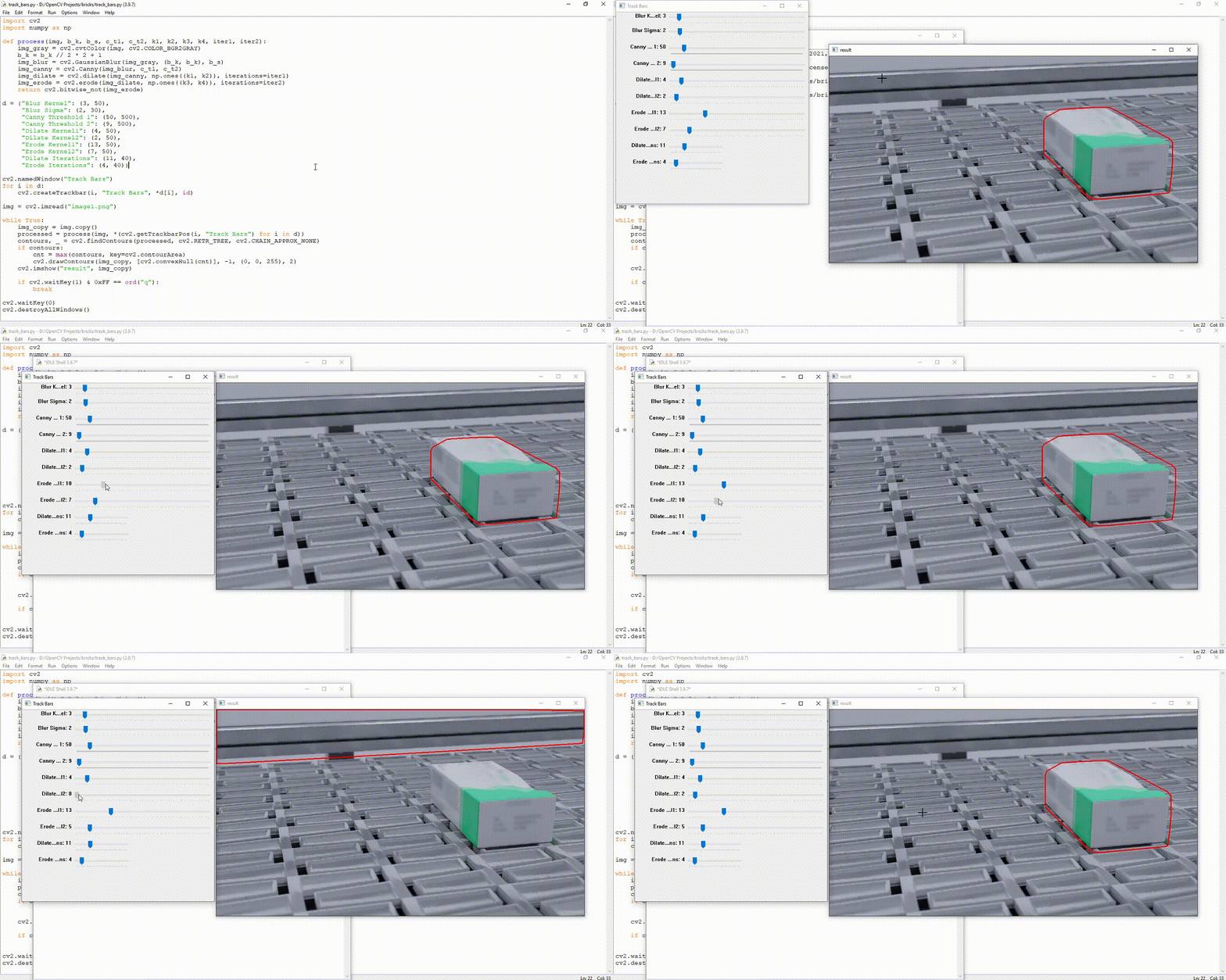
Stack Overflow用户
发布于 2022-04-18 12:15:19
您可以使用朗姆格 (删除图像背景的工具)。这将是很好的工作,即使是预先训练的重量。我尝试了测试映像,这是我使用Rembg的结果
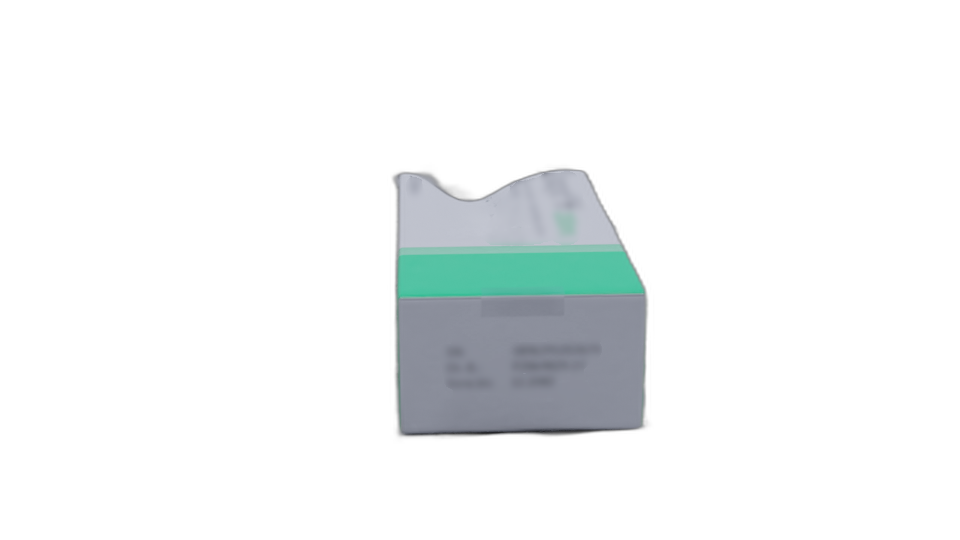
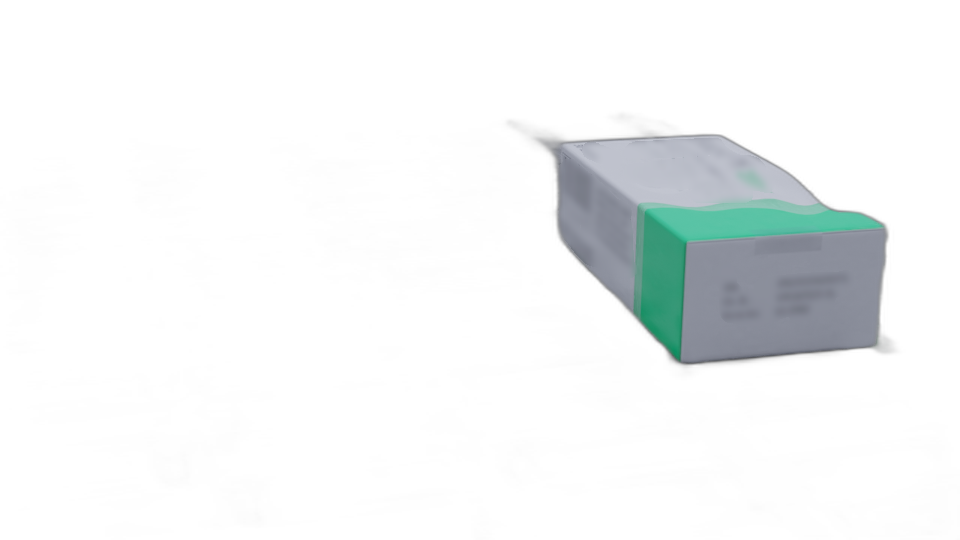
您只需使用pip下载Rembg即可。
pip install rembg从单个文件中删除背景
rembg i path/to/input.png path/to/output.png从文件夹中的所有图像中删除背景
rembg p path/to/input path/to/outputStack Overflow用户
发布于 2022-01-12 17:44:17
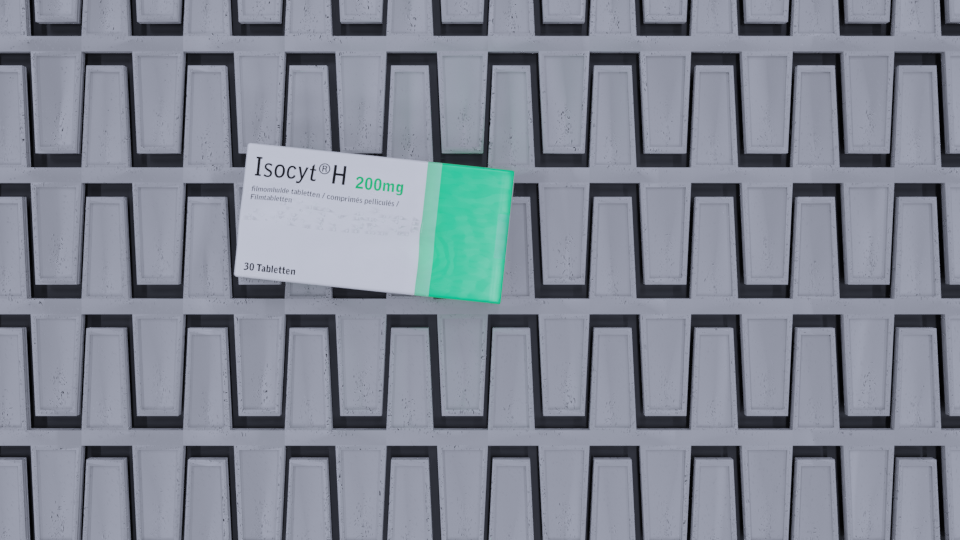
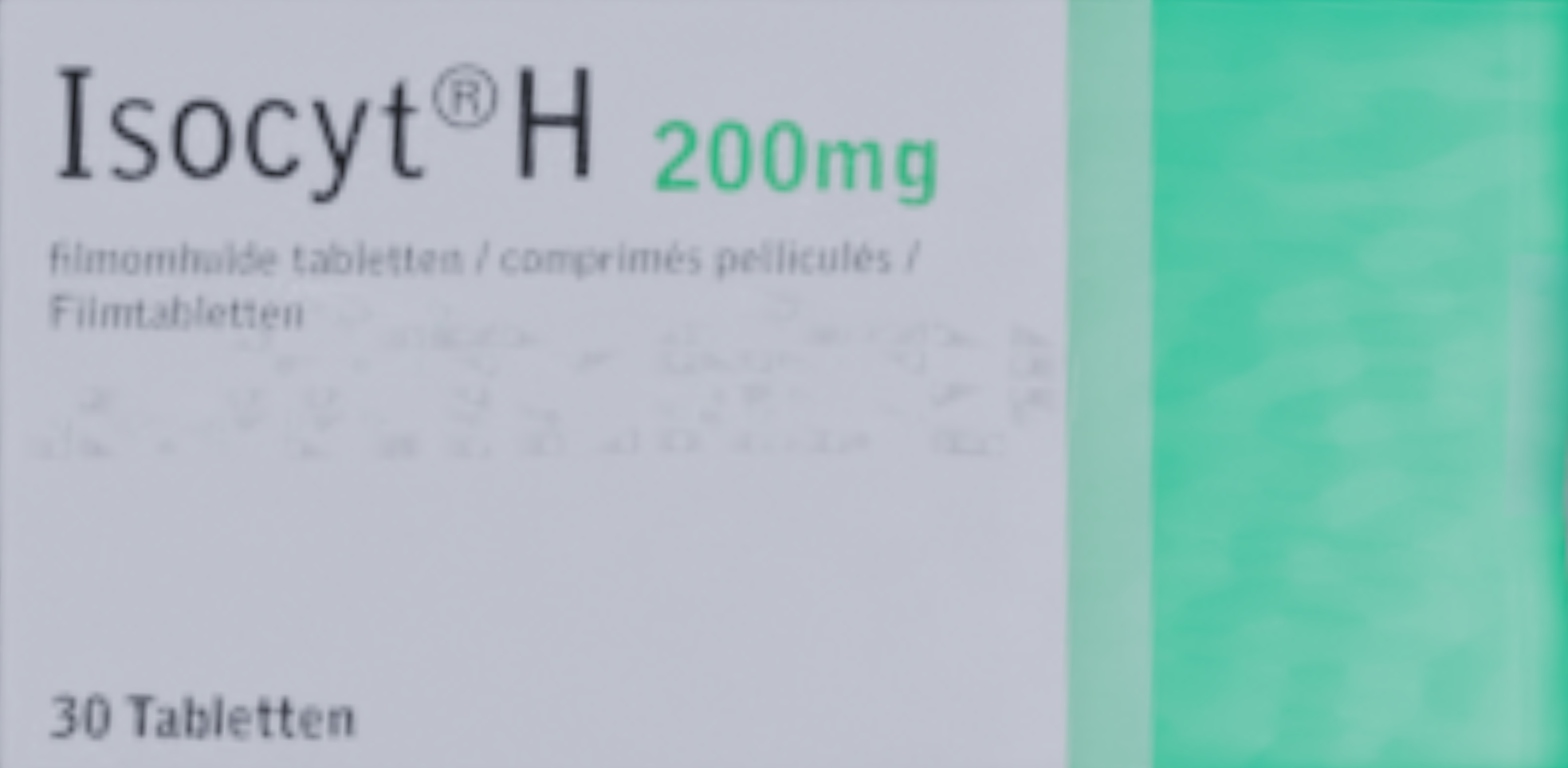
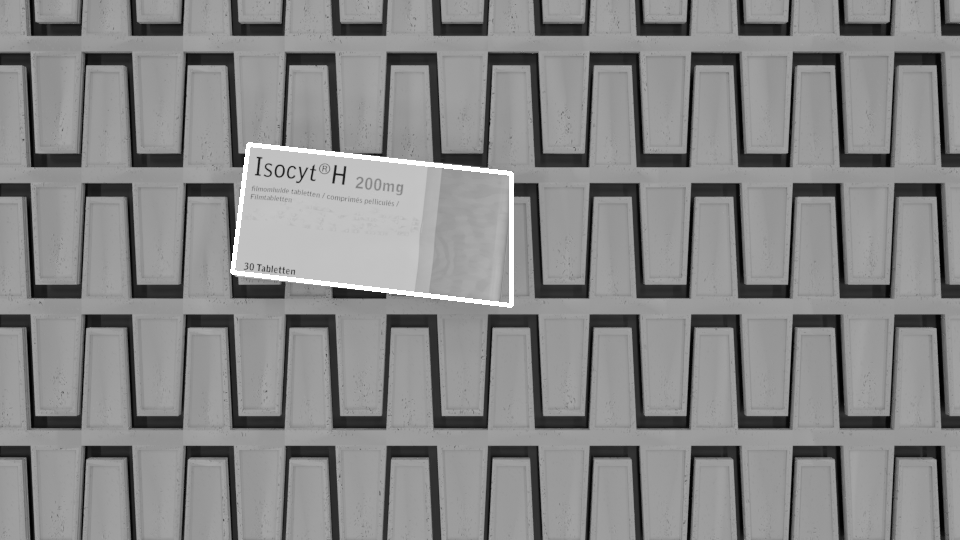
你可以尝试使用SIFT或冲浪算法,如果你得到一个完美的样本,你正在寻找什么。我以“完整”数据集中的一个为例。SIFT算法将尝试将样本中的特征与实际图像匹配。从那里,您可以清理匹配,并找到一个同形(在本例中RANSAC工作得最好)来查找轮廓。
测试图像:
参考图像(从测试图像中剪切):
结果(可以跳过灰度转换):
我在这里展示的代码引用了Colab中带有自定义参数的执行,您可以调优更多的参数。
import cv2
import numpy as np
from google.colab.patches import cv2_imshow

img = cv2.imread("reference_1.png", cv2.IMREAD_GRAYSCALE)
frame = cv2.imread("top.png", cv2.IMREAD_GRAYSCALE)

# if SIFT_create() gives problems, try downgrading opencv with
# pip uninstall opencv-python
# pip install opencv-contrib-python==3.4.2.17
sift = cv2.xfeatures2d.SIFT_create()
kp_image, desc_image = sift.detectAndCompute(img, None)
kp_frame, desc_frame = sift.detectAndCompute(frame, None)

index_params = dict(algorithm=0, trees=5)
search_params = dict()
flann = cv2.FlannBasedMatcher(index_params, search_params)
matches = flann.knnMatch(desc_image, desc_frame, k=2)

# clean the matches
good_points=[]
for m, n in matches:
    if(m.distance < 0.6 * n.distance):
        good_points.append(m)

query_pts = np.float32([kp_image[m.queryIdx].pt for m in good_points]).reshape(-1, 1, 2)
train_pts = np.float32([kp_frame[m.trainIdx].pt for m in good_points]).reshape(-1, 1, 2)

# find homography to find mask
matrix, mask = cv2.findHomography(query_pts, train_pts, cv2.RANSAC, 5.0)
matches_mask = mask.ravel().tolist()
h,w = img.shape
pts = np.float32([ [0,0],[0,h-1],[w-1,h-1],[w-1,0] ]).reshape(-1,1,2)
dst = cv2.perspectiveTransform(pts, matrix)
homography = cv2.polylines(frame, [np.int32(dst)], True, (255, 0, 0), 3)

cv2_imshow(homography) https://stackoverflow.com/questions/70556110
复制相似问题
腾讯云开发者

Copyright © 2013 - 2026 Tencent Cloud. All Rights Reserved. 腾讯云 版权所有
深圳市腾讯计算机系统有限公司 ICP备案/许可证号:粤B2-20090059  粤公网安备44030502008569号
腾讯云计算(北京)有限责任公司 京ICP证150476号 | 京ICP备11018762号