
用Python检测Aruco标记的问题
用Python检测Aruco标记的问题
提问于 2021-12-17 13:35:24
我试着在图像上检测到Aruco码。我在码头的朱庇特笔记本工作,所以我处理图像,而不是视频,无法访问某些功能(例如cv2.imshow('QueryImage', QueryImg) )。
我准备了这个剧本:
import numpy
import cv2
import cv2.aruco as aruco
from matplotlib import pyplot as plt

im = cv2.imread('ar3.jpg')

ARUCO_PARAMETERS = aruco.DetectorParameters_create()
# OLD:
# ARUCO_DICT = aruco.Dictionary_get(aruco.DICT_6X6_1000)
# NEW
ARUCO_DICT = aruco.Dictionary_get(aruco.DICT_5X5_1000)

plt.figure(figsize = (20,20))
imgplot = plt.imshow(im, interpolation='nearest')
plt.show()

im = cv2.cvtColor(im, cv2.COLOR_BGR2GRAY)
corners, ids, rejectedImgPoints = aruco.detectMarkers(im, ARUCO_DICT, parameters=ARUCO_PARAMETERS)

if ids is not None and len(ids) == 5:
    for i, corner in zip(ids, corners):
            print('ID: {}; Corners: {}'.format(i, corner))

    im = aruco.drawDetectedMarkers(im, corners, borderColor=(0, 0, 255))
else:
    print("NONE")
plt.figure(figsize = (20,20))
imgplot = plt.imshow(im, interpolation='nearest')
plt.show()
并使用简单的图像和标记:
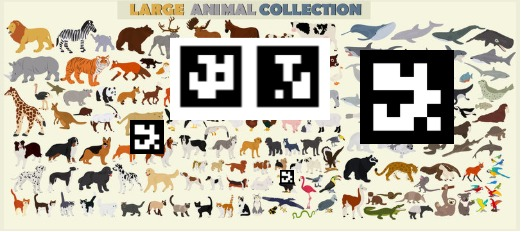
但是我的代码没有看到这些标记。
问题是代码,图像还是标记?你知不知道?
更新:我使用以下代码生成标记:
import cv2
import cv2.aruco as aruco

# Create gridboard, which is a set of Aruco markers
# the following call gets a board of markers 5 wide X 7 tall
gridboard = aruco.GridBoard_create(
        markersX=5,
        markersY=7,
        markerLength=0.04,
        markerSeparation=0.01,
        dictionary=aruco.Dictionary_get(aruco.DICT_5X5_1000))

# Create an image from the gridboard
img = gridboard.draw(outSize=(988, 1400))
cv2.imwrite("test_gridboard.jpg", img)
我得到了这张照片:
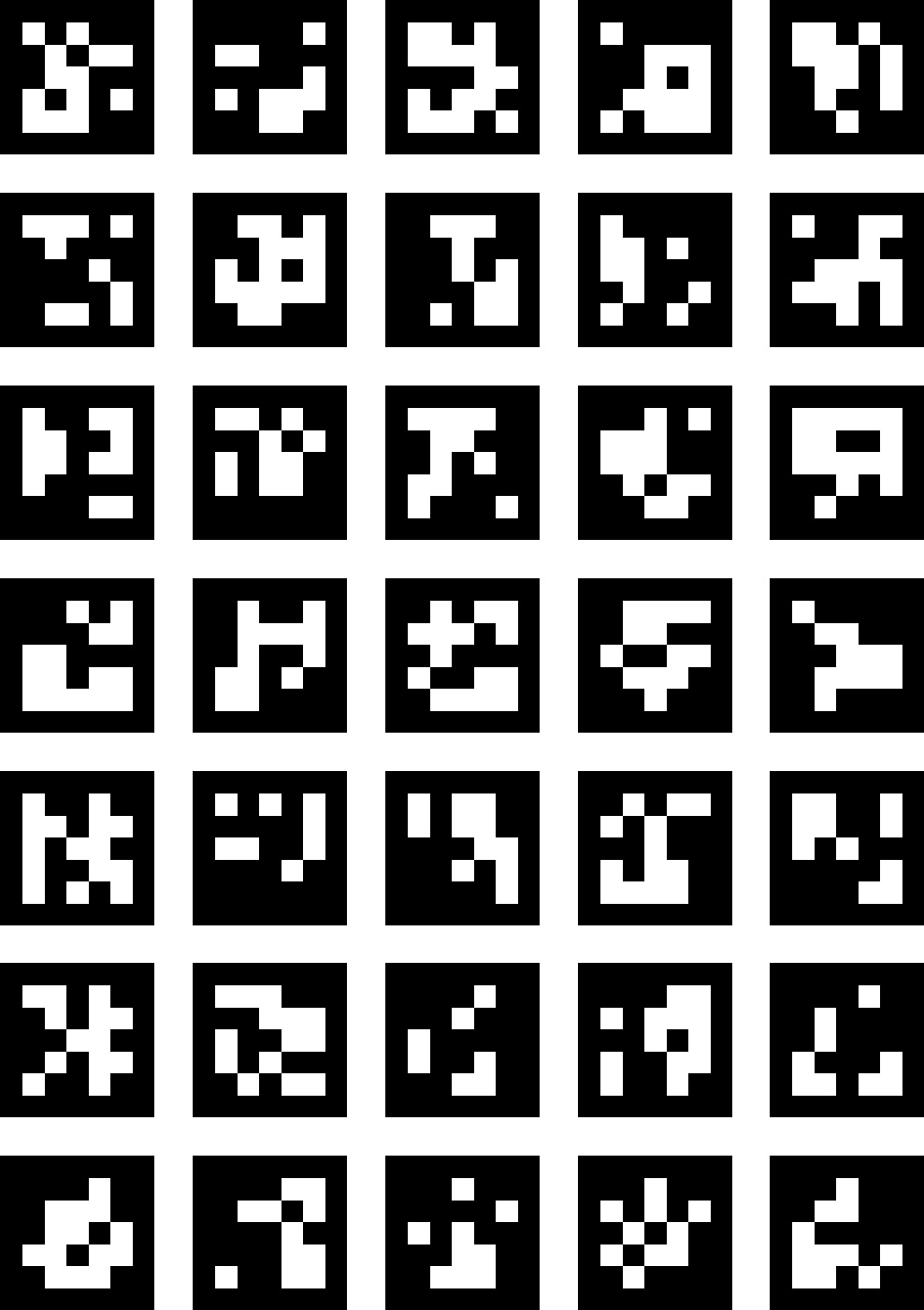
接下来,我从该图像复制标记并将其粘贴到图像中(如您在第一张图像中看到的)。此外,我还替换了词典:
# OLD:
# ARUCO_DICT = aruco.Dictionary_get(aruco.DICT_6X6_1000)
# NEW
ARUCO_DICT = aruco.Dictionary_get(aruco.DICT_5X5_1000)
但这段代码仍然不能检测到标记。此外,Google Play的任何应用程序也无法检测到它们。我用应用程序测试这个图像:
回答 1
Stack Overflow用户
回答已采纳
发布于 2021-12-22 23:27:41
现在一切都正常了,改进后的代码:
import numpy
import cv2
import cv2.aruco as aruco
from matplotlib import pyplot as plt

im = cv2.imread('2-03.png')
# im = cv2.imread('1-07.jpg')

ARUCO_PARAMETERS = aruco.DetectorParameters_create()
ARUCO_DICT = aruco.Dictionary_get(aruco.DICT_5X5_1000)

plt.figure(figsize = (20,20))
imgplot = plt.imshow(im, interpolation='nearest')
plt.show()

im = cv2.cvtColor(im, cv2.COLOR_BGR2GRAY)
corners, ids, rejectedImgPoints = aruco.detectMarkers(im, ARUCO_DICT, parameters=ARUCO_PARAMETERS)

if ids is not None:
    print('detected: {}'.format(len(ids)))
    # for i, corner in zip(ids, corners):
            # print('ID: {}; Corners: {}'.format(i, corner))

    im = aruco.drawDetectedMarkers(im, corners, borderColor=(255, 0, 0))
else:
    print("NONE")
plt.figure(figsize = (20,20))
imgplot = plt.imshow(im, interpolation='nearest')
plt.show() 页面原文内容由Stack Overflow提供。腾讯云小微IT领域专用引擎提供翻译支持
原文链接:
https://stackoverflow.com/questions/70394023
复制相关文章
相似问题
腾讯云开发者

Copyright © 2013 - 2026 Tencent Cloud. All Rights Reserved. 腾讯云 版权所有
深圳市腾讯计算机系统有限公司 ICP备案/许可证号:粤B2-20090059  粤公网安备44030502008569号
腾讯云计算(北京)有限责任公司 京ICP证150476号 | 京ICP备11018762号