
Terraform & GCP: Google集群问题:无法看到工作负载(部署、状态集)中的监视部分(内存和cpu)
我已经用了4天的时间测试了kubernetes terraform gcp模块中的所有配置,我无法看到我的工作负载的度量标准,它从未向我展示CPU或内存(甚至GUI中的标准默认创建的kubernetes也已经激活了。
这是我的密码:
resource "google_container_cluster" "default" {
  provider = google-beta
  name        = var.name
  project     = var.project_id
  description = "Vectux GKE Cluster"
  location    = var.zonal_region
  remove_default_node_pool = true
  initial_node_count       = var.gke_num_nodes
  master_auth {
    #username = ""
    #password = ""
    client_certificate_config {
      issue_client_certificate = false
    }
  }
  timeouts {
    create = "30m"
    update = "40m"
  }
  logging_config {
    enable_components = ["SYSTEM_COMPONENTS", "WORKLOADS"]
  }
  monitoring_config {
    enable_components = ["SYSTEM_COMPONENTS", "WORKLOADS"]
  }
}

resource "google_container_node_pool" "default" {
  name       = "${var.name}-node-pool"
  project    = var.project_id
  location   = var.zonal_region
  node_locations = [var.zonal_region]
  cluster    = google_container_cluster.default.name
  node_count = var.gke_num_nodes

  node_config {
    preemptible  = true
    machine_type = var.machine_type
    disk_size_gb = var.disk_size_gb
    service_account = google_service_account.default3.email
    oauth_scopes = [
      "https://www.googleapis.com/auth/logging.write",
      "https://www.googleapis.com/auth/monitoring",
      "https://www.googleapis.com/auth/cloud-platform",
      "compute-ro",
      "storage-ro",
      "service-management",
      "service-control",
    ]
    metadata = {
      disable-legacy-endpoints = "true"
    }
  }

  management {
    auto_repair  = true
    auto_upgrade = true
  }
}


resource "google_service_account" "default3" {
  project      = var.project_id
  account_id   = "terraform-vectux-33"
  display_name = "tfvectux2"
  provider     = google-beta
}
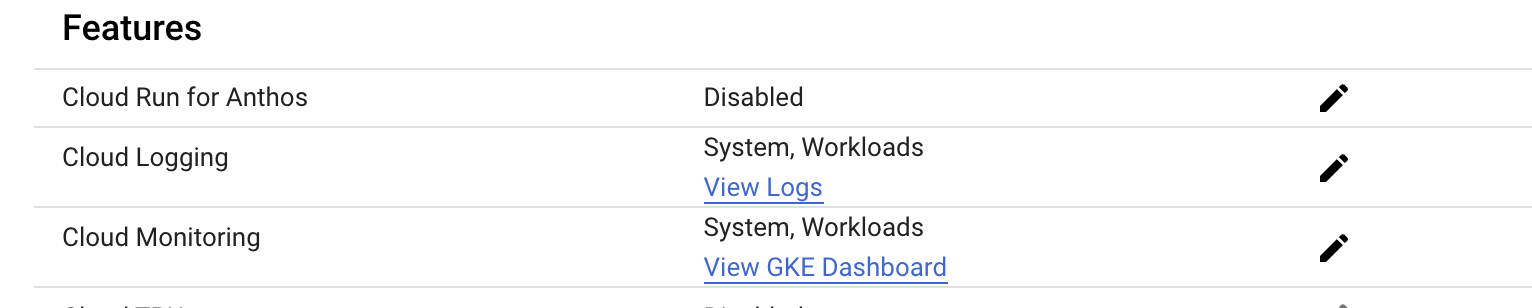
下面是有关集群的一些信息(当我与标准集群进行比较时,启用了度量标准时,我没有发现任何差异:
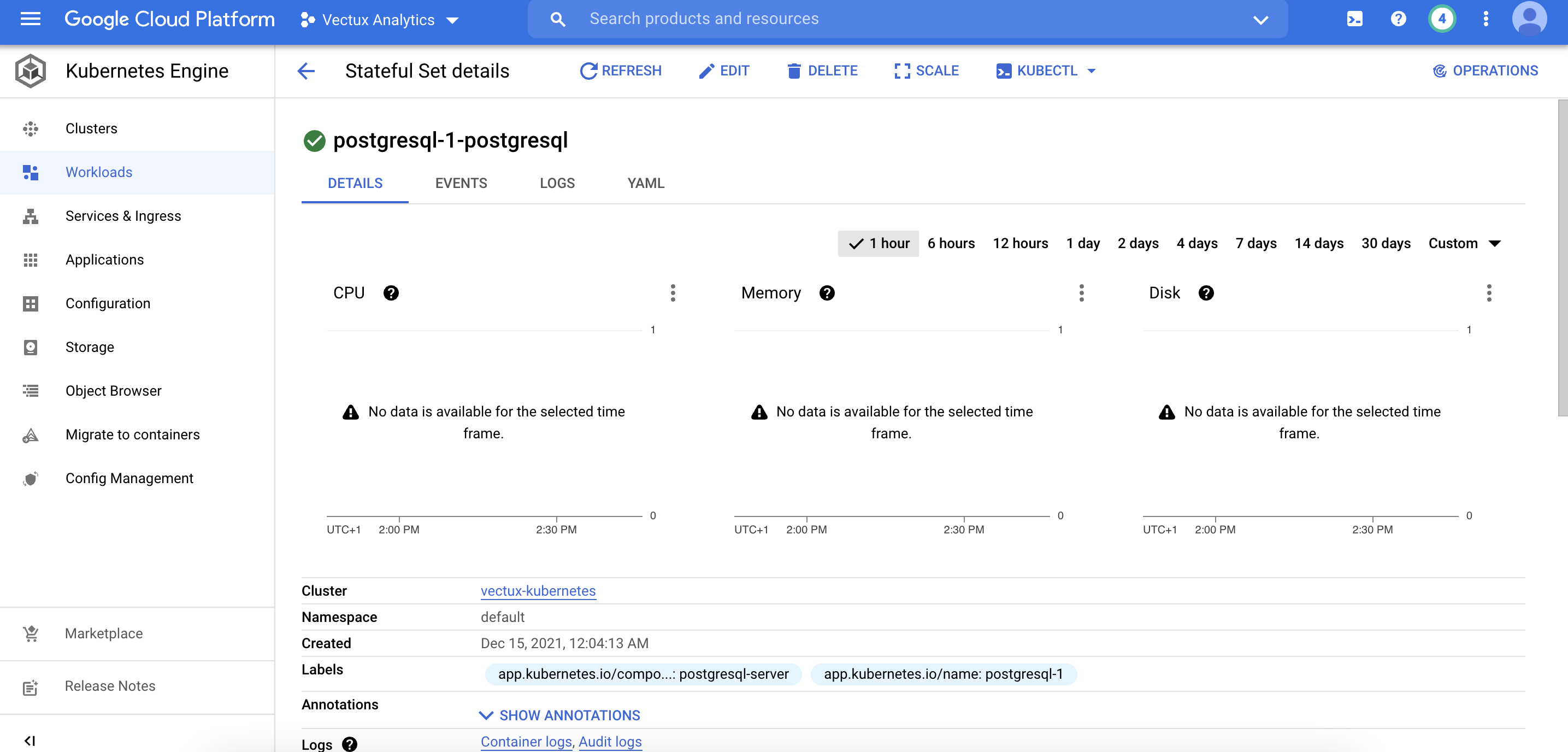
这里是工作负载视图,没有我想要看到的指标:
回答 1
Stack Overflow用户
发布于 2021-12-21 10:08:34
正如我在评论中提到的那样,为了解决您的问题,您必须添加google_service_account_iam_binding模块并授予您的Service Account特定角色- roles/monitoring.metricWriter。在评论中,我提到您也可以授予role/compute.admin,但是在另一个测试之后,我已经运行了它,这是不必要的。
下面是我用Service Account创建一个名为sa的测试集群时使用的一个terraform片段。我在node config中更改了一些字段。在您的例子中,您需要添加整个google_project_iam_binding模块。
Terraform片段
### Creating Service Account
resource "google_service_account" "sa" {
  project      = "my-project-name"
  account_id   = "terraform-vectux-2"
  display_name = "tfvectux2"
  provider     = google-beta
}
### Binding Service Account with IAM
resource "google_project_iam_binding" "sa_binding_writer" {
  project = "my-project-name"
  role    = "roles/monitoring.metricWriter"
  members = [
    "serviceAccount:${google_service_account.sa.email}"
    ### in your case it will be "serviceAccount:${google_service_account.your-serviceaccount-name.email}"
  ]
}

resource "google_container_cluster" "default" {
  provider = google-beta
  name        = "cluster-test-custom-sa"
  project     = "my-project-name"
  description = "Vectux GKE Cluster"
  location    = "europe-west2"
  remove_default_node_pool = true
  initial_node_count       = "1"
  master_auth {
    #username = ""
    #password = ""
    client_certificate_config {
      issue_client_certificate = false
    }
  }
  timeouts {
    create = "30m"
    update = "40m"
  }
  logging_config {
    enable_components = ["SYSTEM_COMPONENTS", "WORKLOADS"]
  }
  monitoring_config {
    enable_components = ["SYSTEM_COMPONENTS", "WORKLOADS"]
  }
}

resource "google_container_node_pool" "default" {
  name       = "test-node-pool"
  project    = "my-project-name"
  location   = "europe-west2"
  node_locations = ["europe-west2-a"]
  cluster    = google_container_cluster.default.name
  node_count = "1"

  node_config {
    preemptible  = "true"
    machine_type = "e2-medium"
    disk_size_gb = 50
    service_account = google_service_account.sa.email
    ###service_account = google_service_account.your-serviceaccount-name.email
    oauth_scopes = [
      "https://www.googleapis.com/auth/logging.write",
      "https://www.googleapis.com/auth/monitoring",
      "https://www.googleapis.com/auth/cloud-platform",
      "compute-ro",
      "storage-ro",
      "service-management",
      "service-control",
    ]
    metadata = {
      disable-legacy-endpoints = "true"
    }
  }

  management {
    auto_repair  = true
    auto_upgrade = true
  }
}
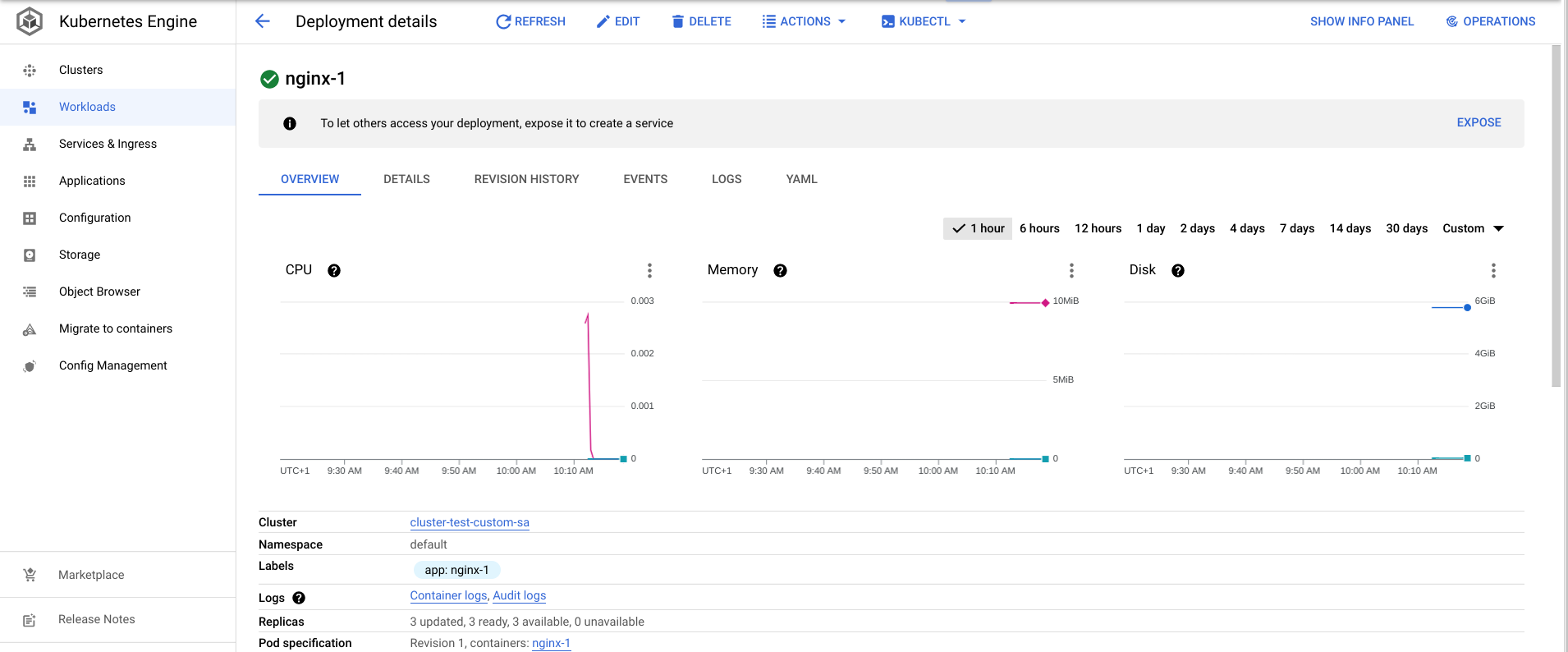
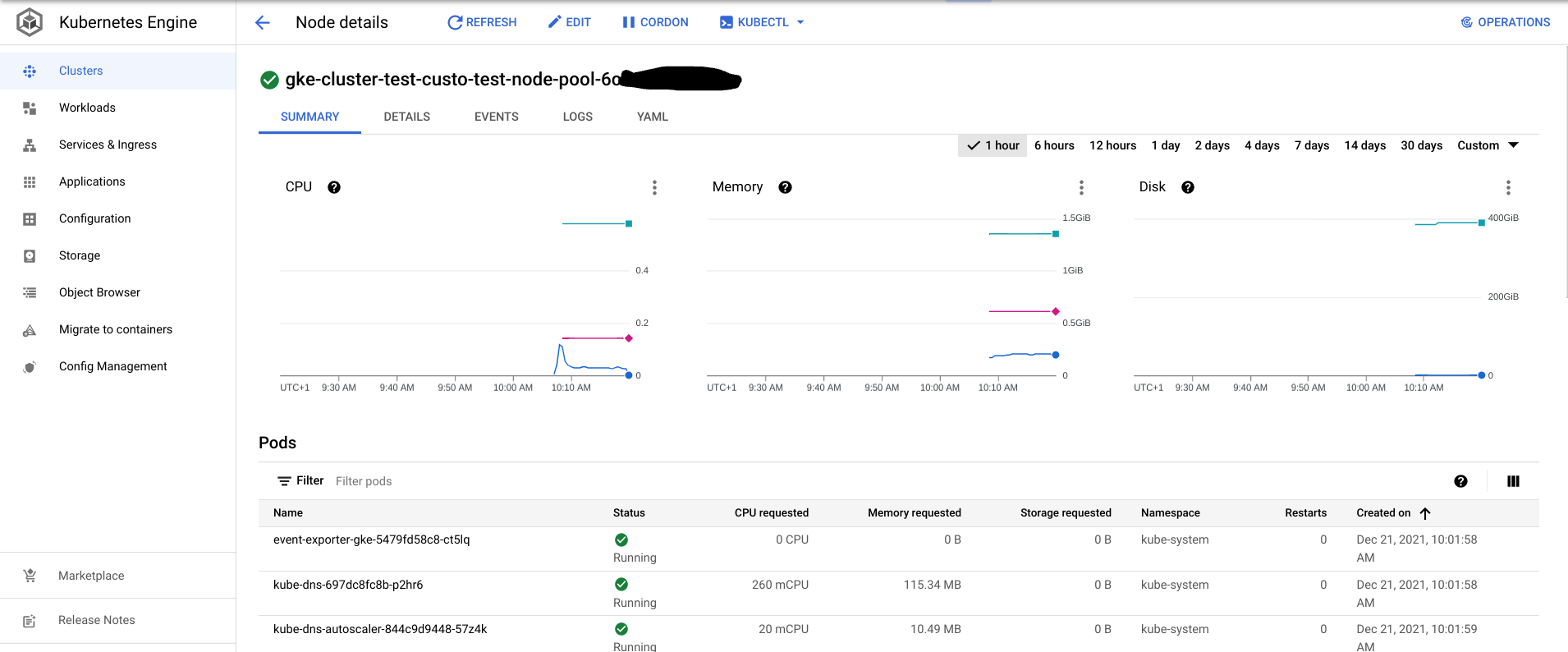
我的屏幕:
整体工作负载
节点工作负载
附加信息
如果只添加roles/compute.admin,您可能会看到整个应用程序的工作负载,但无法看到每个节点的工作负载。使用"roles/monitoring.metricWriter",您可以看到整个应用程序工作负载和每个节点工作负载。要实现您想要的结果--在节点中查看工作负载,只需要"roles/monitoring.metricWriter"即可。
您需要在IAM角色中使用"google_project_iam_binding",因为在IAM角色中没有这一点,您就不会有新创建的Service Account,而且它将缺乏权限。简而言之,您的新SA将在IAM & Admin > Service Accounts中可见,但在IAM & Admin > IAM中不会有任何条目。
如果您想了解更多关于IAM和terraform绑定的信息,请查看这个Terraform文档
作为最后一件事,请记住Oauth范围与"https://www.googleapis.com/auth/cloud-platform"一起提供对所有GCP资源的访问。
https://stackoverflow.com/questions/70364860
复制相似问题
腾讯云开发者

Copyright © 2013 - 2026 Tencent Cloud. All Rights Reserved. 腾讯云 版权所有
深圳市腾讯计算机系统有限公司 ICP备案/许可证号:粤B2-20090059  粤公网安备44030502008569号
腾讯云计算(北京)有限责任公司 京ICP证150476号 | 京ICP备11018762号