
如何使word_document输出中的边框宽度具有可弯曲性?减缩
我在Rmarkdown中使用flextable()来创建表。我将代码编织到word_document输出中。有没有人知道如何将表的宽度与word_document输出中的边框宽度相匹配,而不是将其与内容相匹配?
---
title: ""
output: word_document
---

```{r setup, include=FALSE}
knitr::opts_chunk$set(echo =真)
图书馆(可弯曲)
图书馆(Dplyr)
## R Markdown

This is an R Markdown document. Markdown is a simple formatting syntax for authoring HTML, PDF, and MS Word documents. For more details on using R Markdown see <http://rmarkdown.rstudio.com>.

When you click the **Knit** button a document will be generated that includes both content as well as the output of any embedded R code chunks within the document. You can embed an R code chunk like this:

```{r cars}
头(Cars)%>%
柔性()%>%
theme_box()%>%
自动装配()
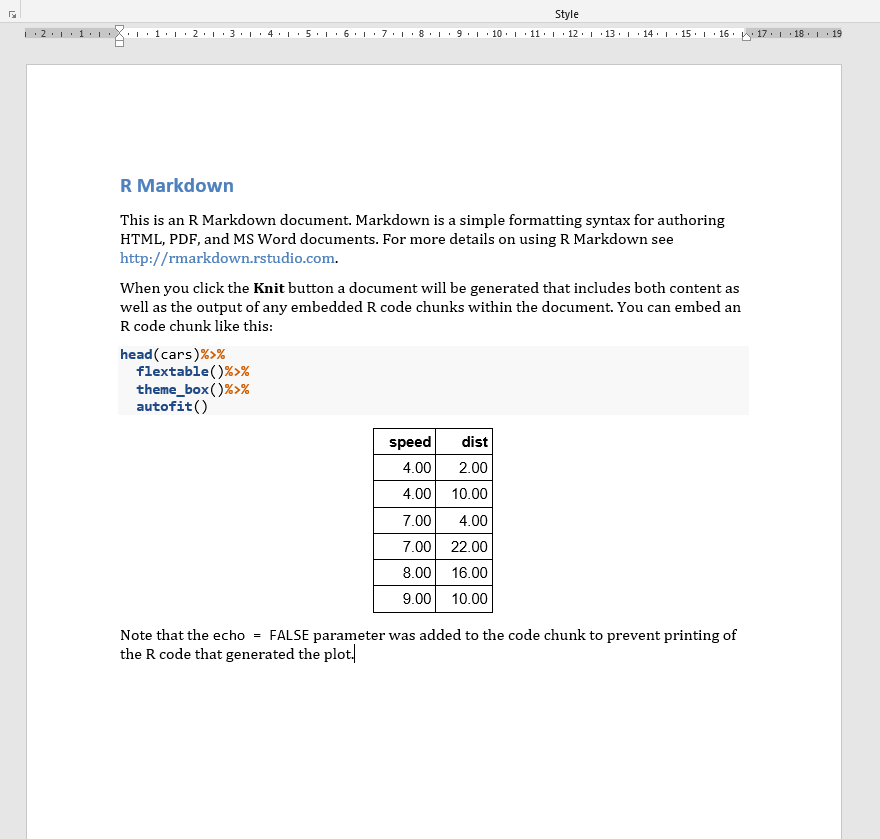
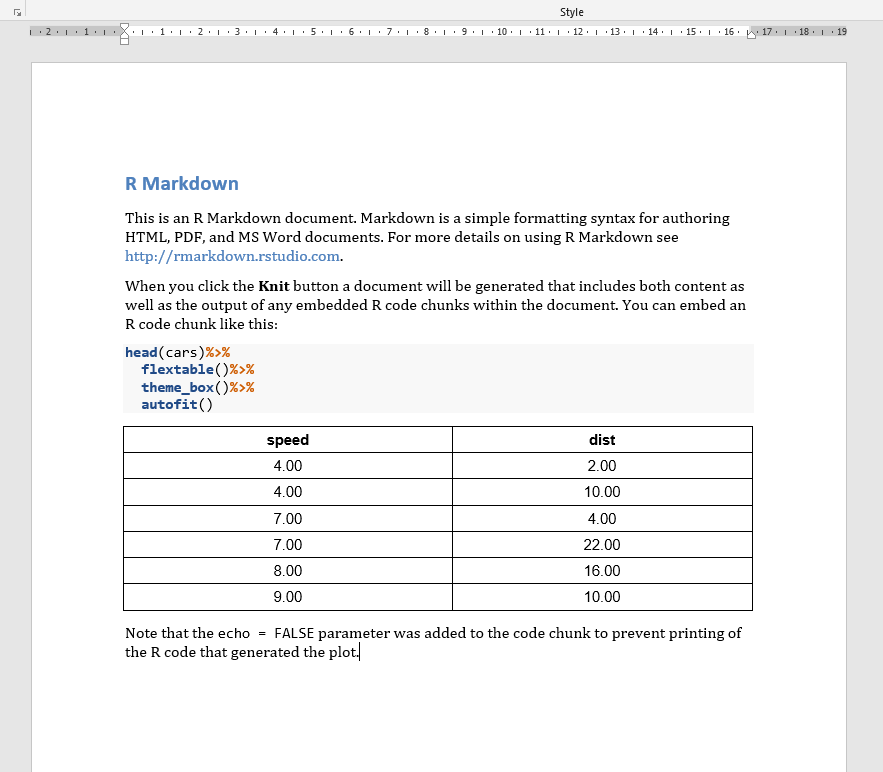
下面我附上两张照片:
- 第一个-我的代码产生了什么,
- 第二个-我想要生产的东西
。
谢谢!
回答 3
Stack Overflow用户
发布于 2021-12-16 06:13:50
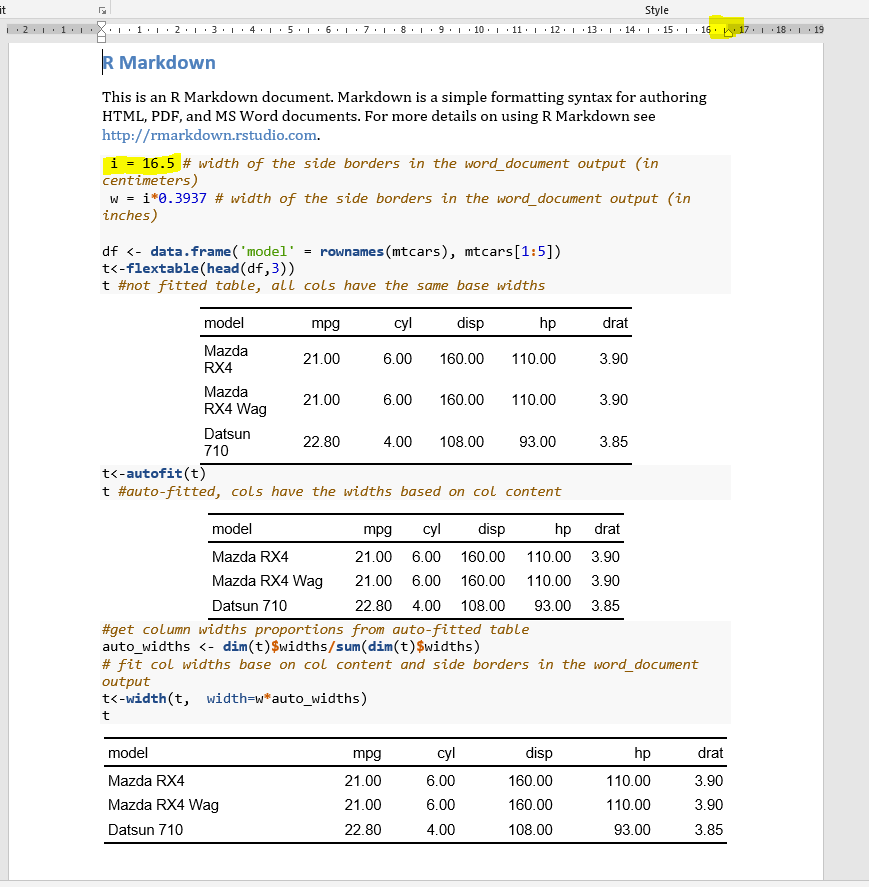
基于word_document输出中列内容和边边框拟合列宽的解决方案
---

title: ""
output: word_document
---

```{r setup, include=FALSE}
knitr::opts_chunk$set(echo =真)
图书馆(可弯曲)
图书馆(Dplyr)
## R Markdown

This is an R Markdown document. Markdown is a simple formatting syntax for authoring HTML, PDF, and MS Word documents. For more details on using R Markdown see <http://rmarkdown.rstudio.com>.


```{r cars}
I= word_document输出中边框的16.5 #宽度(厘米)
W= i*0.3937 #边框宽度在word_document输出中(以英寸为单位)
df <- data.frame('model‘=行名(Mtcar),mtcars 1:5)
T<-可弯曲(头(df,3))
没有安装的桌子,所有的科尔都有相同的基座宽度。
t<-autofit(t)
T#自动安装,cols具有基于col含量的宽度。
#从自动安装表中获取列宽比例
auto_widths <- dim(T)$宽度/sum(dim(T)$widths)
word_document输出中基于col内容和边边框的拟合宽度
T<-宽度(t,width=w*auto_widths)
T
Stack Overflow用户
发布于 2021-12-14 22:27:31
Stack Overflow用户
发布于 2021-12-15 05:11:29
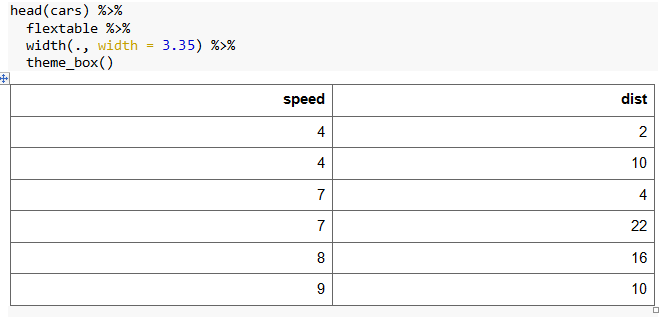
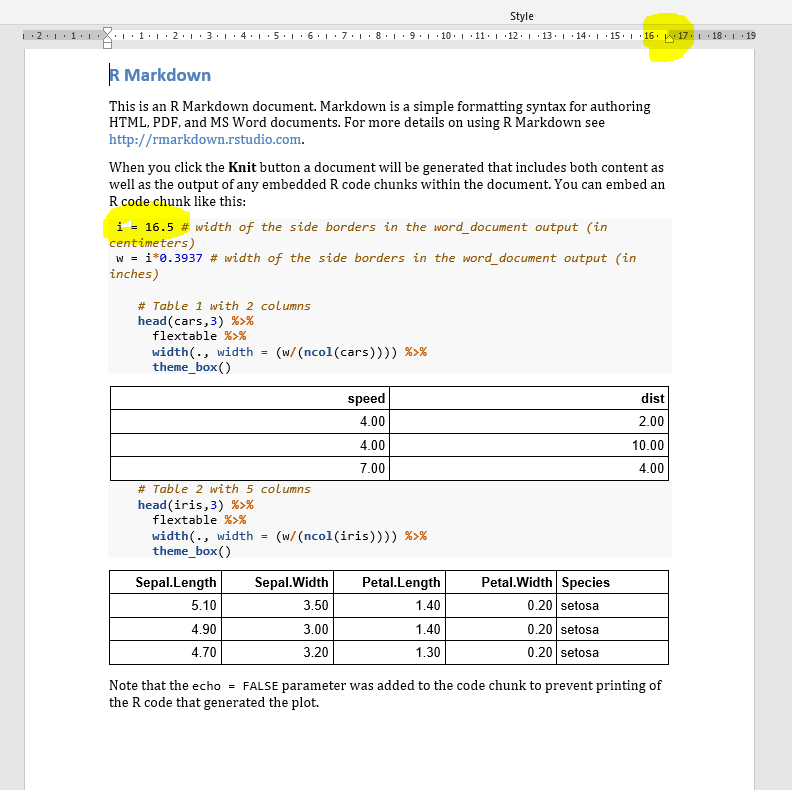
基于芒洛解决方案,无论表中有多少列,我都编写了一个代码,该代码生成一个具有给定宽度的表。这也是我的目标,我可能在我的问题中没有清楚地解释。
```{r cars}I= word_document输出中边框的16.5 #宽度(厘米)
W= i*0.3937 #边框宽度在word_document输出中(以英寸为单位)
# Table 1 with 2 columns head(cars,3) %>% flextable %>% width(., width = (w/(ncol(cars)))) %>% theme_box() # Table 2 with 5 columnshead(iris,3) %>% flextable %>% width(., width = (w/(ncol(iris)))) %>% theme_box()
https://stackoverflow.com/questions/70355001
复制相似问题
腾讯云开发者

Copyright © 2013 - 2026 Tencent Cloud. All Rights Reserved. 腾讯云 版权所有
深圳市腾讯计算机系统有限公司 ICP备案/许可证号:粤B2-20090059  粤公网安备44030502008569号
腾讯云计算(北京)有限责任公司 京ICP证150476号 | 京ICP备11018762号