
颤振摄像机显示记录视频持续时间
颤振摄像机显示记录视频持续时间
提问于 2021-12-10 14:30:09
我想显示录像的持续时间,同时继续用颤振相机插件录像。但是,插件没有任何事件侦听器或其他方法附加开始和停止视频记录事件。当用户按下“开始记录”和“停止记录”按钮时,我可以计算持续时间,但我看起来更精确。
回答 1
Stack Overflow用户
发布于 2022-08-18 06:08:05
查一下这个
具有持续时间的UI显示摄像机
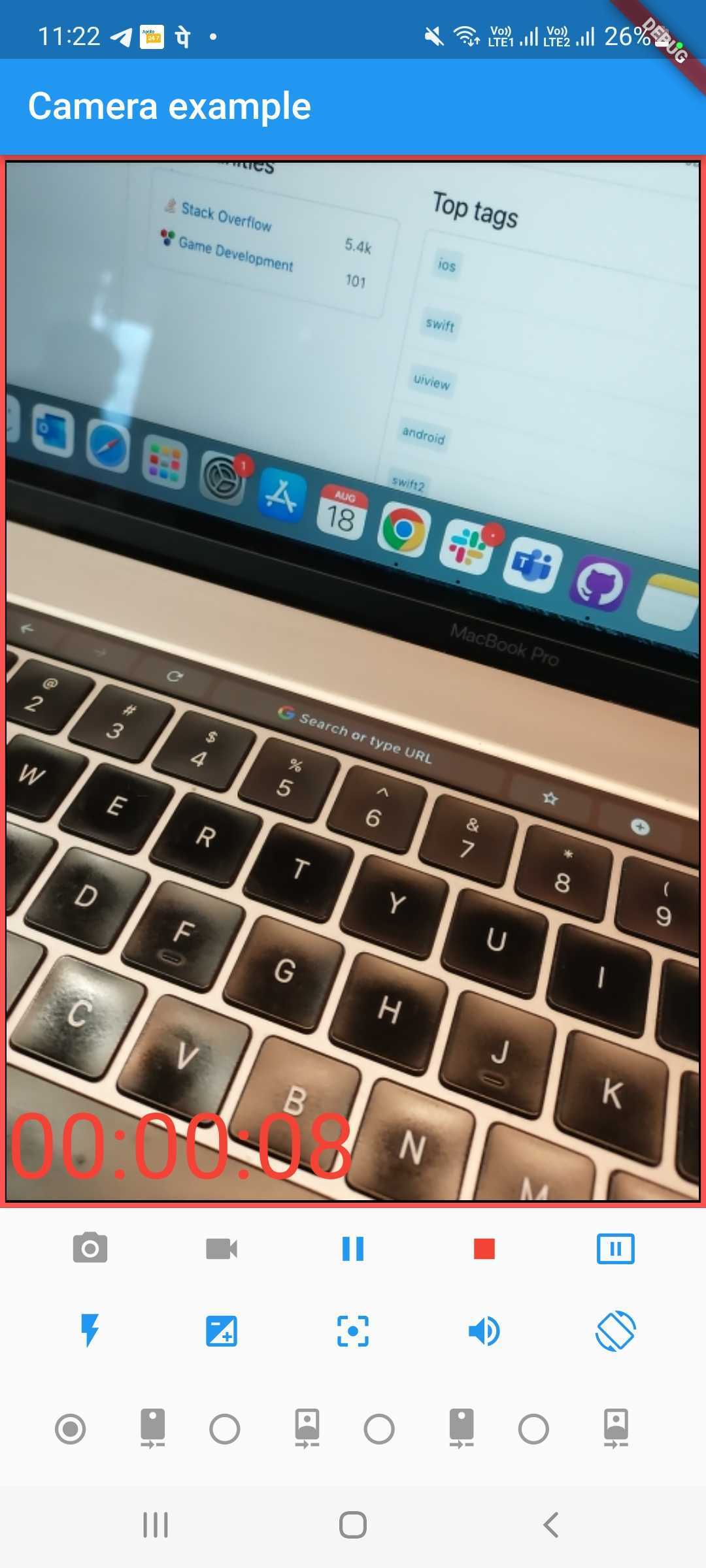
@override
  void initState() {
    super.initState();
    _stopwatch = Stopwatch();
  }

body: Expanded(
            child: Container(
              decoration: BoxDecoration(
                color: Colors.black,
                border: Border.all(
                  color:
                  controller != null && controller!.value.isRecordingVideo
                      ? Colors.redAccent
                      : Colors.grey,
                  width: 3.0,
                ),
              ),
              child: Padding(
                padding: const EdgeInsets.all(1.0),
                child: Stack(
                  children: [
                    Center(
                      child: _cameraPreviewWidget(),
                    ),
                    Align(
                        alignment: Alignment.bottomLeft,
                        child: Text(formatTime(_stopwatch.elapsedMilliseconds), style: TextStyle(fontSize: 48.0,color: Colors.red))),
                  ],
                ),
              ),
            ),
          ),
在视频开始或暂停时间时添加计时器功能
late Stopwatch _stopwatch;


void handleStartStop() {
    if (_stopwatch.isRunning) {
      _stopwatch.stop();
    } else {
      _stopwatch.start();
      // _stopwatch.reset();
    }
    setState(() {});    // re-render the page
  }
当视频停止调用此功能时重置计时器
void timerReset() {
    if (_stopwatch.isRunning) {
      setState(() {
        _stopwatch.reset();
      });
    }
  }
//启动视频
 void onVideoRecordButtonPressed() {
    startVideoRecording().then((value) {
      handleStartStop();
      if (mounted) {
        setState(() {
        });
      }
    });
  }
//恢复录像
void onResumeButtonPressed() {
    resumeVideoRecording().then((_) {
     handleStartStop();
      if (mounted) {
        setState(() {});
      }
     showInSnackBar('Video recording resumed');
    });
  }
//停止视频功能c
void onStopButtonPressed() {
    stopVideoRecording().then((XFile? file) {
      timerReset();
      if (mounted) {
        setState(() {});
      }
      if (file != null) {
        showInSnackBar('Video recorded to ${file.path}');
        videoFile = file;
        _startVideoPlayer();
      }
    });
}页面原文内容由Stack Overflow提供。腾讯云小微IT领域专用引擎提供翻译支持
原文链接:
https://stackoverflow.com/questions/70306014
复制相关文章
相似问题
腾讯云开发者

Copyright © 2013 - 2026 Tencent Cloud. All Rights Reserved. 腾讯云 版权所有
深圳市腾讯计算机系统有限公司 ICP备案/许可证号:粤B2-20090059  粤公网安备44030502008569号
腾讯云计算(北京)有限责任公司 京ICP证150476号 | 京ICP备11018762号