OpenClaw 配置飞书及命令速查


在前期的几篇文章中,我们重点讲了
OpenClaw的部署教程。这期文章,我们综合前面的文章,讲解在部署过程中遇到的坑!
配置飞书
为什么要配置飞书呢?目标很简单,就是方便我们与OpenClaw沟通和对话。接下来,让我们来看看部署过程。
首先,在飞书开放平台创建应用。
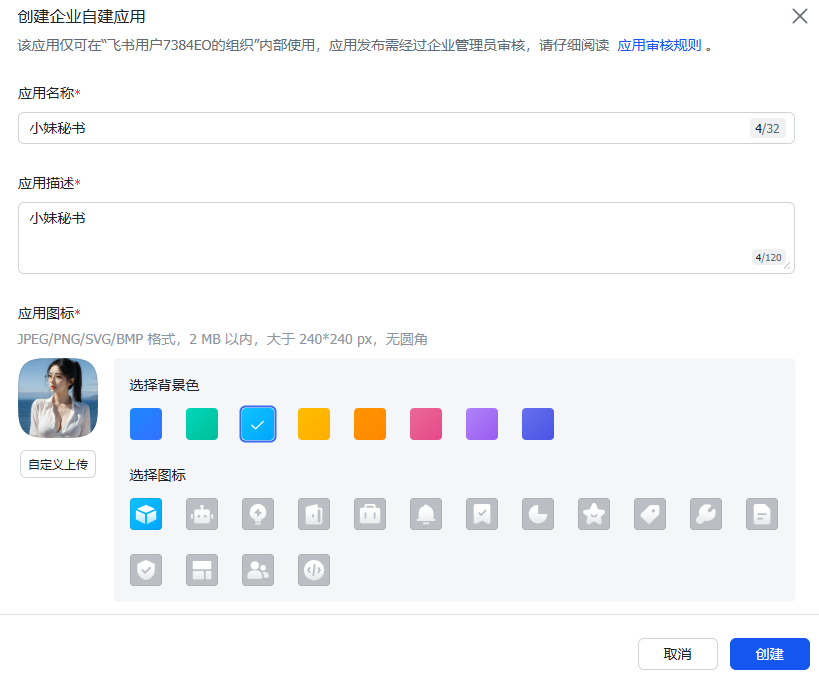
接下来,新建机器人。

完成后,在基础信息页面记录App ID和App Secret。

如果你的版本中,没有飞书插件,可以通过下面命令进行安装。 安装飞书插件。
openclaw plugins install @m1heng-clawd/feishu
接下来,我们在OpenClaw配置飞书插件。
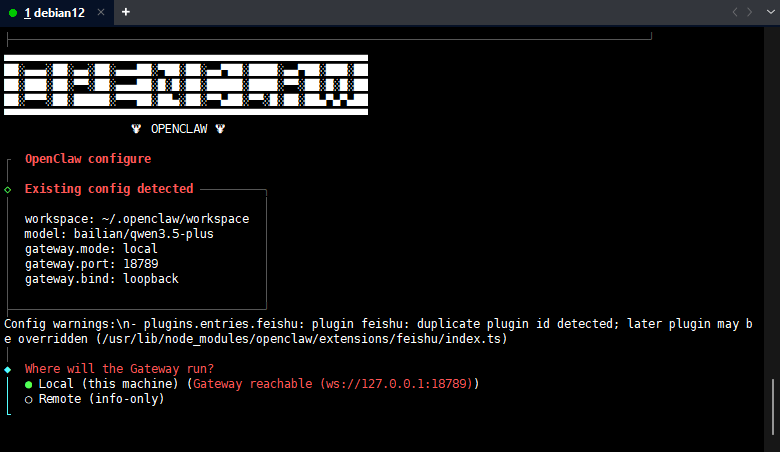
openclaw config

选择本机
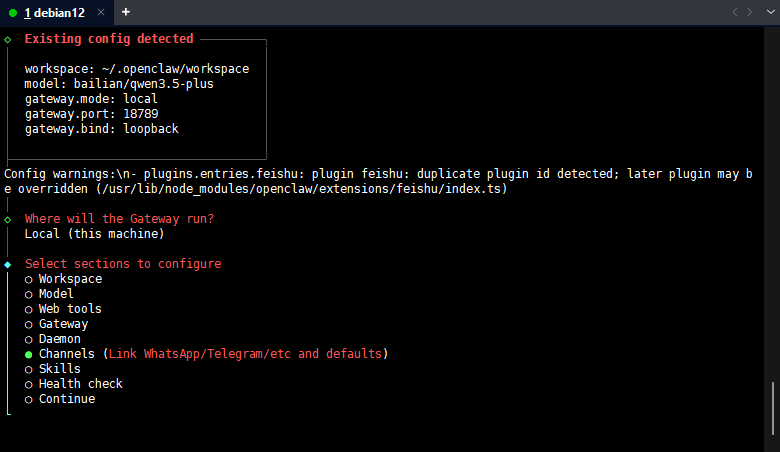
选择渠道
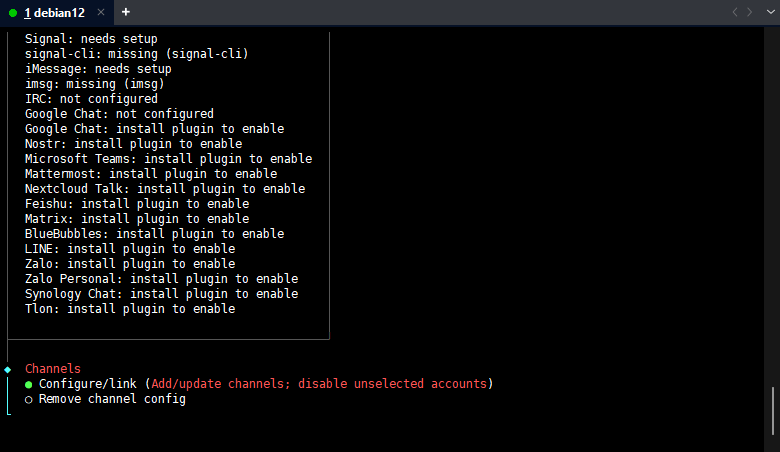
选择配置链接
输入ID

地点选择China
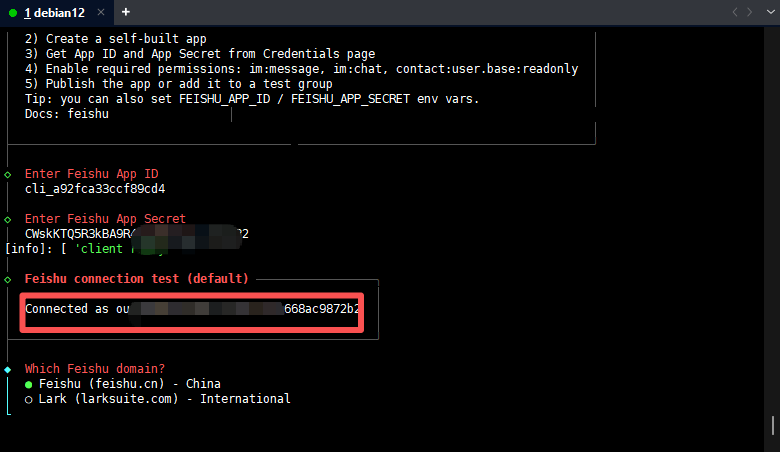
选择接受群聊

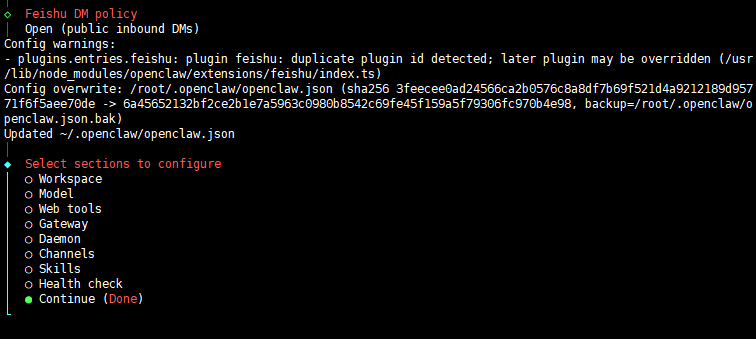
接下来,选择Finished
这里选择OPEN这个

选择继续
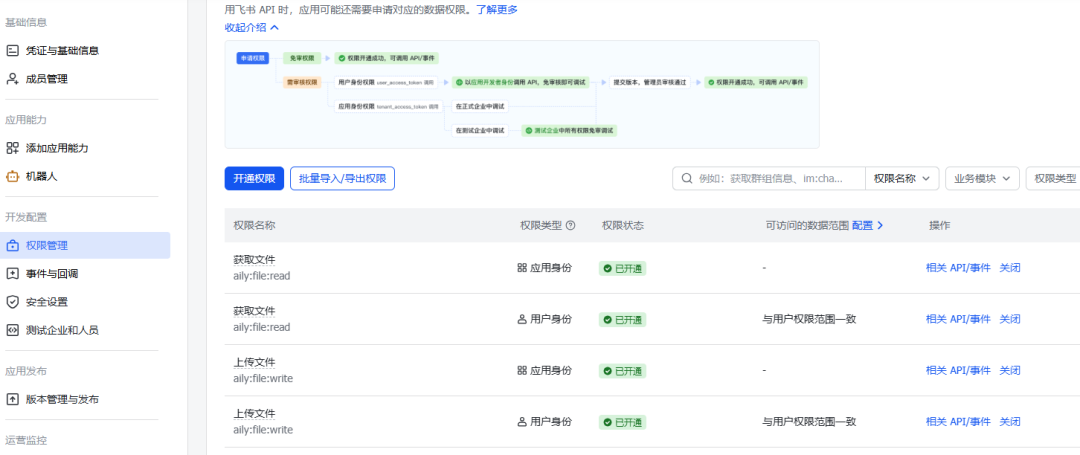
完成配置后,回到飞书开放平台。点击权限管理,开启对应的权限。
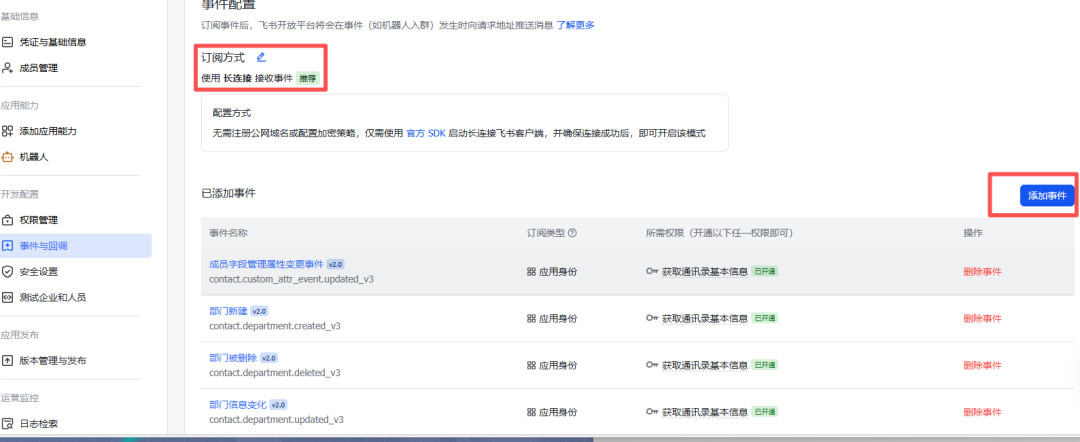
然后,点击事件与回调。配置订阅方式为长链接。并添加对应的事件。
最后记得要发布你的机器人。完成后便可以进行测试了。!

常用命令速查表
启动与运行
命令 | 作用 |
|---|---|
openclaw gateway | 启动网关服务(核心,必须运行) |
openclaw gateway start | 后台启动网关 |
openclaw gateway stop | 停止网关 |
openclaw tui | 启动终端 |
openclaw dashboard | 打开控制面板(可视化界面) |
配置管理
命令 | 作用 |
|---|---|
openclaw onboard | 首次全局配置 |
openclaw setup | 首次配置(初始化配置文件) |
openclaw configure | 交互式配置(设置凭据、设备等) |
openclaw config get | 查看当前配置 |
openclaw config set | 设置配置项 |
渠道管理(连接各种聊天平台)
命令 | 作用 |
|---|---|
openclaw channels add | 添加渠道 |
openclaw channels login | 登录渠道(WhatsApp、Telegram等) |
openclaw channels list | 查看已连接的渠道 |
openclaw channels logout | 退出渠道 |
消息发送
命令 | 作用 |
|---|---|
openclaw message send | 发送消息 |
openclaw message broadcast | 群发消息 |
状态与诊断
命令 | 作用 |
|---|---|
openclaw status | 查看状态(渠道健康度、最近会话) |
openclaw gateway status | 查看网关状态 |
openclaw health | 检查网关健康状态 |
openclaw doctor | 诊断问题 + 自动修复 |
openclaw logs | 查看日志 |
更多精彩文章 欢迎关注我们
本文参与 腾讯云自媒体同步曝光计划,分享自微信公众号。
原始发表:2026-03-04,如有侵权请联系 cloudcommunity@tencent.com 删除
评论
登录后参与评论
推荐阅读
目录
腾讯云开发者

Copyright © 2013 - 2026 Tencent Cloud. All Rights Reserved. 腾讯云 版权所有
深圳市腾讯计算机系统有限公司 ICP备案/许可证号:粤B2-20090059  粤公网安备44030502008569号
腾讯云计算(北京)有限责任公司 京ICP证150476号 | 京ICP备11018762号