零基础学习HTML(7)——块级元素和行内元素

零基础学习HTML(7)——块级元素和行内元素

Dragon水魅
发布于 2026-01-23 14:57:05
发布于 2026-01-23 14:57:05
注:学习笔记基于小甲鱼学习视频,官方论坛: https://fishc.com.cn/forum.php
官方资料
鱼C课程案例库:https://ilovefishc.com/html5/ html5速查手册:https://man.ilovefishc.com/html5/ css速查手册:https://man.ilovefishc.com/css3/
学习正文
span标签:https://man.ilovefishc.com/pageHTML5/span.html br标签:https://man.ilovefishc.com/pageHTML5/br.html 我们发现,有的标签在一行里显示,有的标签会另起一行:
<!DOCTYPE html>
<html lang="en">
<head>
    <meta charset="UTF-8">
    <title>第九节课</title>
	<meta name="viewport" content="width=device-width, intial-scale=1.0">
	<meta name="keywords" content="小甲鱼,Web开发,HTML5,CSS3,Web编程教学">
	<meta name="description" content="《零基础入门学习Web开发》案例演示">
	<meta name="author" content="小甲鱼">
</head>
<body>
	<a href="http://bbs.fishc.com">论坛</a>
	<a href="fishc.taobao.com">淘宝</a>
	<p>茕茕孑立</p>
	<p>形单影只</p>
</body>
</html>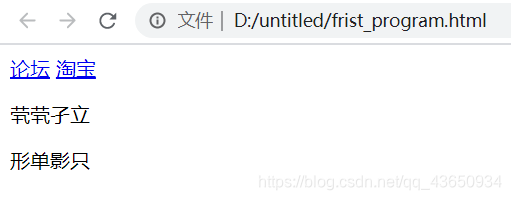
在这里插入图片描述
这涉及到“块级元素”和“行内元素”。
- 块级元素总是在新的行上开始,并尽可能地占据本行全部可用的宽度。
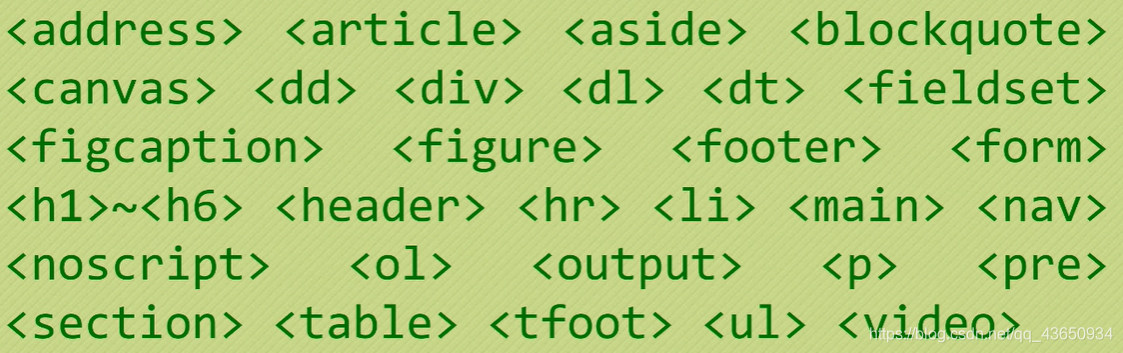
在这里插入图片描述
- 行内元素不会另起一行,它也只占用必要的宽度。
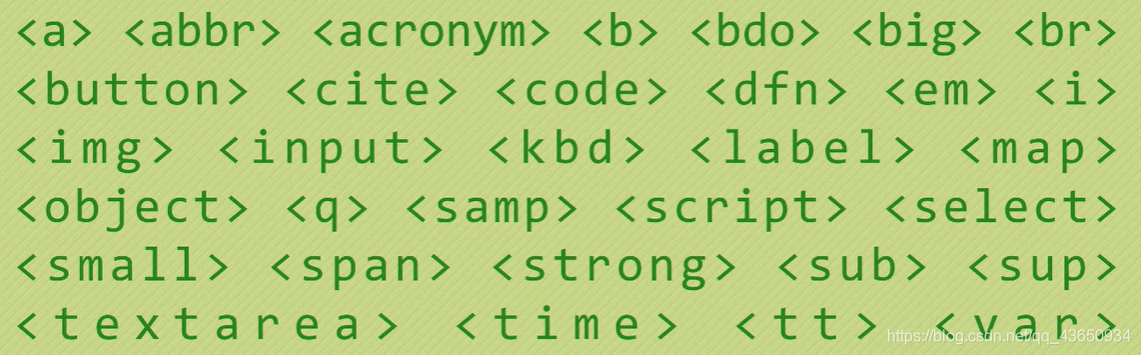
在这里插入图片描述
span标签没有特定的样式。只有对它设置样式的时候,才会产生视觉上的表现。
<!DOCTYPE html>
<html lang="en">
<head>
    <meta charset="UTF-8">
    <title>第九节课</title>
	<meta name="viewport" content="width=device-width, intial-scale=1.0">
	<meta name="keywords" content="小甲鱼,Web开发,HTML5,CSS3,Web编程教学">
	<meta name="description" content="《零基础入门学习Web开发》案例演示">
	<meta name="author" content="小甲鱼">
	<style>
		span {color: red}
	</style>
</head>
<body>
	<a href="http://bbs.fishc.com">论坛</a>
	<a href="fishc.taobao.com">淘宝</a>
	<p>茕茕<span>孑立</span></p>
	<p>形单<span>影只</span></p>
</body>
</html>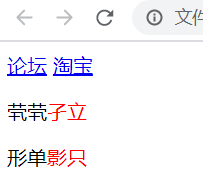
在这里插入图片描述
br标签用于插入一个简单的换行符。
<!DOCTYPE html>
<html lang="en">
<head>
    <meta charset="UTF-8">
    <title>第九节课</title>
	<meta name="viewport" content="width=device-width, intial-scale=1.0">
	<meta name="keywords" content="小甲鱼,Web开发,HTML5,CSS3,Web编程教学">
	<meta name="description" content="《零基础入门学习Web开发》案例演示">
	<meta name="author" content="小甲鱼">
	<style>
		span {color: red}
	</style>
</head>
<body>
	<a href="http://bbs.fishc.com">论坛</a>
	<a href="fishc.taobao.com">淘宝</a>
	<p>茕茕<span><br>孑立</span></p>
	<p>形单<span>影只</span></p>
</body>
</html>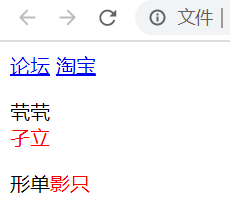
在这里插入图片描述
行内元素和块级元素的对比:
- 一般情况下,行内元素只能包含数据和其他行内元素。
- 而块级元素可以包含行内元素和其他块级元素。
本文参与 腾讯云自媒体同步曝光计划,分享自作者个人站点/博客。
原始发表:2026-01-23,如有侵权请联系 cloudcommunity@tencent.com 删除
目录
腾讯云开发者

Copyright © 2013 - 2026 Tencent Cloud. All Rights Reserved. 腾讯云 版权所有
深圳市腾讯计算机系统有限公司 ICP备案/许可证号:粤B2-20090059  粤公网安备44030502008569号
腾讯云计算(北京)有限责任公司 京ICP证150476号 | 京ICP备11018762号